Enabot EBO EBO Air 2 Plus - Purple

Enabot EBO Air 2 Plus User Manual

Indoor Camera Robot Companion

Model: EBO Air 2 Plus - Purple

Introduction

The Enabot EBO Air 2 Plus is an advanced home camera robot designed to provide remote monitoring, two-way communication, and interactive companionship. Equipped with a 3K camera, AI capabilities, and autonomous navigation, it allows you to stay connected with your home, family, and pets from anywhere. This manual provides essential information for setting up, operating, and maintaining your EBO Air 2 Plus.
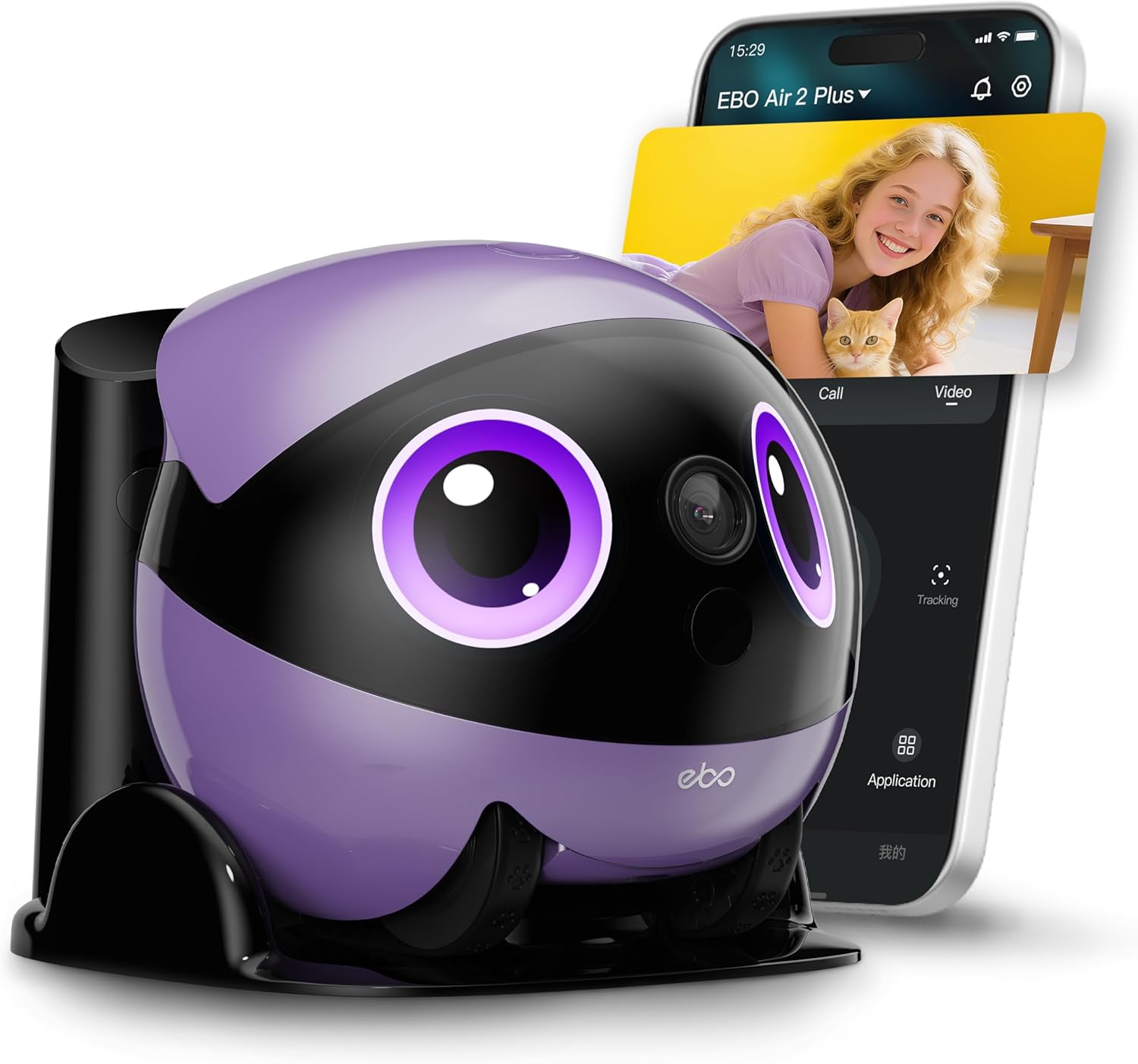
Enabot EBO Air 2 Plus robot in purple, with a smartphone displaying a live video feed of a child and a cat.

Image: The EBO Air 2 Plus robot, showcasing its compact design and the ability to connect via a smartphone for live video calls.

What's in the Box

Carefully unpack your Enabot EBO Air 2 Plus and ensure all components are present:

  • EBO Air 2 Plus Robot (Purple)
  • Charging Dock
  • Charger (Power Adapter)
  • 32GB Micro-SD Card (pre-installed in EBO Air 2 Plus)
  • User Manual
Contents of the Enabot EBO Air 2 Plus box, including the robot, charging dock, charger, 32GB micro-SD card, and user manual.

Image: A visual representation of all items included in the EBO Air 2 Plus package.

Setup

  1. Charge the EBO: Place the EBO Air 2 Plus onto its charging dock. Connect the charger to the dock and a power outlet. The EBO will begin charging automatically. Ensure the EBO is fully charged before first use.
  2. Download the App: Search for the "EBO" or "ROLA" app in your smartphone's app store (iOS or Android). Download and install the official Enabot application.
  3. Connect to Wi-Fi: Follow the in-app instructions to connect your EBO Air 2 Plus to your home Wi-Fi network. Ensure your Wi-Fi signal is strong in the areas where the EBO will operate.
  4. Initial Configuration: Complete the initial setup steps within the app, including naming your EBO and setting up any desired preferences.

Operating Instructions

Navigation and Movement

The EBO Air 2 Plus is designed for remote control and autonomous movement within your home. Use the joystick controls in the app to navigate the robot. Its tracked wheels allow for smooth movement across various floor types. The compact size enables it to navigate under furniture and into tight spaces.
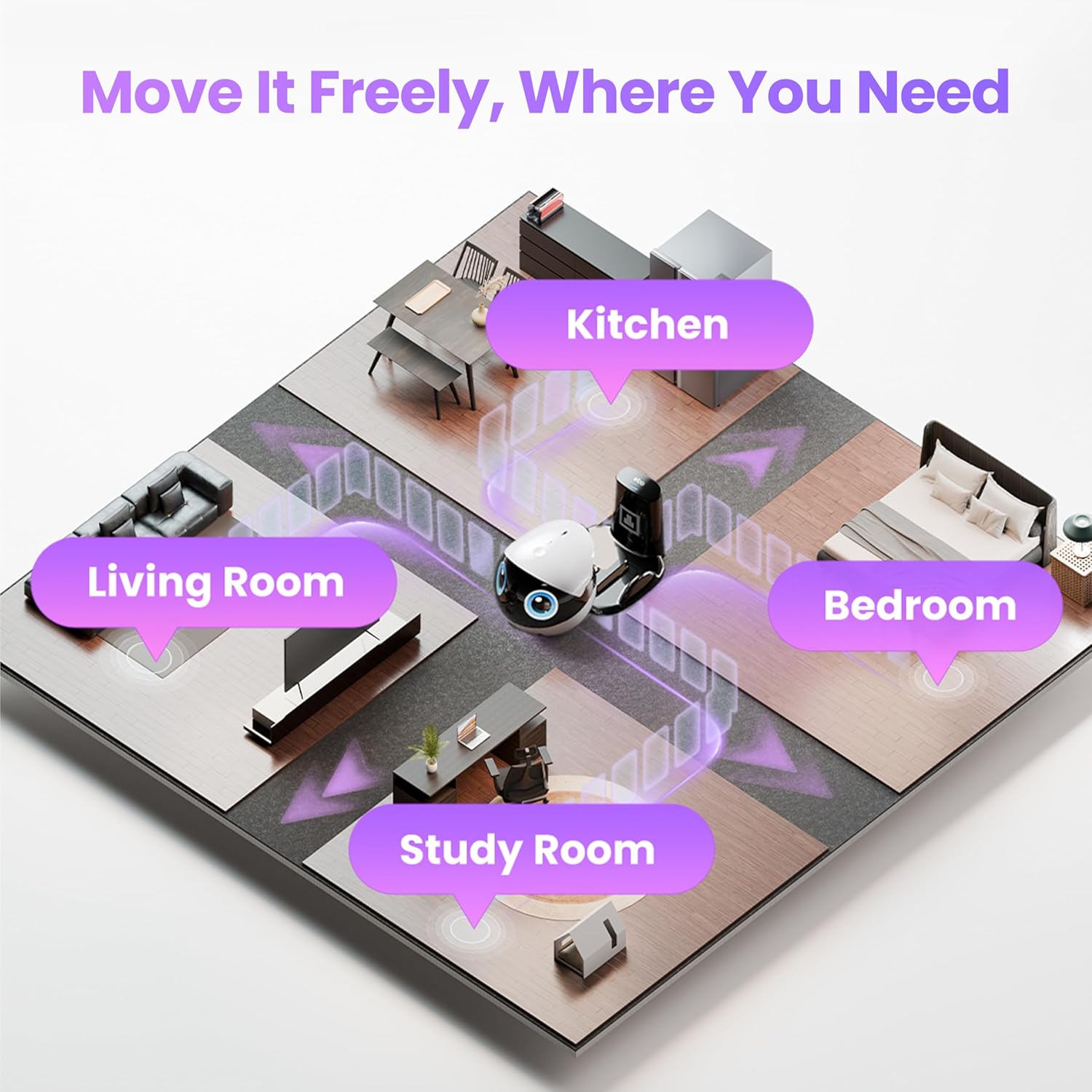
Diagram showing the Enabot EBO Air 2 Plus moving through different rooms of a house, including kitchen, living room, bedroom, and study room.

Image: The EBO Air 2 Plus can be moved freely to cover every room in your home.

Obstacle Crossing: The EBO Air 2 Plus can climb over small obstacles up to 10mm high.

Self-Righting Body: EBO's self-righting design ensures it always stays upright. If bumped or nudged, it automatically returns to the correct position.

Enabot EBO Air 2 Plus demonstrating its self-righting capability, showing it can recover its upright position after being tilted.

Image: The EBO Air 2 Plus features a self-righting body design, ensuring it remains upright during operation.

3K Camera & Monitoring

The EBO Air 2 Plus features a 3K (2880*1620) ultra-HD camera, providing clear and detailed video feeds. It supports both daytime and night vision, allowing for continuous monitoring in various lighting conditions.

  • Daytime Vision: Provides full-color, high-resolution video during the day.
  • Night Vision: Automatically switches to infrared night vision in low-light or dark environments, ensuring visibility around the clock.
A cat's face, split into two halves: one side showing clear daytime vision, and the other showing infrared night vision.

Image: Comparison of daytime and night vision capabilities of the EBO Air 2 Plus camera.

Two-Way Video Chat

Engage in real-time two-way video calls through your EBO. This feature allows you to see and speak with family members or pets as if you were physically present. To initiate a video call, long-press the top button on the EBO or use the corresponding function in the mobile app.

A woman smiling while looking at the Enabot EBO Air 2 Plus, which projects a video call image of a man's face.

Image: The EBO Air 2 Plus facilitating a two-way video call, allowing users to connect with loved ones remotely.

AI Chat Mode

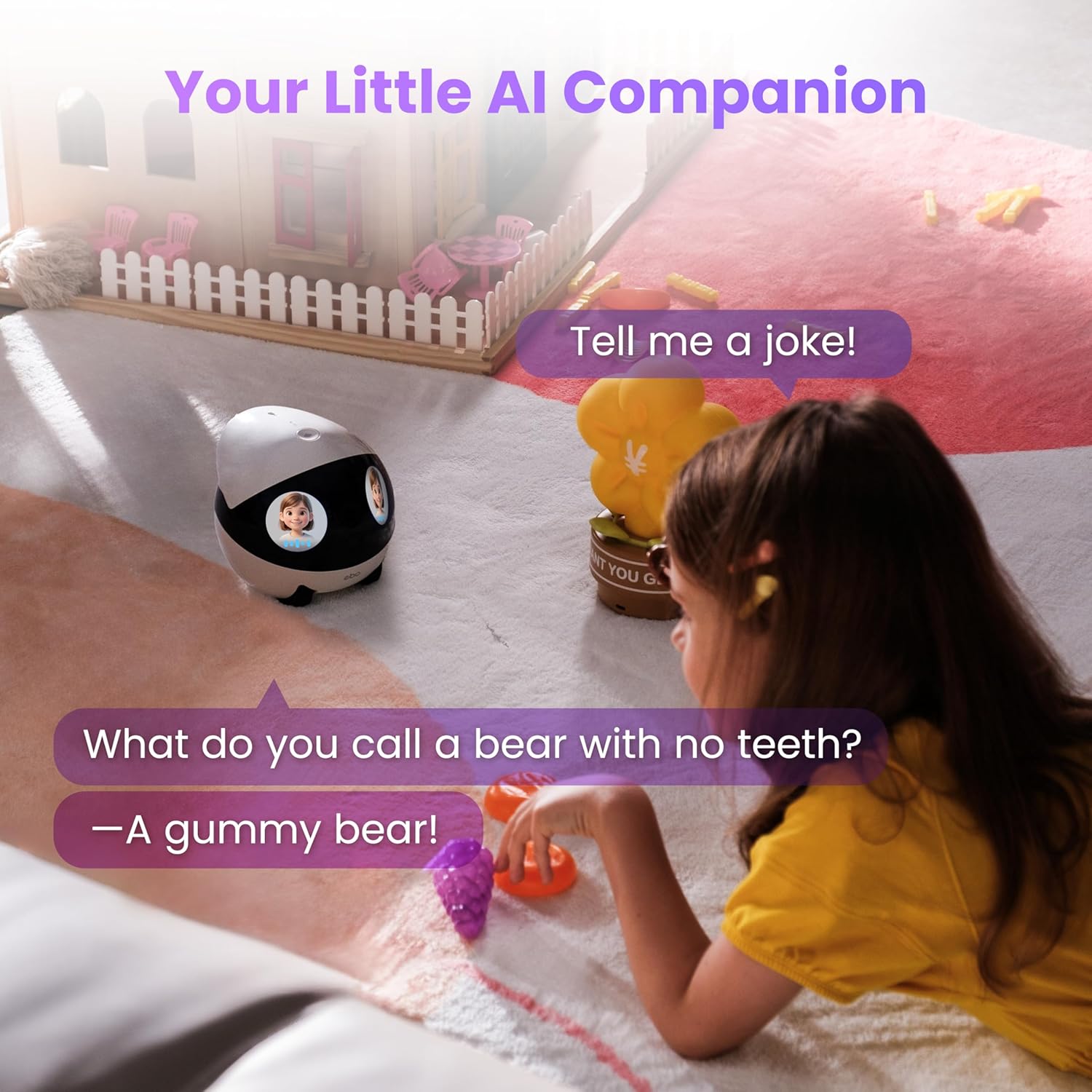
The EBO Air 2 Plus integrates AI chat capabilities, powered by ChatGPT and DeepSeek. Tap the top button on the EBO to activate AI Chat Mode. You can ask questions, request stories, or engage in casual conversations.

A child sitting on the floor interacting with the Enabot EBO Air 2 Plus, which displays a chat bubble asking 'Tell me a joke!' and another chat bubble with the answer 'What do you call a bear with no teeth? -A gummy bear!'

Image: A child engaging with the EBO Air 2 Plus using its built-in AI chat mode.

Custom Facial Image / EBO Eyes

Personalize your EBO's appearance by customizing its eye display. You can upload your own photos to its eye screens or choose from three pre-set eye styles within the app. This feature allows for unique expressions and a more personal connection with your robot.

Enabot EBO Air 2 Plus next to a smartphone displaying the app interface for customizing EBO's eye expressions, showing various eye styles and options to upload custom images.

Image: Customizing the EBO Air 2 Plus's eye display through the mobile application.

Auto-Recharge

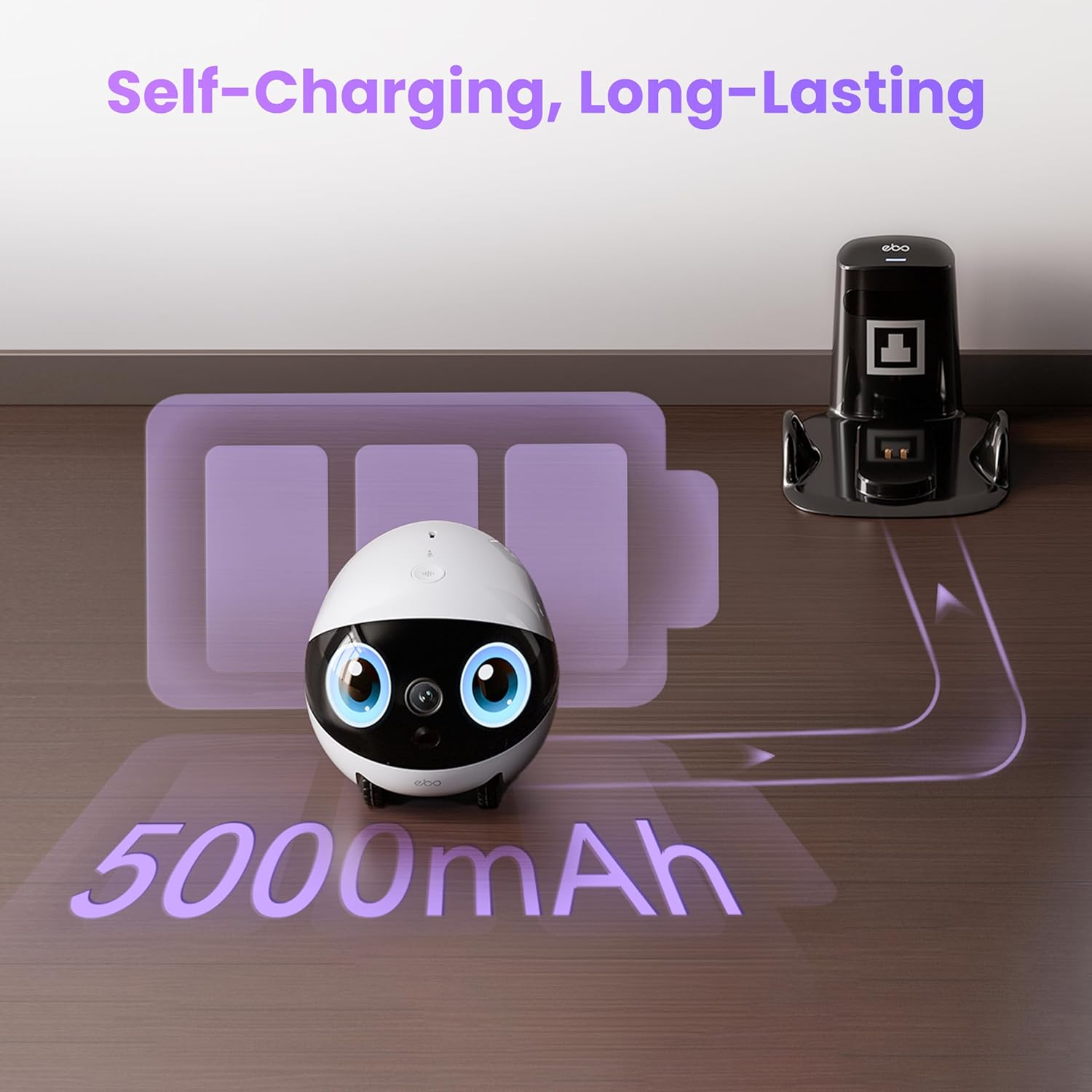
The EBO Air 2 Plus is equipped with an auto-recharge function. When its battery level is low, the robot uses infrared scanning to automatically navigate back to its charging dock. Ensure the charging dock is placed in an open area, free from obstructions, mirrors, or transparent objects that might interfere with its navigation.

Enabot EBO Air 2 Plus robot automatically returning to its charging dock, with an illustration of battery charging.

Image: The EBO Air 2 Plus demonstrating its auto-recharge capability by returning to its dock.

AI Motion Tracking

The EBO Air 2 Plus offers two interactive tracking modes:

  • Follow Mode: The EBO will roll to follow moving subjects, such as pets or people.
  • Lock Mode: The EBO stays in place but rotates 360 degrees to provide fixed monitoring of a specific area.

Note: AI Tracking requires the app to remain open.

Enabot EBO Air 2 Plus tracking a cat, with blue lines indicating the robot's motion tracking capability.

Image: The EBO Air 2 Plus utilizing AI motion tracking to follow a pet.

Playful Parrot Mode

Transform your EBO into a playful parrot. In this mode, the EBO repeats your words in various funny voices, from chipmunk squeaks to robot tones. Double-tap the top button on the EBO to activate Parrot Mode and start the fun.

A child playing with the Enabot EBO Air 2 Plus, which displays a chat bubble saying 'I'm not a robot!' as it repeats the child's words.

Image: The EBO Air 2 Plus in Playful Parrot Mode, repeating spoken words.

Maintenance

  • Cleaning: Use a soft, dry cloth to wipe the exterior of the EBO Air 2 Plus and its charging dock. Do not use liquid cleaners or abrasive materials.
  • Camera Lens: Gently clean the camera lens with a microfiber cloth to ensure clear image quality.
  • Charging Contacts: Periodically check the charging contacts on both the EBO and the dock for dust or debris and clean if necessary to ensure proper charging.
  • Software Updates: Regularly check the EBO app for available firmware updates to ensure optimal performance and access to new features.

Troubleshooting

Q: Does the EBO Air 2 Plus support room mapping (like robotic vacuums) for automatic navigation?
A: No, it doesn't support room mapping or fully automatic navigation. You can set up to 10 custom patrol routes (we recommend keeping each under 10m).
Question and answer regarding EBO Air 2 Plus room mapping capabilities.

Image: Clarification on EBO Air 2 Plus navigation features.

Q: Why can't my EBO successfully return to the charging dock?
A: The EBO Air 2 Plus primarily relies on infrared scanning to locate its charging dock. For best results, we recommend:
  • Place the dock in a clean, open area.
  • Avoid placing mirrors or transparent objects near the dock.
Question and answer regarding EBO Air 2 Plus charging dock return issues.

Image: Guidance for optimizing EBO Air 2 Plus auto-recharge functionality.

Specifications

FeatureDetail
Product Dimensions4.57 x 4.57 x 4.37 inches
Item Weight2.54 pounds
Model NumberEBO Air 2 Plus - Purple
Batteries1 Nonstandard Battery (included)
Video Capture Resolution3K (2880*1620)
Video Capture FormatMP4
Connectivity TechnologyWireless
ColorPurple
Special Features2-Way Video, 3K Resolution Camera, AI Chat Mode, Auto-Recharge, Night Vision
Compatible DevicesSmartphone
Recommended UsesIndoor Security, Pet Monitoring
Comparison table between EBO Air 2 Plus and EBO Air 2, highlighting differences in resolution, display, battery, obstacle crossing, and features like AI Chat Mode, Motion Tracking, and Two-Way Video.

Image: Detailed comparison of EBO Air 2 Plus features against EBO Air 2.

Comparison table between EBO Air 2 Plus and ROLA Mini, highlighting differences in resolution, display, charging method, color, and features like AI Chat Mode, Motion Tracking, and Two-Way Video.

Image: Detailed comparison of EBO Air 2 Plus features against ROLA Mini.

Warranty and Support

For warranty information and technical support, please refer to the official Enabot website or contact their customer service directly. Keep your purchase receipt as proof of purchase for warranty claims.

Online Resources: Visit the Enabot Official Store on Amazon for additional product information and support.