
FLAMMA FF20
FLAMMA FF20 Drum Looper Pedal User Manual
Model: FF20
Introduction
Thank you for choosing the FLAMMA FF20 Drum Looper Pedal. This device combines a powerful looper with versatile drum machine functionalities, designed to enhance your musical creativity. The package also includes a set of durable metal footswitch toppers to improve usability and protect your pedal.
This manual provides detailed instructions for setting up, operating, and maintaining your FF20 pedal and its accessories, ensuring optimal performance and longevity.
Product Overview
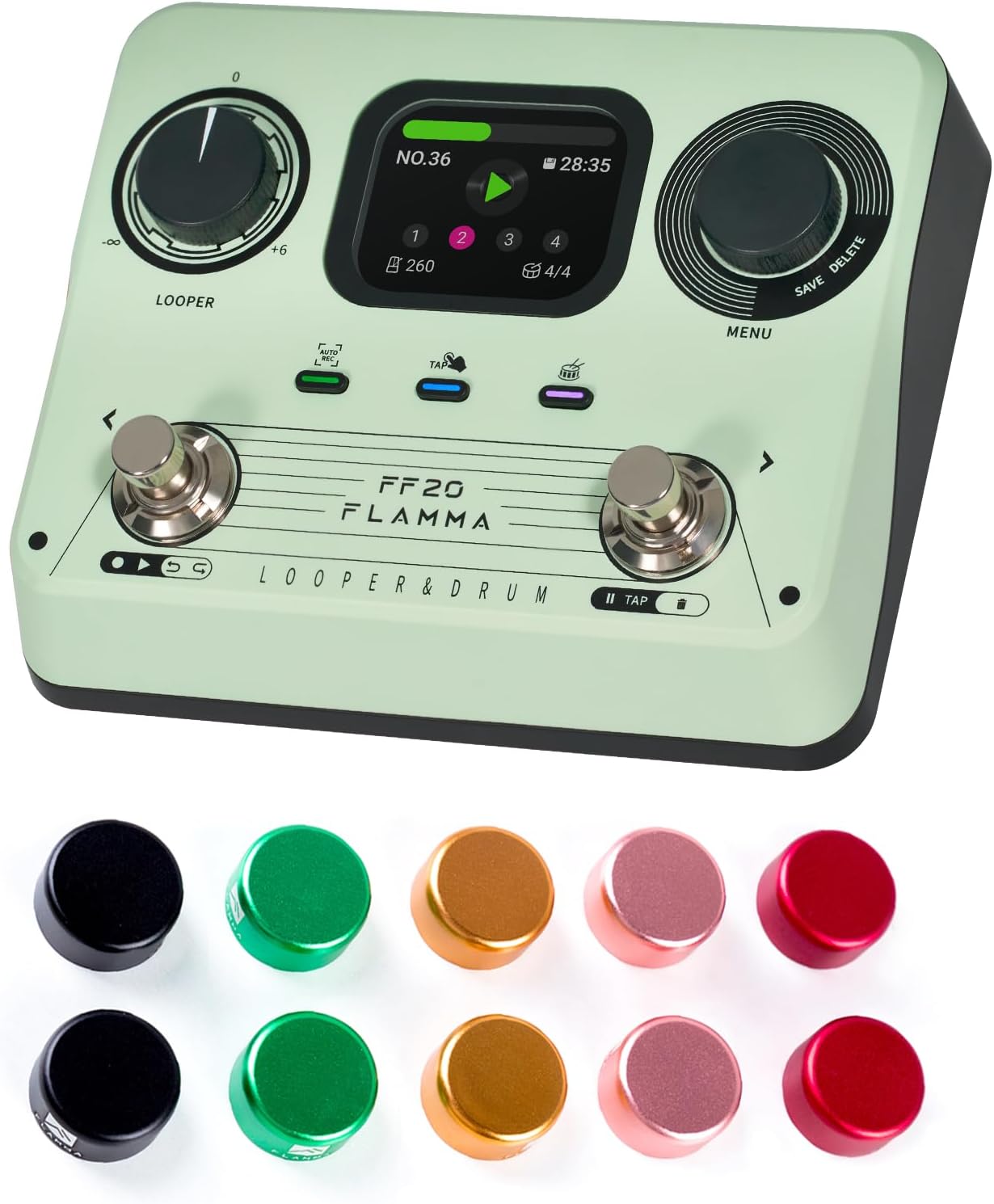
Image: The FLAMMA FF20 Drum Looper Pedal, showcasing its main unit and the accompanying set of colorful metal footswitch toppers.
The FLAMMA FF20 is a compact yet feature-rich pedal designed for guitarists and musicians. It integrates a high-quality looper with a diverse drum machine, all controlled via intuitive footswitches and a clear display.
Key Features:
- Integrated Looper and Drum Machine: Seamlessly combine looping with rhythmic accompaniment.
- 2-Inch Full-Color Screen: Provides real-time loop and drum information at a glance for easy navigation and parameter adjustment.
- Durable Construction: The pedal is built for reliability on stage and in the studio.
- Included Footswitch Toppers: Enhance the usability and aesthetics of your pedal.
Footswitch Toppers:

Image: A close-up view of a footswitch topper, highlighting its robust aluminum alloy shell and the protective rubber inlay designed to prevent scratches and ensure a secure fit.
- Material: Made from high-quality aluminum alloy for durability, with plastic/rubber inlays inside to protect the pedal's footswitch.
- Installation: Designed for easy, tool-free installation by simply pressing firmly onto the footswitch.
- Enhanced Usability: Increases the surface area of the footswitch, making it easier to hit accurately and comfortably, especially during live performances.
- Aesthetic Appeal: Comes in a set of 10 pieces with mixed colors to personalize your pedalboard.
- Dimensions: Approximately 24mm (0.94 inches) outer diameter, 10mm (0.39 inches) inner diameter, and 12mm (0.47 inches) height.
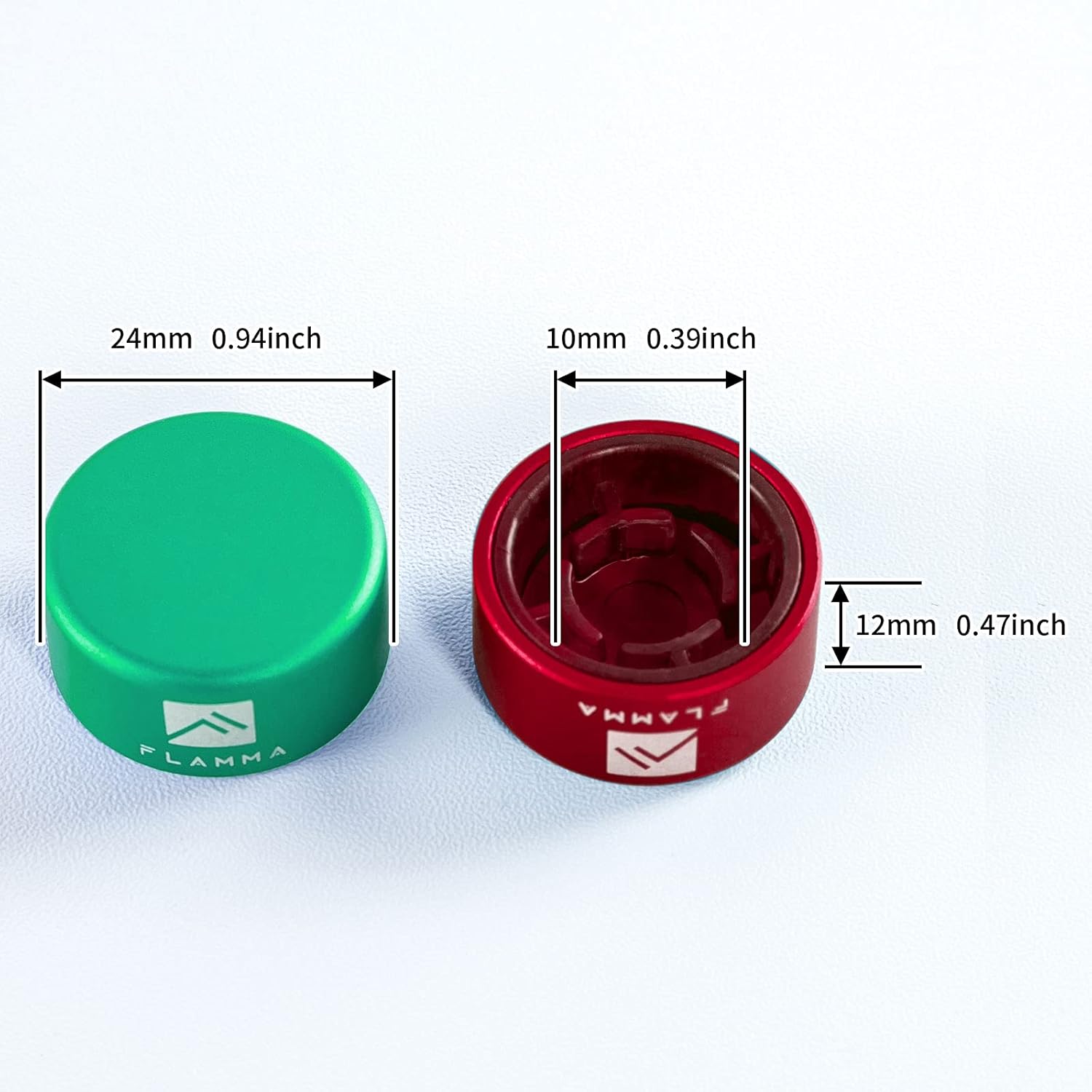
Image: A diagram illustrating the precise dimensions of the footswitch toppers, including outer diameter, inner diameter, and height, for compatibility reference.
Package Contents

Image: An overview of the FLAMMA FF20 package contents, including the pedal, user manual, power adapter, USB cable, and logo sticker.
Please check the package carefully to ensure all items are present:
- 1 x FLAMMA FF20 Drum Looper Pedal
- 1 x User Manual (this document)
- 1 x Power Adapter
- 1 x USB Cable
- 1 x Logo Sticker
- 10 x Metal Footswitch Toppers
Setup
1. Power Connection:
Connect the included power adapter to the DC IN jack on the pedal and then to a suitable power outlet. Ensure the power supply matches the pedal's voltage requirements (typically 9V DC, center negative).
2. Audio Connections:
- Connect your instrument (e.g., guitar) to the INPUT jack of the FF20 pedal.
- Connect the OUTPUT jack of the FF20 pedal to your amplifier, audio interface, or the next pedal in your signal chain.
3. Installing Footswitch Toppers:
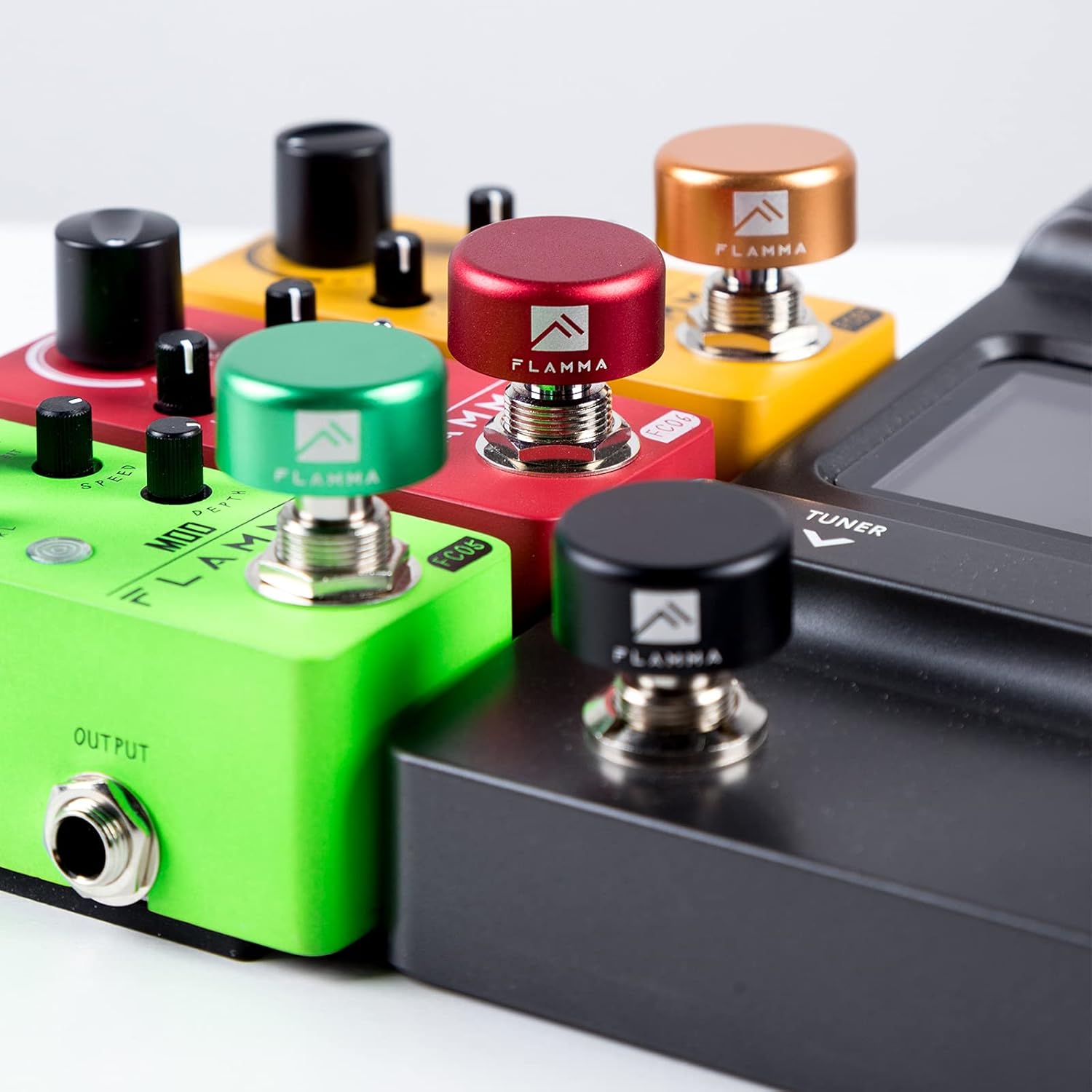
Image: Multiple footswitch toppers of different colors securely installed on various guitar pedals, demonstrating their fit and aesthetic contribution.
The footswitch toppers are designed for easy installation. Simply align the topper with the footswitch of your FF20 pedal (or any standard 10mm footswitch) and press down firmly until it clicks securely into place. No tools are required. The internal rubber inlay will ensure a snug fit and protect the original footswitch.
Operating the FF20 Pedal
User Interface:

Image: A detailed view of the FLAMMA FF20's 2-inch full-color screen, showing various display modes for looper status, drum settings, and menu navigation.
The FF20 features a 2-inch full-color screen that displays real-time information for both looper and drum functions. Navigation is typically done via the rotary encoders and footswitches.
Looper Functions:
- Record: Press the designated footswitch to start recording your loop.
- Play/Stop: Press the footswitch again to stop recording and start playback, or to stop playback.
- Overdub: While playing, press the footswitch to enter overdub mode and add new layers to your loop.
- Undo/Redo: Specific controls (refer to on-screen prompts or dedicated buttons/footswitch combinations) allow you to undo or redo the last recorded layer.
- Clear: Hold the footswitch or use a menu option to clear the current loop.
Drum Machine Functions:
- Select Pattern: Use the menu/rotary encoder to browse and select from various drum patterns (e.g., "10-COUNTRY" as seen in image).
- Adjust BPM: Modify the tempo (Beats Per Minute) of the drum pattern using the dedicated control or menu.
- Adjust Level: Control the volume of the drum track relative to your loop.
- Start/Stop Drum: Use a dedicated footswitch or menu option to start or stop the drum pattern.
Saving and Deleting:
The FF20 allows you to save your recorded loops and settings. Use the "SAVE" option visible on the screen, typically accessed via a menu or dedicated button/footswitch combination. Similarly, you can "DELETE" unwanted loops or presets.
Maintenance
- Cleaning: Use a soft, dry cloth to clean the pedal's surface. For stubborn dirt, a slightly damp cloth can be used, but ensure no liquid enters the jacks or controls. Do not use abrasive cleaners or solvents.
- Storage: Store the pedal in a cool, dry place away from direct sunlight and extreme temperatures. If storing for extended periods, disconnect the power supply.
- Footswitch Toppers: The metal footswitch toppers are durable. Clean them with a soft cloth. If they become loose, re-press them firmly onto the footswitch.
- Avoid Impact: Protect the pedal from drops and impacts, which can damage internal components or the screen.
Troubleshooting
No Sound Output:
- Ensure the power adapter is correctly connected and the pedal is receiving power.
- Check all audio cables (instrument to input, output to amp/interface) for secure connections and proper functionality.
- Verify that the volume levels on the pedal, your instrument, and your amplifier are not set to zero.
Pedal Not Responding:
- Disconnect and reconnect the power supply to perform a soft reset.
- Ensure footswitch toppers are not interfering with the switch mechanism; remove them temporarily to test.
Screen Issues:
- If the screen is blank, check power connections.
- If the display is frozen, try a power cycle (disconnect and reconnect power).
If you encounter issues not covered here, please refer to the support section for further assistance.
Specifications
| Feature | Detail |
|---|---|
| Model | FLAMMA FF20 |
| Product Type | Drum Looper Pedal |
| Display | 2-inch Full-Color Screen |
| Footswitch Topper Material | Aluminum Alloy with Rubber Inlays |
| Footswitch Topper Inner Diameter | 10mm (0.39 inches) |
| Footswitch Topper Outer Diameter | 24mm (0.94 inches) |
| Footswitch Topper Height | 12mm (0.47 inches) |
| Power Supply | DC 9V (Adapter included, standard for guitar pedals) |
Warranty and Support
Warranty Information:
This product is covered by a standard manufacturer's warranty. Please retain your proof of purchase for warranty claims. For specific warranty terms and conditions, refer to the documentation provided with your purchase or visit the official FLAMMA website. A 30-day return policy is typically offered for new products.
Customer Support:
For technical assistance, troubleshooting, or any questions regarding your FLAMMA FF20 Drum Looper Pedal, please contact FLAMMA customer support. You can typically find contact information on the official FLAMMA website or through the retailer where you purchased the product.
FLAMMA Official Store: Visit FLAMMA Store on Amazon
Related documentsFF20


Ask a question about this manual
Ask about setup, troubleshooting, compatibility, parts, safety, or missing instructions. Manuals+ will review the question and use this page’s manual context to help answer it.