
1. Product Overview
The Refoss EM06P is an intelligent 6-channel WLAN energy meter designed for comprehensive electricity consumption monitoring. It supports up to six independent current circuits, each with a capacity of up to 120 A, making it suitable for various applications including three-phase systems, heat pumps, hot water boilers, refrigerators, solar installations, and EV charging stations.
This device provides real-time energy monitoring with a measurement accuracy of ±1% for voltage, current, active power, and power factor. It features a local web interface for control without requiring a dedicated app and offers full integration capabilities with Home Assistant, MQTT, and JSON-RPC (HTTP) for flexible automation.
The EM06P can detect solar energy from photovoltaic systems, solar modules, or inverters, enabling intelligent zero-feed-in control to optimize electricity storage. The free Refoss app allows users to customize electricity tariff times and receive instant push notifications for unusual current spikes, enhancing energy efficiency and safety. All consumption data is stored in the cloud with minute-level accuracy for 5 years, free of charge, with direct CSV export functionality.
The device is EN 61010 certified, designed for DIN rail mounting, and features a flame-retardant PC housing and an efficient external Wi-Fi antenna for stable connectivity.
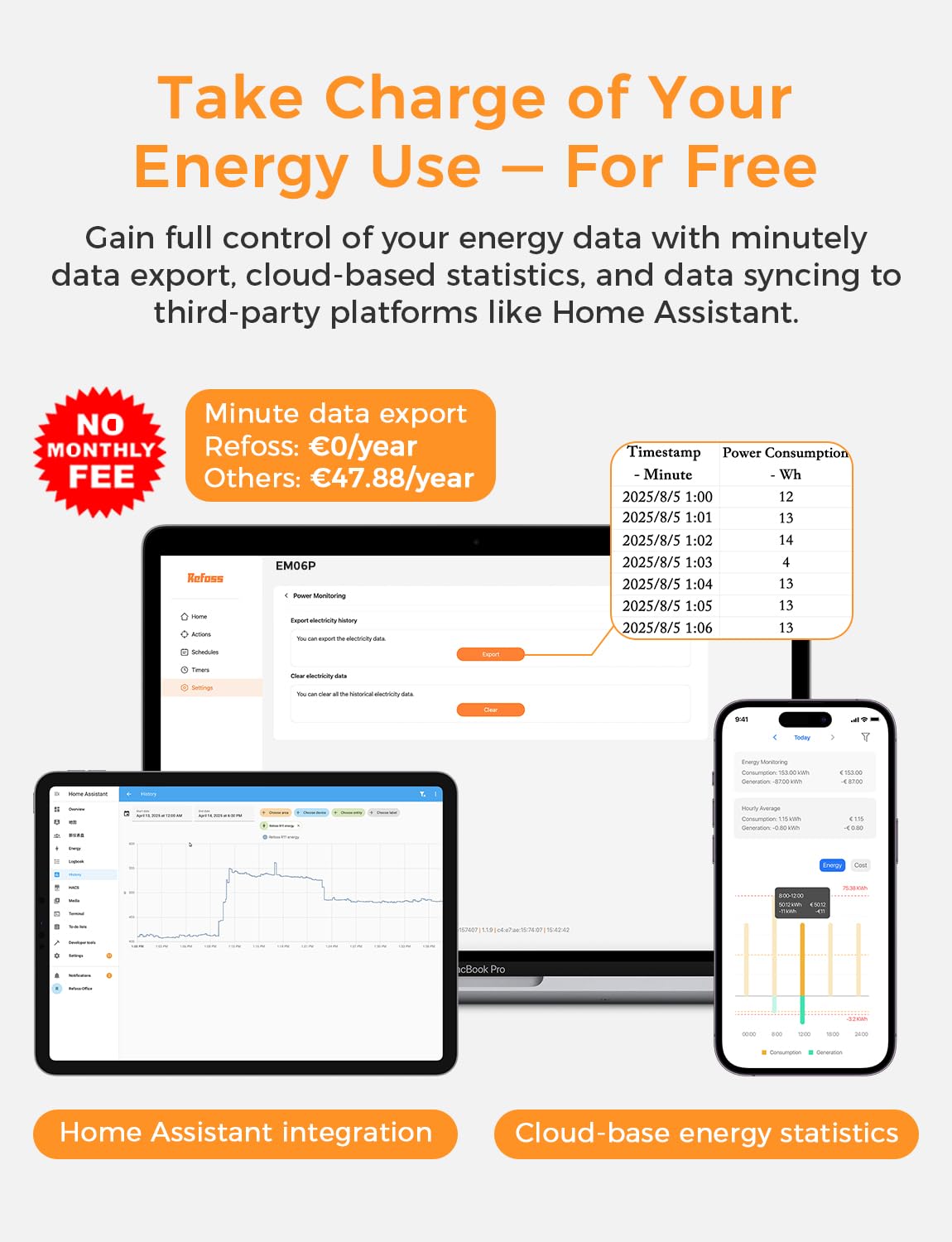
Image: The Refoss EM06P monitoring six independent electrical loads, displayed with real-time data on a mobile app and tablet interface.
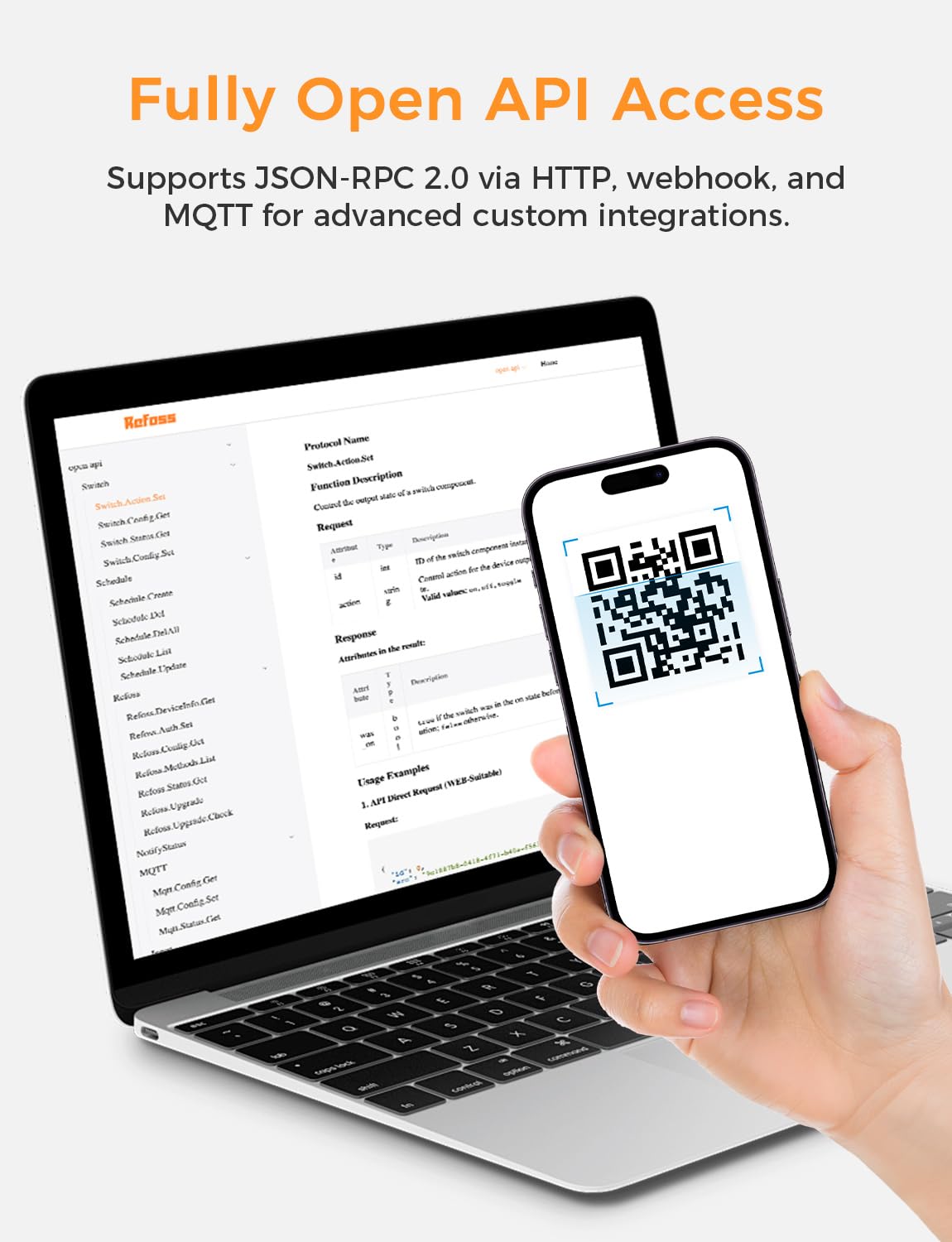
Image: The Refoss EM06P provides free, detailed energy data export and cloud storage, with integration options for Home Assistant.
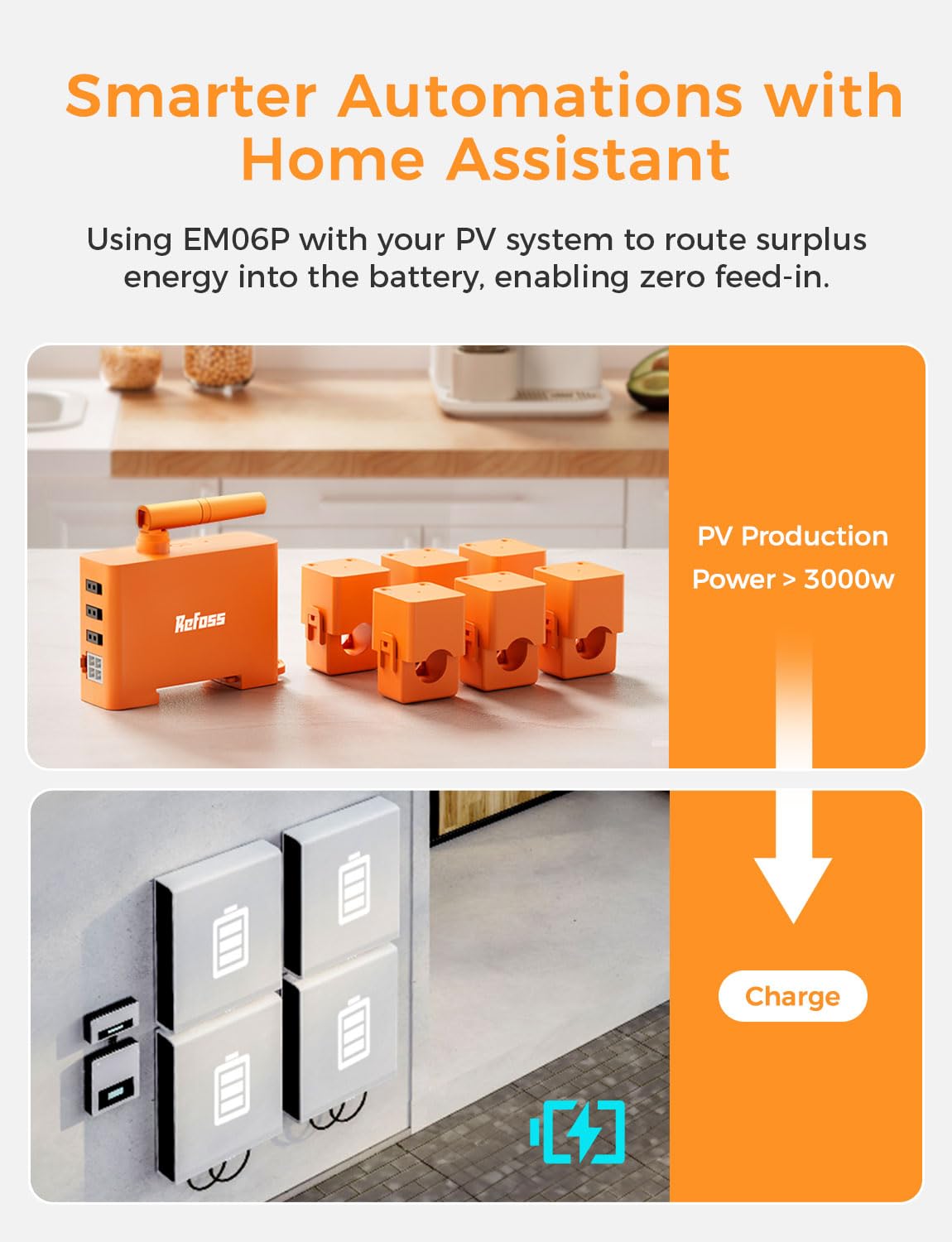
Image: The Refoss EM06P supports local operation via Web UI, Open API, and MQTT, ensuring data privacy and flexibility without cloud dependency.
2. Installation and Setup
2.1 Included Components
- 1 x Refoss EM06P Energy Monitor
- 6 x Current Transformers (CT clamps)
- 1 x Power Supply Cable
- 1 x User Manual
2.2 Mounting
The Refoss EM06P is designed for DIN rail mounting within an electrical distribution panel. Ensure sufficient space is available for the device and its current transformers.

Image: The Refoss EM06P device mounted on a DIN rail within an electrical panel, showing connections to various circuits.
2.3 Wiring
- Safety First: Before beginning any wiring, ensure the main power supply to the electrical panel is turned off at the circuit breaker to prevent electric shock.
- Neutral Wire Connection: A neutral wire connection is required for the EM06P to operate. Connect the device's neutral terminal to the neutral bus bar in your electrical panel.
- Phase Connections: Connect the power cables (L1, L2, L3 for three-phase systems) to the corresponding L1, L2, L3 terminals on the EM06P in the correct order.
- Current Transformer (CT) Installation:
- Attach each CT clamp around the phase wire of the circuit you wish to monitor.
- Ensure the CT clamps are oriented correctly, following the direction of current flow as indicated on the clamp. Incorrect orientation may result in negative readings.
- Connect the CT clamps to the corresponding A1/A2, B1/B2, C1/C2 inputs on the EM06P for each respective phase.
- For monitoring multiple cables within a single circuit, it is possible to pass two or more cables through one CT clamp to sum their consumption, provided all are phase wires.
- Wi-Fi Antenna: Position the external high-performance Wi-Fi antenna for optimal signal reception.

Image: The Refoss EM06P unit with its six current transformers, ready for connection to electrical circuits.
2.4 Initial Wi-Fi Connection
After wiring, power on the device. You can connect the EM06P to your Wi-Fi network using either the Refoss app or the local web user interface. If you encounter difficulties with the web UI, using the Refoss app for initial Wi-Fi setup is often smoother.
3. Operation
3.1 Energy Monitoring
The EM06P provides precise, real-time energy consumption data. You can view intuitive graphs and statistics at minute, daily, weekly, monthly, and yearly levels. The device supports CSV data export for detailed analysis:
- Minute-level data: Up to 2 months
- Hourly data: Up to 2 years
- Daily data: Up to 5 years
All data storage and export features are provided free of charge, without subscription fees.
3.2 Smart Home Integration
The EM06P offers extensive compatibility with smart home systems, particularly Home Assistant. It supports HTTP (JSON-RPC 2.0), MQTT, and WebSocket protocols for seamless integration and automation.
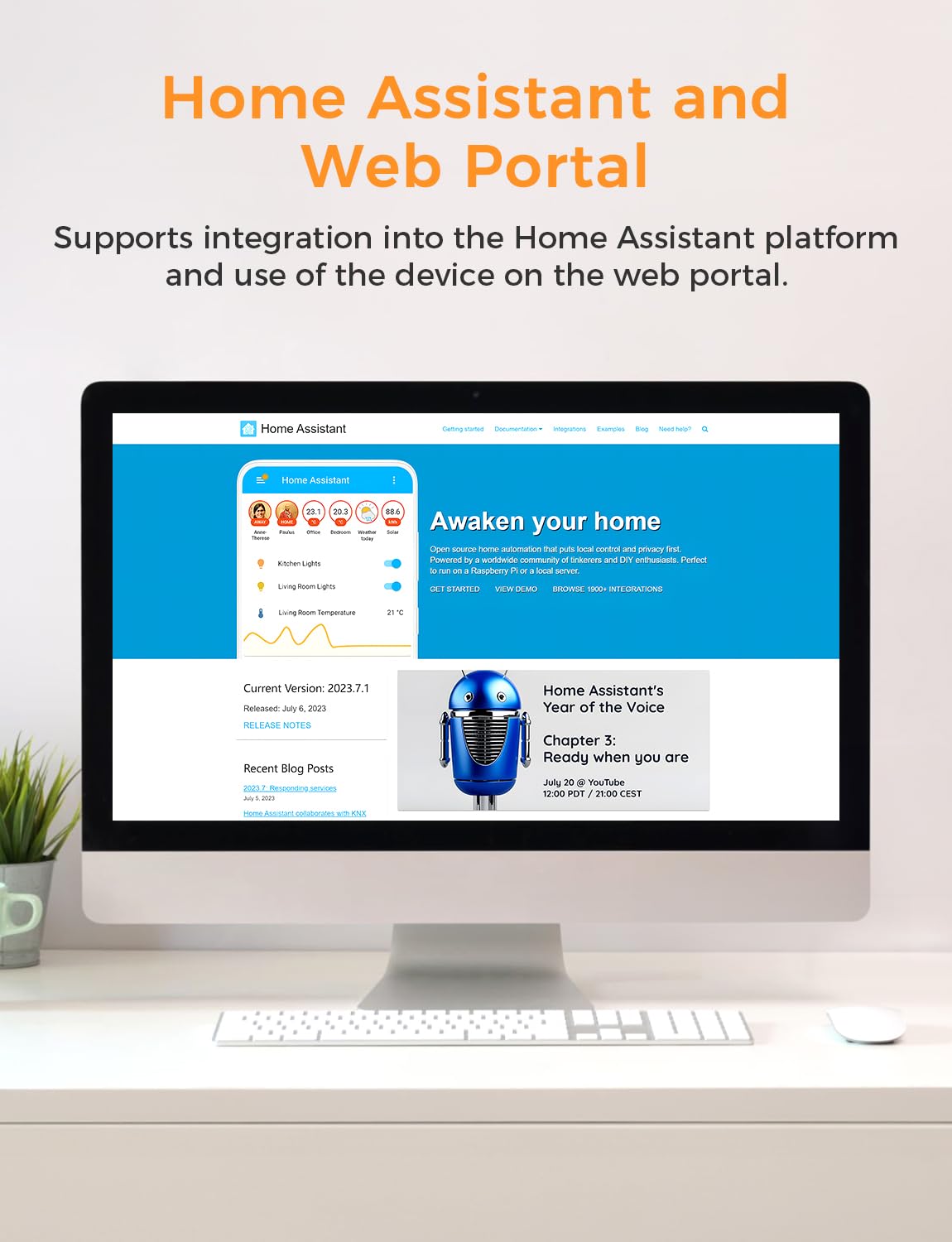
Image: The Refoss EM06P provides full Open API access, supporting JSON-RPC 2.0 via HTTP, webhook, and MQTT for advanced custom integrations. For detailed API documentation, visit docs.refoss.net/open-api.

Image: The EM06P enables smarter automations with Home Assistant, allowing surplus energy from PV systems to be routed to batteries for zero feed-in.
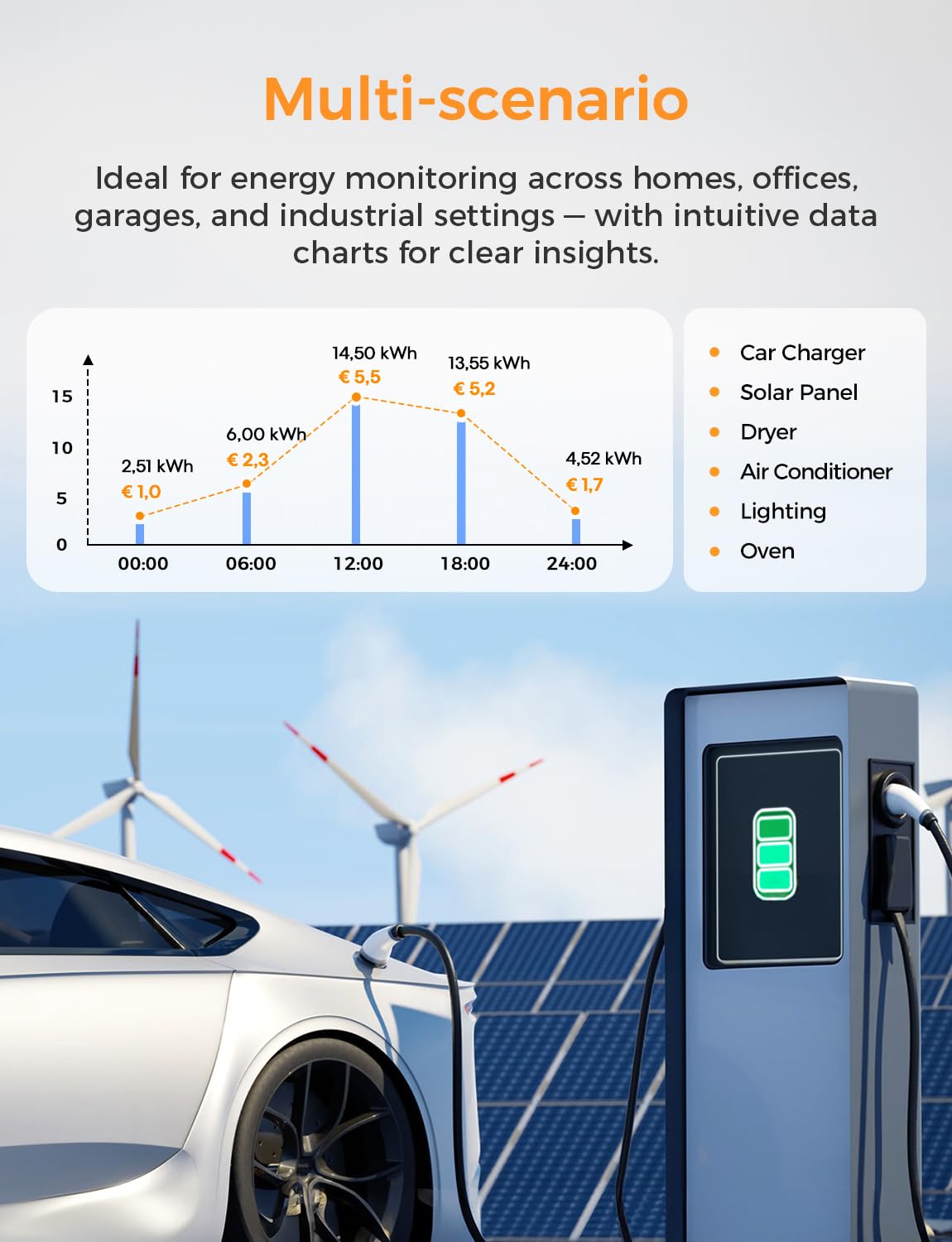
Image: The Refoss EM06P supports seamless integration with the Home Assistant platform and can be managed via a web portal.
3.3 Renewable Energy Management
The device precisely monitors power from solar and wind energy sources. When combined with a PV installation, you can activate zero-feed-in functionality via Home Assistant or the Refoss App Automation. This ensures that excess energy is utilized locally rather than being fed into the public grid, promoting sustainable energy management.
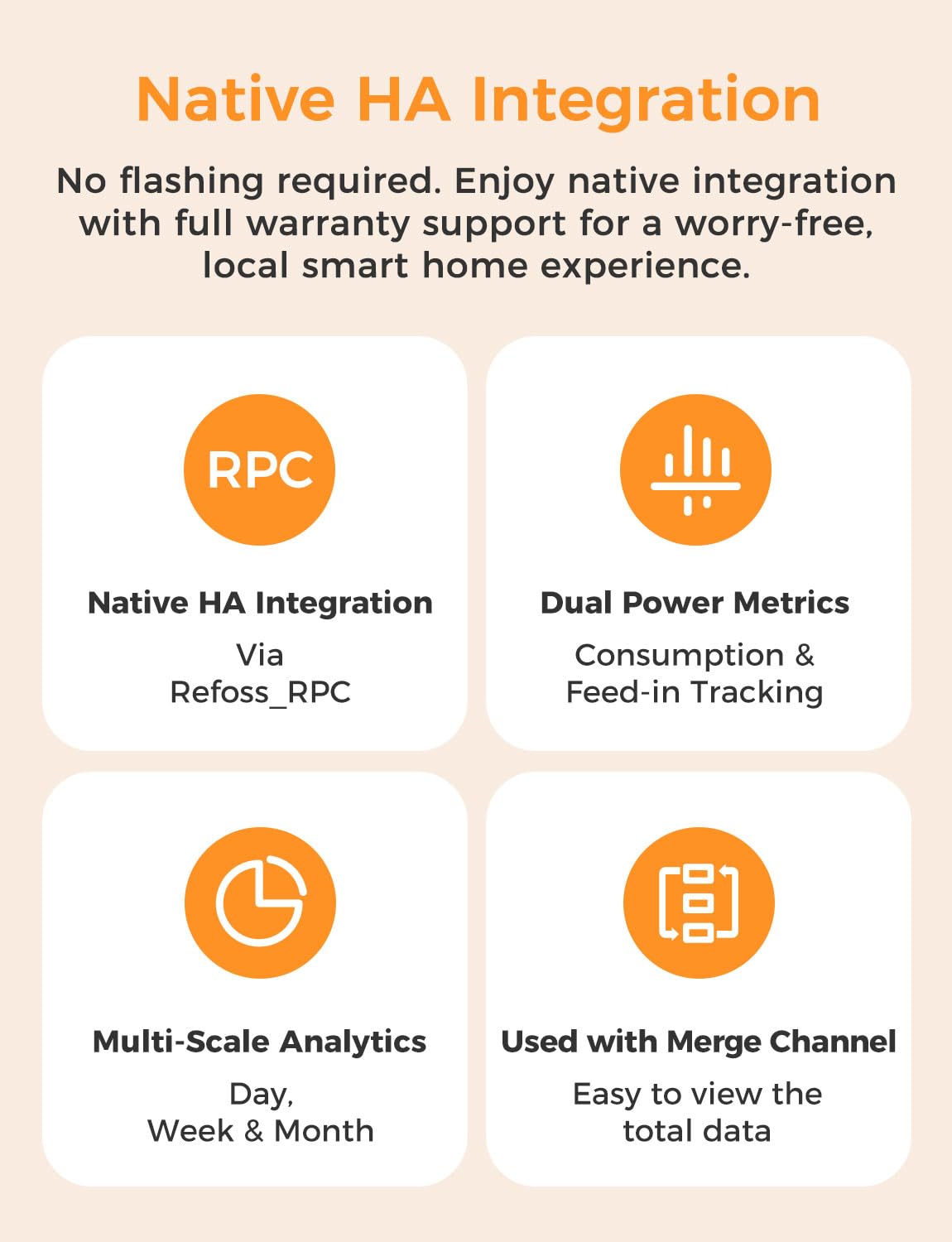
Image: The Refoss EM06P allows for precise monitoring of power generated by solar panels.
3.4 Refoss App Features
- Tariff Time Configuration: Configure high and low electricity tariff times to optimize energy usage based on cost.
- Consumption Alarms: Set individual energy consumption targets for each circuit. Receive instant push notifications if the system detects unusual load spikes, aiding in consumption optimization and device safety.
- Multi-Scenario Monitoring: Ideal for energy monitoring across homes, offices, garages, and industrial settings, providing intuitive data charts for clear insights.
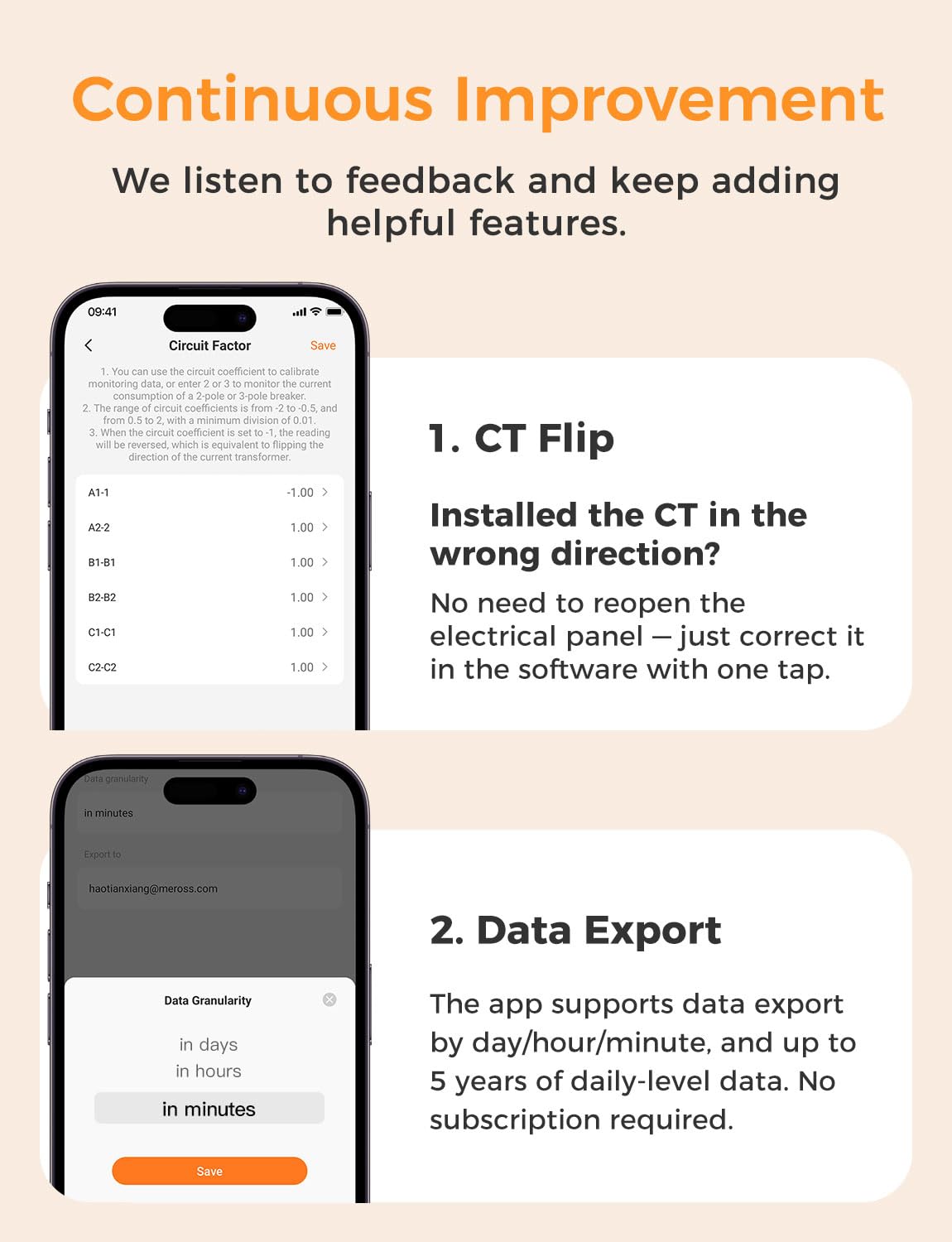
Image: The EM06P supports multi-scenario energy monitoring, providing intuitive data charts for various applications.
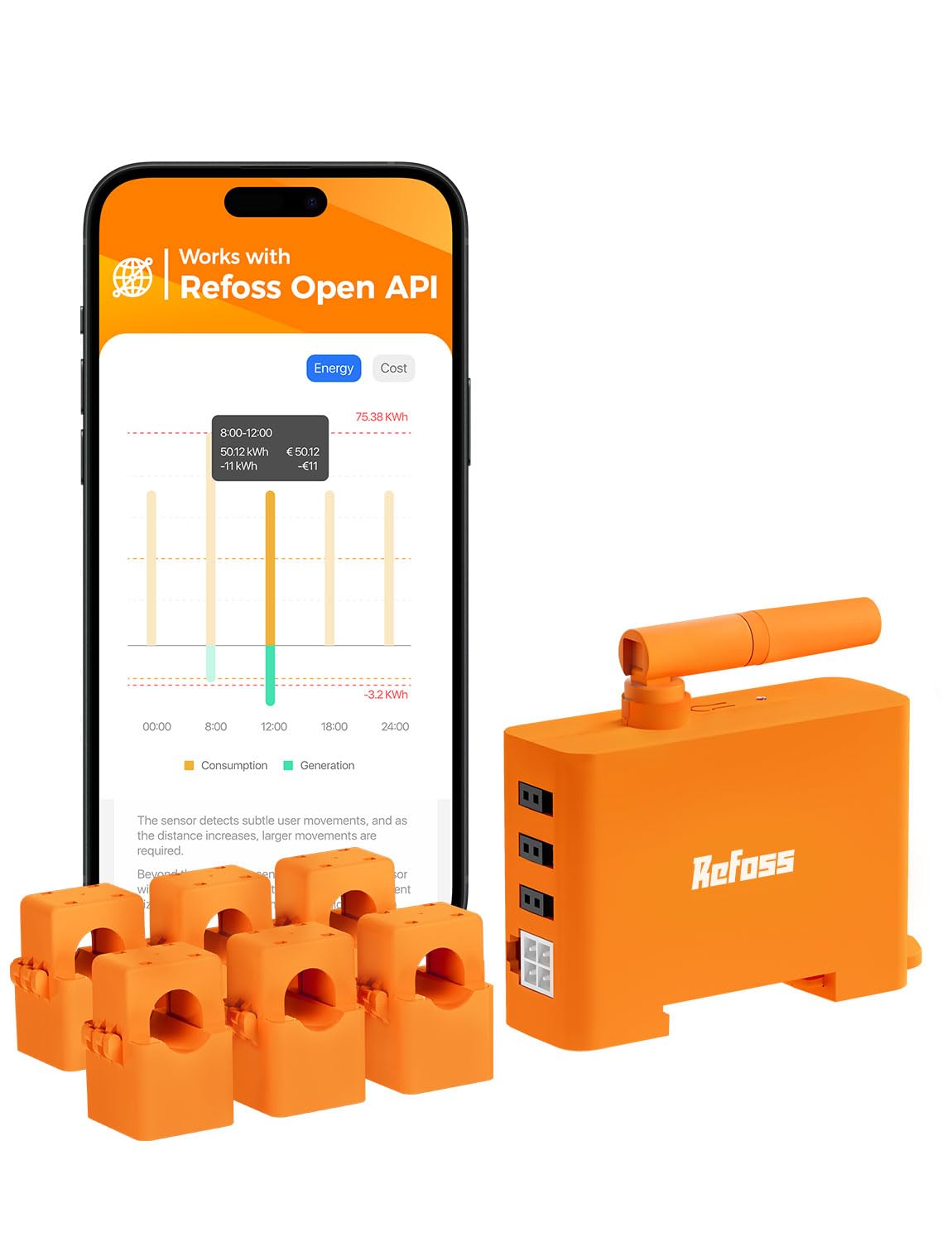
Image: The EM06P offers native Home Assistant integration via Refoss_RPC, providing dual power metrics, multi-scale analytics, and easy total data viewing with merge channels.
4. Maintenance
The Refoss EM06P is designed for reliable, long-term operation with minimal maintenance. Periodically inspect all wiring connections to ensure they remain secure. Keep the device and its components free from dust and moisture. No user-serviceable parts are inside the main unit.
5. Troubleshooting
5.1 Incorrect CT Clamp Direction (Negative Readings)
If you observe negative power readings for a circuit, it indicates that the corresponding CT clamp is installed in the wrong direction. The EM06P software allows you to correct this with a single tap, eliminating the need to physically re-open the electrical panel and re-orient the clamp.
5.2 Wi-Fi Connection Issues
If you experience difficulty connecting the device to your Wi-Fi network via the local web UI, try using the Refoss mobile application for the initial setup. The app often provides a more streamlined connection process.
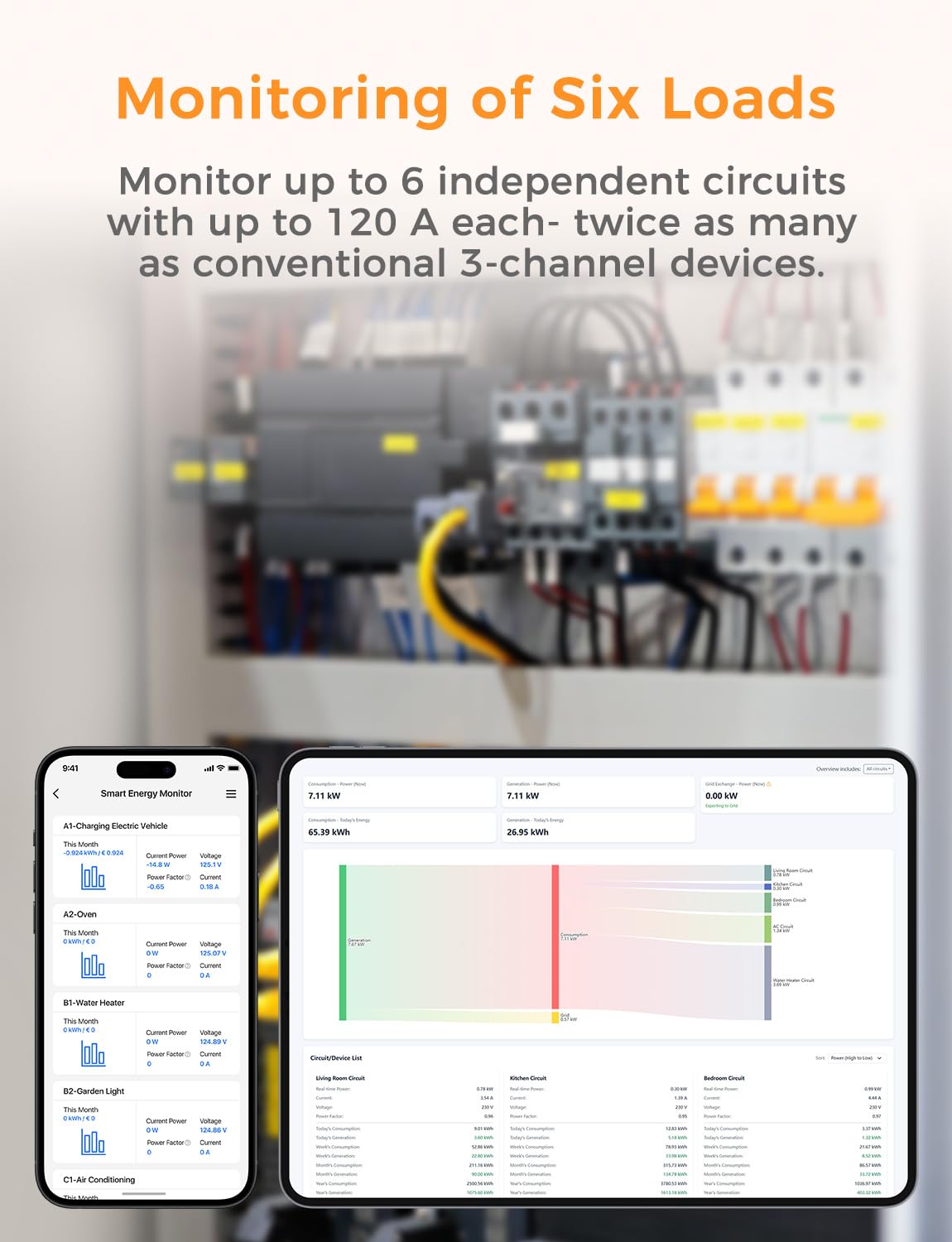
Image: The Refoss app offers features like CT flip correction for incorrect clamp installation and flexible data export options (day/hour/minute).
6. Technical Specifications
| Feature | Specification |
|---|---|
| Brand | Refoss |
| Model Number | EM06P |
| Operating Mode | ON-OFF |
| Rated Current | 120 Amperes |
| Operating Voltage | 240 Volts |
| Contact Type | Normally Open |
| Connector Type | Screw-in |
| Switch Type | Push Button |
| Terminal | Screws |
| Material | Plastic |
| Item Dimensions (L x W x H) | 7.3 x 5.2 x 2.5 cm |
| Circuit Type | 6-position |
| Mounting Type | DIN Rail Mount |
| Number of Positions | 6 |
| Upper Temperature Range | 40 Degrees Celsius |
| Controller Type | iOS 13+ or Android 8+, existing 2.4 GHz Wi-Fi network |
| Control Method | Application |
| Connectivity Protocol | MQTT, API |
| Compatible Devices | Home Assistant, solar energy systems, MQTT, API, WebSocket |
| Color | Orange |
| Item Weight | 650 Grams |
| Compliance Standard | EN 61010 |
7. Warranty and Support
The Refoss EM06P comes with a 2-year warranty. Additionally, Refoss provides 5 years of free cloud storage for your energy consumption data and a 2-year service period. For further assistance, please refer to the official Refoss support channels.

