
POLVCDG BDAMX-16FXH
POLVCDG Bone Conduction Headphones User Manual
Model: BDAMX-16FXH
Brand: POLVCDG
1. Product Overview
The POLVCDG Bone Conduction Headphones are designed for active lifestyles, offering an open-ear listening experience with advanced waterproofing and integrated memory. This manual provides essential information for setup, operation, and maintenance.
Key Features:
- Open-Ear Design: Ensures environmental awareness for safety during outdoor activities.
- IPX8 Waterproof Rating: Suitable for swimming and submersion up to two meters for one hour.
- 32GB Internal Memory: Store over 8,000 songs for phone-free listening, especially useful for underwater activities where Bluetooth signals are limited.
- Dual Modes: Supports both Wireless (Bluetooth) and MP3 playback modes.
- Clear Calls: Equipped with Environmental Noise Cancellation (ENC) technology for clear audio during calls.
- Comfortable Fit: Flexible titanium frame with skin-friendly liquid silicone coating, weighing only 32 grams.
- Long Battery Life: Up to 10 hours of music, calls, and podcasts on a single charge with magnetic fast charging.
2. Package Contents
Verify that all items are present in your product package:
- Bone Conduction Headphones x1
- Instruction Manual x1
- Silicone Adjustable Rope x1
- Charging Cable x1
- Earplugs x2

Image: Package contents of the POLVCDG Bone Conduction Headphones.
3. Getting Started
3.1 Charging the Headphones
Before first use, fully charge your headphones. The magnetic charging cable ensures a secure connection.
- Connect the magnetic end of the charging cable to the charging port on the headphones.
- Connect the USB end of the cable to a compatible USB power source.
- A full charge typically takes approximately 2 hours.

Image: Magnetic fast charging in progress.
Video: Demonstrates magnetic charging and basic controls of the headphones.
3.2 Power On/Off and Bluetooth Pairing
- Power On: Long press the power button (middle button) for 3 seconds until the indicator light flashes.
- Power Off: Long press the power button for 3 seconds.
- Bluetooth Pairing: When powered on, the headphones will automatically enter pairing mode. On your device, search for "POLVCDG BDAMX-16FXH" and select to connect.
4. Operating Instructions
4.1 Wearing the Headphones
Place the headphones around the back of your head, with the transducers resting on your cheekbones, just in front of your ears. The open-ear design allows you to hear your surroundings.
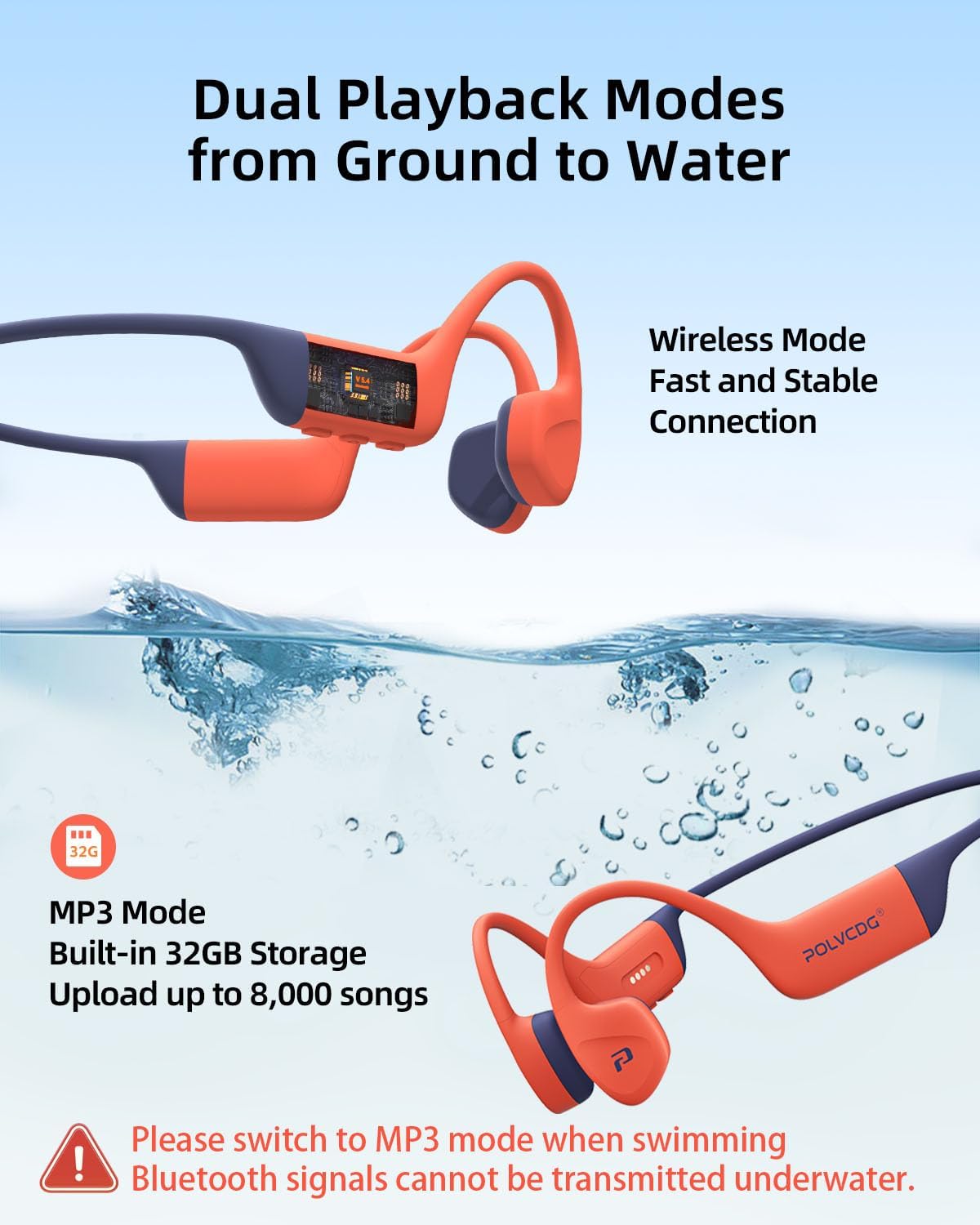
Image: Headphones worn during cycling, illustrating the open-ear design.
Image: Headphones worn during swimming, highlighting their waterproof capability.
4.2 Music Playback and Controls
The headphones feature three control buttons on the side:
- Power Button (Middle):
- Single press: Play/Pause music.
- Double press: Switch between Bluetooth and MP3 modes.
- Volume Up (+) Button:
- Single press: Increase volume.
- Long press (2 seconds): Previous track.
- Volume Down (-) Button:
- Single press: Decrease volume.
- Long press (2 seconds): Next track.
4.3 MP3 Mode (Internal Storage)
The headphones have 32GB of built-in storage for MP3 files. This mode is essential for listening to music underwater, as Bluetooth signals do not transmit effectively through water.
- To load music: Connect the headphones to a computer using the charging cable. The headphones will appear as a removable drive. Drag and drop your MP3 files into the device's storage.
- To activate MP3 mode: Double press the power button to switch from Bluetooth mode.

Image: Headphones in water, emphasizing MP3 mode for underwater use.
4.4 Call Management
- Answer Incoming Call: Single press the power button.
- End Call: Single press the power button during a call.
- Reject Incoming Call: Long press the power button for 2 seconds.
- Activate Voice Assistant: Long press the power button for 2 seconds (when not on a call).
5. Care and Maintenance
- Cleaning: Wipe the headphones with a soft, damp cloth after each use, especially after exposure to sweat, chlorine, or saltwater.
- Drying: Ensure the headphones are completely dry before charging to prevent damage to the magnetic charging port.
- Saltwater Use: While IPX8 rated, prolonged exposure to saltwater can cause corrosion. Rinse thoroughly with fresh water immediately after use in saltwater and dry completely.
- Storage: Store in a cool, dry place away from direct sunlight and extreme temperatures.
6. Troubleshooting Common Issues
- No Sound Underwater: Bluetooth signals do not transmit through water. Switch to MP3 mode to use the internal 32GB storage for music playback while swimming.
- Headphones Not Pairing: Ensure the headphones are powered on and in Bluetooth pairing mode (indicator light flashing). Check your device's Bluetooth settings and try reconnecting.
- Charging Issues: Verify the magnetic charging cable is securely connected and the charging port is clean and dry. Use a compatible USB power source.
- Poor Sound Quality: Ensure the transducers are positioned correctly on your cheekbones. For optimal sound, especially in noisy environments, ensure a snug fit.
- Buttons Unresponsive: Try restarting the headphones by powering them off and then on again. Ensure they are not wet or dirty, which might affect button functionality.
7. Technical Specifications
| Feature | Specification |
|---|---|
| Model Name | BDAMX-16FXH |
| Brand | POLVCDG |
| Connectivity Technology | Wireless (Bluetooth) |
| Wireless Communication Technology | Bluetooth 5.4 |
| Water Resistance Level | IPX8 Waterproof |
| Internal Memory | 32GB |
| Battery Life | 10 Hours |
| Charging Time | 2 Hours |
| Audio Driver Type | Bone Conduction Driver |
| Noise Control | Environmental Noise Cancellation |
| Earpiece Shape | Open-Ear |
| Item Weight | 7 ounces |
| Product Dimensions | 5.27 x 2.32 x 6.1 inches |
8. Warranty and Support Information
For warranty claims, technical support, or further inquiries, please contact POLVCDG customer service through the retailer where the product was purchased or refer to the contact information provided on the official POLVCDG website. Please retain your proof of purchase for warranty validation.
Related documentsBDAMX-16FXH


Ask a question about this manual
Ask about setup, troubleshooting, compatibility, parts, safety, or missing instructions. Manuals+ will review the question and use this page’s manual context to help answer it.