
POLVCDG BDAMX-16FXH
POLVCDG Bone Conduction Headphones
Model: BDAMX-16FXH
User Instruction Manual
Introduction
Thank you for choosing the POLVCDG Bone Conduction Headphones. These open-ear headphones are designed for comfort and safety, allowing you to enjoy audio while remaining aware of your surroundings. Featuring IPX8 waterproofing, 32GB of built-in memory for MP3 playback, and Bluetooth connectivity, they are suitable for various activities including swimming, running, cycling, and daily use. This manual provides essential information for setting up, operating, maintaining, and troubleshooting your headphones.
What's in the Box
Upon unboxing, please verify that all the following items are included:
- Bone Conduction Headphones x1
- Instruction Manual x1
- Silicone Adjustable Rope x1
- Charging Cable x1
- Earplugs x2

Image: Contents of the POLVCDG Bone Conduction Headphones package. This includes the headphones, a charging cable, and a set of earplugs, neatly arranged.
Setup
1. Charging the Headphones
Before first use, fully charge your headphones.
- Connect the magnetic charging cable to the charging port on the headphones.
- Connect the other end of the charging cable to a USB power adapter (not included) or a computer's USB port.
- The LED indicator will show charging status. A full charge typically takes approximately 2 hours.
- Once fully charged, the LED indicator will change, indicating the charging is complete. Disconnect the cable.

Image: The magnetic charging connection point on the POLVCDG headphones, illustrating how the charging cable attaches securely.
2. Powering On/Off
- To Power On: Press and hold the Power button for approximately 3 seconds until the LED indicator lights up and you hear an audible prompt.
- To Power Off: Press and hold the Power button for approximately 5 seconds until the LED indicator turns off and you hear an audible prompt.
3. Bluetooth Pairing
To connect your headphones to a Bluetooth-enabled device:
- Ensure the headphones are powered off.
- Press and hold the Power button for approximately 5-7 seconds until the LED indicator flashes red and blue alternately, indicating pairing mode.
- On your device (smartphone, tablet, computer), enable Bluetooth and search for available devices.
- Select "POLVCDG BDAMX-16FXH" (or similar name) from the list of found devices.
- Once connected, the LED indicator will turn solid blue, and you will hear a confirmation sound.
Note: The headphones can connect to multiple devices simultaneously for convenience.
4. Using MP3 Mode (Built-in 32GB Storage)
The headphones feature 32GB of internal storage, allowing you to store up to 8,000 songs for phone-free listening, especially useful for underwater activities where Bluetooth signals cannot transmit.
- To Upload Music: Connect the headphones to a computer using the charging cable. The headphones will appear as a removable disk drive. Drag and drop your audio files (e.g., MP3 format) into the headphone's storage.
- To Switch to MP3 Mode: While the headphones are on, press the Mode button (refer to button layout in Operating section) to switch between Bluetooth and MP3 modes. An audible prompt will confirm the mode change.
- Important for Swimming: Always switch to MP3 mode when using the headphones for swimming or any underwater activity, as Bluetooth signals do not transmit effectively through water.

Image: Illustration of the dual playback modes: Wireless (Bluetooth) for stable connection and MP3 Mode with 32GB built-in storage for up to 8,000 songs. A warning indicates to switch to MP3 mode for underwater use.
Operating the Headphones
1. Button Functions
The headphones are controlled via physical buttons located on the side.
| Button/Action | Function |
|---|---|
| Power Button (Long Press) | Power On/Off |
| Power Button (Short Press) | Play/Pause, Answer/End Call |
| Volume Up (+) | Increase Volume, Next Track (Long Press) |
| Volume Down (-) | Decrease Volume, Previous Track (Long Press) |
| Mode Button (Short Press) | Switch between Bluetooth Mode and MP3 Mode |
2. Making and Receiving Calls
The headphones are equipped with Environmental Noise Cancellation (ENC) technology for clear calls.
- Answer Call: Short press the Power button when a call comes in.
- End Call: Short press the Power button during a call.
- Reject Call: Long press the Power button when a call comes in.
3. Waterproof Usage (IPX8 Rating)
The POLVCDG headphones are rated IPX8 waterproof, meaning they can be submerged in water up to two meters deep for one hour.
- Ideal for swimming, showering, and other water sports.
- Crucial Note: Bluetooth signals do not transmit effectively underwater. Always switch to MP3 Mode when using the headphones for swimming to ensure uninterrupted audio playback from the built-in 32GB storage.

Image: A man wearing the POLVCDG headphones and swimming goggles, partially submerged in water, highlighting the IPX8 waterproof feature.

Image: A man cycling outdoors while wearing the POLVCDG headphones and a helmet, illustrating the open-ear design for situational awareness during activities.
Maintenance
Proper care will extend the lifespan of your POLVCDG Bone Conduction Headphones.
- Cleaning: After use, especially after swimming or intense workouts, gently wipe the headphones with a soft, damp cloth. Do not use harsh chemicals or abrasive cleaners.
- Drying: Ensure the charging port and surrounding areas are completely dry before charging to prevent corrosion. You can gently shake off excess water and then air dry.
- Storage: Store the headphones in a cool, dry place away from direct sunlight and extreme temperatures. Avoid placing heavy objects on them.
- Charging Port Care: The magnetic charging port is designed to be waterproof. However, always ensure it is clean and free of debris before connecting the charging cable.
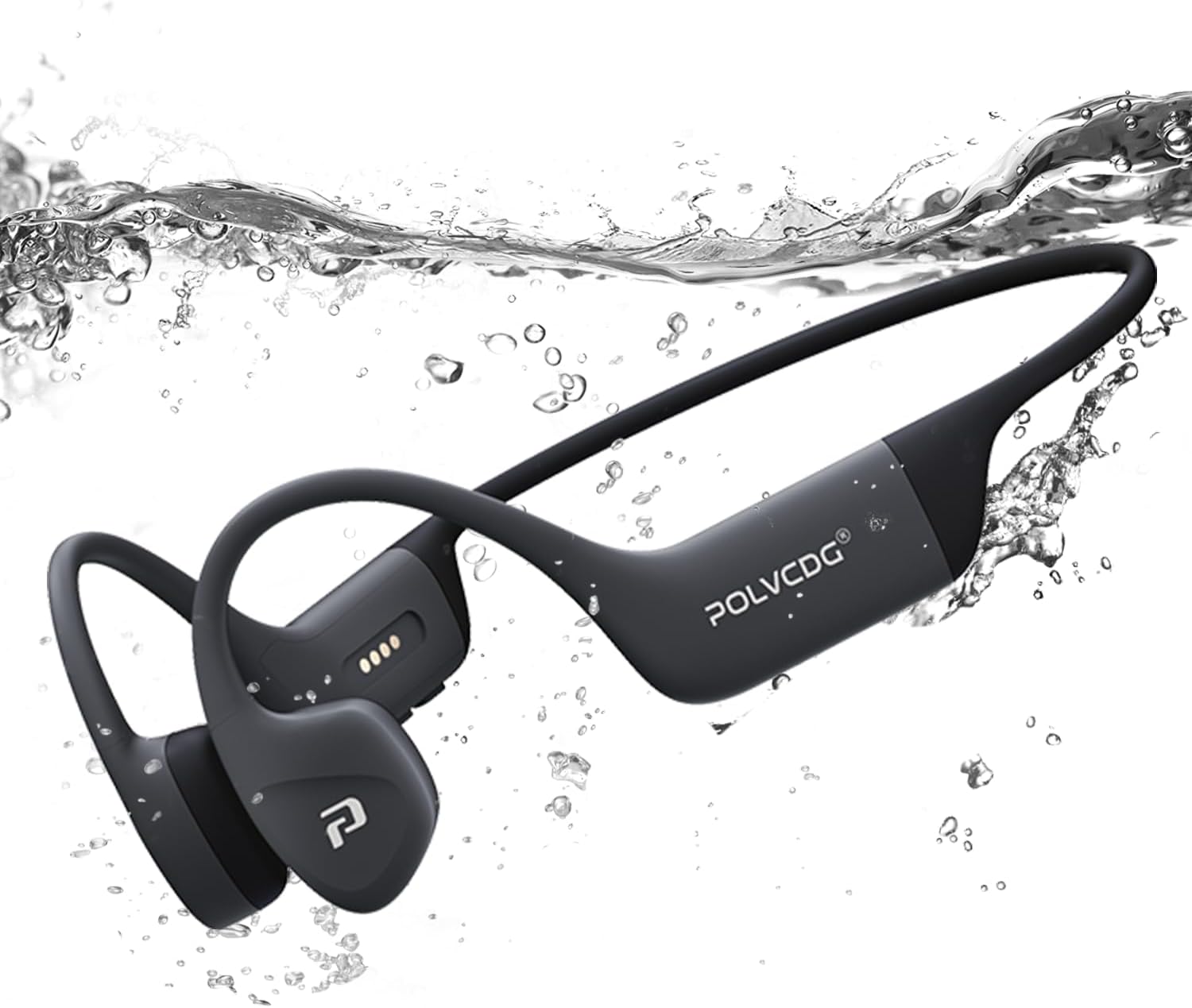
Image: The POLVCDG headphones shown partially submerged in water, demonstrating their robust waterproof construction.
Troubleshooting
If you encounter issues with your headphones, please refer to the following common solutions:
| Problem | Possible Cause / Solution |
|---|---|
| Headphones won't turn on. | Battery is depleted. Charge the headphones fully. |
| Cannot pair with device. |
|
| No sound or low volume. |
|
| Sound cuts out or is distorted. |
|
| Cannot hear sound underwater. |
|
Specifications
Key technical specifications for the POLVCDG Bone Conduction Headphones:
| Feature | Detail |
|---|---|
| Model Name | BDAMX-16FMC (as per specifications) / BDAMX-16FXH (as per item model number) |
| Connectivity Technology | Wireless (Bluetooth) |
| Bluetooth Version | 5.4 |
| Water Resistance Level | IPX8 Waterproof |
| Internal Storage | 32GB (for MP3 Mode) |
| Battery Life | Up to 10 Hours |
| Charging Time | Approx. 2 Hours |
| Audio Driver Type | Bone Conduction Driver |
| Noise Control | Environmental Noise Cancellation (ENC) |
| Frequency Response | 20 Hz - 20 KHz |
| Sensitivity | 85 dB |
| Impedance | 8 Ohm |
| Material | Silicone |
| Item Weight | 7.4 ounces (approx. 0.46 lbs) |
| Product Dimensions | 5.27 x 2.32 x 6.1 inches |
Note: There are two model numbers listed in the product data: "BDAMX-16FMC" under 'Model Name' and "BDAMX-16FXH" under 'Item model number'. Please refer to your product packaging for the exact model number.
Warranty and Support
For warranty information and customer support, please refer to the documentation included with your product or visit the official POLVCDG website.
Manufacturer: POLVCDG
For additional assistance, you may contact the seller directly through the platform where the product was purchased.
Related documentsBDAMX-16FXH


Ask a question about this manual
Ask about setup, troubleshooting, compatibility, parts, safety, or missing instructions. Manuals+ will review the question and use this page’s manual context to help answer it.