
1. Product Overview
The PopBloom HertzRL90 WiFi Reed LED Aquarium Light is an advanced lighting solution designed for marine tanks, specifically optimized for coral growth and coloration. Featuring a full spectrum LED array and an intelligent WiFi control system, it allows for precise customization of lighting cycles to simulate natural environments.
This 2025 newest version of the RL90 offers a full spectrum with enhanced white and UV light, plus added red, promoting optimal coral health and vibrant coloration. Its built-in WiFi system ensures stable connectivity, enabling users to link multiple RL90 lights for synchronized control via the free Tuya SmartLife App.
2. Package Contents
Please verify that all components listed below are included in your package:
- 2x RL90 WiFi Light
- 2x Power Supply & Plug
- 2x Gen3 Arm Kit
- 1x User Manual (App user manual)

Image: All components included in the PopBloom HertzRL90 package.
3. Product Specifications
| Specification | Detail |
|---|---|
| Model Number | Turing40 reef |
| Product Dimensions | 12L x 12W x 5.5H Centimetres (4.7 x 4.7 x 2.2 inches) |
| Power Watts | 90 W |
| Maximum Coverage | 76 x 76 cm (30 x 30 inches) |
| Spectrum | Full color spectrum (blue, red, green, Violet+UV, 395nm LED chips) |
| Control System | Intelligent WiFi Control via Tuya SmartLife App |
| Material | Aluminum |
| Color | Black |

Image: Product specifications including dimensions, power, coverage, and spectrum graph.
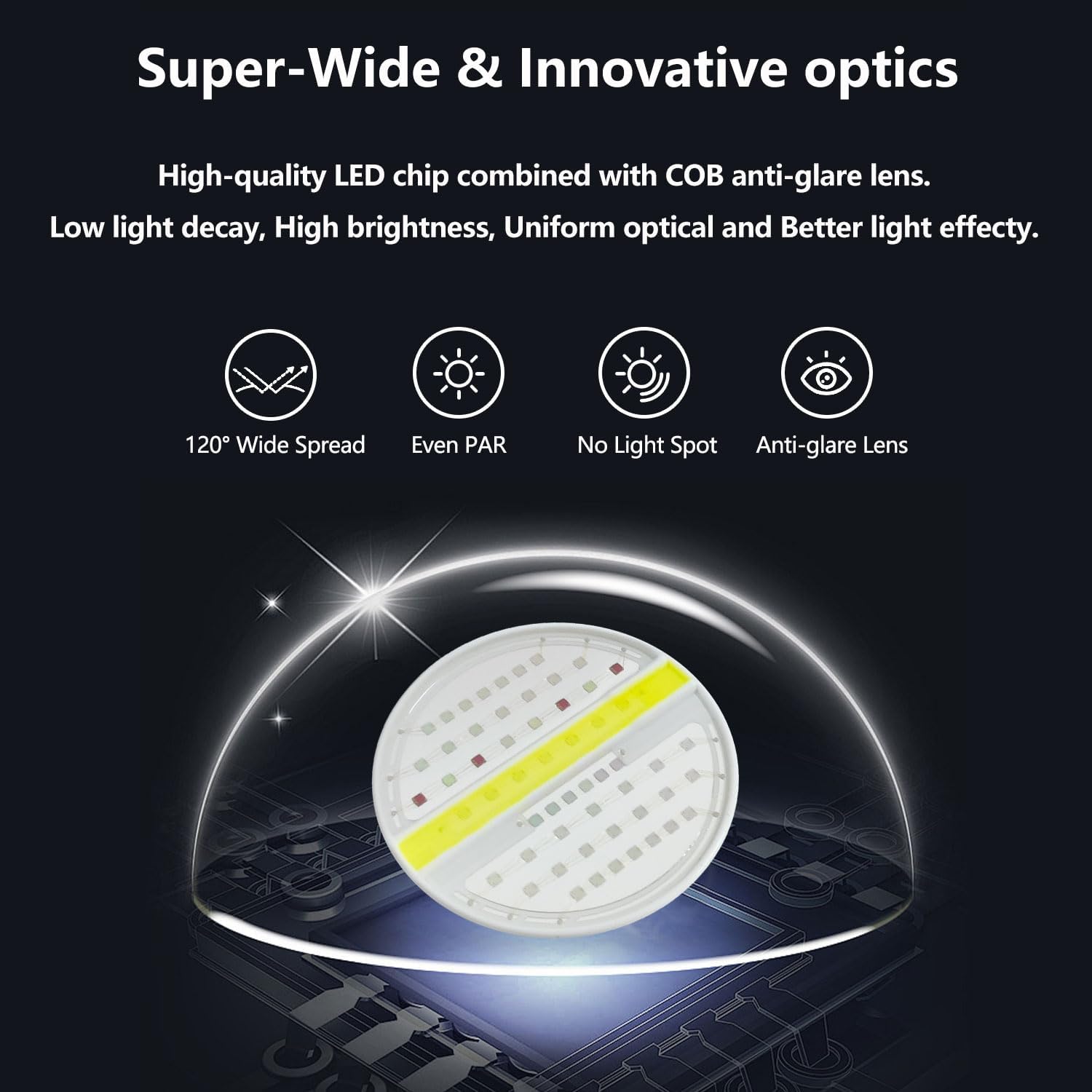
Image: Illustration of the super-wide and innovative optics with 120° spread, even PAR, no light spot, and anti-glare lens.
4. Installation
The PopBloom HertzRL90 LED Aquarium Light comes with a Gen3 arm kit for easy mounting. It is designed for both framed and frameless aquariums with a glass thickness of up to 3cm.
4.1 Mounting Options
- Arm Mount Kit: Easily mounts on the back or sides of the tank using versatile mounting screws. Adjustable length and height (12cm / 4.8in each).
- Hanging Kit: (Available separately or as a variant) Allows the light to be suspended above the tank.

Image: Diagram showing the adjustable length and height of the arm bracket, compatible with rimless and rimmed tanks up to 3cm glass thickness.
4.2 Tank Length Recommendations
The number of RL90 lights required depends on your tank length:
- 40-60cm (16-24 inch) tank: 1 RL90 light.
- 80-120cm (31-48 inch) tank: 2 RL90 lights.
- 130-160cm (51-63 inch) tank: 3 RL90 lights.
- 170-220cm (67-87 inch) tank: 4 RL90 lights.

Image: PAR distribution map and recommended tank lengths for various numbers of RL90 lights.
5. App Control & Operation
The PopBloom HertzRL90 features an intelligent WiFi control system, allowing full customization and control via the free Tuya SmartLife App on your mobile device.
5.1 App Download
Download the Tuya SmartLife App by searching for "Smart Life" in your device's app store or by scanning the QR code below:
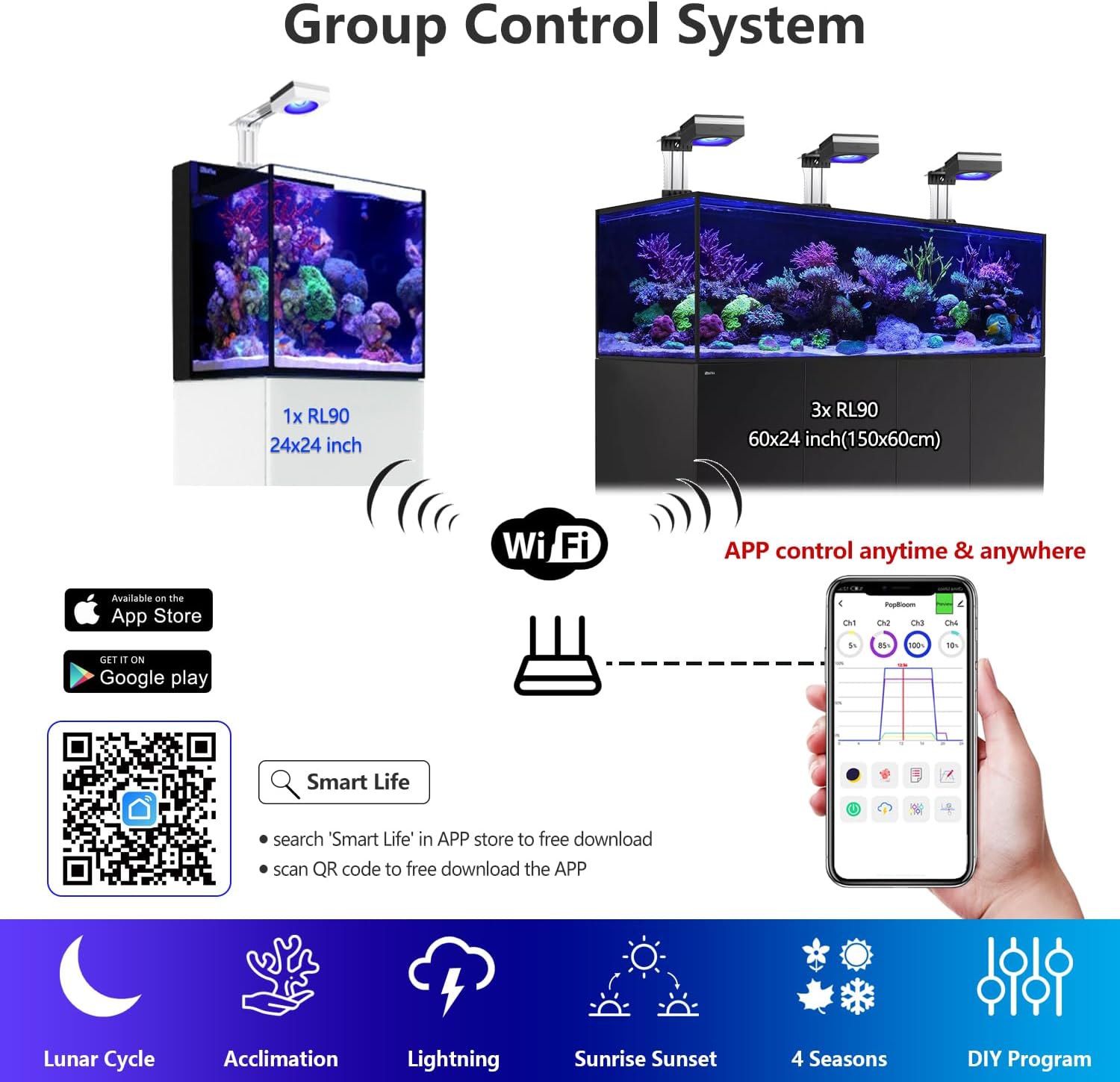
Image: QR code for SmartLife App download and a visual of the app's group control system.
Download the SmartLife App: https://smartapp.tuya.com/smartlife
5.2 Connecting the Light
Follow these steps to connect your RL90 light(s) to the SmartLife App:
- Ensure WiFi and Bluetooth are enabled on your mobile device.
- Open the SmartLife App and tap "Add Device". The app will discover nearby devices.
- Enter your home WiFi network information (SSID and password).
- Wait for the light(s) to connect. Once connected, you can name each light (e.g., "left" and "right").

Image: Visual guide for the 4-step easy setup process using the SmartLife App.
5.3 Creating a Group
To control multiple lights simultaneously, create a group within the app:
- From the device list, select one of your connected lights.
- Tap the settings icon (usually a pencil or three dots) and select "Create Group".
- Select all lights you wish to include in the group.
- Name your group (e.g., "Aquarium Main").
5.4 Operating Modes
The app offers various modes to suit your aquarium's needs:
5.4.1 Manual Mode
In Manual Mode, you can directly adjust the intensity of each of the four channels (Ch1, Ch2, Ch3, Ch4) in real-time. This is useful for quick adjustments or testing light levels.
- Access Manual Mode from the main control screen.
- Use the sliders to adjust the percentage intensity for each channel.
5.4.2 Preset Modes
The app includes 16 preset modes designed for different aquarium types and conditions, such as "Tropical Spring", "SPS Dominant", and "LPS & Soft Coral".
- Navigate to the "Program Library" within the app.
- Browse and select a preset mode that best fits your aquarium.
5.4.3 Acclimation Program
The acclimation schedule helps your corals, fish, and plants adapt to the new lighting environment by gradually increasing intensity over a set period.
- Access the "Acclimation" setting.
- Set the duration (e.g., 70 days) and initial intensity percentage.
5.4.4 Custom Program
For advanced users, you can create and save your own custom lighting programs.
- Access the custom program editing interface.
- Adjust time points and channel intensities to create your desired 24-hour lighting curve. Each step represents 15 minutes.
- You can delete existing time points or create new ones.
- Save your custom program with a unique name (up to 16 characters). A maximum of 16 new programs can be saved.
5.5 Official Product Videos
Video: PopBloom RL90 WiFi Reef Aquarium LED Light overview and features.
Video: PopBloom RL90 WiFi Saltwater LED Aquarium Light, APP Control demonstration.
Video: PopBloom RL90 WiFi Reef Light with APP Smart Control, showing various settings and effects.
6. Full Spectrum Version Details
The 2025 updated RL90 features an enhanced full spectrum with more white and UV, plus added red. This comprehensive spectrum promotes optimal coral growth and enhances dramatic coloration, creating a gentle shimmer throughout the aquarium.
- Channel 1: Cool White (10W)
- Channel 2: Moonlight (5W)
- Channel 3: REEF GROW Blue (65W)
- Channel 4: Vivid Color (10W)

Image: Details of the 2025 updated full spectrum version, showing channel breakdown and benefits for vivid color, coral growth, and fish safety.
7. Maintenance
To ensure the longevity and optimal performance of your PopBloom HertzRL90 LED Aquarium Light, regular maintenance is recommended:
- Cleaning: Periodically wipe the light fixture and lenses with a soft, damp cloth to remove salt creep, dust, and water spots. Ensure the light is unplugged before cleaning.
- Ventilation: Ensure the cooling fins and fan (if applicable) are free from obstructions to maintain proper airflow and prevent overheating.
- Cable Inspection: Regularly check power cords and connections for any signs of wear or damage. Replace immediately if any damage is found.
8. Troubleshooting
If you encounter any issues with your PopBloom HertzRL90 LED Aquarium Light, please refer to the following common troubleshooting tips:
- Light Not Turning On: Check power connections, ensure the power supply is plugged into a working outlet, and verify the light is properly connected to the power supply.
- App Connectivity Issues: Ensure your mobile device's WiFi and Bluetooth are on. Verify the light is within range of your WiFi router. Restart the app and the light. Check if your WiFi password was entered correctly during setup.
- Inconsistent Lighting: Check your programmed schedule in the app for any unintended settings. Ensure the light's firmware is up to date.
- Dimming/Flickering: Inspect power connections for loose contacts. Ensure the light is not overheating (check ventilation).
If problems persist, please contact customer support.
9. Warranty and Support
Your PopBloom HertzRL90 WiFi Reed LED Aquarium Light comes with a 1-year warranty from the date of purchase.
For technical support, warranty claims, or any other inquiries, please contact:
- Manufacturer: Shenzhen PopBloom Electronic Technology Co., Ltd
- Seller: liuxuann (via Amazon.ca)
Please retain your proof of purchase for warranty purposes.