
1. Setup
Follow these steps to prepare your Gevi Professional Barista Coffee Machine for first use.
1.1 Unpacking and Inspection
Carefully remove all components from the packaging. Inspect the machine for any signs of damage during transit. Retain packaging for future transport or service needs. Ensure all accessories listed in the packing list are present.
1.2 Placement
Place the coffee machine on a stable, level, and heat-resistant surface. Ensure there is adequate space around the machine for ventilation, especially at the back and sides. Keep it away from direct sunlight, heat sources, and areas with high humidity. The power outlet should be easily accessible.
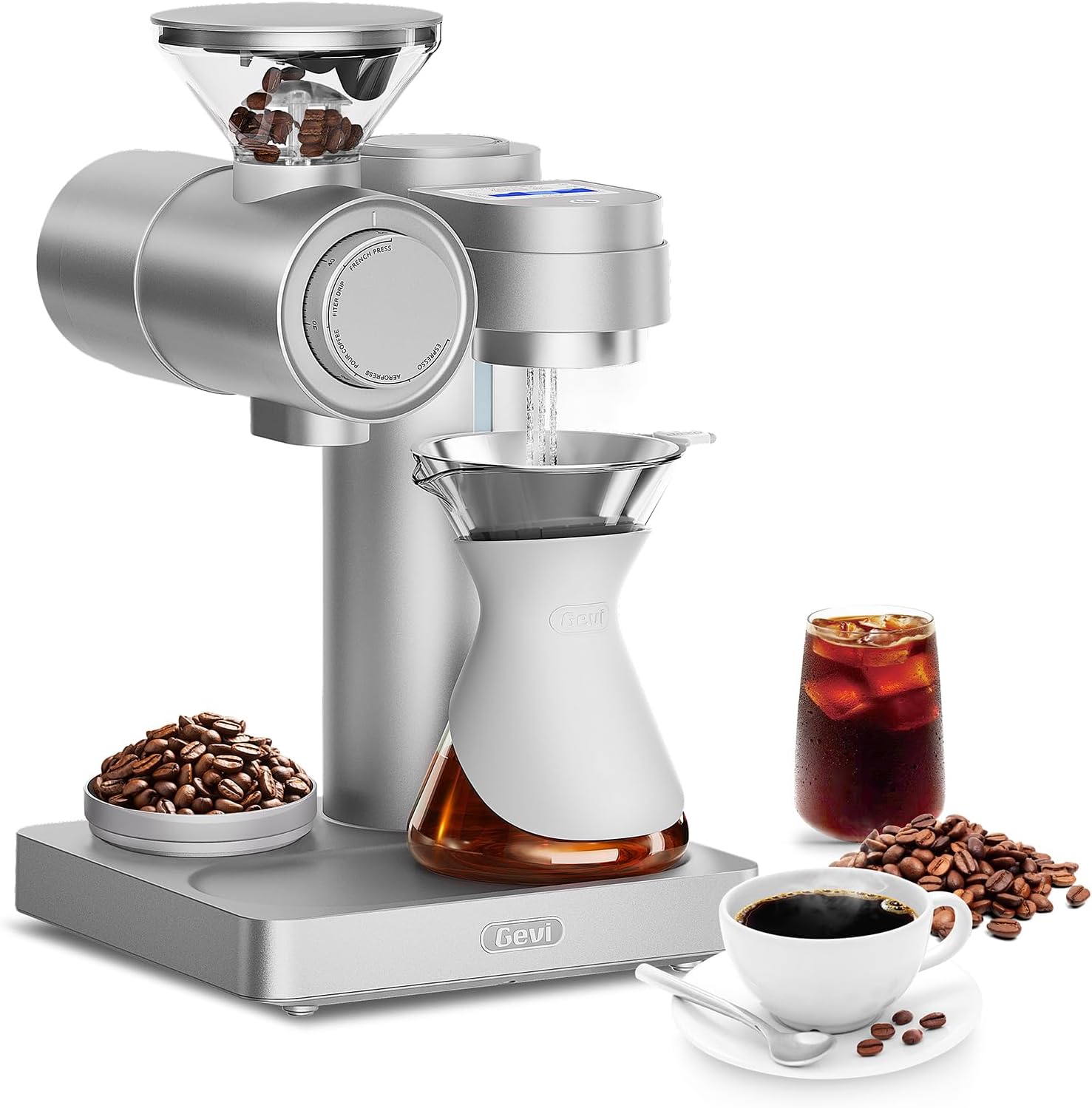
Figure 1: The Gevi Professional Barista Coffee Machine. This image displays the front view of the machine, highlighting the control panel, portafilter, and steam wand. The water tank is typically located at the back or side.
1.3 Water Tank Preparation
- Remove the water tank from the back of the machine.
- Rinse the water tank thoroughly with clean water.
- Fill the water tank with fresh, cold, filtered water up to the MAX line indicated. Do not overfill.
- Securely place the water tank back into its position on the machine.
1.4 Initial Cleaning Cycle
Before brewing coffee, perform an initial cleaning cycle to flush out any manufacturing residues.
- Ensure the water tank is filled.
- Place a large container under the brew group and steam wand.
- Power on the machine. Allow it to heat up until the indicator light signals readiness.
- Run a cycle of hot water through the brew group without coffee.
- Open the steam valve to dispense hot water through the steam wand for 30-60 seconds.
- Repeat this process 2-3 times.
2. Operating Instructions
This section details the steps for brewing espresso and steaming milk with your Gevi coffee machine.
2.1 Powering On/Off
Press the Power button located on the front panel. The machine will begin to heat up. Wait for the indicator light to turn solid, signifying it has reached the optimal brewing temperature.
2.2 Coffee Preparation (Espresso)
- Grinding: Use freshly roasted coffee beans and grind them to a fine consistency suitable for espresso.
- Dosing: Fill the portafilter basket with the appropriate amount of ground coffee (e.g., 7-8g for a single shot, 14-16g for a double shot).
- Tamping: Use a tamper to press the coffee grounds firmly and evenly into the portafilter basket. Ensure the surface is level.
- Locking Portafilter: Insert the portafilter into the brew group and turn it firmly to the right until it is securely locked.
2.3 Brewing Espresso
- Place your espresso cup(s) on the drip tray directly under the portafilter spouts.
- Press the Single Shot or Double Shot button. The machine will begin pre-infusion, followed by brewing.
- The brewing process will stop automatically. For manual control, press the button again to stop.
- Remove the portafilter, discard the spent coffee grounds (puck), and rinse the portafilter.
2.4 Steaming Milk
- Ensure the machine is at steaming temperature (steam indicator light solid).
- Fill a stainless steel milk pitcher with cold milk, typically to just below the spout.
- Submerge the steam wand tip just below the surface of the milk.
- Turn the Steam Control Knob to activate steam.
- Lower the pitcher slightly to introduce air for frothing, then submerge the tip deeper to heat the milk.
- Continue until the milk reaches the desired temperature (around 140-150°F / 60-65°C) and texture.
- Turn off the steam control knob. Immediately wipe the steam wand with a damp cloth to prevent milk residue from drying.
2.5 Hot Water Dispensing
To dispense hot water for tea or Americanos:
- Place a cup under the steam wand.
- Turn the Steam Control Knob to the hot water position (if available, otherwise use the steam function briefly).
- Dispense the desired amount of hot water.
- Close the knob.
3. Maintenance
Regular cleaning and maintenance ensure optimal performance and longevity of your Gevi coffee machine.
3.1 Daily Cleaning
- Portafilter and Filter Baskets: After each use, remove the portafilter, discard coffee grounds, and rinse the portafilter and filter basket under hot water.
- Steam Wand: Immediately after steaming milk, wipe the steam wand with a damp cloth. Purge a small amount of steam to clear any internal milk residue.
- Drip Tray: Empty and rinse the drip tray daily or when the indicator floats.
- Exterior: Wipe the exterior of the machine with a soft, damp cloth. Do not use abrasive cleaners.
3.2 Weekly Cleaning
- Water Tank: Remove, wash with mild detergent, rinse thoroughly, and refill with fresh water.
- Brew Group: Use a brew group brush to clean any coffee grounds from the shower screen and gasket. Perform a backflush if your machine supports it (refer to specific instructions for backflushing).
3.3 Descaling
Descaling removes mineral buildup from the machine's internal components, which can affect performance and taste. The frequency depends on water hardness and usage, typically every 2-3 months.
- Empty the water tank and fill it with a descaling solution mixed according to the descaler manufacturer's instructions.
- Place a large container under the brew group and steam wand.
- Run the descaling solution through the brew group and steam wand until the tank is empty.
- Rinse the water tank thoroughly and refill with fresh water.
- Run several cycles of fresh water through the machine to flush out any remaining descaling solution.
Caution: Only use descaling solutions specifically designed for coffee machines. Do not use vinegar, as it can damage internal components.
4. Troubleshooting
Refer to this section for solutions to common issues you might encounter.
| Problem | Possible Cause | Solution |
|---|---|---|
| Machine does not power on. | Not plugged in; power outlet issue; main power switch off. | Check power cord connection; test outlet with another appliance; ensure main power switch is on. |
| No water dispensing from brew group. | Water tank empty or not seated correctly; pump airlock; machine not primed. | Fill water tank and ensure it's seated; run hot water through steam wand to prime pump; descale if necessary. |
| Espresso brews too slowly or not at all. | Coffee ground too fine; coffee tamped too hard; brew group clogged; machine needs descaling. | Use a coarser grind; reduce tamping pressure; clean brew group; descale the machine. |
| Espresso brews too quickly, weak coffee. | Coffee ground too coarse; not enough coffee; coffee tamped too lightly. | Use a finer grind; increase coffee dose; tamp more firmly. |
| No steam from steam wand. | Machine not at steaming temperature; steam wand clogged; water tank empty. | Wait for steam indicator light; clean steam wand tip with a pin; fill water tank. |
If the problem persists after attempting these solutions, please contact Gevi Customer Support.
5. Specifications
Key technical specifications for the Gevi Professional Barista Coffee Machine Model GESCMA705-U.
- Model Number: GESCMA705-U
- Product Dimensions: 10 x 10.3 x 17 inches (Length x Width x Height)
- Item Weight: 23 pounds
- UPC: 767791888858
- Power/Voltage: Refer to the product label on the machine for specific electrical requirements.
6. Warranty & Support
Gevi provides a limited warranty for this product. Please register your product to activate your warranty and receive important updates.
6.1 Limited Warranty
This Gevi Professional Barista Coffee Machine (Model GESCMA705-U) is covered by a manufacturer's limited warranty against defects in materials and workmanship for a period of one (1) year from the original date of purchase. This warranty does not cover damage caused by misuse, neglect, accident, alteration, or unauthorized repair. Proof of purchase is required for warranty claims.
6.2 Customer Support
For technical assistance, warranty claims, or general inquiries, please contact Gevi Customer Support:
- Website: www.gevi.com (Please visit our website for FAQs, product registration, and support resources.)
- Email: support@gevi.com
- Phone: 1-800-XXX-XXXX (Availability may vary by region. Please check the website for local contact numbers.)
When contacting support, please have your product model number (GESCMA705-U) and proof of purchase readily available.


