
1. Safety Information
WARNING: Do not exceed the maximum weight recommendation of 203 pounds. Always use the recline function carefully and ensure the chair is stable before use.
Read all instructions before using this massage chair. Keep this manual for future reference.
2. Product Overview
The LIULINREST HM001 4D Full Body Massage Chair is designed to provide a comprehensive massage experience. It features an extended SL-Track, multiple zero gravity positions, full-body airbags, foot rollers, and smart control options.

Image: The LIULINREST Full Body Intelligent Massage Chair in a modern living room setting.
Key Features:
- 50" SL-Track: Curves from neck to glutes, accommodating users from 5'1" to 6'3" for full body coverage.
- Full Body Airbags: Airbags from shoulders to feet inflate in sequence for comprehensive relief.
- 3 Zero Gravity Angles: Initial, Comfort, and Deep stages for optimal relaxation and pressure relief.
- 18 Customizable Modes: Includes 6 manual techniques and 12 auto programs targeting various body areas.
- Foot Massage & Leg Extension: Features foot rollers and calf airbags, with a 3-stage leg extension.
- AI Voice & 7" Touch Screen: Hands-free operation via voice commands or intuitive touch screen control.
- Bluetooth Music: Integrated Bluetooth for audio streaming during massage sessions.
3. Setup
3.1 Unboxing and Initial Placement
The massage chair is delivered in one box. Carefully open the box and remove all packaging materials. The chair is equipped with wheels for easy movement.
Video: LIULINREST Massage Chair - Unboxing and initial setup showing the chair being moved on its wheels.
3.2 Assembly
The chair features tool-free assembly, typically taking 3-5 minutes. The main assembly step involves attaching the footrest.
Video: MYTHIA A303C Massage Chair Footrest Installation - Demonstrates the process of attaching the footrest to the main unit.
3.3 Power Connection
Connect the power cord to the chair and then to a suitable power outlet. Ensure the power switch on the chair is in the 'ON' position.
4. Operating Instructions
4.1 Control Panel & Touch Screen
The chair can be controlled via a 7-inch touch screen or a side control panel with shortcut keys.
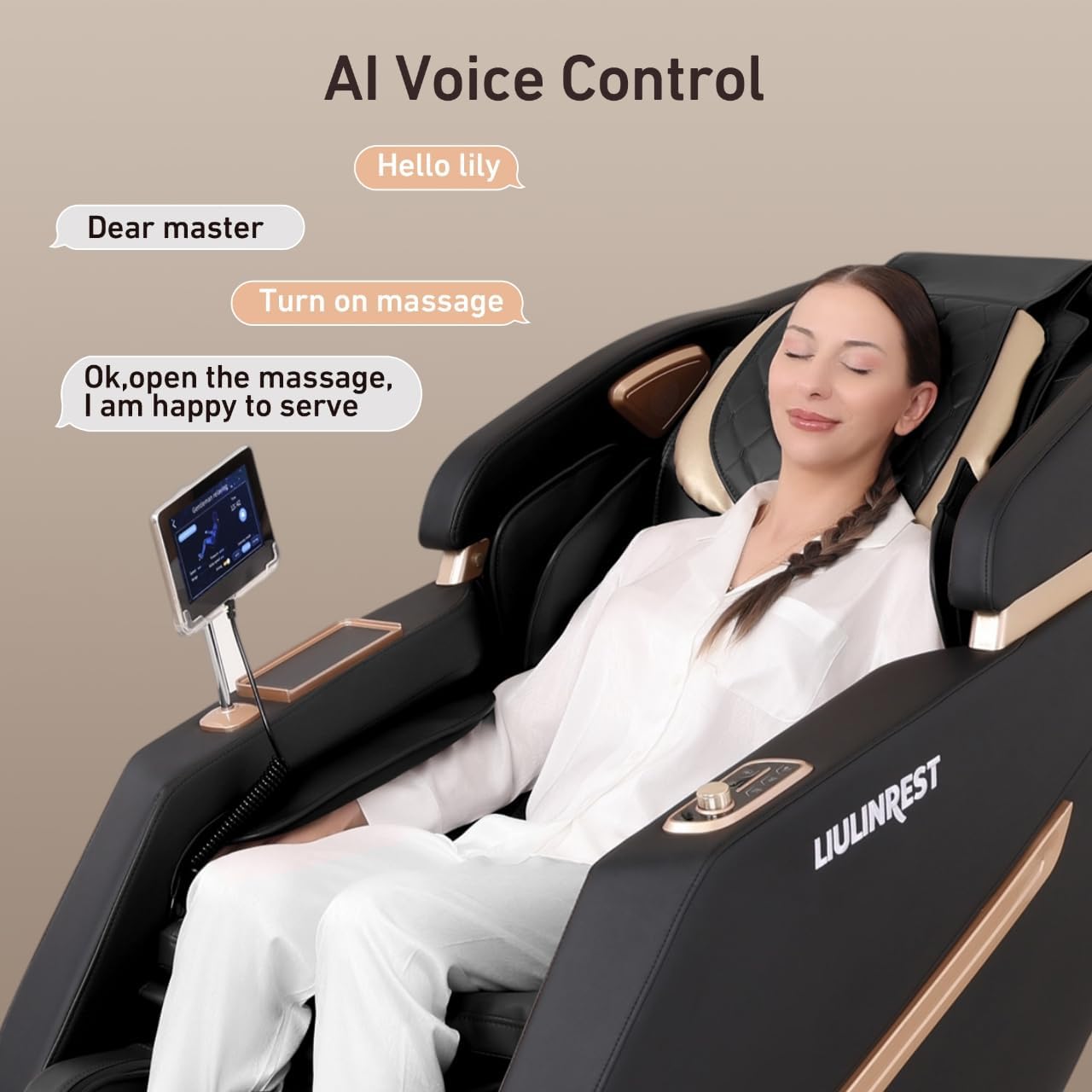
Image: Close-up of the smart touch screen interface showing various massage program options and settings.
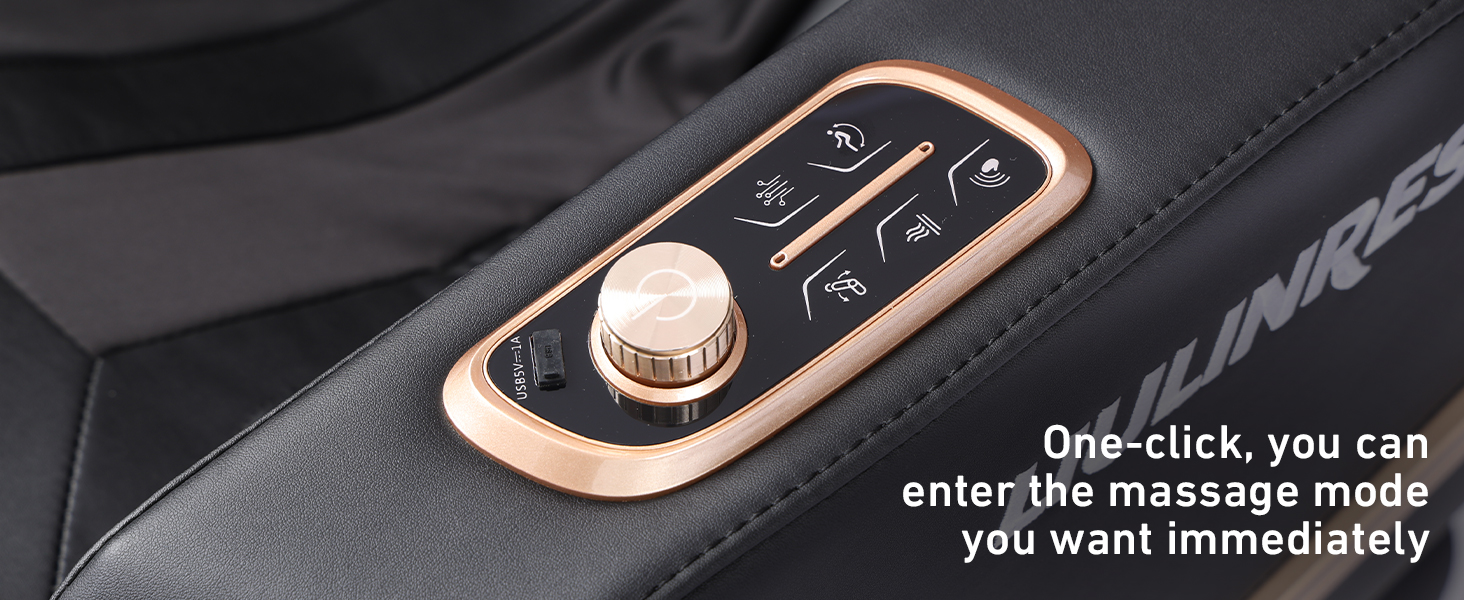
Image: Side control panel with a rotary knob and shortcut buttons for quick access to massage modes.
4.2 Intelligent Body Detection
Upon activation, the chair performs an intelligent body scan to recognize your shoulder position and adjust the massage rollers for optimal coverage.

Image: Diagram illustrating the intelligent body detection feature, showing how the chair scans the user's body for a customized massage.
4.3 Massage Modes & Techniques
Choose from 12 automatic programs or 6 manual techniques for a personalized massage experience.
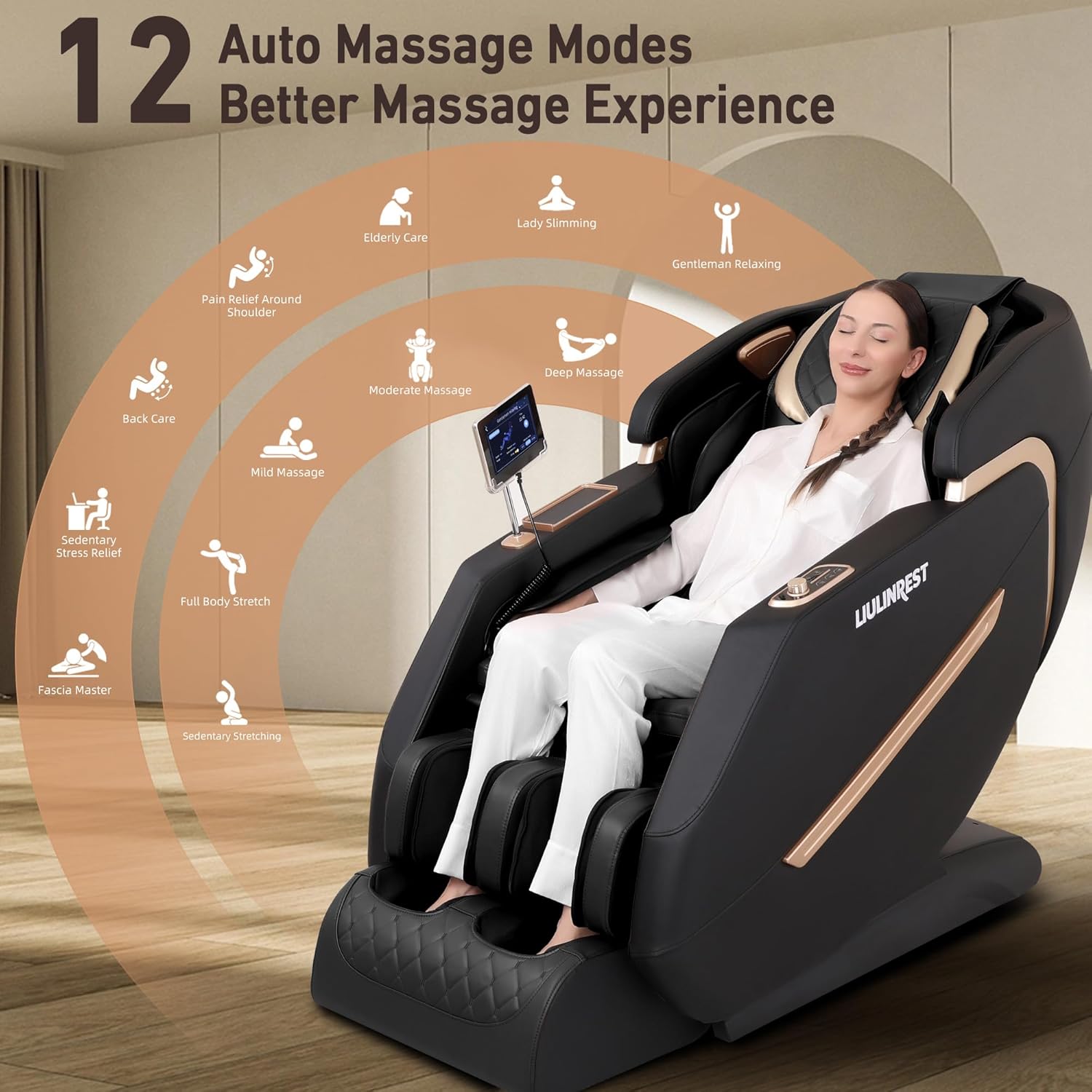
Image: Visual representation of 6 manual massage techniques: Shiatsu, Tapping, Guasha, Kneading, Clapping, and Knocking.
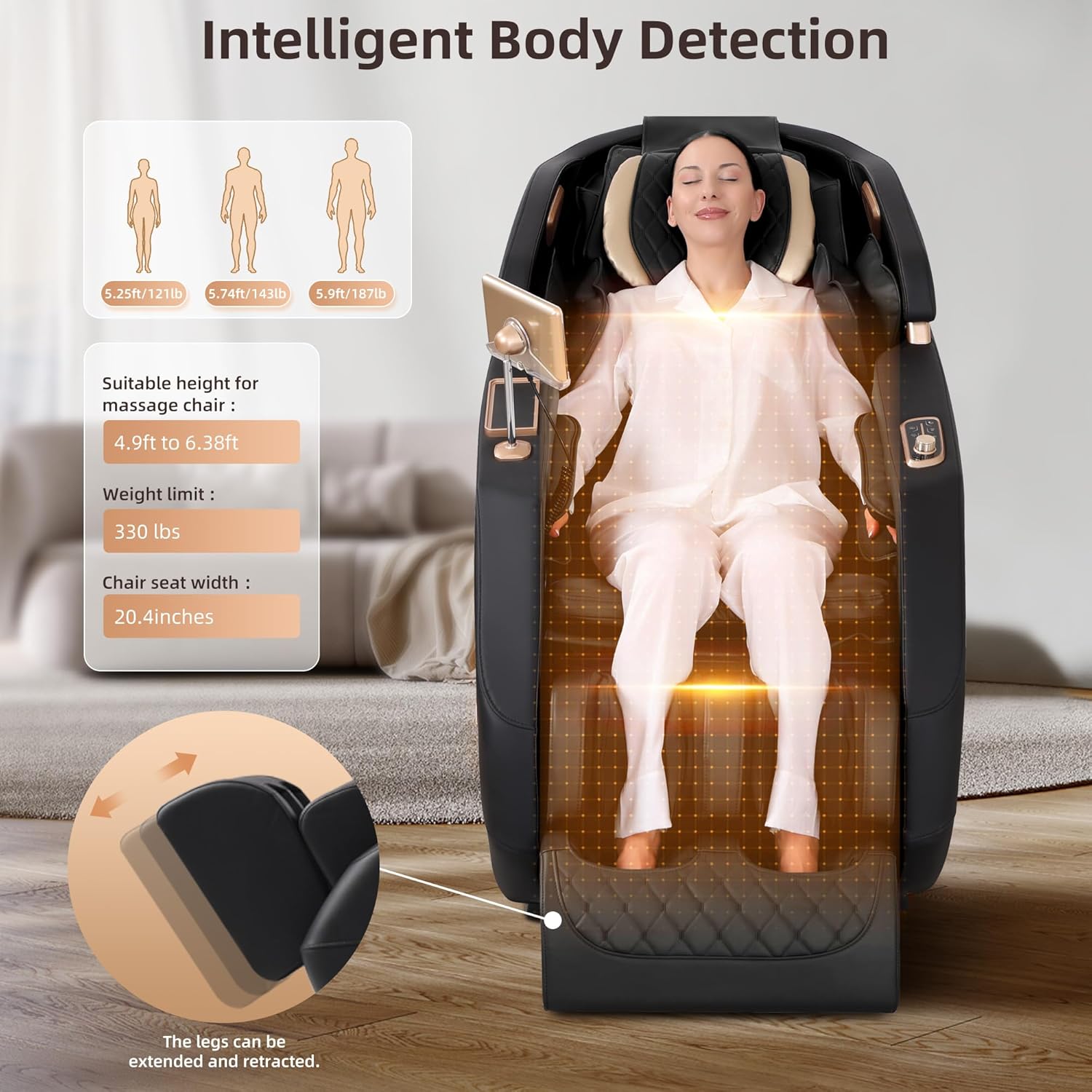
Image: Diagram showing 12 auto massage modes including Elderly Care, Lady Slimming, Gentleman Relaxing, Back Care, Full Body Stretch, and more.
4.4 Zero Gravity Positions
Select from three zero gravity angles (Initial, Comfort, Deep) to elevate your legs above your heart, reducing pressure on your spine and enhancing the massage.
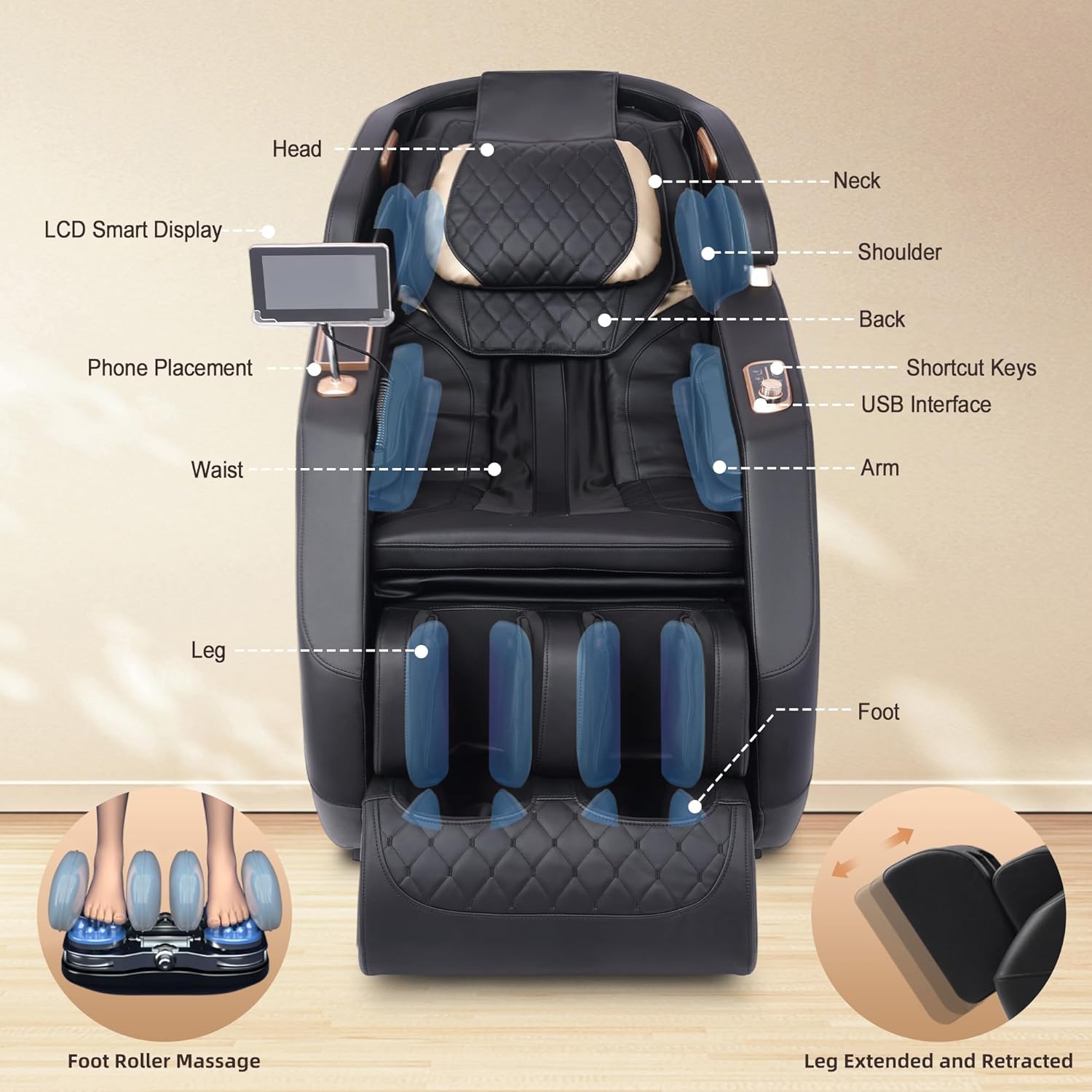
Image: Illustrations of the three zero gravity positions: Initial, Comfort, and Deep Zero Gravity.
Video: LIULINREST Massage Chair Full Body - Demonstrates the chair reclining into a zero gravity position.
4.5 Heating Function
The chair provides lumbar and calf heating to soothe muscles and enhance relaxation.
4.6 Airbag Massage
Full body airbags located in the shoulders, arms, calves, and feet provide compression massage to relieve tension and improve circulation.

Image: Diagram highlighting the full body airbag massage zones, including shoulders, arms, and legs.
4.7 Foot Rollers & Leg Extension
Foot rollers target the soles of your feet, while calf airbags provide additional massage. The leg rest can extend up to 3 stages to accommodate different user heights.
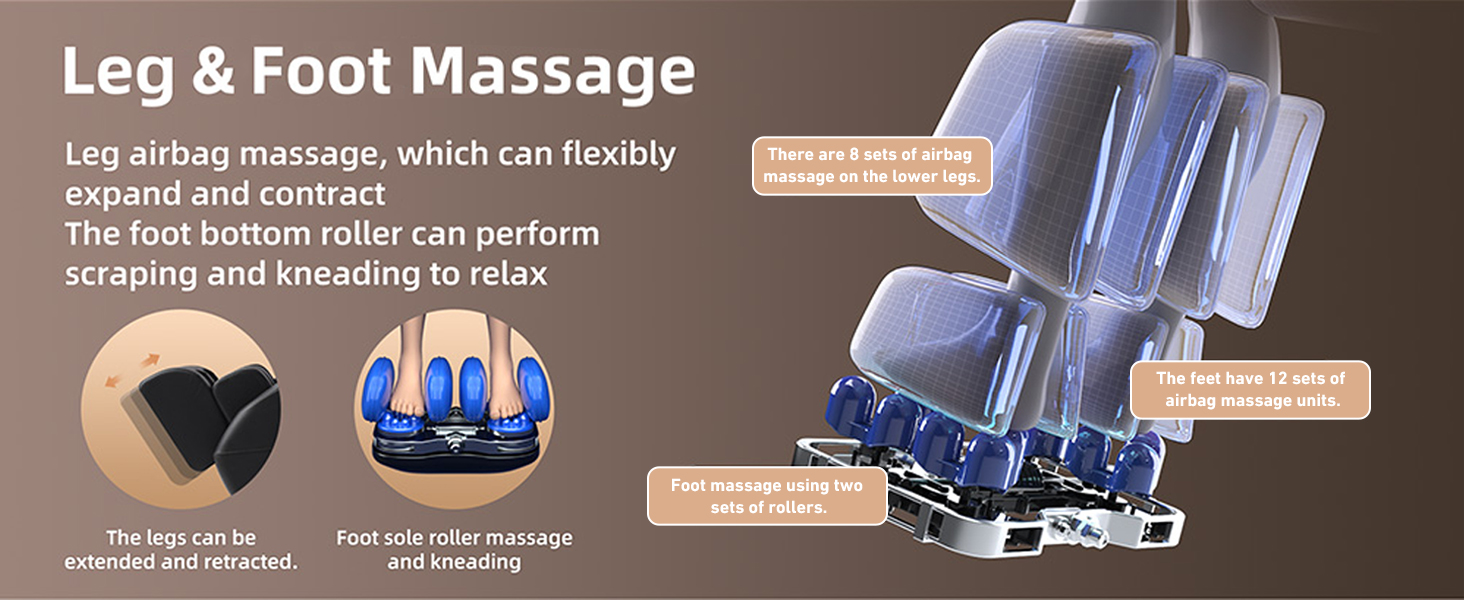
Image: Detailed view of the leg and foot massage mechanisms, showing foot rollers and calf airbags.
4.8 AI Voice Control
Use simple voice commands for hands-free operation. Activate massage modes, adjust intensity, or control recline positions.
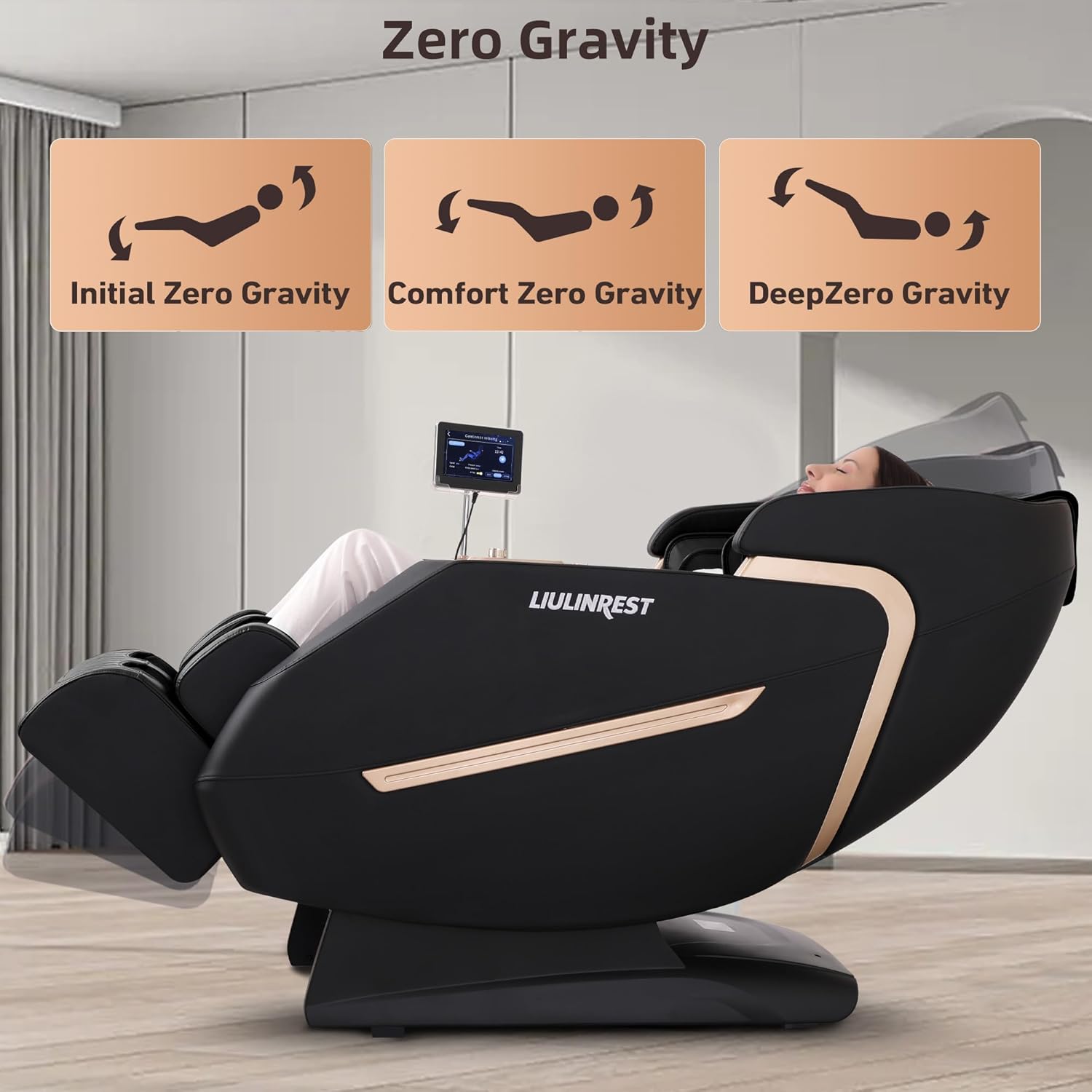
Image: User interacting with the AI voice control, showing example commands like "Hello Lily" and "Turn on massage."

Image: A comprehensive list of voice commands for controlling various massage chair functions.
Video: LIULINREST 2025 4D Massage Chair Full Body, Zero Gravity Massage Chair - Quick demonstration of voice control functionality.
4.9 Bluetooth Music
Connect your device via Bluetooth (Bluetooth Name: RH168, Password: 8888) to enjoy music through the chair's built-in speakers during your massage.
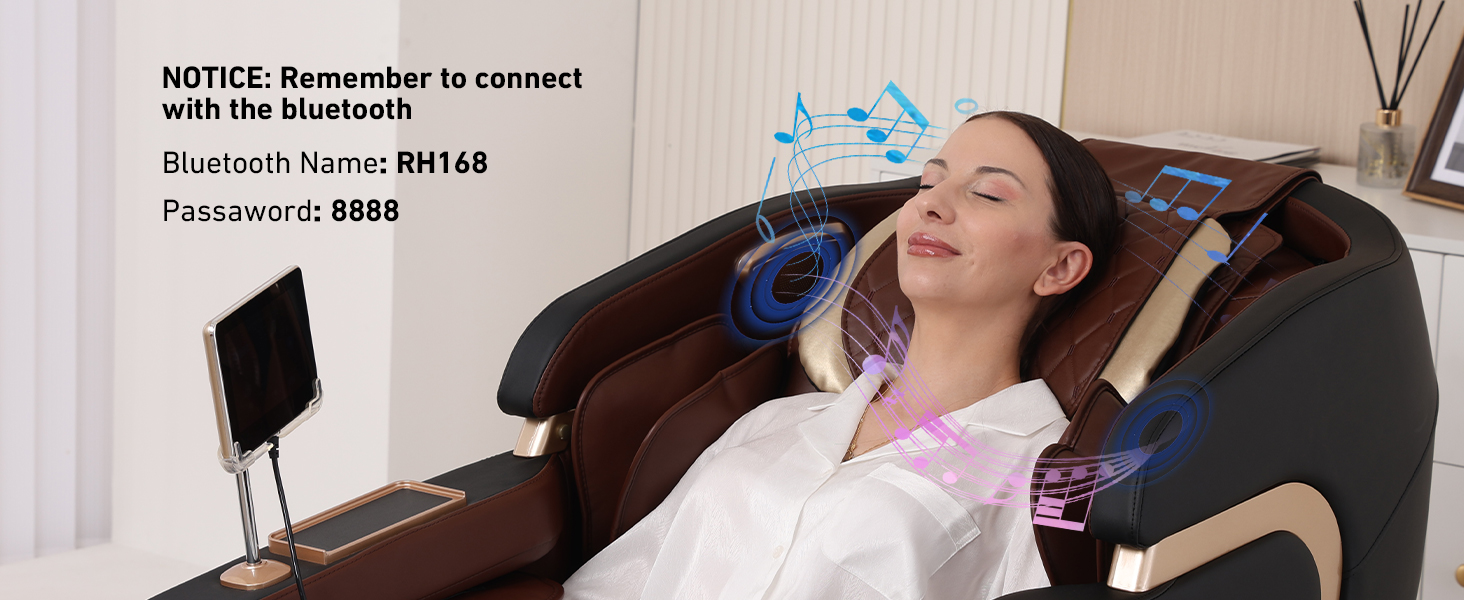
Image: Instructions for connecting to Bluetooth, showing the Bluetooth name and password.
4.10 Wireless Charging & Phone Holder
Place your compatible smartphone on the wireless charging pad located on the armrest. A flexible phone holder is also provided for convenience.
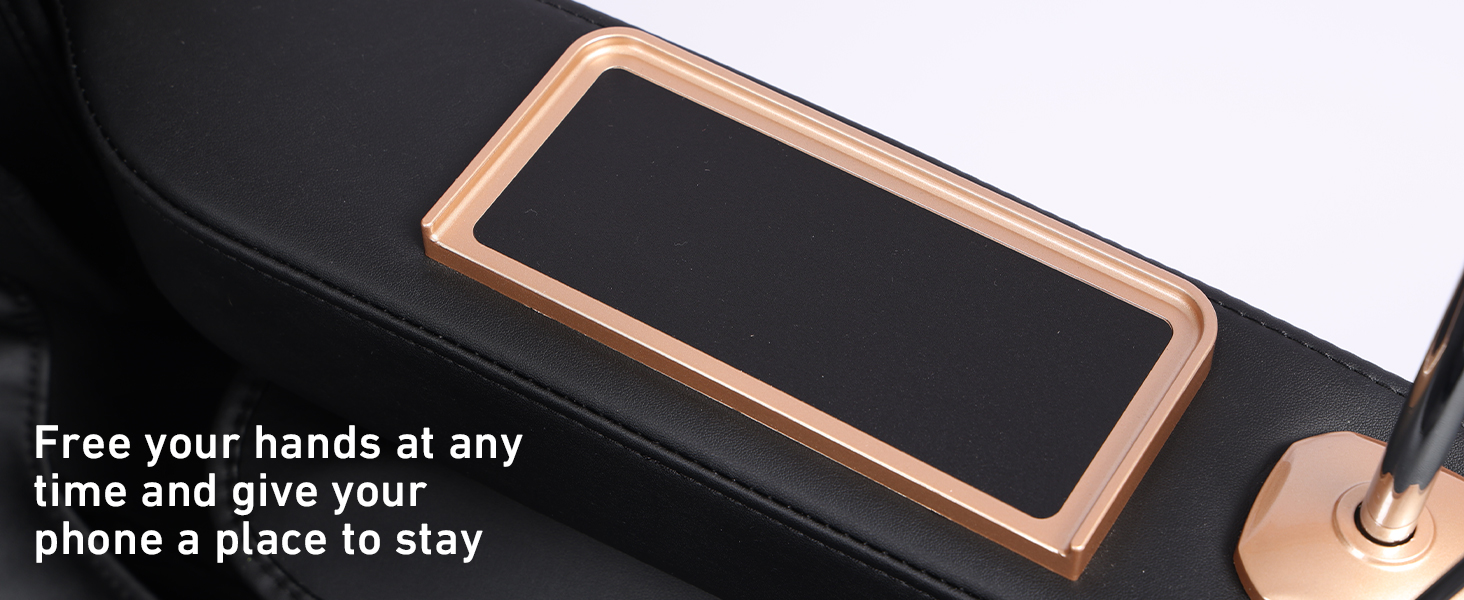
Image: The integrated phone holder and wireless charging area on the armrest.
5. Maintenance
- Wipe with a dry cloth after each use.
- Keep away from sharp objects to prevent damage to the upholstery.
- Unplug the chair before cleaning.
- Do not use alcohol-based cleaners or harsh chemicals.
- Store in a dry place when not in use for extended periods.
6. Troubleshooting
If you encounter any issues with your massage chair, please refer to the following general advice:
- No Power: Ensure the power cord is securely plugged into both the chair and the wall outlet, and the power switch is on. Check the circuit breaker.
- Massage Rollers Not Moving: Verify that a massage program is selected and the chair has completed its body scan.
- Voice Control Not Responding: Speak clearly and ensure the room is not excessively noisy. Refer to the list of voice commands.
- Unusual Noises: Turn off the chair and unplug it. Inspect for any obstructions or loose parts. If the noise persists, contact customer service.
For further assistance, please contact customer service as detailed in the Warranty & Support section.
7. Specifications

Image: Detailed product size parameters and dimensions.

Image: Visual guide to the chair's sizing, showing shoulder width, seat width, and suitable height/weight ranges.

Image: Key product parameters including brand, model number, rated voltage, power, and net weight.
| Feature | Detail |
|---|---|
| Brand | LIULINREST |
| Model Name | HM001 |
| Color | Black |
| Product Dimensions | 30.11"D x 58.85"W x 33.46"H |
| Item Weight | 187.6 pounds |
| Material | Acrylonitrile Butadiene Styrene, Alloy Steel, Polyurethane |
| Special Features | 7" Touch Screen Control, 160° Zero-Gravity, 50" SL-Track, 3-stage Foot Extension, Bluetooth Surround Speakers |
| Reclining Positions | 3 Position (Zero Gravity) |
| Assembly | Tool-free assembly (under 5 minutes) |
| UPC | 762849210117 |
8. Warranty & Support
The LIULINREST HM001 Massage Chair comes with a 3-year warranty. For any inquiries, technical support, or warranty claims, please contact our 24-hour customer service.
Contact information for customer service can typically be found on the product packaging or the official LIULINREST website.
