
Introduction
This manual provides detailed instructions for the installation, operation, and maintenance of your SOVMIKU Solar Security Camera and Video Doorbell. Please read this manual thoroughly before use to ensure proper functionality and safety.
Product Overview
Components
The SOVMIKU system includes a solar-powered security camera and a video doorbell, designed for outdoor wireless surveillance and communication.

Image: Overview of the SOVMIKU Solar Security Camera and Video Doorbell units.
Key Features
- 2K Ultra-High-Definition Video: Provides clear images and videos.
- PIR Motion Detection: Equipped with a Passive Infrared (PIR) sensor for accurate motion detection.
- Two-Way Audio: Allows for real-time communication through the camera and doorbell.
- Solar Power: Cameras are powered by solar panels for continuous operation.
- Wireless Connectivity: Operates on 2.4GHz Wi-Fi for broad coverage.
- Color Night Vision: Enhanced visibility in low-light conditions.
- Local and Cloud Storage Options: Supports microSD cards (up to 128GB) and cloud storage via the Vicohome App.
- Multi-Device Viewing: View up to four cameras simultaneously through the Vicohome App.
- Audible and Flashlight Siren: Integrated alarm features for deterrence.
Setup
1. Download the Vicohome App
Search for "Vicohome" in the Google Play Store (for Android devices) or the Apple App Store (for iOS devices) and download the application. Create an account or log in if you already have one.
2. Initial Device Connection
- Power on your SOVMIKU camera or doorbell.
- Open the Vicohome App and follow the on-screen instructions to add a new device.
- Ensure your device is connected to a 2.4GHz Wi-Fi network. 5GHz networks are not supported.
- Scan the QR code displayed on your phone with the camera, or follow the voice prompts for the doorbell.
- Once connected, you can name your device and configure initial settings.
3. Installation
The cameras and doorbell are designed for easy installation. The camera features a metal mount suitable for wall or ceiling installation, indoors or outdoors.
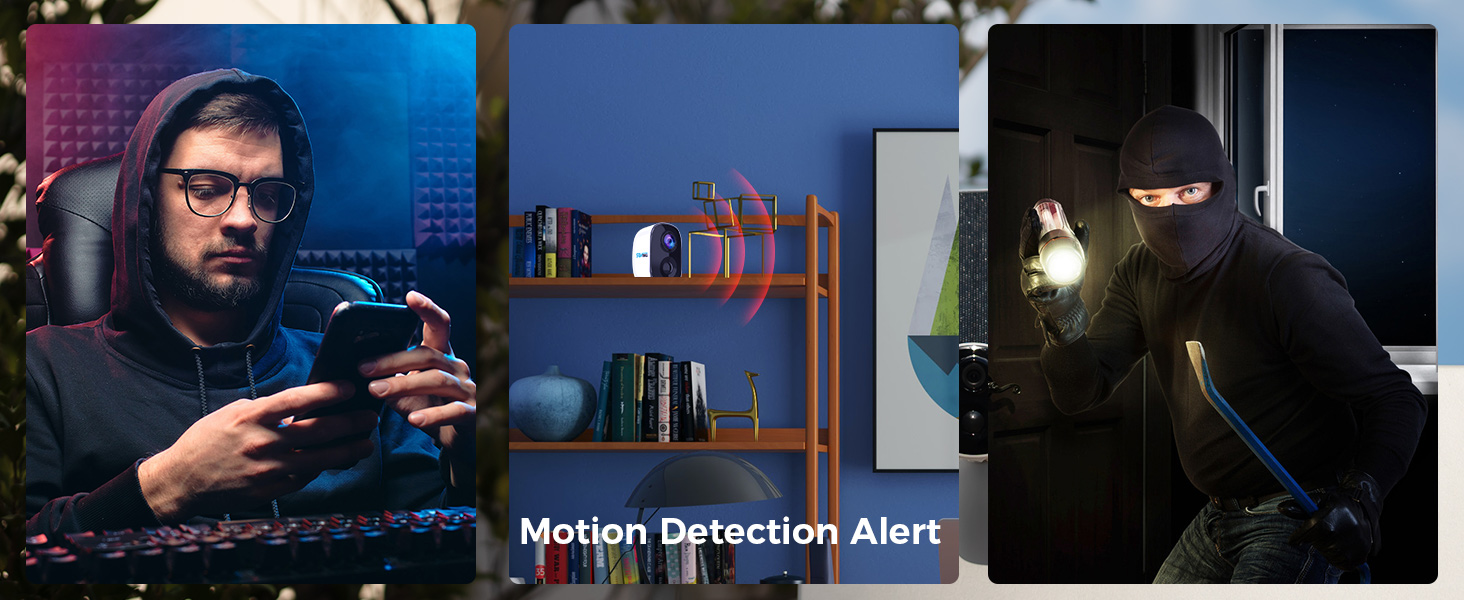
Image: Illustration of installing the camera mounting bracket.
For solar panel placement, ideally, the panel should point directly at the sun during midday in summer to maximize charging efficiency. Avoid shaded areas.
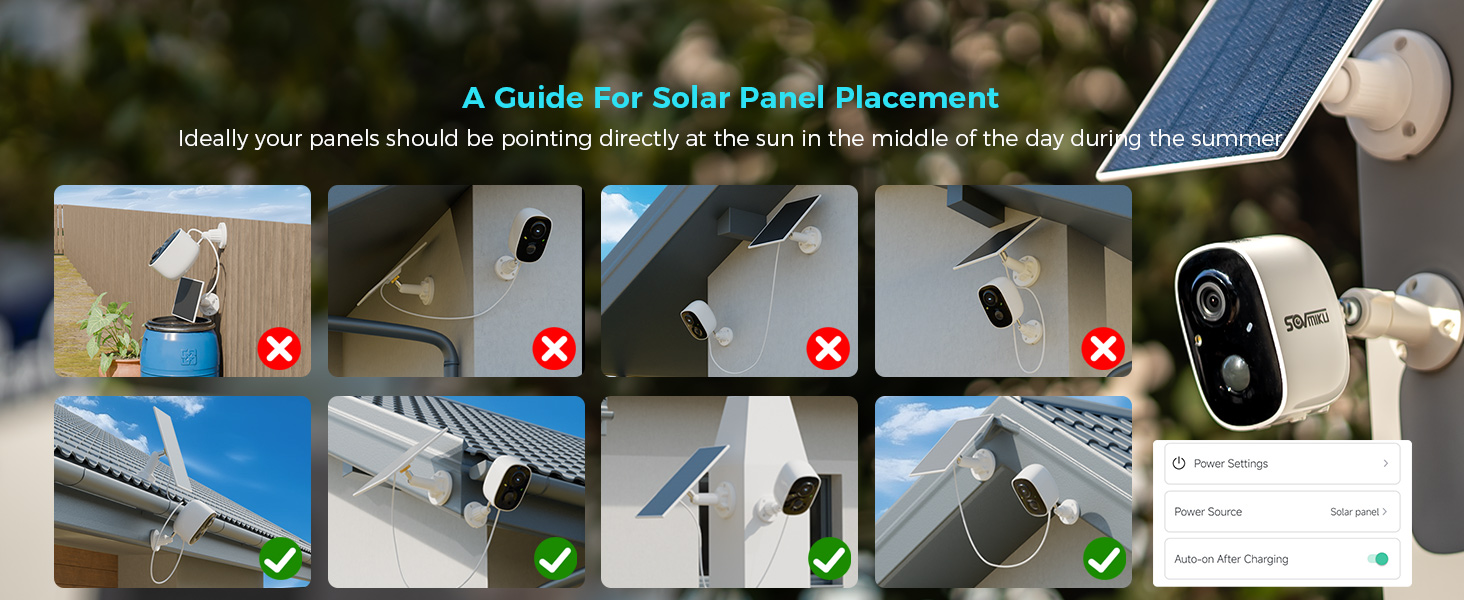
Image: Visual guide demonstrating optimal and suboptimal solar panel placement.
Operating Instructions
Live View and Multi-Camera Monitoring
Open the Vicohome App to access the live feed from your cameras and doorbell. You can view up to four cameras simultaneously by clicking the designated button in the top right corner of the app interface.

Image: A smartphone screen displaying the Vicohome app with live feeds from multiple security cameras.
Two-Way Audio
Utilize the two-way audio feature through the Vicohome App to communicate with individuals near your camera or doorbell. This allows for conversations in real-time.

Image: Depiction of two individuals communicating via the camera's two-way audio function.
Motion Detection and Alerts
The camera and doorbell are equipped with PIR sensors for motion detection. You can enable push notifications in the Vicohome App to receive alerts on your mobile device or smartwatch when motion is detected.

Image: A smartwatch showing a notification for motion detection from the security camera.
Storage Options
Recordings can be stored locally on a microSD card (up to 128GB, not included) or via cloud storage services offered through the Vicohome App. Cloud storage provides an additional layer of security for your recordings.

Image: A hand inserting a microSD card into the designated slot on the camera.
Alarm Functions
The camera features a flashlight alarm and an audible siren. These can be activated automatically upon motion detection to deter intruders. Configure these settings within the Vicohome App.
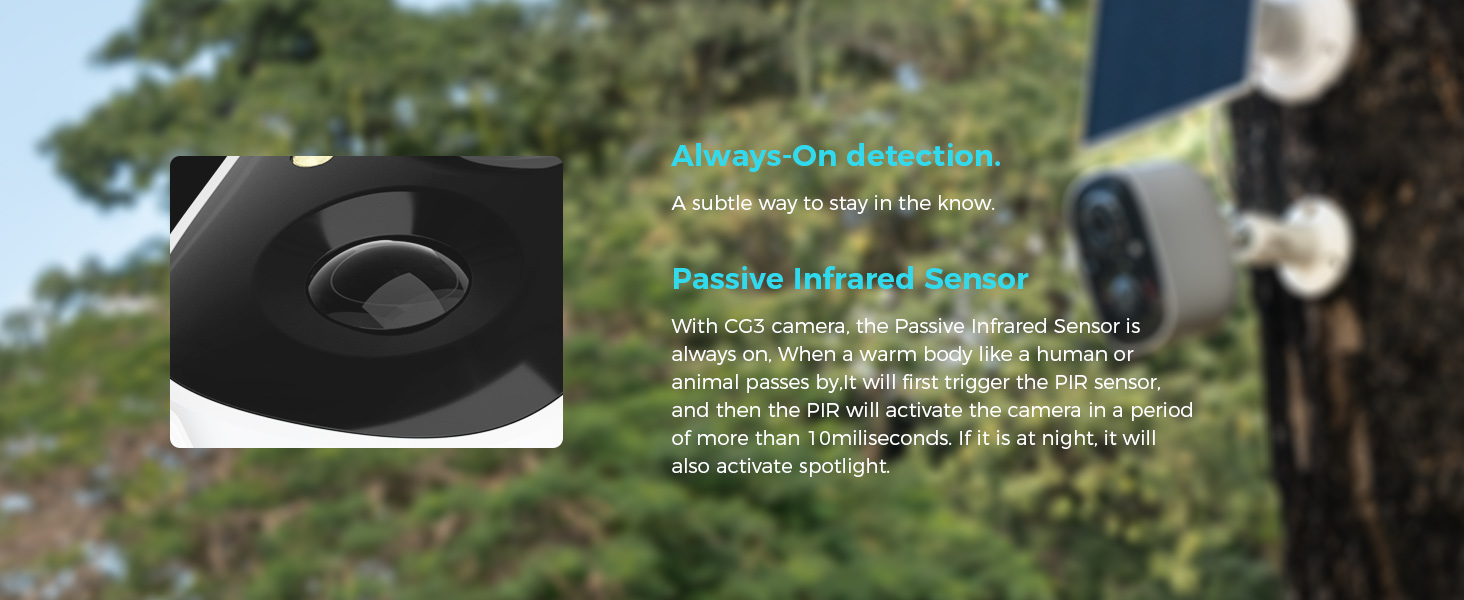
Image: Illustration of the camera's flashlight and audible alarm being triggered by motion.
Maintenance
Solar Panel Care
- Regularly wipe the solar panels to remove dust, dirt, and debris. This ensures optimal charging efficiency.
- In temperatures below 0°C (32°F), the solar panel's ability to provide power may be reduced.
- Ensure the "auto-turn on" function is enabled in the app to maintain camera power.

Image: Visual tips for maintaining the solar panels for optimal performance.
General Care
- The devices are IP65 rated for splash, water, and dust resistance. However, resistance may decrease over time with normal wear.
- The charging interface uses a silicone waterproof protective plug; ensure it is properly sealed after charging.
- Clean the camera lenses and doorbell surface with a soft, damp cloth. Avoid abrasive cleaners.
Troubleshooting
| Problem | Possible Cause | Solution |
|---|---|---|
| Device not connecting to Wi-Fi | Incorrect Wi-Fi band (5GHz not supported), weak signal, incorrect password. | Ensure connection to a 2.4GHz Wi-Fi network. Move device closer to router. Verify Wi-Fi password. |
| Poor video quality | Weak Wi-Fi signal, dirty lens. | Improve Wi-Fi signal strength. Clean the camera lens. |
| Solar panel not charging effectively | Panel is dirty, shaded, or temperature is too low. | Clean the solar panel. Relocate the panel to a sunnier spot. Note that charging efficiency decreases in cold weather. |
| Motion detection alerts not received | Notifications disabled in app or phone settings, PIR sensor obstructed. | Check Vicohome App notification settings and phone's system notification settings. Ensure PIR sensor is clear. |
| Two-way audio issues | Microphone/speaker blocked, app permissions, network latency. | Ensure nothing is blocking the microphone or speaker. Check app permissions for microphone access. Verify stable internet connection. |
Specifications
- Video Resolution: 2K (3 Megapixels)
- Sensor: High tolerance CMOS and PIR Sensor
- Wi-Fi Connectivity: 2.4GHz (IEEE 802.11 b/g/n)
- Storage: MicroSD card up to 128GB (not included), Cloud Storage (subscription required)
- Battery Capacity (Camera): Up to 5200mAh (two 21700 batteries)
- Battery Life (Camera): Up to 55 days on a full charge (actual results vary based on usage)
- Operating Temperature: -10°C to 45°C (14°F to 113°F)
- Water Resistance: IP65 rated
- Video Compression: H.265+ (for efficient bandwidth and storage)
- Viewing Angles (Camera): Horizontal 95°, Vertical 55°, Diagonal 110°
Warranty and Support
Exchange Policy
SOVMIKU offers a 180-day exchange policy. If you are not satisfied with the product, you may submit a request for a solution within 24 hours.
Customer Support
For any inquiries or assistance, please contact SOVMIKU customer support. We aim to respond to all inquiries within 12 hours.
- Email: Sovmiku@163.com
- Phone: (Please refer to product packaging or official website for phone number if available)

Image: Contact information for SOVMIKU customer support.

