
1. Important Safety Information
Please read all safety and operating instructions carefully before using your new television. Keep these instructions for future reference. Always follow basic safety precautions to reduce the risk of fire, electric shock, and injury to persons.
- Do not block any ventilation openings.
- Do not install near any heat sources such as radiators, heat registers, stoves, or other apparatus (including amplifiers) that produce heat.
- Protect the power cord from being walked on or pinched, particularly at plugs, convenience receptacles, and the point where they exit from the apparatus.
- Only use attachments/accessories specified by the manufacturer.
- Unplug this apparatus during lightning storms or when unused for long periods of time.
- Refer all servicing to qualified service personnel.
2. What's in the Box
Carefully unpack your TCL 55C72K TV and ensure all items are present. The package should contain the following:
- 1N LED TV (TCL 55C72K)
- 1N Stand (Table Top Stand)
- 1N Remote Control
- 2N AAA Batteries for Remote Control

Image: Contents of the box, showing the TCL 55C72K television, remote control, and two AAA batteries.
Note: A fixed or adjustable wall mount is not included in the box. This can be purchased separately or through a service provider.
3. Setup
3.1. Installing the Stand or Wall Mounting
Your TCL 55C72K TV comes with a table-top stand. For wall mounting, a compatible VESA mount (not included) is required. Ensure the TV is placed on a stable, level surface or securely mounted to a wall.
3.2. Connecting Devices
The TCL 55C72K offers various connectivity options:
- HDMI Ports: 4 HDMI ports are available. HDMI 1 and HDMI 2 support 4K/144Hz, with HDMI 1 also supporting (e)ARC for enhanced audio return. HDMI 3 and HDMI 4 support 4K/60Hz.
- USB Ports: 1 USB 3.0 port and 1 USB 2.0 port for connecting external storage devices.
- LAN Port: For wired internet connection.
- Antenna Input: For connecting a terrestrial or cable antenna.
- Optical Audio Out: For connecting to external audio systems.

Image: Side and rear view of the TCL 55C72K TV, highlighting USB 3.0, USB 2.0, LAN, HDMI (4K/144Hz, 4K/60Hz), Cable/Antenna, and Optical Audio Out ports.
3.3. Initial Power On and Setup Wizard
After connecting the power cord and any external devices, press the power button on the remote control. The TV will guide you through the initial setup process, including network connection, Google account login, and basic picture/sound settings.
4. Operating Your TV
4.1. Remote Control Functions
The smart remote control provides quick access to various functions and streaming services. Insert the two AAA batteries into the remote control before use.

Image: The TCL 55C72K remote control, featuring a D-pad, number buttons, and dedicated hotkeys for Netflix, Prime Video, YouTube, and other services, along with a Google Assistant button.
- Power Button: Turns the TV on or off.
- Google Assistant Button: Activates voice control for searching content, controlling smart devices, and getting information.
- Navigation Pad (D-pad): For menu navigation.
- Volume Up/Down: Adjusts the volume level.
- Channel Up/Down: Changes TV channels.
- Dedicated Hotkeys: One-button quick access to popular streaming platforms like Netflix, Prime Video, YouTube, and more.
4.2. Smart TV Features (Google TV)
The TCL 55C72K runs on Google TV, offering a personalized and integrated smart TV experience.

Image: The Google TV home screen displaying recommended content and icons for popular streaming applications such as YouTube, Prime Video, Disney+ Hotstar, Netflix, and more.
- Content Discovery: Google TV organizes movies, shows, and live TV from your subscriptions and apps into one place.
- Voice Control: Use Hands-Free Voice Control or the remote's Google Assistant button to search, control playback, and manage smart home devices.
- App Access: Access a wide range of applications from the Google Play Store, including Prime Video, Netflix, Hotstar, Zee5, and more.
- Screen Mirroring: Cast content from your smartphone or tablet to the TV. Supports Airplay 2.
- Works with Alexa: Integrate with Amazon Alexa-enabled devices for voice control.
- Game Master: Optimized settings for an enhanced gaming experience.
4.3. Display Features
The TCL 55C72K features advanced display technologies for superior picture quality:
- QD-Mini LED Panel: Combines Quantum Dot and Mini LED technologies for ultra-high peak brightness, contrast, and color gamut.
- Precise Dimming Series: Up to 2048 local dimming zones for deeper blacks and higher brightness, enhancing picture performance.
- HDR 2600 nits: Delivers stunning brightness and vivid details in HDR content. Supports HDR10+, HLG, and Dolby Vision IQ.
- 144Hz Refresh Rate: Native 144Hz refresh rate (VRR 48-288Hz/DLG 240Hz) for smoother motion and clearer images, especially in fast-paced scenes and gaming.
- AiPQ Pro Processor: An AI picture quality processor that optimizes color, contrast, and clarity.
- IMAX Enhanced: Certified for IMAX Enhanced content, providing a premium audio-visual experience.
- FreeSync Premium Pro: Ensures tear-free and low-latency gaming.

Image: Explanation of QD-Mini LED technology, combining QLED and Mini LED for superior display performance.

Image: Visual demonstrating the Precise Dimming Series with up to 2048 zones, illustrating how it achieves deeper blacks and higher brightness.

Image: A dynamic scene with a car, highlighting the smooth and clear motion achieved with the 144Hz Native Refresh Rate.
4.4. Audio Features
Experience immersive sound with the integrated audio system:
- 60 Watts Output: Powerful audio output for clear and dynamic sound.
- Dolby Atmos: Delivers multi-dimensional sound that flows around you.
- DTS Virtual-X: Provides an immersive audio experience without the need for additional speakers.
- ONKYO 2.1.2 CH Hi-Fi System: Integrated ONKYO speakers for a high-fidelity audio experience.
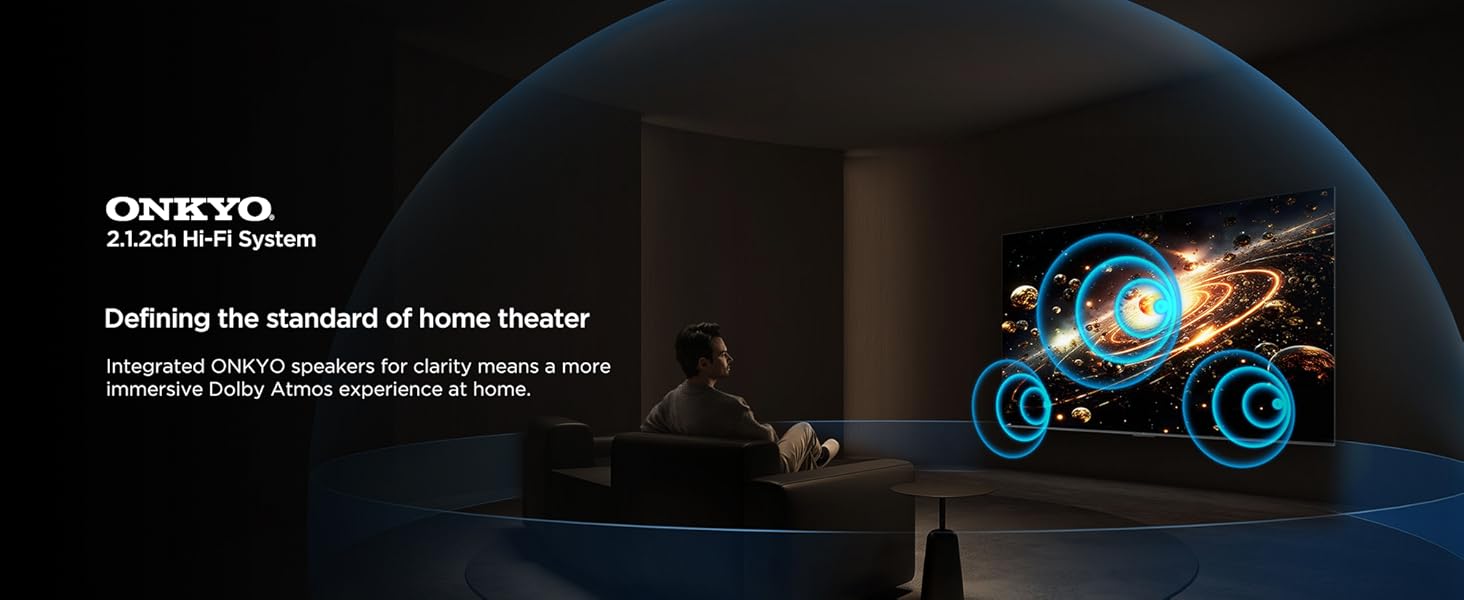
Image: A visual representation of the ONKYO 2.1.2ch Hi-Fi System, emphasizing its role in delivering an immersive Dolby Atmos home theater experience.
4.5. Gaming Features
The TCL 55C72K is designed for an optimal gaming experience:
- Game Master: A suite of features to enhance gaming, including low input lag and optimized picture settings.
- AMD FreeSync Premium Pro: Eliminates screen tearing and stuttering for fluid gameplay.
- HDMI 2.1: Supports advanced gaming features like 4K@120Hz (or 144Hz) and Variable Refresh Rate (VRR).
Image: A vibrant gaming illustration showcasing the 'Game Master' feature, designed to provide a professional and smooth gaming experience.
4.6. Eye Care Features
The TV incorporates features to reduce eye strain during prolonged viewing:
- Multiple Eye Care: Certified with TUV Low Blue Light and Flicker Free technologies.
- Hybrid Log Gamma (HLG): Supports HLG for compatible content.

Image: Visual examples demonstrating the benefits of Multiple Eye Care features, including low blue light and flicker-free technology, for protecting viewers' eyes.
4.7. Energy Saving Mode
The TCL 55C72K includes an energy-saving mode to reduce power consumption.

Image: The Energy Dashboard interface on the TCL TV, illustrating options for Energy Saving, Brightness, Adaptive Brightness, and Dynamic Brightness settings.
The energy-saving mode integrates features like Adaptive Brightness and Dynamic Brightness to optimize power usage. You can configure these settings in the TV's menu.
5. Maintenance
To ensure the longevity and optimal performance of your TCL 55C72K TV, follow these maintenance guidelines:
- Cleaning the Screen: Gently wipe the screen with a soft, lint-free cloth. For stubborn marks, slightly dampen the cloth with water or a specialized screen cleaner. Avoid harsh chemicals.
- Cleaning the Frame: Use a soft, dry cloth to clean the TV frame and stand.
- Ventilation: Ensure the ventilation openings on the back of the TV are not blocked to prevent overheating.
- Power Cord: Regularly check the power cord for any damage. If damaged, contact qualified service personnel for replacement.
- Dusting: Periodically dust the TV and surrounding area to prevent dust buildup.
6. Troubleshooting
If you encounter issues with your TCL 55C72K TV, refer to the following common troubleshooting steps:
6.1. No Power
- Check if the power cord is securely plugged into both the TV and the power outlet.
- Ensure the power outlet is working by plugging in another device.
- Try pressing the power button on the TV itself, not just the remote.
6.2. No Picture/Poor Picture Quality
- Verify that the correct input source is selected (e.g., HDMI 1, AV).
- Check all cable connections between the TV and external devices.
- Adjust picture settings (brightness, contrast, color) in the TV menu.
- If using an antenna, check the antenna connection and try rescanning channels.
- For low-quality video sources, note that upscaling performance varies.
6.3. No Sound/Poor Sound Quality
- Ensure the volume is not muted and is turned up.
- Check audio cables if using external speakers or a soundbar.
- Adjust sound settings (equalizer, sound mode) in the TV menu.
- If using HDMI (e)ARC, ensure the external audio system is correctly configured.
6.4. Remote Control Not Working
- Replace the batteries in the remote control.
- Ensure there are no obstructions between the remote and the TV's IR sensor.
- If it's a Bluetooth remote, ensure it's paired correctly.
6.5. Smart TV/Internet Connectivity Issues
- Check your Wi-Fi connection or LAN cable.
- Restart your router/modem.
- Go to the TV's network settings and try reconnecting to your network.
- Ensure the TV's software is up to date.
For more complex issues, please refer to the support section or contact TCL customer service.
7. Specifications
Detailed technical specifications for the TCL 55C72K 4K UHD Smart QD-Mini LED Google TV:
| Feature | Specification |
|---|---|
| Brand | TCL |
| Model | 55C72K |
| Screen Size | 55 Inches (139 cm) |
| Display Technology | QD-Mini LED |
| Resolution | 4K UHD (3840 x 2160 Pixels) |
| Refresh Rate | 144 Hz (VRR 48-288Hz/DLG 240Hz) |
| Operating System | Google TV |
| Processor | 64-bit Quad Core Processor (AiPQ Pro Processor) |
| RAM Memory | 3 GB |
| Memory Storage Capacity | 64 GB |
| HDR Support | HDR 2600 nits, Dolby Vision IQ, HDR10+, HLG |
| Local Dimming Zones | Up to 2048 Zones (Precise Dimming Series) |
| Audio Output | 60 Watts (ONKYO 2.1.2 CH Hi-Fi System) |
| Audio Technologies | Dolby Atmos, DTS Virtual-X |
| Connectivity | 4 HDMI Ports (2x 4K/144Hz, 2x 4K/60Hz), 1 USB 3.0, 1 USB 2.0, 1 LAN, 1 Antenna Input, 1 Optical Audio Out, Wi-Fi, Bluetooth |
| Special Features | Hands Free Voice Control, Screen Mirroring, Works with Alexa, Airplay 2, Game Master, IMAX Enhanced, FreeSync Premium Pro, Multiple Eye Care (TUV Low Blue Light Certified), Energy Saving Mode |
| Product Dimensions (LxWxH) | 122.6 x 31.5 x 71.1 cm (with stand) |
| Item Weight | 13.3 kg |
| Power Source | AC 240 Volts |
| Model Year | 2025 |

Image: Detailed dimensions of the TCL 55C72K television, including height, width, and depth with and without the stand, along with weight information.
8. Warranty and Support
8.1. Warranty Information
The TCL 55C72K television comes with a 2-year warranty provided by the manufacturer from the date of purchase. The remote control has a separate 6-month warranty. Warranty claims can be processed using your Amazon e-invoice.
8.2. Customer Support
For technical assistance, service requests, or any queries regarding your TCL 55C72K TV, please contact TCL customer support. You can find contact details on the official TCL India website or refer to the documentation provided with your product.
9. Product Video Overview
Watch this video for a visual overview of the TCL 55C72K's display capabilities and features.
Video: A short preview showcasing the display quality and visual performance of the TCL 55C72K 4K UHD Smart QD-Mini LED Google TV.


