
Introduction
This manual provides detailed instructions for the installation, operation, and maintenance of your INTEX QS1600 Plus Krystal Clear Saltwater System with WiFi. This system is designed to keep your above-ground pool water clear and reduce the need for traditional chemical treatments by generating chlorine from salt. It features WiFi connectivity for convenient app control and incorporates Hydro Aeration Technology for improved water quality. Please read this manual thoroughly before using the product to ensure safe and efficient operation.
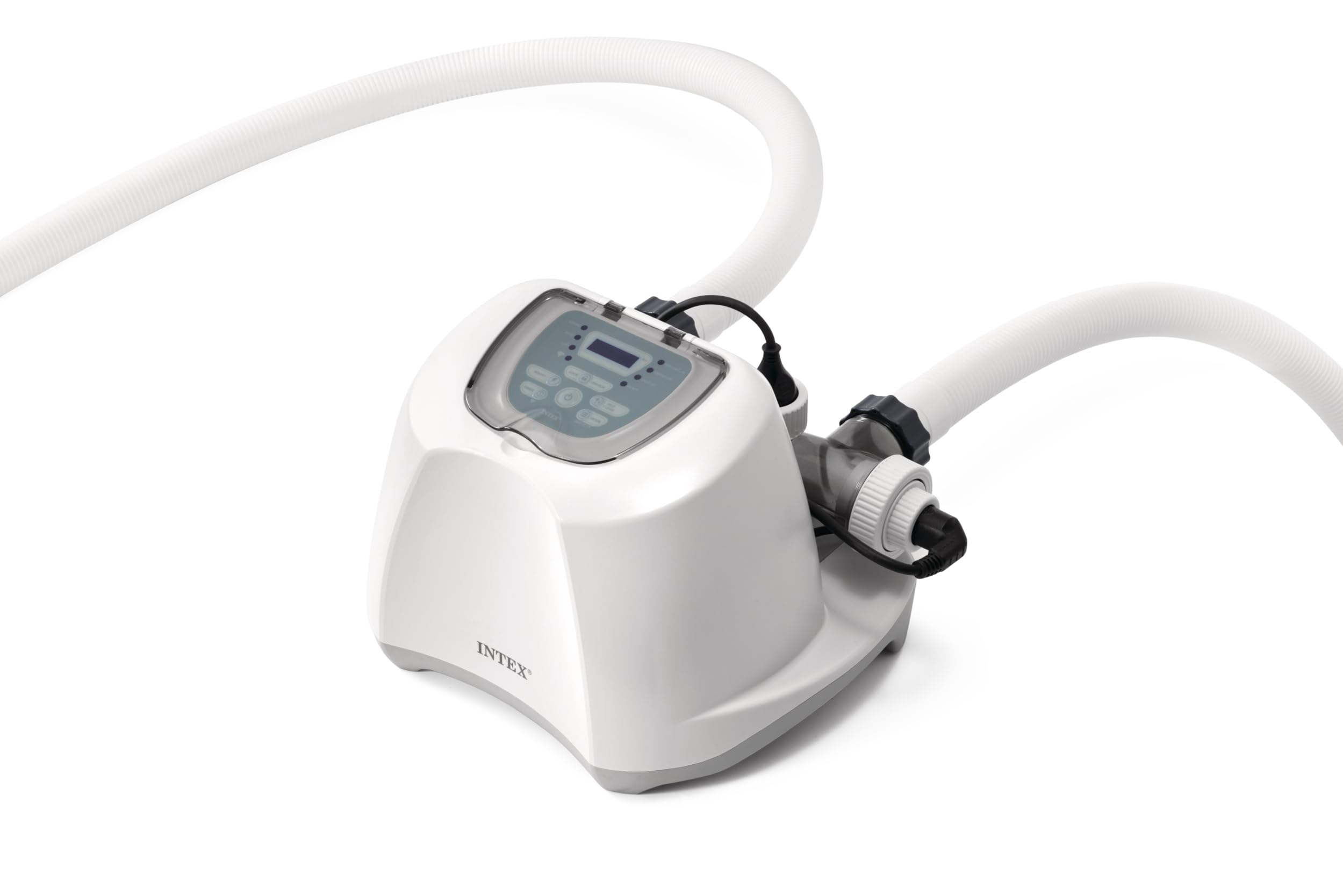
Image: The INTEX QS1600 Plus Krystal Clear Saltwater System with WiFi.
Setup
Proper setup is crucial for the optimal performance of your saltwater system. Follow these steps to connect the unit to your above-ground pool and prepare it for operation.
- Placement: Position the saltwater system on a stable, level surface near your pool, ensuring it is within reach of a power outlet and away from direct sunlight or excessive moisture.
- Connection to Filter Pump: Connect the saltwater system to your existing filter pump. The system works in conjunction with your pump to circulate and treat the pool water. Ensure all hoses are securely fastened to prevent leaks.
- Adding Salt: Add the appropriate amount of pool salt directly to your pool water. Refer to the specifications section for recommended salinity levels. Allow the salt to dissolve completely before starting the system.
- Power Connection: Plug the system into a grounded electrical outlet.

Image: The saltwater system connected to an above-ground pool, ready for operation.

Image: Visual guide on the saltwater system's process: adding salt, sanitization, and clean water output.

Image: A person adding salt to an above-ground pool, a key step in preparing the saltwater system.
Setup and Filter Replacement Video Guide
Video: This video demonstrates the setup process for the Intex Krystal Clear Pool Filtration Systems, including how to connect the unit and replace the filter cartridge.
Operating Instructions
Your INTEX QS1600 Plus Saltwater System offers both manual control via its sleek panel and convenient remote management through the WiFi app.
Control Panel Functions
The integrated control panel allows direct interaction with the system:
- Boost Mode: Activates a temporary increase in chlorine generation for enhanced sanitization.
- Self-Clean Mode: Initiates one of four self-clean cycles to maintain the electrolytic cell.
- Temperature/Salinity Check: Displays current water temperature and salinity levels.
- Set Timer: Allows scheduling of operating times for automated sanitization.
- Lock/Unlock: Secures the control panel to prevent accidental changes.

Image: Detailed view of the system's control panel, highlighting various functions.
WiFi App Control
Manage your saltwater system remotely using the INTEX Link App. This app provides comprehensive control over functions, monitoring of water parameters, and scheduling from your smartphone or tablet.
Hydro Aeration Technology
The system incorporates Hydro Aeration Technology, which enhances water quality through:
- Improved Circulation and Filtration: Air injection accelerates water movement and causes fine particles to cluster, making them easier for the filter to remove.
- Improved Water Clarity: Aeration oxidizes minerals like iron and manganese, leading to clearer pool water.
- Increased Negative Ions: Generates negative ions at the water surface, contributing to overall air quality around the pool.

Image: Illustration of Hydro Aeration Technology at work, showing improved water movement and aeration.
Maintenance
Regular maintenance ensures the longevity and efficiency of your saltwater system.
- Electrolytic Cell Cleaning: The system features 4 self-clean modes to prevent mineral buildup on the electrolytic cell. Run these modes as recommended by the system or when prompted.
- Filter Cartridge Replacement: Periodically check and replace the filter cartridge in your filter pump as per its instructions. A clean filter is essential for the saltwater system to function effectively. Refer to the video in the Setup section for a visual guide on filter replacement.
- Salinity Monitoring: Regularly check the salt level in your pool water using the control panel or the app. Maintain the recommended freshwater-level salinity (approximately 950 ppm) for optimal chlorine generation.
- Winterization: Before winter, drain the system and store it in a dry, protected area to prevent damage from freezing temperatures.
Troubleshooting
If you encounter issues with your INTEX QS1600 Plus Saltwater System, consider the following common solutions:
- System Not Turning On: Ensure the power cord is securely plugged into a functional outlet. Check for tripped circuit breakers.
- Low Chlorine Output: Verify that the salt level in your pool is within the recommended range. Clean the electrolytic cell if there is visible buildup. Ensure the filter pump is running and circulating water through the system.
- Error Codes: Refer to the system's display for any error codes. Consult the full product manual (if available separately) for specific error code meanings and solutions.
- WiFi Connectivity Issues: Ensure your home WiFi network is active and the system is within range. Restart both your router and the saltwater system.
- Water Not Clear: Check your filter pump and filter cartridge for cleanliness and proper operation. Ensure the system is running for adequate periods based on pool size and usage.
Specifications
Key technical details for the INTEX QS1600 Plus Krystal Clear Saltwater System with WiFi:
| Feature | Detail |
|---|---|
| Model Number | 26689EG |
| Brand | Intex |
| Pool Capacity | Up to 18,000 Gallons (68,000L) |
| Salinity Level | Freshwater-level (approx. 950 ppm) |
| Chlorine Output | 16g/hr |
| Self-Clean Modes | 4 |
| Connectivity | WiFi App Control |
| Item Dimensions | 12.25 x 18 x 14 inches |
| Included Components | 1 Saltwater System |
| Assembly Required | No |

Image: Visual summary of the system's key specifications.
Warranty Information
The manufacturer states that this product comes with No Warranty. Please refer to your retailer's return policy for any applicable guarantees or return periods.
Customer Support
For further assistance, technical support, or inquiries regarding your INTEX QS1600 Plus Krystal Clear Saltwater System, please contact Intex customer service. Refer to the contact information provided on the product packaging or the official Intex website.


