
Introduction
This manual provides comprehensive instructions for the setup, operation, maintenance, and troubleshooting of your Fudajo Fully Automatic Flat Incubator. Please read this manual carefully before using the incubator to ensure optimal performance and successful hatching results.
The Fudajo Fully Automatic Flat Incubator is designed for efficient and precise hatching of various egg types, including chicken, duck, goose, pigeon, and quail eggs. It features automatic temperature control, humidity regulation, and an integrated egg-turning system to simulate natural brooding conditions.
Safety Instructions
- Always connect the incubator to a grounded power outlet.
- Do not immerse the incubator or its electrical components in water.
- Keep the incubator away from direct sunlight, drafts, and extreme temperature fluctuations.
- Ensure proper ventilation around the incubator.
- Unplug the incubator before cleaning or performing any maintenance.
- Keep out of reach of children and pets.
- Use only the provided power adapter and accessories.
Product Components
Familiarize yourself with the main components of your Fudajo incubator:
- Incubator Unit (Main body with transparent lid)
- Egg Turning Mechanism (Roll horde)
- Control Panel (Display for temperature/humidity)
- Water Channels/Reservoirs
- Water Bottle Connectors (for external water bottle)
- Power Cable
- Battery Cable (for emergency power supply)

Figure 1: Overview of the Fudajo Fully Automatic Flat Incubator. This image shows the main incubator unit, the transparent lid, the control panel, and the external water bottle connectors on the side.
Setup
- Unpacking: Carefully remove all components from the packaging. Inspect for any damage.
- Placement: Place the incubator on a stable, level surface in a room with a consistent ambient temperature (ideally between 20-25°C or 68-77°F). Avoid direct sunlight, drafts, and areas with high vibrations.
- Water Supply: Fill the provided small water reservoirs inside the incubator. For continuous humidity, attach a standard plastic water bottle (not included) filled with water to the external connectors. A thin hose will slowly and evenly deliver water into the incubator.
- Power Connection: Connect the power cable to the incubator and then to a grounded electrical outlet. The display will light up.
- Emergency Power (Optional): For added security against power outages, connect the provided battery cable to a 12V car battery (not included). This allows the incubator to continue operation during unexpected power interruptions.
- Pre-heating: Allow the incubator to run for at least 2-3 hours before placing eggs inside to stabilize the temperature and humidity.

Figure 2: Humidity regulation system. This image illustrates how an external water bottle connects to the incubator to provide a continuous water supply for humidity control, with arrows indicating airflow and moisture distribution.

Figure 3: Dual power supply options. This image shows the incubator connected via its standard power plug on the right, and an alternative connection to a 12V car battery via the emergency battery cable on the left, highlighting its reliability during power failures.
Operating Instructions
1. Setting Temperature and Humidity
- The display shows the current temperature and humidity.
- Refer to the specific requirements for the type of eggs you are hatching for optimal temperature and humidity settings.
- Use the control buttons on the panel to adjust the desired temperature.
- Humidity is regulated by the water supply system. Ensure water levels are maintained.

Figure 4: Control panel display. This image highlights the digital display on the incubator's control panel, showing temperature and humidity readings, which are crucial for monitoring the hatching environment.
2. Placing Eggs
- Carefully place up to 30 eggs on the rolling egg tray (roll horde).
- The adjustable roll horde allows for secure placement of various egg sizes (chicken, duck, goose, pigeon, quail).
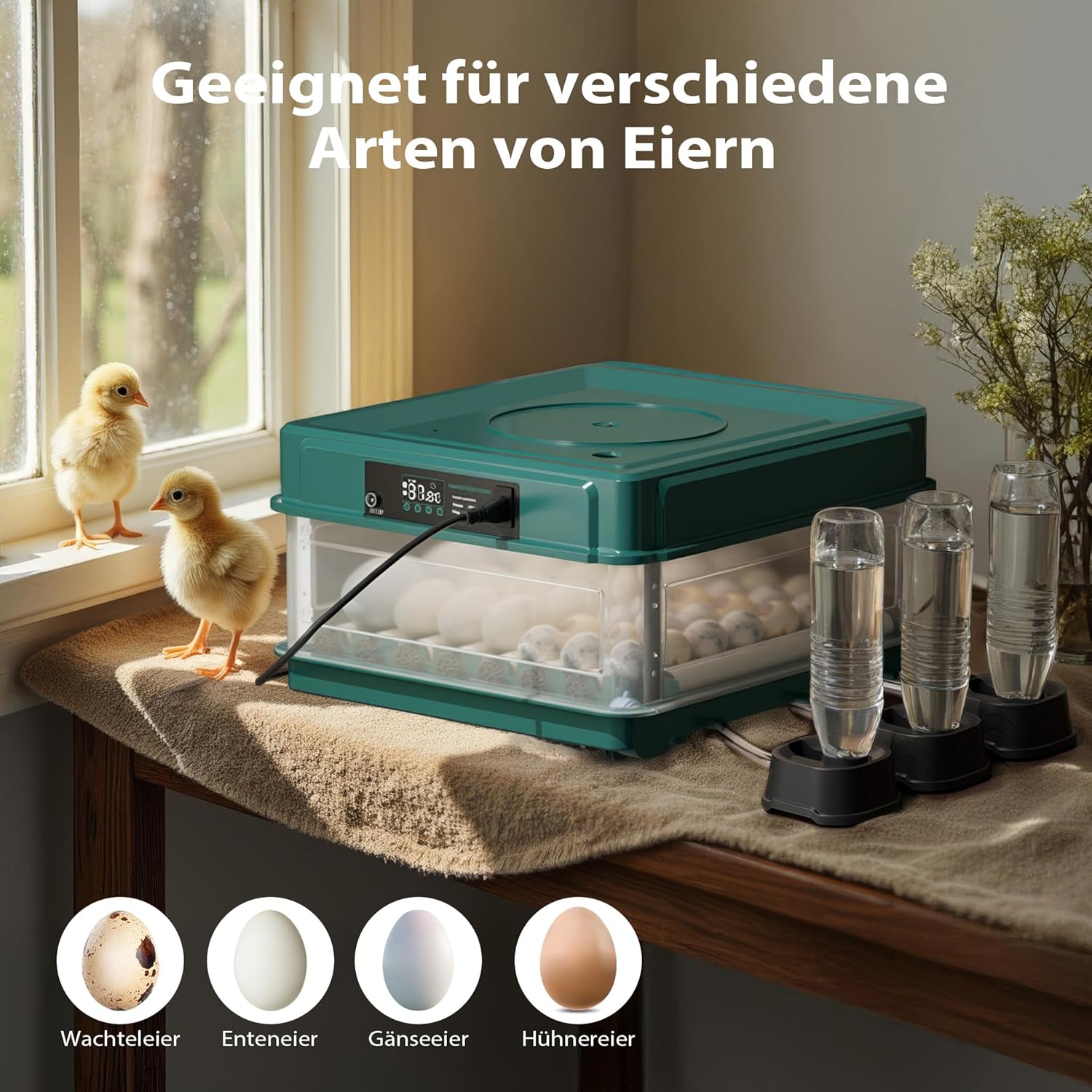
Figure 5: Versatility for different egg types. This image shows the incubator accommodating various sizes of eggs, including quail, duck, goose, and chicken eggs, demonstrating its adaptability for different poultry species.
3. Automatic Egg Turning
- The integrated turning motor automatically rotates the eggs at regular intervals. This prevents the embryo from sticking to the shell and promotes even development.
- This feature simulates the natural behavior of a brooding hen.
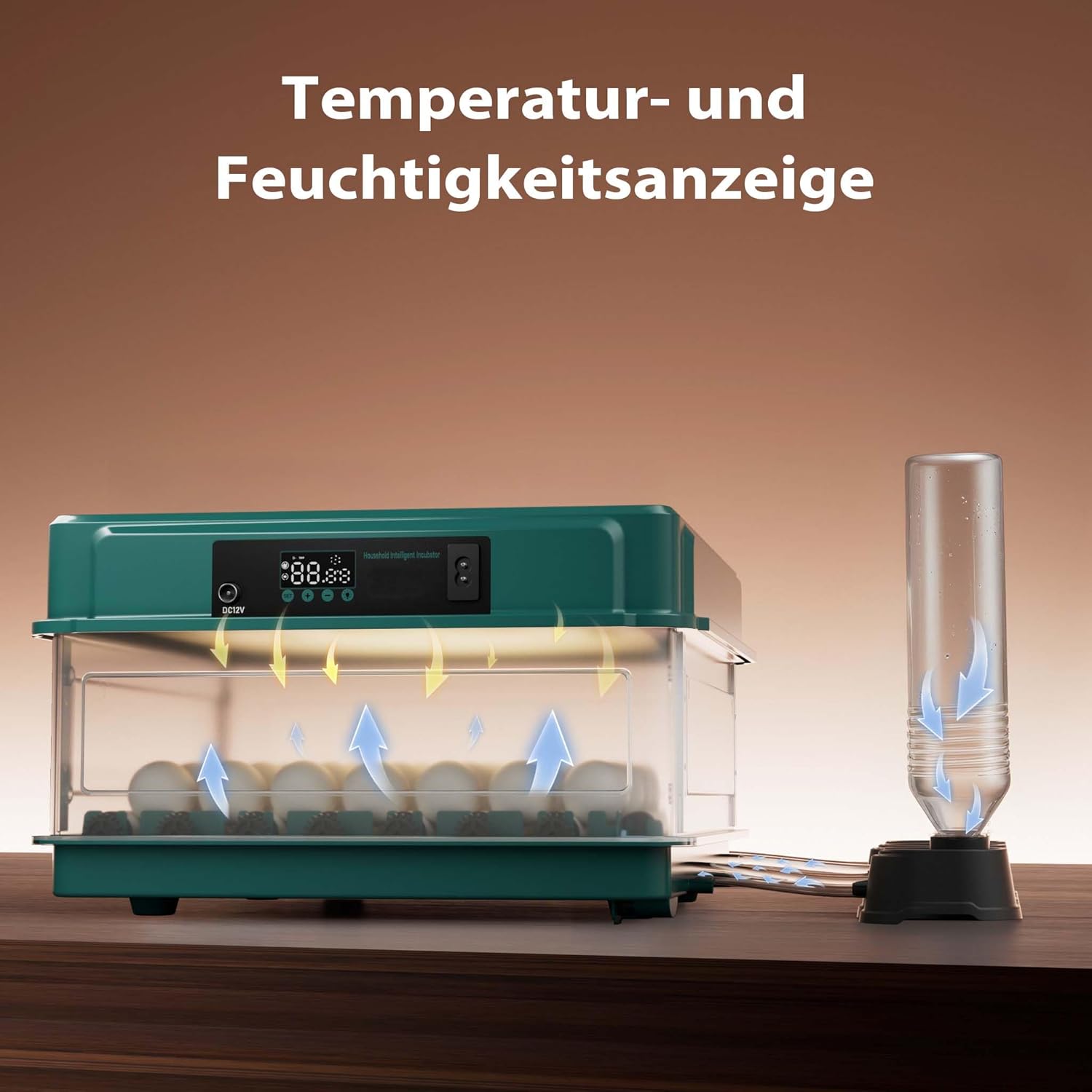
Figure 6: Automatic egg turning mechanism. This diagram illustrates the internal gears and rollers that automatically turn the eggs, preventing embryos from sticking to the shell and ensuring uniform development.
4. Candling Eggs
- The incubator features an integrated candling lamp.
- Use the candling lamp to periodically check the development of the embryos. This allows you to identify infertile eggs or those with arrested development.

Figure 7: Integrated candling lamp. This image shows an egg being candled with the incubator's built-in light, allowing for easy monitoring of embryo development stages within the egg.
5. Hatching Phase
- Approximately 3 days before the expected hatch date, remove the egg turning mechanism.
- Increase humidity slightly during the hatching phase to soften the eggshells and assist chicks in breaking out.
- Do not open the incubator frequently during hatching to maintain stable conditions.
Maintenance
- Cleaning: After each hatch, unplug the incubator and clean all surfaces with a mild disinfectant solution. Ensure all components are dry before reassembly.
- Water Channels: Regularly check and clean the water channels to prevent algae growth or blockages.
- Fan: Ensure the fan is free from dust and debris to maintain proper air circulation.
- Storage: When not in use, store the incubator in a clean, dry place away from extreme temperatures.
Troubleshooting
| Problem | Possible Cause | Solution |
|---|---|---|
| Temperature too low/high | Incorrect setting, poor room temperature, faulty sensor. | Adjust setting, move incubator to stable environment, contact support if sensor is suspected. |
| Humidity too low | Insufficient water, clogged water channels. | Refill water reservoirs/bottle, clean channels. |
| Eggs not turning | Turning mechanism jammed, motor malfunction. | Check for obstructions, ensure proper assembly. Contact support if motor is faulty. |
| No power | Power cable disconnected, power outage. | Check connections, use emergency battery power. |
Specifications
- Model: 65585
- Brand: Wiltec
- Capacity: Up to 30 eggs (chicken, duck, goose, pigeon, quail)
- Power: 40 W
- Dimensions (L x W x H): 43 x 30.5 x 18.5 cm (16.9 x 12.0 x 7.3 inches)
- Weight: 1.94 kg (4.28 lbs)
- Material: Polypropylene (PP)
- Color: Green, Black
- Power Cable Length: 1.5 m
- Emergency Power: Supports 12V battery connection (battery not included)

Figure 8: Product dimensions. This image provides a clear visual representation of the incubator's dimensions, including its length (430mm), width (305mm), and height (185mm).
Warranty and Support
For warranty information and technical support, please contact Wiltec Wildanger Technik GmbH, the manufacturer. Refer to your purchase documentation for specific warranty terms and contact details.
Wiltec Wildanger Technik GmbH
Website: www.wiltec.de


