
1. Introduction
This manual provides detailed instructions for the safe and efficient operation of your Retevis H777D Walkie Talkie system, including the 10-way multi-unit charger. Please read this manual thoroughly before using the product to ensure proper functionality and to prevent damage.

Figure 1: Retevis H777D Walkie Talkie System with 10-Way Multi-Unit Charger
2. What's in the Box
- 10x Retevis H777D Walkie Talkies
- 10x 1200mAh Batteries
- 10x Belt Clips
- 1x User's Manual (for radios)
- 1x 10-Unit Multi-Gang Charger
- 1x AC Adapter (for multi-gang charger)
- 1x DC Adapter (Car Charger for multi-gang charger)
- 10x Earpieces
- 10x Antenna Rubber Rings (Color Bands)
- 1x User's Manual (for multi-gang charger)
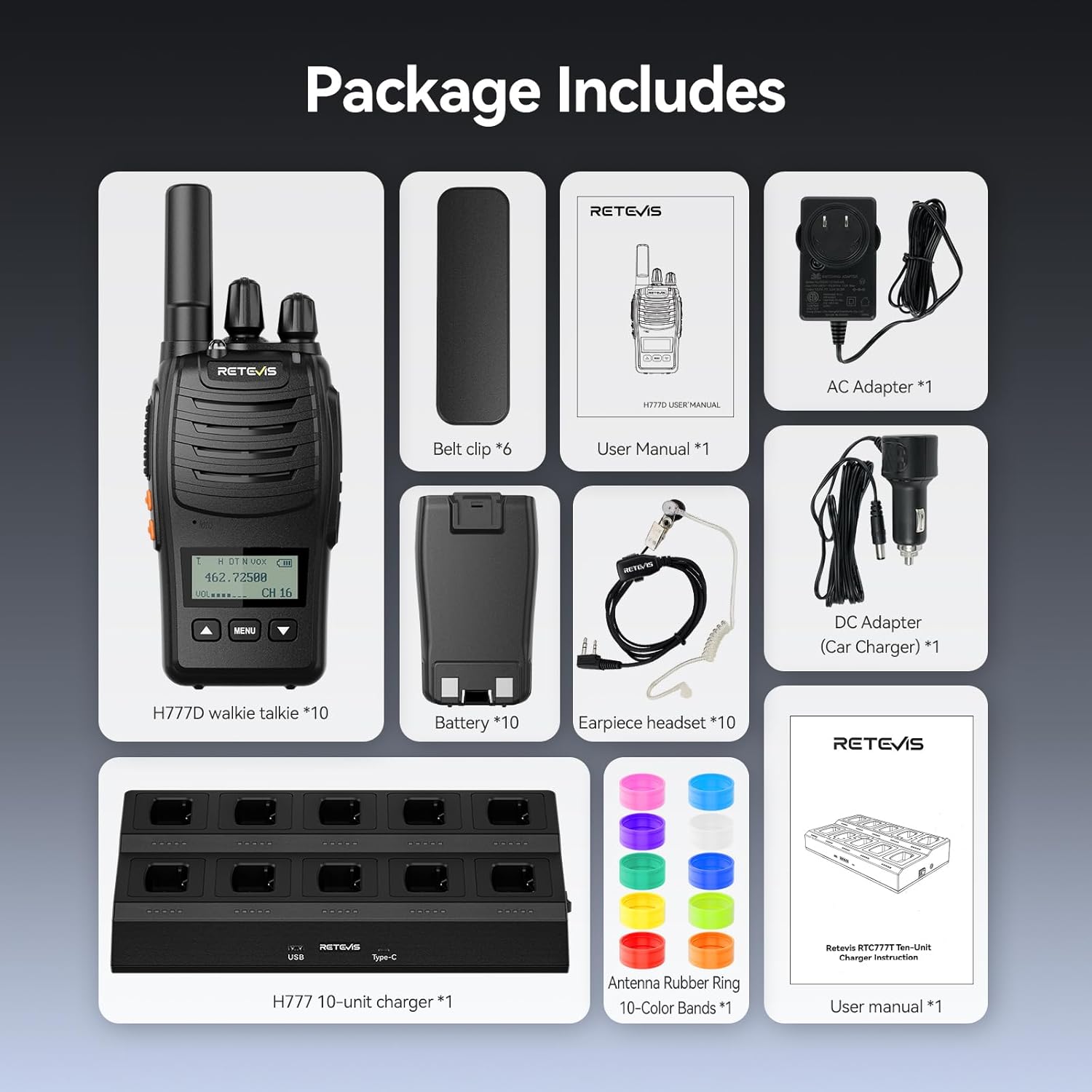
Figure 2: Package Contents
3. Product Features
3.1. LCD Display
The H777D features a clear LCD screen that instantly displays vital information such as the current channel, volume level, and battery status. This allows for quick, silent glances, ensuring professional and uninterrupted communication without voice prompts.
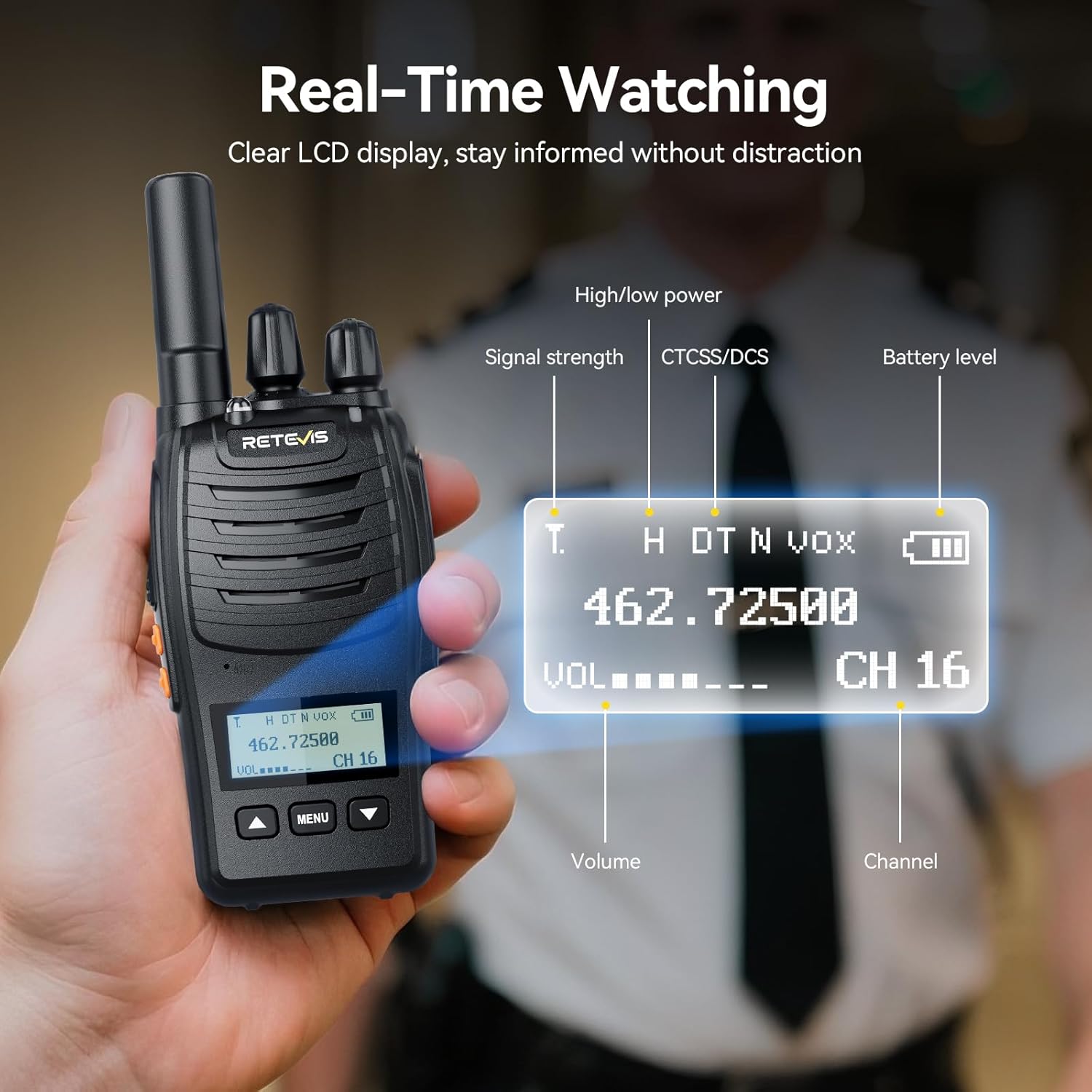
Figure 3: LCD Display Details
3.2. Flexible Charging & Extended Battery Life
The walkie talkies are equipped with a 1200mAh battery, providing approximately 11 hours of continuous use and 87 hours of standby time. Charging is flexible, supporting both the convenient 10-way multi-unit charging base for overnight charging and individual USB-C cable charging for on-the-go power.

Figure 4: Extended Battery Life and USB-C Charging
3.3. Multi-Unit Charger Protection
The 10-way multi-unit charger is UL-Certified and includes multiple protection features to ensure safe and reliable power-up for all units. These include overheat, overload, overcurrent, overvoltage, and short circuit protection.

Figure 5: Multi-Unit Charger Safety Features
3.4. VOX-Activated Communication
The Voice Operated Exchange (VOX) function allows for hands-free communication. This feature is particularly useful in environments where hands are occupied, such as construction sites or security operations.
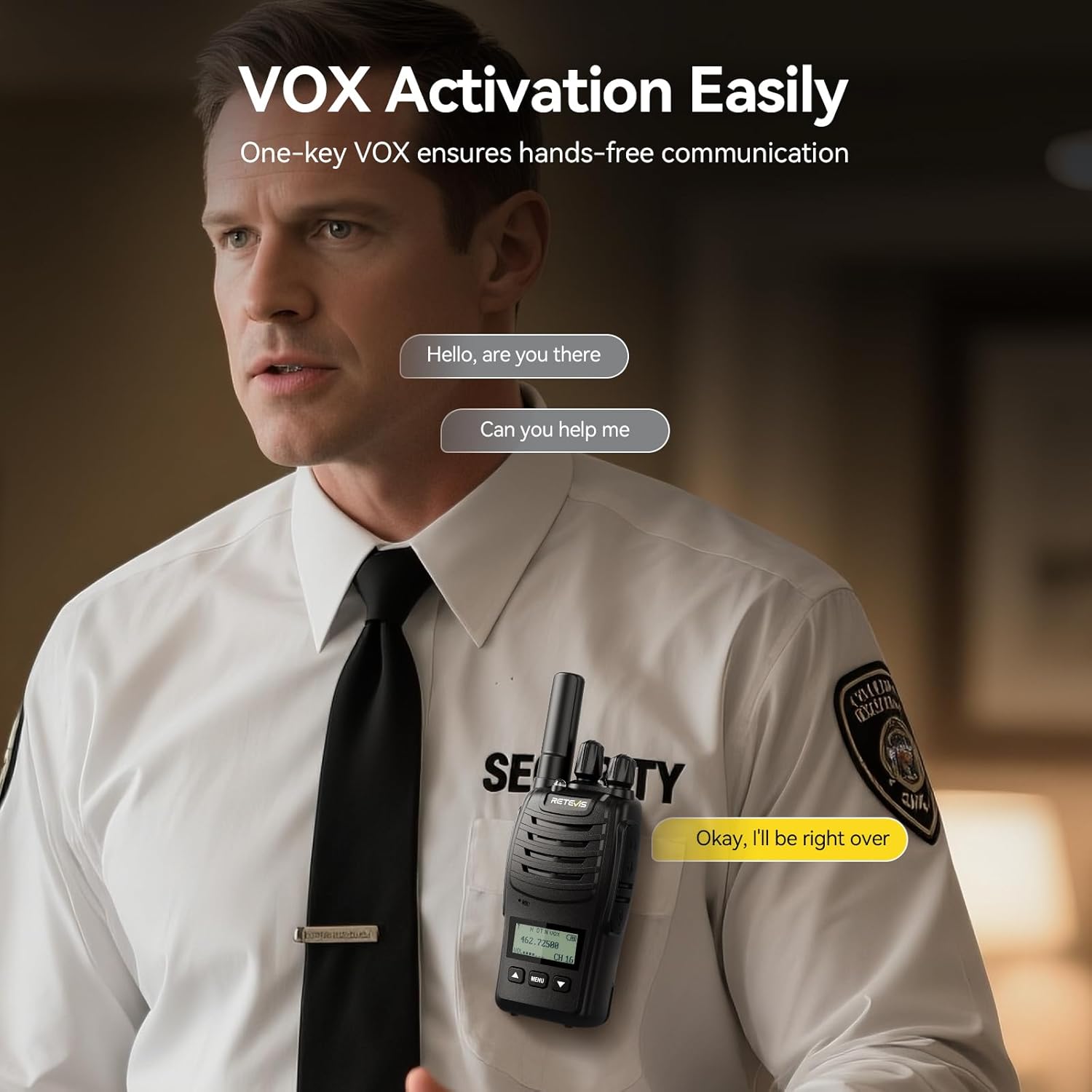
Figure 6: VOX Hands-Free Communication
3.5. Flashlight and Emergency Alarm
The walkie talkie includes a built-in flashlight with an emergency light mode, activated by a double short press of Side Key 2. An emergency alarm can be activated by a long press of Side Key 1, providing an additional safety feature.
3.6. Compatibility
The H777D radio is highly compatible with other H777 series models and standard FRS radios, allowing for seamless integration with existing communication systems.

Figure 7: H777D Compatibility with other Retevis Models
4. Setup
4.1. Battery Installation
- Ensure the walkie talkie is powered off.
- Align the 1200mAh battery with the battery compartment on the back of the radio.
- Gently push the battery into place until it clicks securely.
- To remove, press the release latch (if present) and slide the battery out.
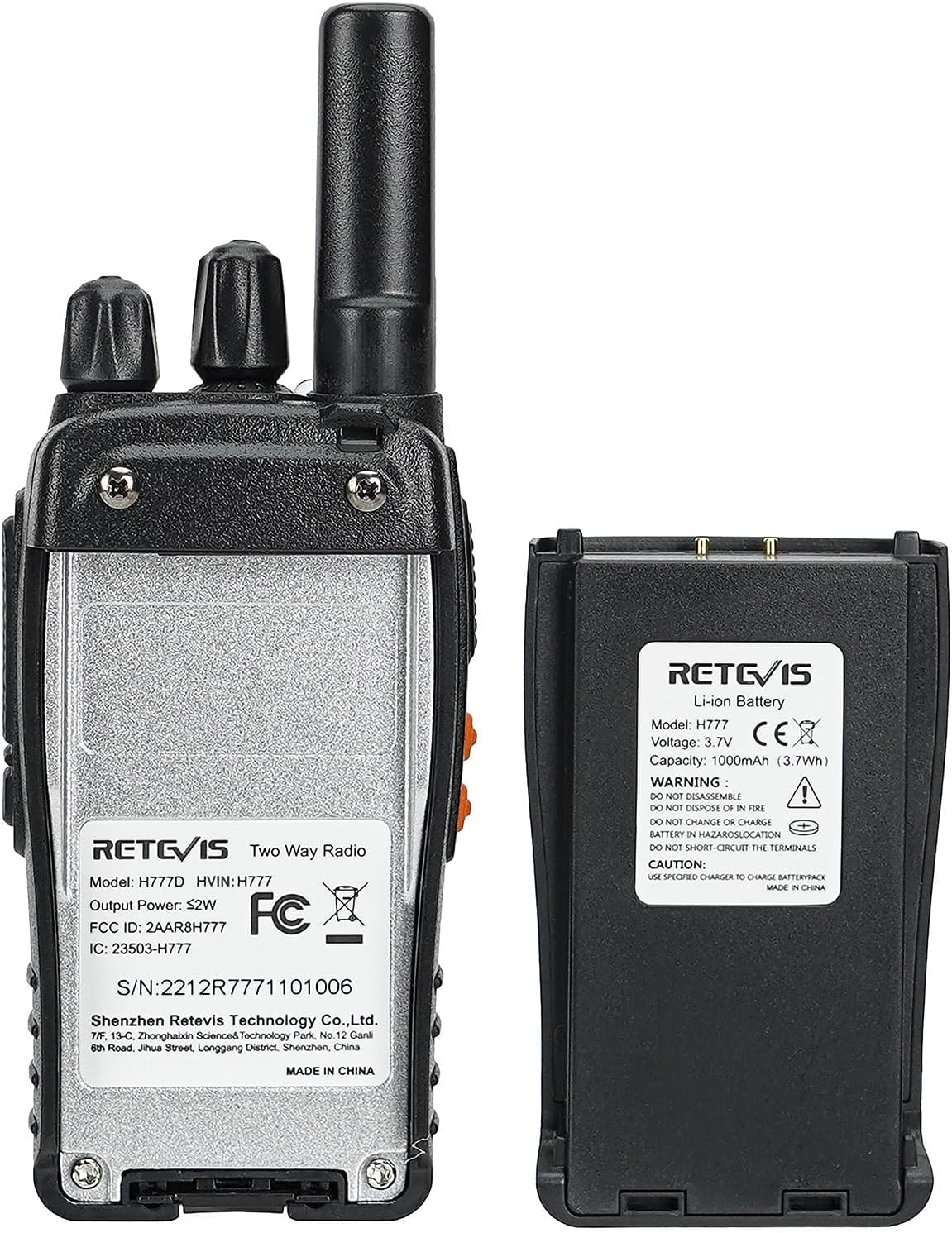
Figure 8: Battery and Back of Radio
4.2. Attaching the Belt Clip
The belt clip can be attached to the back of the walkie talkie using the provided screws. This allows for convenient carrying on a belt or pocket.

Figure 9: Compact Design with Belt Clip
4.3. Charging the Walkie Talkies
The H777D walkie talkies can be charged using the 10-way multi-unit charger or individually via a USB-C cable.
- Using the 10-Way Multi-Unit Charger:
Connect the AC adapter or DC car charger to the multi-unit charger. Place the walkie talkies into the designated slots. The LED indicators on the charger will show the charging status. - Using USB-C Cable:
Connect a USB-C cable to the port on the side of the walkie talkie and to a compatible power source.
Video 1: Features of the 10-Way Multi-Gang Charger. This video demonstrates the functionality and features of the multi-unit charging station.
5. Operating Instructions
5.1. Power On/Off and Volume Adjustment
- To power on/off, rotate the POWER/VOLUME knob clockwise/counter-clockwise.
- Adjust the volume by rotating the same knob.
5.2. Channel Selection
Rotate the Channel Knob to select one of the 16 available channels. Ensure all radios intended for communication are set to the same channel.
5.3. Basic Communication (PTT)
- To transmit, press and hold the Push-To-Talk (PTT) button on the side of the radio.
- Speak clearly into the microphone.
- Release the PTT button to receive.
Video 2: Retevis H777D Walkie Talkies Overview. This video provides a general overview of the Retevis H777D walkie talkies.
5.4. VOX Hands-Free Operation
To activate the VOX function, long-press Side Key 2. The LCD screen will indicate the VOX status. Once activated, you can transmit by speaking into the microphone without pressing the PTT button.
Video 3: How to Activate VOX Function. This video demonstrates the steps to activate the VOX hands-free communication feature.
5.5. Flashlight Function
To activate the flashlight, short-press Side Key 2. Double short-press Side Key 2 to activate the emergency light mode.
5.6. Emergency Alarm
To activate the emergency alarm, long-press Side Key 1. To deactivate the alarm, press the PTT key.
6. Maintenance
- Keep the radio and charger clean by wiping with a soft, dry cloth.
- Avoid exposing the radio to extreme temperatures, direct sunlight, or moisture.
- Do not use harsh chemicals or cleaning solvents.
- Ensure batteries are fully charged before extended storage.
7. Troubleshooting
| Problem | Possible Cause | Solution |
|---|---|---|
| No power | Low battery; Incorrect battery installation | Charge battery; Reinstall battery correctly |
| Poor audio quality | Low volume; Out of range; Obstructions | Increase volume; Move closer; Reduce obstructions |
| Cannot transmit or receive | Different channels; Out of range; PTT not pressed | Set to same channel; Move closer; Press PTT firmly |
| Charger not working | Power not connected; Faulty adapter | Check power connection; Try different adapter |
8. Specifications
- Model: H777D
- Brand: Retevis
- Color: Black
- Number of Channels: 16
- Frequency Range: FRS
- Battery Capacity: 1200mAh
- Continuous Use: Approximately 11 hours
- Standby Time: Approximately 87 hours
- Charging: USB-C, 10-Way Multi-Unit Charger
- Special Features: LCD Display, Long Range, Squelch Function, VOX, Flashlight, Emergency Alarm
- Water Resistance Level: Not Water Resistant
- Item Weight: 4.41 pounds (for 10-pack)
- Product Dimensions: 9.4 x 2.5 x 1.4 inches (per radio)
9. Warranty and Support
Retevis provides a 2-year warranty for the radio body and a 1-year warranty for accessories. A 30-day no-reason return policy is also offered. For support or warranty claims, please contact Retevis customer service via Amazon. They aim to reply within 12 hours.


