
Introduction
Welcome to the ZMX Beat75 Hall Effect Magnetic Switch Gaming Keyboard user manual. This guide provides detailed instructions for setting up, operating, maintaining, and troubleshooting your new keyboard. Please read this manual thoroughly to ensure optimal performance and longevity of your device.
Setup
Package Contents
Verify that all items are present in the package:
- Beat75 Keyboard
- USB Cable
- Keycap Puller
- Extra Switches
Connecting the Keyboard
To connect your ZMX Beat75 keyboard:
- Locate the USB-C port on the keyboard.
- Connect one end of the provided USB-C cable to the keyboard.
- Connect the other end of the USB-C cable to an available USB port on your computer.
- The keyboard will automatically be recognized by your operating system (Windows/Mac/iOS/Android).
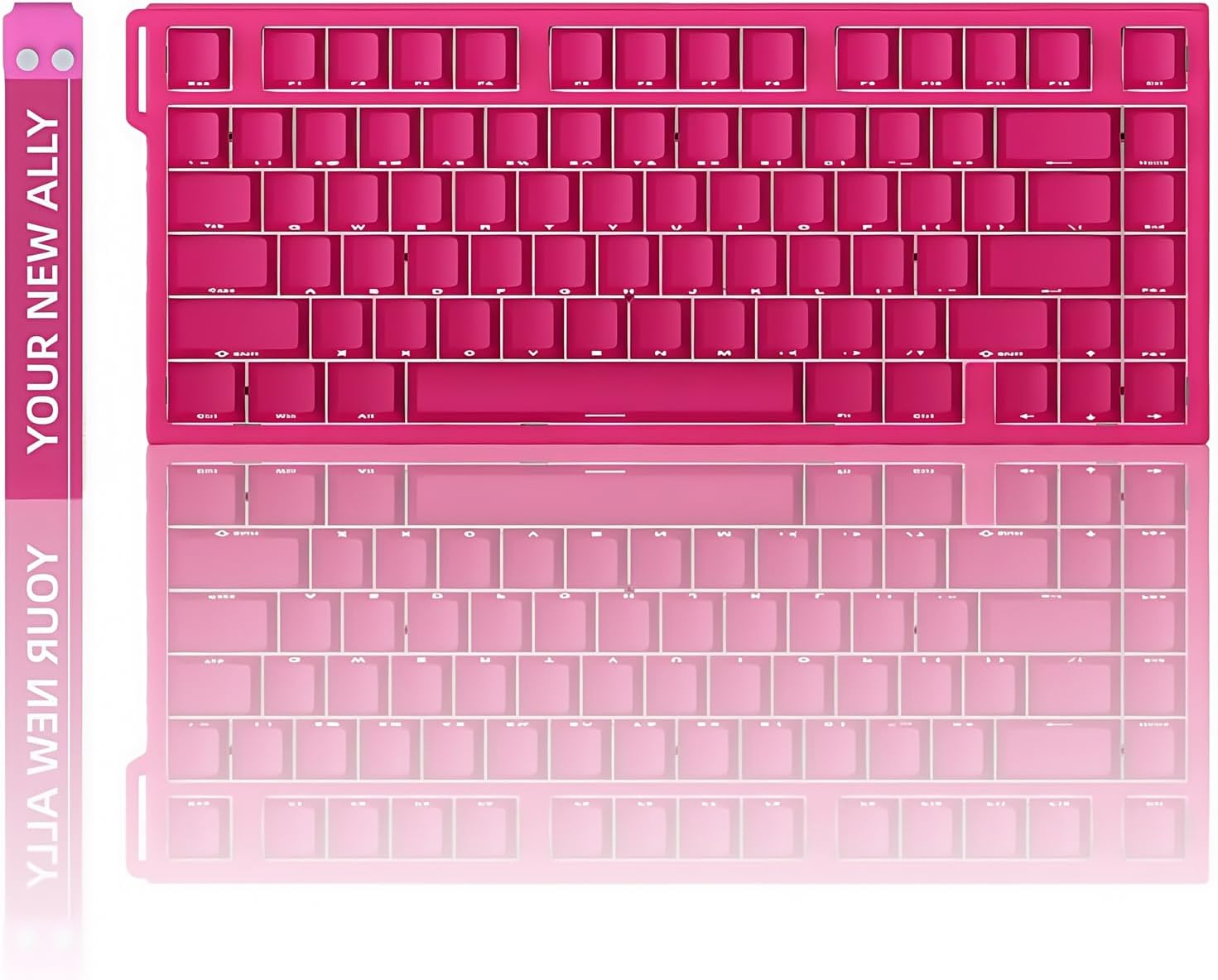
Image: ZMX Beat75 Hall Effect Magnetic Switch Gaming Keyboard in pink, ready for connection.

Image: Close-up view of a magnetic switch, highlighting the internal mechanism and connection point.
Operating Instructions
Key Features
- Adjustable Actuation & Hot-Swap Magnetic Switch: Each key's actuation point can be set from 0.1mm to 3mm in 0.005mm RT steps. The PCB supports hot-swappable north-pole-down magnetic switches.
- Ultra-Low Latency & 8K Hz Polling Rate: Features a 128K ultra-high scan rate and 0.1ms latency. Supports Rapid Trigger (RT), SOCD (Snap Tap), MT/TGL functions, and an 8000 Hz polling rate for minimal input delay.
- Stunning RGB Light & Side Printed Keycaps: Offers 16.8 million customizable RGB colors with individual key illumination. South-facing LEDs and translucent side-printed keycaps enhance visibility.
- 75% Layout Keyboard: Compact 81-key ANSI US layout maximizes desktop space while retaining essential functionality.
- Programmable Web Driver: Customize RT adjustment, key combinations, macros, and key reassignments via a web-based driver, eliminating software downloads and ensuring cross-OS compatibility.
- Designed for PC Gaming: Magnetic switches facilitate faster actions like peeking and quick-stop shooting, providing a competitive edge in FPS games.
Adjustable Actuation and Rapid Trigger
The Beat75 keyboard allows for precise control over key sensitivity. You can adjust the actuation point of each individual key from a shallow 0.1mm to a deeper 3mm. This adjustment is made in fine 0.005mm steps, enabling you to tailor the keyboard's response to your specific needs, whether for rapid input in gaming or precise typing.

Image: Visual representation of 0.005mm RT stepping accuracy, emphasizing precise control.
RGB Backlighting
The keyboard features 16.8 million customizable RGB colors. Each key can be individually illuminated, allowing for personalized lighting effects. The south-facing LEDs and translucent side-printed keycaps ensure that the lighting is vibrant and visible, enhancing the aesthetic and functional aspects of your setup.

Image: The Beat75 keyboard integrated into a gaming environment, displaying its customizable RGB lighting.
Programmable Web Driver
The Beat75 keyboard utilizes a web-based driver for customization. This eliminates the need to download and install software, providing easy access to settings from any operating system. Through the web interface, you can adjust Rapid Trigger settings, create key combinations, set up macros, and reassign keys to suit your workflow or gaming style.
Maintenance
Cleaning
To maintain your keyboard's appearance and functionality:
- Disconnect the keyboard from your computer before cleaning.
- Use a soft, lint-free cloth slightly dampened with water or a mild cleaning solution to wipe the keycaps and keyboard body.
- Avoid spraying liquids directly onto the keyboard.
- For dust and debris between keys, use compressed air.
Keycap and Switch Replacement
The Beat75 keyboard features hot-swappable magnetic switches, allowing for easy replacement without soldering. Use the provided keycap puller to carefully remove keycaps. Then, use the switch puller (if provided separately, or a similar tool) to gently extract the magnetic switches. Insert new compatible north-pole-down magnetic switches, ensuring they are properly seated. Replace keycaps by pressing them firmly onto the switch stems.

Image: Diagram illustrating the internal layers of the Beat75 keyboard, including the magnetic switches and hot-swappable PCB.
Troubleshooting
Keyboard Not Responding
- Ensure the USB-C cable is securely connected to both the keyboard and the computer.
- Try connecting the keyboard to a different USB port on your computer.
- Test the keyboard on another computer to rule out system-specific issues.
- Restart your computer.
RGB Lights Not Working
- Check the keyboard's lighting settings via the web driver to ensure RGB is enabled and brightness is adjusted.
- Ensure the keyboard is properly connected and receiving power.
- If specific keys are not lighting up, check if the switches are properly seated or if there's any physical damage.
Actuation Issues
- Access the web driver to verify and recalibrate the actuation points for affected keys.
- Ensure no debris is obstructing the magnetic switches.
- If a switch is consistently malfunctioning, consider replacing it with one of the extra switches provided.
Specifications
| Feature | Detail |
|---|---|
| Model Name | Beat75 Magnetic Keyboard |
| Brand | ZMX |
| Connection | USB-C Wired |
| Number of Keys | 81 keys (75% ANSI US Layout) |
| Positioning Plate Material | Aluminium Alloy |
| Switch Type | Hall Effect Magnetic Switch (Hot-Swappable) |
| Adjustable Actuation | 0.1mm to 3mm (0.005mm RT step) |
| Delay Rate | 0.1ms |
| Scan Rate | 128K |
| Polling Rate | 8KHz |
| RGB Backlight | 16.8 million colors, individual key illumination, south-facing LEDs |
| Special Functions | Rapid Trigger (RT), SOCD, MT/TGL, NKRO |
| System Compatibility | Windows, Mac, iOS, Android |
| Product Dimensions (L x W x H) | 12.6"L x 5.1"W x 1.6"H (322mm x 131mm x 40.6mm) |
| Item Weight | 2 Pounds |
| Material | Plastic enclosure |

Image: Diagram illustrating the physical dimensions of the Beat75 keyboard.
Warranty Information
The ZMX Beat75 Hall Effect Magnetic Switch Gaming Keyboard comes with a 1-year warranty from the date of purchase. This warranty covers manufacturing defects and ensures the product meets its specified performance standards under normal use. Please retain your proof of purchase for warranty claims.
Support
For further assistance, technical support, or to explore other ZMX products, please visit the official ZMX Store: