
Introduction
This manual provides essential instructions for the safe and effective use of your GUY-TECH Replacement 6V 1A 1000mA AC Adapter. This adapter is designed to provide a stable 6V DC power supply with a 1A (1000mA) output, suitable for devices requiring these specifications, such as the ONN Retro DAB Radio DB520. Please read this manual thoroughly before use and retain it for future reference.

Image: The GUY-TECH 6V 1A AC Adapter, featuring its compact design and attached power cord with a DC barrel connector.
Setup
Follow these steps to properly set up your AC adapter:
- Verify Compatibility: Ensure your device, such as the ONN Retro DAB Radio DB520, requires a 6V DC input with a current draw of 1A (1000mA) or less, and has a compatible DC input jack. Using an adapter with incorrect voltage or current can damage your device.
- Connect to Device: Insert the DC barrel connector of the adapter firmly into the power input jack of your ONN Retro DAB Radio DB520.
- Connect to Power Outlet: Plug the AC adapter into a standard AC 100V-240V wall outlet. Ensure the outlet is easily accessible.
- Power On Device: Once connected, you can power on your device.
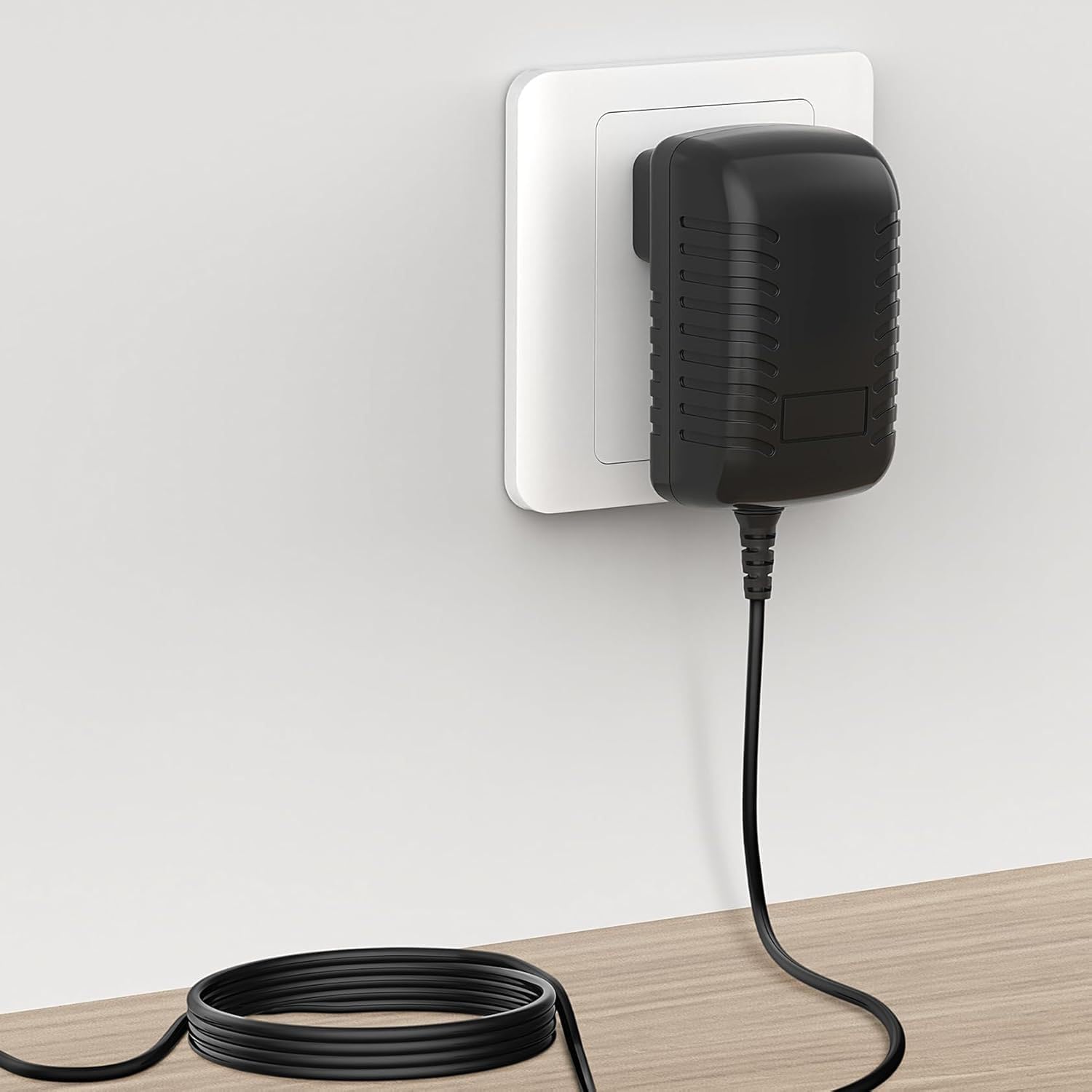
Image: The GUY-TECH AC Adapter correctly plugged into a standard wall outlet, with the cable extending to the device.
Safety Precautions:
- Do not expose the adapter to water or excessive moisture.
- Avoid using the adapter in extremely hot or cold environments.
- Do not attempt to open or modify the adapter.
- Ensure the adapter is placed in a well-ventilated area during use.
Operating Instructions
The GUY-TECH AC Adapter is designed for straightforward operation. Once properly connected to your device and a power outlet, it will continuously supply the necessary power.
- Continuous Power: The adapter provides a stable 6V DC output, ensuring consistent performance for your connected device.
- Protection Features: The adapter includes built-in Over Voltage Output Protection, Over Current Output Protection, and Short Circuit Output Protection to safeguard both the adapter and your connected device.
- Energy Efficiency: Designed for high power exchange efficiency, the adapter maintains a low operating temperature and minimizes noise during full wattage operation.
Maintenance
Proper care and maintenance will extend the lifespan of your AC adapter:
- Cleaning: Disconnect the adapter from the power outlet and your device before cleaning. Use a soft, dry cloth to wipe the exterior. Do not use liquid cleaners or solvents.
- Storage: When not in use, store the adapter in a cool, dry place away from direct sunlight and extreme temperatures. Avoid tightly coiling the cable to prevent damage.
- Cable Care: Regularly inspect the power cord for any signs of damage, such as fraying or cuts. Do not use the adapter if the cord is damaged. Avoid bending the cable sharply or placing heavy objects on it.

Image: Close-up view highlighting the thick copper core of the power cord and its flexibility, indicating durability.
Troubleshooting
If you encounter issues with your AC adapter, refer to the following common problems and solutions:
- No Power to Device:
- Ensure the adapter is securely plugged into both the wall outlet and your device.
- Test the wall outlet with another device to confirm it is functional.
- Verify that your device's power input requirements match the adapter's output (6V 1A).
- Inspect the adapter's cable and connector for any visible damage.
- Device Not Charging/Operating Correctly:
- Confirm the adapter's specifications (6V 1A) are appropriate for your device.
- Ensure the device itself is functioning correctly by testing it with its original power supply if available.
- Adapter Feels Hot:
- A slight warmth is normal during operation. However, if the adapter feels excessively hot, disconnect it immediately.
- Ensure the adapter is in a well-ventilated area and not covered.
- Verify that the device connected is not drawing more current than the adapter's 1A rating.
Specifications
Detailed technical specifications for the GUY-TECH Replacement 6V 1A 1000mA AC Adapter:
| Brand | GUY-TECH |
| Input Voltage | AC 100V - 240V (Worldwide Use) |
| Output Voltage | DC 6V |
| Output Current | 1A (1000mA) |
| Connector Type | DC Barrel Plug |
| Compatible Devices | Devices requiring 6V 1A DC power, such as ONN Retro DAB Radio DB520 |
| Protection Features | Over Voltage Output Protection, Over Current Output Protection, Short Circuit Output Protection |
| Material | Composite, Metal, Plastic |
| Color | Black |
| Certifications | CCC, CE, RoHS |

Image: Diagram illustrating the dimensions of the AC adapter, measuring approximately 2.92 inches in length, 1.58 inches in width, and 1.18 inches in height.

Image: The compact AC adapter being easily placed into a bag, demonstrating its portability for travel.
Warranty and Support
For any questions, technical assistance, or support regarding your GUY-TECH Replacement 6V 1A 1000mA AC Adapter, please contact the seller or manufacturer directly. Refer to your purchase documentation for specific warranty information and contact details.

