
Product Overview
The Dekala Bed Shaker Loud Alarm Clock is designed to provide a reliable and effective wake-up solution, especially for heavy sleepers, adults, and those with hearing impairments. It combines a powerful wireless bed shaker with a loud audible alarm to ensure you wake up on time without disturbing others.
Key features include a large, easy-to-read digital display with an automatic dimmer, dual alarms with 7-day programmability, and integrated temperature and humidity sensors to keep you informed about your room's environment. Additionally, it offers a selection of sleep sounds to aid in relaxation.

Image: The Dekala Bed Shaker Loud Alarm Clock with its wireless bed shaker unit.
Setup Guide
Follow these steps to set up your Dekala Bed Shaker Loud Alarm Clock:
- Power Connection: Connect the provided power adapter to the DC IN port on the back of the alarm clock and plug it into a standard electrical outlet. The display will light up.
- Bed Shaker Battery Installation: The wireless bed shaker requires 3 AAA batteries (not included). Open the battery compartment on the shaker unit and insert the batteries, observing the correct polarity.
- Initial Time Setting: Upon first power-up, the clock may display a default time. Refer to the 'Operating Instructions' section for detailed steps on setting the correct time and date.
- Placement: Place the main alarm clock unit on a stable surface, such as a nightstand or desk. Position the wireless bed shaker under your pillow or mattress for optimal vibration.
Operating Instructions
This section details how to use the various functions of your alarm clock.
1. Setting Time and Date
- Press the TIME SET button (often indicated by a clock icon or 'M' for Mode) to enter time setting mode.
- Use the + and - buttons to adjust the hour, then press TIME SET again to confirm and move to minutes. Repeat for minutes, year, month, and day.
- To switch between 12-hour and 24-hour format, press the 12/24H button (if available) or cycle through time settings until the option appears.
2. Alarm Settings (Dual Alarms)
- Press the ALARM 1 button to set the first alarm. The alarm icon will flash.
- Use + and - to set the desired alarm time. Press ALARM 1 to confirm.
- Select the alarm mode (e.g., sound only, vibration only, or both) and the desired alarm tone/volume using the appropriate buttons (refer to icons on the device).
- To set the 7-day programmability, cycle through the alarm settings to choose specific days (e.g., Mon-Fri, Sat-Sun, or all 7 days).
- Repeat the process for ALARM 2.

Image: The alarm clock display showing options for 7-day programmable dual alarms.
3. Bed Shaker Operation
- The wireless bed shaker activates automatically with the alarm.
- To adjust the vibration strength (3 levels), locate the control button on the bed shaker unit itself or a corresponding button on the main clock unit (if available).

Image: The wireless bed shaker unit highlighting its adjustable vibration levels and wireless range.
4. Display Brightness (Auto Dimmer)
- The clock features an automatic dimmer that adjusts brightness based on ambient light.
- To manually adjust brightness or turn off the display, press the DIMMER button (often indicated by a sun/moon icon) repeatedly to cycle through brightness levels (Auto, Day, Night, Off).
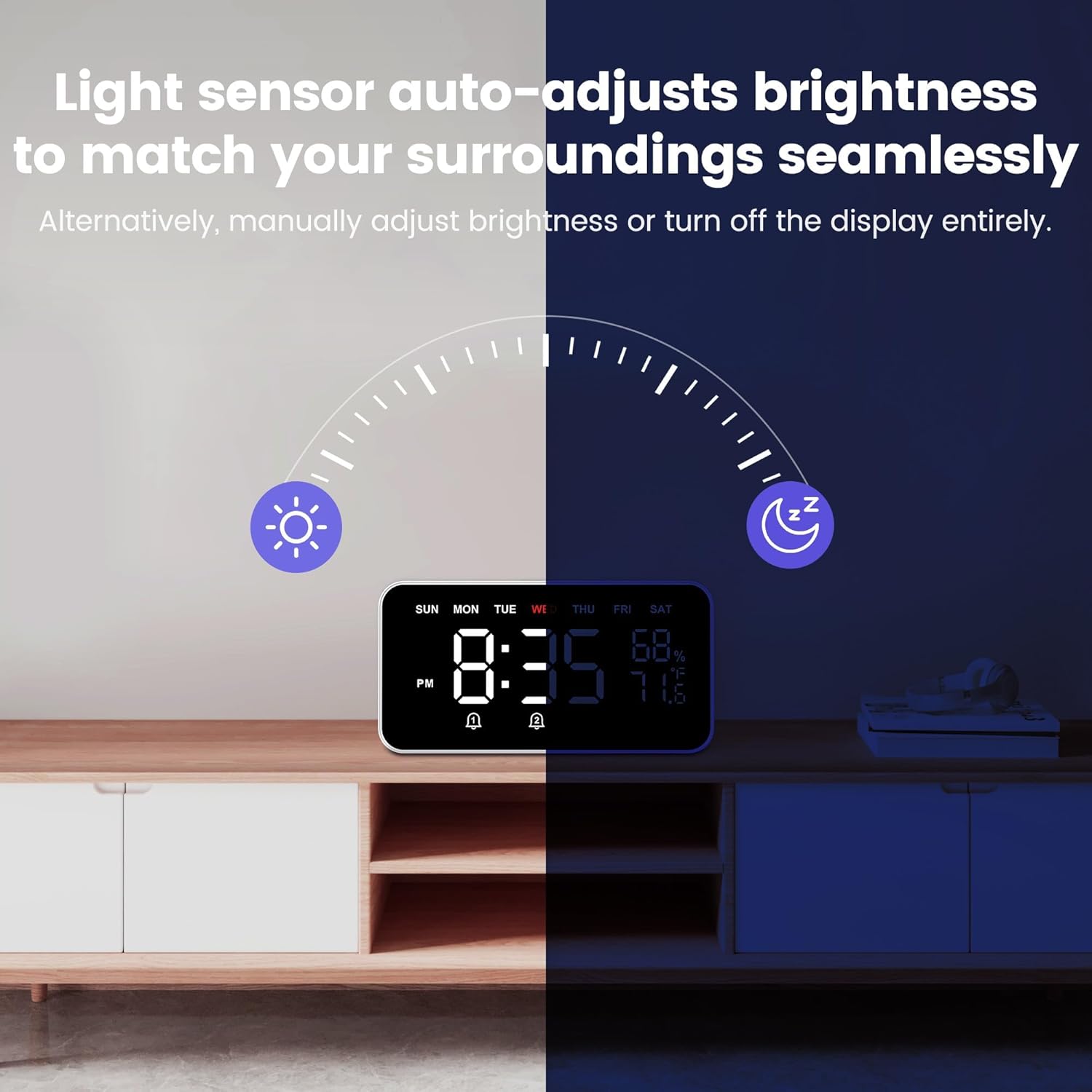
Image: The alarm clock demonstrating its light sensor auto-adjusting brightness feature.
5. Temperature & Humidity Display
- The current temperature and humidity are continuously displayed on the right side of the screen.
- The temperature can be displayed in Fahrenheit or Celsius. Refer to the manual for switching units if needed.

Image: The alarm clock displaying real-time temperature and humidity readings.
6. Sleep Companion Sound Machine
- Press the SOUND button (often indicated by a music note icon) to activate the sleep sound feature.
- Cycle through the 9 available sleep sounds using the + and - buttons.
- Set an auto-off timer from 5 to 120 minutes, or select continuous play for all-night use.

Image: The alarm clock offering various sleep sounds for relaxation.
7. Snooze Function
- When an alarm sounds, press the large SNOOZE button on top of the clock to temporarily silence the alarm for 9 minutes.
- The alarm will sound again after the snooze period.

Image: A hand pressing the oversized snooze button on the top of the alarm clock.
Maintenance
Proper maintenance ensures the longevity and optimal performance of your alarm clock.
- Cleaning: Use a soft, dry cloth to wipe the surface of the alarm clock and bed shaker. Do not use abrasive cleaners or solvents, as they may damage the finish.
- Battery Replacement (Bed Shaker): When the vibration strength of the bed shaker weakens, replace the 3 AAA batteries. Ensure correct polarity during installation.
- Storage: If storing the device for an extended period, disconnect it from power and remove batteries from the bed shaker. Store in a cool, dry place.
Troubleshooting
If you encounter issues with your Dekala Bed Shaker Loud Alarm Clock, refer to the following common problems and solutions:
| Problem | Possible Cause | Solution |
|---|---|---|
| Display is blank or not lighting up. | No power connection or power outage. | Ensure the power adapter is securely plugged into the clock and a working electrical outlet. Check the power source. |
| Alarm does not sound/vibrate. | Alarm not set, alarm volume too low, or bed shaker batteries are dead. | Verify alarm settings and ensure it is activated. Increase alarm volume. Replace batteries in the bed shaker. |
| Display brightness is too dim/bright. | Auto-dimmer active or manual setting. | Press the DIMMER button to cycle through brightness levels or select 'Auto' mode. |
| Temperature/Humidity readings seem inaccurate. | Sensor obstruction or extreme environmental conditions. | Ensure the sensor area is clear. Allow time for readings to stabilize after moving the clock. |
Specifications
| Feature | Detail |
|---|---|
| Brand | Dekala |
| Model Number | SAFW004-B |
| Display Type | Digital |
| Style | Bed Shaker |
| Power Source | Corded Electric |
| Product Dimensions | 8"W x 4.3"H |
| Item Weight | 12.8 ounces |
| Material | Plastic |
| Special Feature | Wireless Bed Shaker, Auto Dimmer, Temperature & Humidity Detection, Sleep Sounds |
Warranty and Support
Warranty Information: Dekala products typically come with a 1-year warranty. For specific warranty details and claims, please refer to the documentation included with your product or contact customer support.
Extended protection plans are also available for purchase:
- 2-Year Protection Plan: $4.99
- 3-Year Protection Plan: $6.99
- Complete Protect: $16.99/month (covers all eligible past and future purchases)
Customer Support: For any questions, technical assistance, or support needs, please visit the official Dekala Store on Amazon or contact their support team directly.
Dekala Store: Visit the Dekala Store