
Micool BT-X LINE
Micool BT-X LINE Open-Ear Headphones User Manual
Model: BT-X LINE
1. Product Overview
The Micool BT-X LINE Open-Ear Headphones are designed for comfort and high-quality audio, featuring a unique clip-on ear hook design. These wireless earbuds utilize Bluetooth 6.0 for stable connectivity and offer extended playtime, making them ideal for various activities including sports, gym, and daily commutes. The open-ear design allows for situational awareness while enjoying your audio.

Figure 1: Micool BT-X LINE Open-Ear Headphones and Charging Case.
This image shows the velvet purple Micool BT-X LINE open-ear headphones resting inside their matching charging case. The case is open, revealing both earbuds, which are designed with a sleek, metallic finish and the "BT-X LINE" branding visible on each. A small LED indicator light is visible on the front of the charging case.
2. Package Contents
Please verify that all items are present in your package:
- Micool BT-X LINE Open-Ear Headphones (Left and Right)
- Wireless Charging Case
- USB-C Charging Cable
- User Manual (this document)
3. Setup Guide
3.1. Charging the Headphones and Case
Before first use, it is recommended to fully charge both the headphones and the charging case.
- Charging the Case: Connect the provided USB-C cable to the charging port on the case and the other end to a USB power adapter (not included). The LED indicator on the case will show charging status.
- Charging the Earbuds: Place the earbuds into their respective slots in the charging case. Ensure they are properly seated. The earbuds will begin charging automatically. The case's LED indicator will confirm charging.
A full charge provides up to 8 hours of music playtime for the earbuds, with the charging case extending total playtime to up to 36 hours.

Figure 2: Compact Charging Case for On-the-Go Power.
This image shows a hand placing the sleek, velvet purple Micool BT-X LINE charging case into a pocket, emphasizing its compact and portable design. The case is open, revealing the earbuds inside, ready for charging or use.
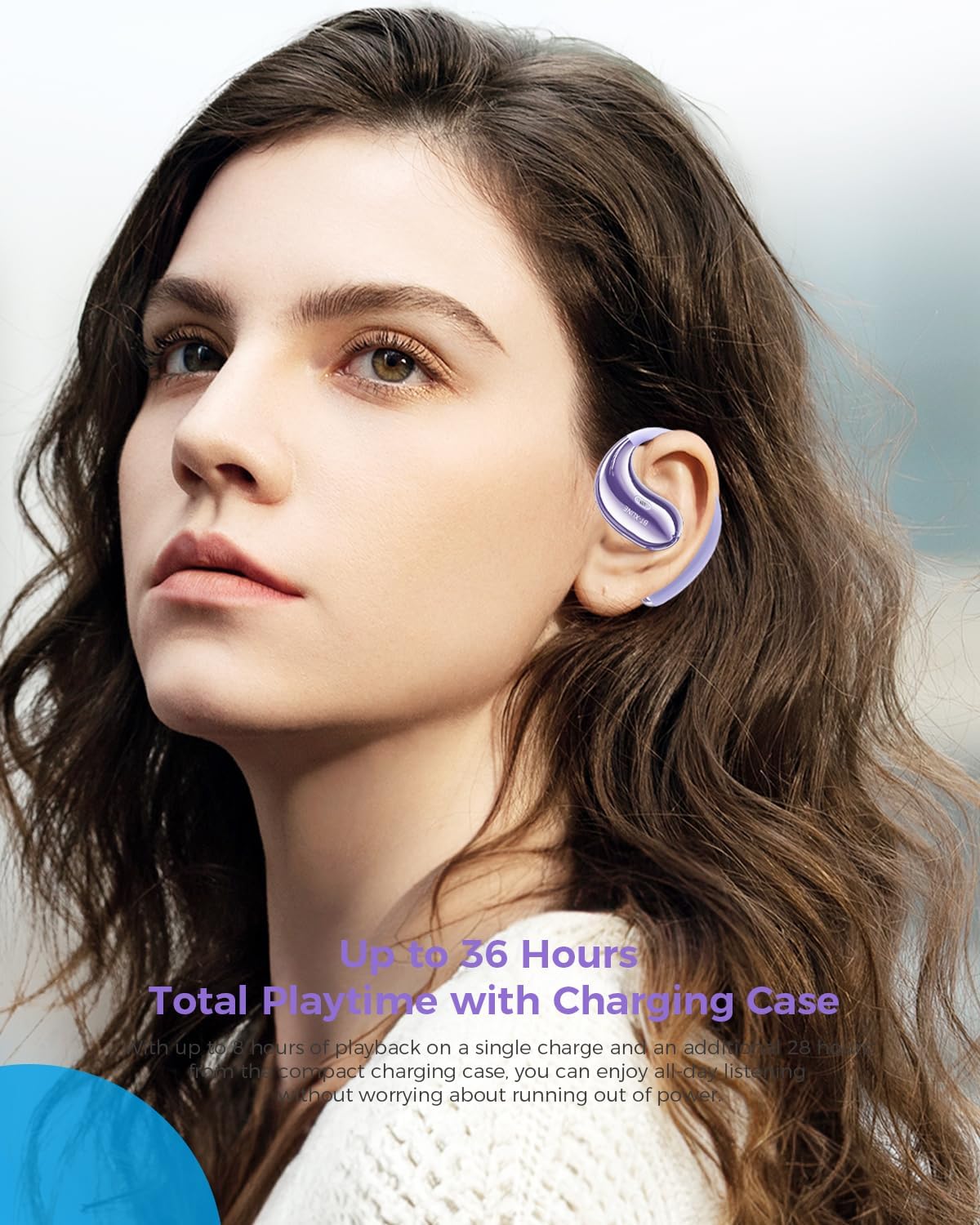
Figure 3: Extended Playtime and Comfortable Wear.
This image features a woman wearing the Micool BT-X LINE open-ear headphones, highlighting their comfortable and secure fit. The text overlay indicates "Up to 36 Hours Total Playtime with Charging Case," emphasizing the long battery life suitable for extended use.
3.2. Power On/Off
- Power On: The earbuds automatically power on when removed from the charging case.
- Power Off: Place the earbuds back into the charging case to automatically power them off and begin charging.
3.3. Bluetooth Pairing
The Micool BT-X LINE headphones feature one-step auto-pairing for seamless connection using Bluetooth 6.0 technology.
- First-Time Pairing:
- Open the charging case. The earbuds will automatically power on and enter pairing mode.
- On your device (smartphone, tablet, laptop), enable Bluetooth and search for available devices.
- Select "BT-X LINE" from the list of found devices.
- Once connected, you will hear an audible confirmation.
- Reconnection: After the initial pairing, the earbuds will automatically reconnect to the last paired device when removed from the charging case, provided Bluetooth is enabled on your device.

Figure 4: One-Step Pairing Feature.
This image displays the Micool BT-X LINE earbuds inside their open charging case, with text highlighting the "ONE-STEP PAIRING" feature. It visually reinforces the ease of connection by simply opening the case.

Figure 5: Next-Gen Bluetooth 6.0 and Extended Battery Life.
This image provides a top-down view of the Micool BT-X LINE earbuds and their charging case, emphasizing the advanced Bluetooth 6.0 technology for stable connections and the impressive battery life of up to 36 hours.
4. Operating Instructions
4.1. Wearing the Headphones
The BT-X LINE headphones feature an open-ear design with soft silicone memory ear hooks for a secure and comfortable fit. Gently place the earbud over your ear, ensuring the ear hook rests comfortably behind your ear. Adjust for optimal comfort and sound.

Figure 6: Ergonomic Design for All-Day Comfort.
This image provides a detailed view of the Micool BT-X LINE earbud positioned on an ear model, illustrating its ergonomic design and how the clip-on ear hook ensures a secure and comfortable fit for extended wear.

Figure 7: Comfort Comparison.
This image compares the Micool BT-X LINE's open-ear design to traditional earbuds that can cause discomfort (heavy, painful, stuffy). It visually demonstrates how the BT-X LINE offers a lightweight, ergonomically designed fit that stays secure without blocking the ear canal.

Figure 8: Memory Wire Ear Hook with Soft Silicone.
This close-up image focuses on the Micool BT-X LINE earbud, specifically showcasing the flexible memory wire ear hook covered in soft silicone. This design ensures an adjustable, secure, and sweat-resistant fit for various ear sizes and activities.
4.2. Touch Controls
The earbuds feature intuitive touch controls for managing audio playback and calls. The touch sensitive area is located on the outer surface of each earbud.
| Action | Function |
|---|---|
| Single Tap (L/R) | Play/Pause Music, Answer/End Call |
| Double Tap (Right) | Next Track |
| Double Tap (Left) | Previous Track |
| Triple Tap (Right) | Volume Up |
| Triple Tap (Left) | Volume Down |
| Long Press (2s) (L/R) | Reject Call, Activate Voice Assistant |

Figure 9: Touch Controls for Easy Operation.
This image shows a woman engaged in an activity (drinking water) while wearing the Micool BT-X LINE headphones, with the charging case visible. The accompanying text highlights the convenience of touch controls for managing music, calls, and volume without needing to access the phone.
5. Maintenance and Care
- Cleaning: Gently wipe the earbuds and charging case with a soft, dry, lint-free cloth. Do not use harsh chemicals or abrasive materials.
- Water Resistance: The headphones are water-resistant. Avoid submerging them in water or exposing them to excessive moisture for prolonged periods. Dry them thoroughly if they get wet.
- Storage: When not in use, store the headphones in their charging case to protect them from dust and damage. Store in a cool, dry place.
- Battery Care: To prolong battery life, avoid fully discharging the battery frequently. Charge regularly, even if not used for a long time.
6. Troubleshooting
If you encounter any issues with your Micool BT-X LINE headphones, please refer to the following common solutions:
| Problem | Possible Solution |
|---|---|
| Headphones not pairing |
|
| No sound from one earbud |
|
| Charging case not charging |
|
| Poor sound quality |
|
7. Specifications
Detailed technical specifications for the Micool BT-X LINE Open-Ear Headphones:
| Feature | Detail |
|---|---|
| Model Name | BT-X LINE |
| Connectivity Technology | Wireless |
| Wireless Communication Technology | Bluetooth 6.0 |
| Ear Placement | Open Ear |
| Form Factor | On Ear |
| Noise Control | Active Noise Cancellation (for calls via dual-mic) |
| Driver Size | 14.2mm Dynamic Drivers |
| Playtime (Earbuds) | Up to 8 hours |
| Total Playtime (with Case) | Up to 36 hours |
| Charging Port | USB-C |
| Material | Acrylonitrile Butadiene Styrene (ABS) |
| Water Resistance Level | Water Resistant |
| Item Weight | 5.6 ounces (total package) |
| Color | Velvet Purple |
| UPC | 783429666100 |
8. Warranty and Support
Micool products are designed and manufactured to the highest quality standards. For information regarding warranty coverage, technical support, or service inquiries, please refer to the warranty card included in your package or visit the official Micool website. You may also contact Micool customer support directly for assistance.
Manufacturer: MICOOL
Ask a question about this manual
Ask about setup, troubleshooting, compatibility, parts, safety, or missing instructions. Manuals+ will review the question and use this page’s manual context to help answer it.