1. Introduction
Thank you for purchasing the IEE P3200 Portable Power Station. This device is designed to provide reliable and versatile power for both indoor and outdoor applications, featuring a high-capacity LiFePO4 battery, multiple output ports, and smart control capabilities. Please read this manual thoroughly before operating the device to ensure safe and optimal performance.
2. Safety Instructions
To prevent injury, damage to the device, or damage to other property, observe the following safety precautions:
- Do not disassemble, repair, or modify the unit.
- Keep the unit away from heat sources, direct sunlight, and flammable materials.
- Do not immerse the unit in water or expose it to heavy rain.
- Ensure proper ventilation during use and charging to prevent overheating.
- Keep out of reach of children and pets.
- Use only approved accessories and charging cables.
- In case of fire, use a dry powder fire extinguisher. Water may cause electric shock.
- Avoid dropping or subjecting the unit to strong impacts.
3. Package Contents
Verify that all items are included in your package:
- 1 x IEE P3200 Portable Power Station
- 2 x IEE 200W Solar Panels
- 1 x 4-in-1 Data Cable
- 1 x AC Charging Cable
- 1 x Solar Charging Cable
- 1 x User Manual
- 1 x Warranty Card

Image: Contents of the IEE P3200 package, including the power station, solar panels, and various cables.
4. Product Overview
4.1. Main Unit Features
- High Capacity & Output: 2048Wh capacity with 3200W AC output (6400W peak).
- Durable Battery: Utilizes LiFePO4 battery cells, offering over 4000 charge cycles to 80% capacity, ensuring a lifespan of 10+ years.
- Fast Charging: Supports ultra-fast charging, reaching 80% in 50 minutes via AC input.
- Multiple Outputs: Equipped with 16 output ports including AC, USB-A, USB-C, and DC5521.
- Smart Control: Integrated Wi-Fi and Bluetooth for remote monitoring and control via the IEE App.
- UPS Function: Uninterruptible Power Supply (UPS) with a switchover time of less than 10ms.
- Quiet Operation: Designed for low noise levels, typically below 40dB during use and charging.
- Portable Design: Features a retractable handle and durable wheels for easy transport.
4.2. Components and Ports

Image: Front view of the IEE P3200 Portable Power Station with included solar panels, highlighting its compact design and multiple ports.
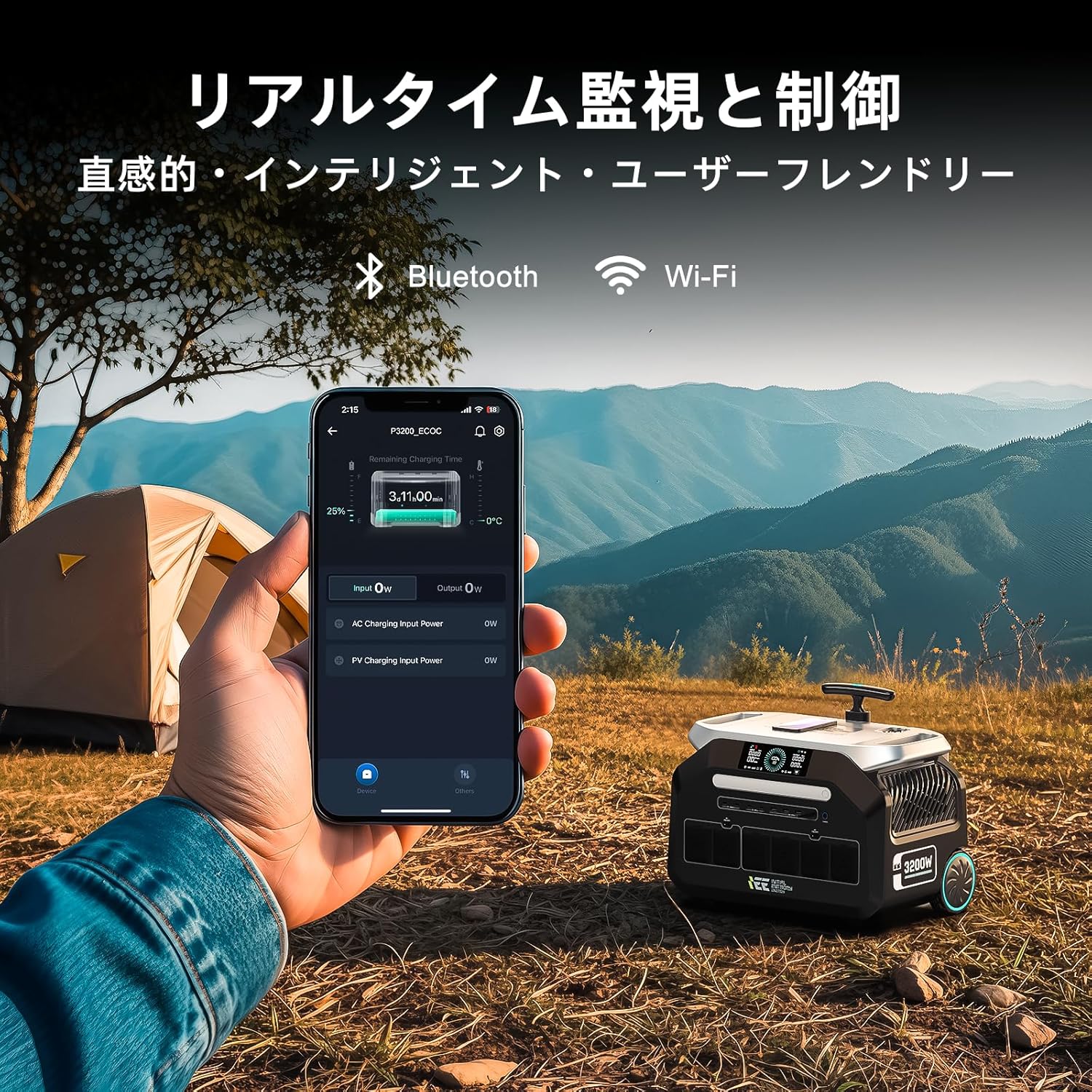
Image: Close-up view of the IEE P3200's display and various output ports, including AC, USB, and DC outlets.
The IEE P3200 features a clear display panel showing battery status, input/output power, and remaining charge time. Output ports are conveniently located on the front and side for easy access.
5. Setup
5.1. Initial Charge
Before first use, fully charge the IEE P3200. Connect the AC charging cable to the AC input port on the unit and then to a wall outlet. The display will indicate charging status. For optimal battery health, it is recommended to fully charge the unit upon receipt.

Image: The IEE P3200 connected to a wall outlet for AC charging, demonstrating the fast charging capability.
5.2. Solar Panel Connection
To charge using solar panels, connect the solar charging cable to the solar input port on the P3200 and then to your IEE 200W solar panels. Position the solar panels in direct sunlight for maximum efficiency. The unit supports up to 1000W solar input.

Image: The IEE P3200 connected to solar panels for charging, set up in an outdoor environment.
6. Operating Instructions
6.1. Powering On/Off
Press and hold the main power button for 3 seconds to turn the unit on or off. The display will illuminate upon power-on.
6.2. Using AC/DC/USB Outputs
Once the unit is powered on, press the respective AC, DC, or USB button to activate the desired output ports. Connect your devices to the appropriate ports. Ensure the total power consumption of connected devices does not exceed the unit's rated output (3200W).

Image: The IEE P3200 powering various household appliances and electronic devices simultaneously, demonstrating its high output capability.
6.3. IEE App Remote Control
Download the official IEE App from your smartphone's app store. Connect the P3200 via Wi-Fi or Bluetooth. The app allows you to:
- Monitor real-time battery status, input/output power.
- Remotely control input speed (charging rate).
- Schedule charging times to optimize electricity costs.
- Access general settings and device information.

Image: A smartphone displaying the IEE app interface, showing real-time monitoring of the P3200 power station in an outdoor camping scenario.

Image: Screenshots of the IEE app interface, showing real-time status and general settings for the power station.
6.4. Uninterruptible Power Supply (UPS) Function
The P3200 features an EPS (Emergency Power Supply) function. When connected to a wall outlet and devices are powered through the P3200, it acts as a pass-through. In the event of a power outage, the unit will automatically switch to battery power within 0.01 seconds, ensuring uninterrupted operation for connected devices.

Image: The IEE P3200 connected to a medical device, illustrating its UPS function providing continuous power during an outage.
7. Maintenance
- Cleaning: Use a dry, soft cloth to clean the unit. Do not use abrasive cleaners or solvents.
- Storage: If storing for extended periods, charge the unit to 50-80% every 3-6 months to maintain battery health. Store in a cool, dry place away from direct sunlight.
- Temperature: Operate and store the unit within the recommended temperature range (refer to specifications).
8. Troubleshooting
| Problem | Possible Cause | Solution |
|---|---|---|
| Unit does not power on. | Battery is depleted. | Charge the unit using AC or solar input. |
| No output from AC/DC/USB ports. | Output ports are not activated. | Press the corresponding AC/DC/USB button to activate. |
| Overload warning on display. | Connected devices exceed rated output. | Disconnect some devices or use lower power devices. |
| Unit is not charging. | Charging cable not properly connected or power source issue. | Check cable connections and ensure power source is active. For solar, ensure panels are in direct sunlight. |
If the problem persists, please contact customer support.
9. Specifications
| Feature | Detail |
|---|---|
| Model | P3200 |
| Battery Type | LiFePO4 (Lithium Iron Phosphate) |
| Capacity | 2048Wh (640000mAh) |
| AC Output | 3200W (Rated), 6400W (Peak) |
| AC Input | Up to 1500W (Fast Charge) |
| Solar Input | Up to 1000W |
| USB-A Output | 4 ports |
| USB-C Output | 4 ports |
| DC5521 Output | 2 ports |
| Cigarette Lighter Output | 2 ports |
| Lifespan | 4000+ cycles to 80% capacity (approx. 10-15 years) |
| Noise Level | ≤40dB |
| Dimensions (L x W x H) | 44.5cm x 29.8cm x 36.7cm (approx.) |
| Weight | 24 kg (52.91 lbs) |
10. Warranty and Support
The IEE P3200 Portable Power Station comes with a 5-year manufacturer's warranty. This warranty covers defects in materials and workmanship under normal use.
For warranty claims, technical support, or any inquiries, please contact IEE customer support through the following channels:
- Refer to the contact information provided on your Warranty Card.
- Visit the official IEE website for support resources and contact forms.
- Contact the seller directly via your purchase platform.
Please have your product model number (P3200) and purchase details ready when contacting support.


