
Introduction
Thank you for choosing the MAHOMICO ATLAS 750 Office Chair. This manual provides detailed instructions for assembly, operation, maintenance, and troubleshooting to ensure optimal performance and longevity of your chair. Please read this manual thoroughly before use and retain it for future reference.

Image: Front view of the MAHOMICO ATLAS 750 Office Chair.
Safety Information
WARNING: To prevent injury, always adhere to the following safety guidelines:
- Always follow assembly instructions carefully.
- Do not exceed the maximum weight capacity of 750 lbs (340 kg).
- Keep chair wheels away from stairs and other drop-offs to prevent accidents.
- Always use the chair on a stable, level surface.
- Ensure all screws and bolts are tightened securely before use. Periodically check and re-tighten as needed.
- Do not stand on the chair.
- Avoid placing heavy objects on the chair backrest or armrests.
Package Contents
Before assembly, verify that all components are present:
- Chair components (backrest, seat, armrests, gas lift, base, wheels)
- Installation Instructions
- Assembly Tools (Allen wrench, etc.)
Setup and Assembly
Follow these steps to assemble your MAHOMICO ATLAS 750 Office Chair. It is recommended to assemble the chair on a soft, clean surface to prevent damage.
- Attach the Wheels to the Base: Insert each wheel caster into the holes at the end of the chair base until it clicks into place.
- Insert the Gas Lift: Place the gas lift cylinder into the center hole of the assembled chair base.
- Attach the Mechanism to the Seat: Align the chair mechanism with the screw holes on the underside of the seat cushion. Secure it with the provided screws and tighten using the Allen wrench. Ensure the front of the mechanism faces the front of the seat.
- Attach the Armrests: Secure the armrests to the seat using the designated screws. Pay attention to the left and right armrests.
- Attach the Backrest: Connect the backrest to the seat assembly using the provided bolts. Ensure a secure fit.
- Connect Seat to Gas Lift: Carefully place the assembled seat and backrest onto the gas lift cylinder, ensuring it is centered and fully seated.
Video: MAHOMICO Big and Tall Office Chair Installation Video. This video demonstrates the assembly process, including attaching the mechanism to the seat.

Image: Illustration of the chair's high-quality workmanship, including mute rollers on the base.
Once assembled, sit on the chair to properly engage the gas lift with the base.
Operating Instructions
The MAHOMICO ATLAS 750 Office Chair offers several adjustable features for personalized comfort:
1. Seat Height Adjustment
To adjust the seat height, pull the lever located on the right side of the seat upwards. While standing, the seat will rise. While seated, the seat will lower when the lever is pulled. Release the lever at your desired height.
2. 4D Armrest Adjustment
The armrests can be adjusted in four dimensions:
- Height: Press the button on the side of the armrest and move it up or down. Release the button to lock.
- Forward/Backward: Slide the armrest pad forward or backward.
- Left/Right (Pivot): Pivot the armrest pad left or right.
- Inward/Outward: Slide the entire armrest assembly closer to or further from the seat.

Image: Visual guide to the various adjustments of the 4D padded armrests.
3. 2D Adjustable Lumbar Support
The lumbar support can be adjusted to fit your lower back curve:
- Height: Gently push the lumbar support up or down to find the ideal position for your spine.
- Depth: Rotate the knob located on the back of the chair to increase or decrease the depth of the lumbar support.
Image: Diagram illustrating the 2D adjustable lumbar support mechanism.
4. Recline Function and Tilt Tension
The chair features a 135° recline function and adjustable tilt tension:
- Recline Lock: Pull the lever on the left side of the seat outwards to unlock the recline function, allowing the backrest to tilt. Push the lever inwards to lock the backrest in an upright or reclined position.
- Tilt Tension: Rotate the round knob located under the seat, at the front of the mechanism. Turn clockwise to increase tension (making it harder to recline) or counter-clockwise to decrease tension (making it easier to recline).
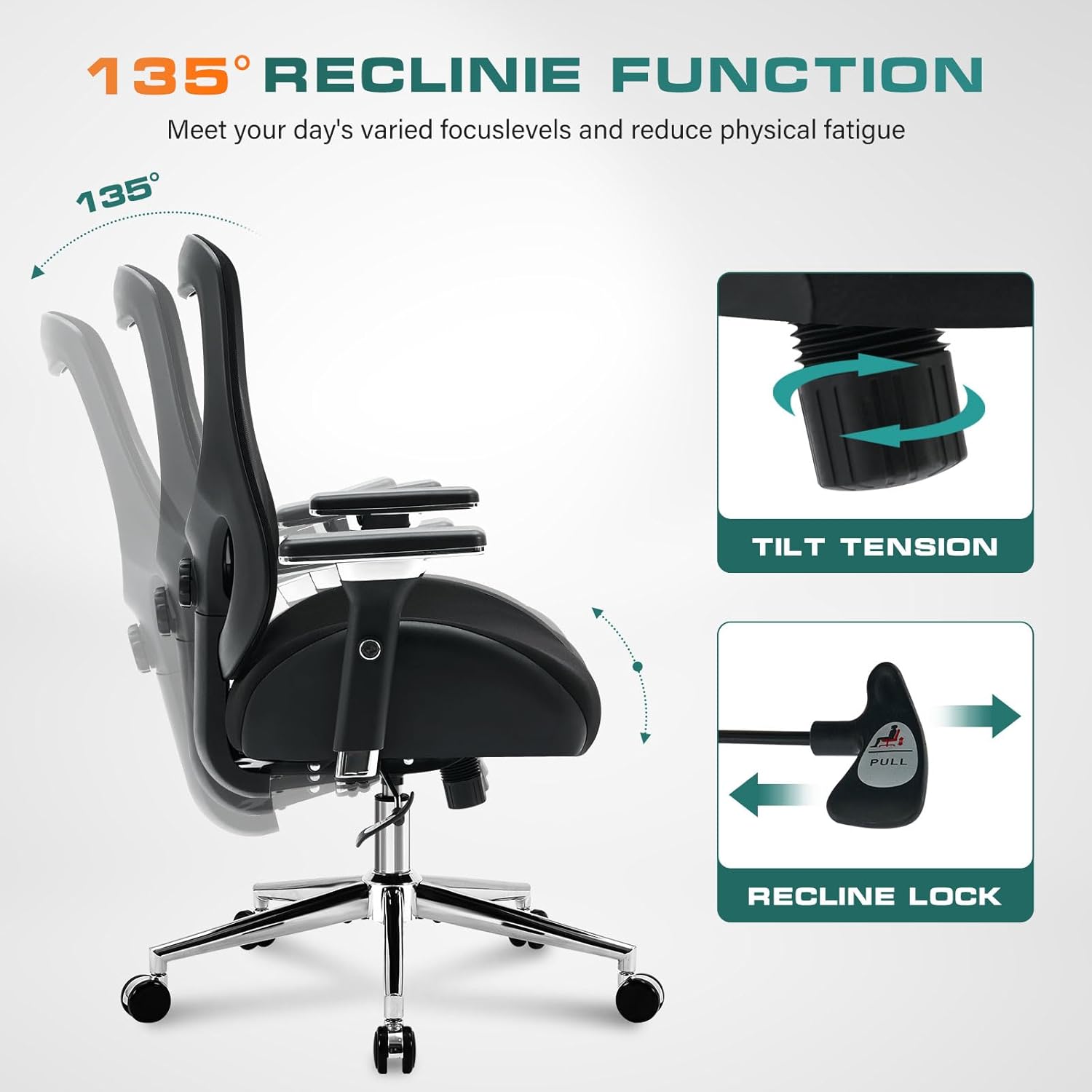
Image: Visual representation of the 135-degree recline function and the tilt tension adjustment knob.
Maintenance
Regular maintenance will help preserve the appearance and functionality of your office chair:
- Cleaning:
- For mesh and fabric parts, use a soft brush or vacuum cleaner to remove dust and debris. For stains, gently dab with a damp cloth and mild soap solution, then wipe with a clean, dry cloth.
- For metal parts, wipe with a soft, dry cloth. Avoid abrasive cleaners.
- Hardware Check: Periodically check all screws and bolts to ensure they are tight. Re-tighten as necessary to maintain stability and safety.
- Caster Care: Clean hair and debris from the wheel casters regularly to ensure smooth movement.
- Avoid Direct Sunlight: Prolonged exposure to direct sunlight can fade fabric and mesh materials.
Troubleshooting
| Problem | Possible Cause | Solution |
|---|---|---|
| Chair does not adjust height. | Gas lift not engaged or faulty. | Ensure the gas lift is fully inserted into the base and seat mechanism. If the issue persists, the gas lift may need replacement. |
| Chair is wobbly. | Loose screws or bolts. | Check and tighten all assembly screws and bolts. |
| Wheels do not roll smoothly. | Debris caught in casters. | Remove any hair, dust, or debris from the wheel casters. |
| Backrest does not recline or lock. | Recline lock engaged or tilt tension too high. | Ensure the recline lock lever is pulled outwards. Adjust the tilt tension knob counter-clockwise to loosen. |
Specifications
| Feature | Detail |
|---|---|
| Brand | MAHOMICO |
| Model Number | ATLAS 750 |
| Color | Black |
| Material | Metal frame, Sponge seat, Mesh back |
| Product Dimensions (D x W x H) | 23.6"D x 29.9"W x 40.2"H |
| Maximum Weight Recommendation | 750 Pounds (340 kg) |
| Arm Style | 4D Armrests |
| Lumbar Support | 2D Adjustable |
| Reclining Position Count | 2 (upright and reclined up to 135°) |
| Certifications | BIFMA, SGS Certified Air Rod |
| Assembly Required | Yes |

Image: Detailed product dimensions, including height, width, and depth measurements.

Image: Close-up of the breathable air mesh fabric used for the backrest.
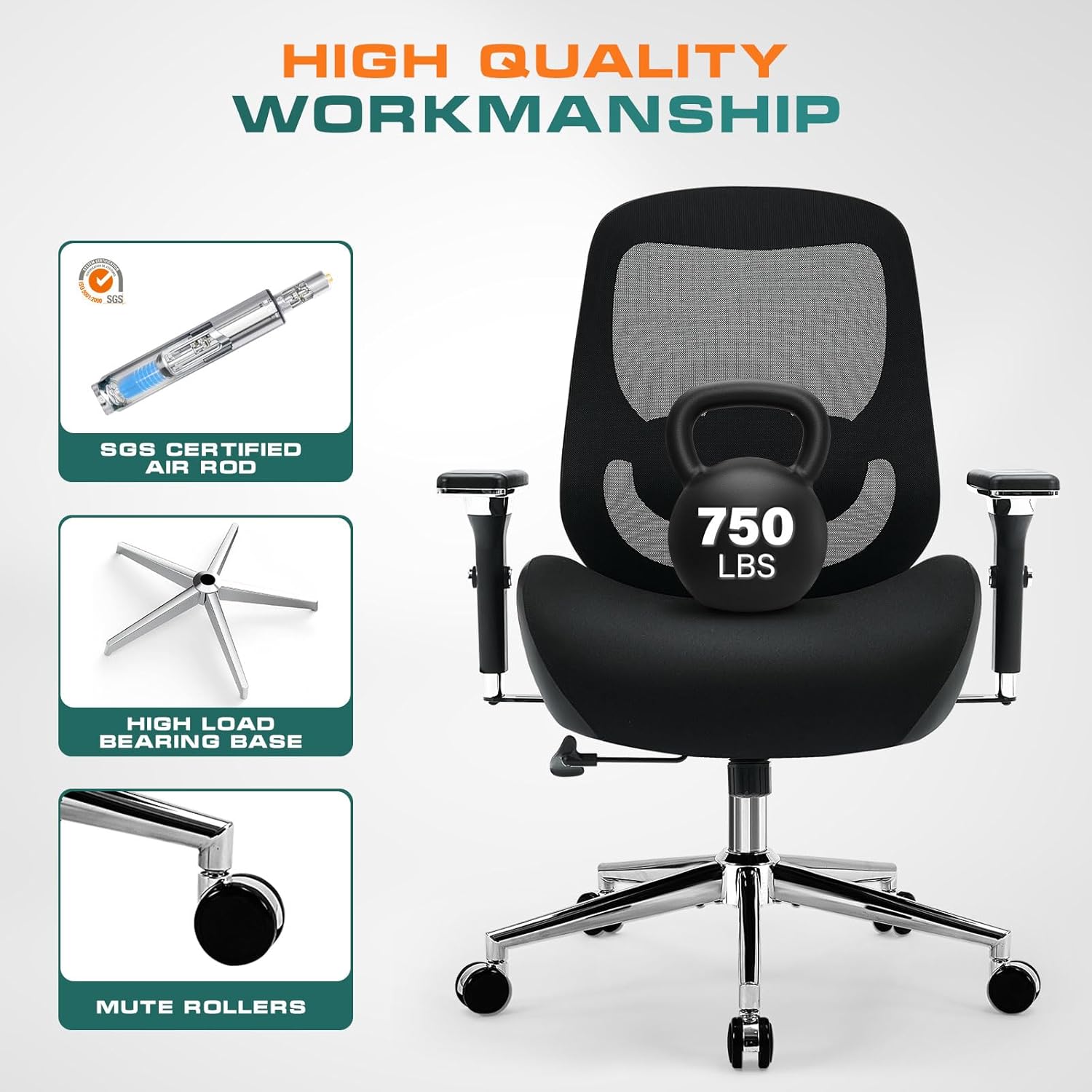
Image: Cross-section view of the oversized U-shaped seat cushion, highlighting its thick cushion, high-resiliency foam, and spring pack for comfort.
Warranty and Support
The MAHOMICO ATLAS 750 Office Chair comes with a one-year warranty from the date of purchase, covering manufacturing defects. For warranty claims, technical support, or any questions regarding your product, please contact MAHOMICO customer service.
Contact Information:
- Refer to your purchase documentation or the MAHOMICO official website for the most current contact details.
- When contacting support, please have your model number (ATLAS 750) and proof of purchase ready.