
Introduction
This manual provides detailed instructions for the assembly, operation, maintenance, and troubleshooting of your Homsee 61-inch Kitchen Island with Charging Station. Please read all instructions carefully before beginning assembly and retain this manual for future reference.
Safety Information
- Always assemble the kitchen island according to the included instructions.
- Do not overload shelves or drawers. Distribute weight evenly.
- Be cautious of pinch points when operating drawers and cabinet doors.
- Ensure all connections for the charging station are secure and properly grounded.
- Keep children away from the assembly area and small parts.
Setup and Assembly
The Homsee kitchen island requires assembly. It is recommended that 1-2 people work together for efficient and safe assembly. All necessary parts and instructions are included in the packaging, which typically arrives in two separate boxes.
Pre-Assembly Checklist
- Verify all components are present by comparing them with the parts list in your instruction booklet.
- Ensure you have the required tools (e.g., screwdriver, hammer).
- Clear a spacious area for assembly to prevent damage to the product or your home.
Assembly Steps
Follow the step-by-step instructions provided in the separate assembly manual included with your product. Pay close attention to diagrams and hardware identification.

Figure 1: Overall dimensions of the kitchen island. Width: 61.4 inches, Depth: 29.5 inches, Height: 37.4 inches.

Figure 2: Fully assembled Homsee kitchen island, showcasing its design and size.
Operating Instructions
Storage Features
The kitchen island is equipped with two smooth-gliding drawers and four adjustable shelves behind cabinet doors. These provide ample space for storing kitchen tools, dishes, spices, and other essentials.

Figure 3: View of the kitchen island with drawers and cabinets open, demonstrating the internal storage capacity.
Charging Station
A built-in charging station is located on the side of the island, featuring two standard AC outlets and two USB ports. This allows for convenient powering and charging of small kitchen appliances or mobile devices.
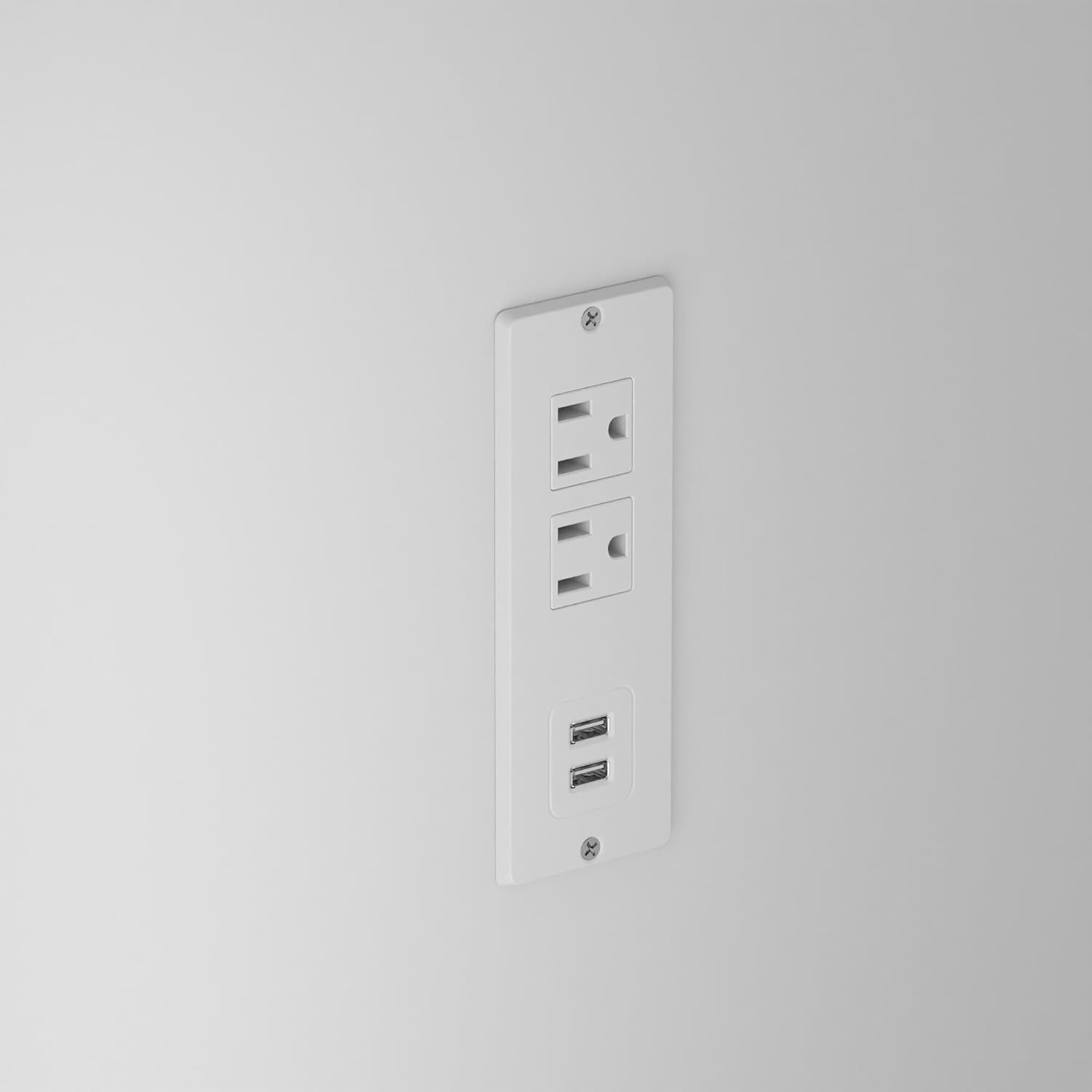
Figure 4: Detail of the charging station integrated into the side of the island.
Note on Power Cord: The power cord for the charging station is designed to be routed from inside the unit. Depending on your kitchen's outlet placement, you may need to consider how to route the cord to an external wall outlet. Some users may choose to drill a small exit hole in the back panel for cord management if an under-floor outlet is not available.
Versatile Use
This kitchen island can serve multiple functions, including a dining table, coffee bar, food preparation area, or a general workspace. The design includes legroom on one side for stools.
Maintenance and Care
Countertop Care
The stone-grain countertop is designed to be waterproof and easy to clean. For daily cleaning, wipe with a damp cloth and mild detergent. Avoid abrasive cleaners or harsh chemicals that could damage the surface.

Figure 5: Demonstrating the easy-to-clean, waterproof countertop surface.
General Cleaning
For the engineered wood surfaces, use a soft, dry cloth for dusting. For spills, wipe immediately with a slightly damp cloth and dry thoroughly. Avoid prolonged exposure to moisture.

Figure 6: Details of the durable metal accessories and painted countertop finish.
Troubleshooting
Assembly Difficulties
- Misaligned Holes: If you encounter difficulty aligning parts due to incorrectly drilled holes, double-check the orientation of the panels against the instruction diagrams. If the issue persists, contact customer support for assistance or replacement parts.
- Missing Hardware: If any hardware is missing, refer to the parts list and contact customer support for replacements.
Charging Station Not Working
- No Power: Ensure the island's power cord is fully plugged into a functional wall outlet. Check if the wall outlet itself is receiving power.
- Cord Management: If the power cord is not accessible, you may need to adjust its routing or create an exit point from the back of the unit to reach a wall outlet.
Specifications
| Feature | Detail |
|---|---|
| Brand | Homsee |
| Model Number | B0FD38FKXP |
| Color | White |
| Product Dimensions (D x W x H) | 29.1" x 61" x 37.4" |
| Material | Engineered Wood |
| Top Material | Stone |
| Number of Drawers | 2 |
| Number of Shelves | 4 (Adjustable) |
| Additional Features | Integrated Charging Station (2 AC outlets, 2 USB ports) |
| Installation Type | Freestanding |
| Assembly Required | Yes (Instructions Included) |
Warranty Information
Specific warranty details for the Homsee 61-inch Kitchen Island are not provided in this document. Please refer to the product packaging, the manufacturer's official website, or your purchase receipt for comprehensive warranty information. For any warranty claims, retain your proof of purchase.
Customer Support
For assistance with assembly, missing parts, or any other product-related inquiries, please contact Homsee customer support. You can typically find contact information on the product packaging or by visiting the Homsee Official Store on Amazon.