
Donerton P131
Donerton Smart Watch GPS User Manual
Model: P131

The Donerton Smart Watch GPS, featuring a 2.06" AMOLED screen and gray band.
Introduction
Welcome to the user manual for your new Donerton Smart Watch GPS, Model P131. This advanced smartwatch is designed to enhance your daily life with comprehensive health monitoring, extensive sports tracking, and convenient communication features. Equipped with a vibrant 2.06" AMOLED display and robust 3ATM waterproofing, it's built for both everyday use and adventurous outdoor activities.
Key features include built-in GPS for accurate route tracking, over 178 sports modes, Bluetooth 5.4 for seamless calls and notifications, and continuous monitoring of heart rate, SpO2, and sleep patterns. This manual will guide you through the setup, operation, maintenance, and troubleshooting of your device to ensure you get the most out of its capabilities.

An overview of the Donerton Smart Watch GPS highlighting its key features: 2.06" AMOLED display, 4GB memory, GPS tracker, sleep monitoring, 24/7 health monitoring, and 100+ sports modes.
Setup
1. Unboxing and Initial Charge
Upon opening the package, ensure all components are present:
- Donerton Smart Watch (Model P131)
- Watch Band
- Charging Cable
- User Manual
The Donerton Smart Watch, its packaging, charging cable, and user manual, alongside a gift box.
Before first use, fully charge your smartwatch. Connect the magnetic charging cable to the charging port on the back of the watch and plug the USB end into a power adapter (not included) or a computer's USB port. A full charge takes approximately 2.5 hours.
2. App Download and Device Pairing
To unlock the full potential of your smartwatch, you need to connect it to your smartphone via the "GloryFit" app.
- Turn on Bluetooth: Ensure the Bluetooth function is enabled on your smartphone.
- Download GloryFit App: Open the Google Play Store (for Android) or Apple App Store (for iOS) and search for "GloryFit". Download and install the app.
- Search for Device: Open the GloryFit app. Navigate to the device section and select "Add Device" or "Please connect device". The app will search for nearby smartwatches.
- Pair Device: Select "P131" from the list of found devices to initiate pairing. Confirm the pairing request on both your phone and the watch if prompted.

Visual guide for connecting the Donerton Smart Watch to your smartphone via the GloryFit app, including enabling Bluetooth, downloading the app, searching for the device, and binding it.
3. Enabling Call Function (Optional)
To use the Bluetooth call feature, follow these additional steps after initial pairing:
- Connect "P131" for calls: After selecting "P131" in your phone's Bluetooth settings, accept the pairing request for the call function (often appears as a separate "P131_CALL" or similar entry).
- Enable Call Bluetooth on Watch: On your smartwatch, ensure the call Bluetooth function is turned on. This allows the watch to make calls and play media sound.
- Grant Permissions: In your phone's Bluetooth settings for the connected "P131" device, ensure all necessary permissions are granted, such as contact access and call history.
- Ready for Calls: Once connected and permissions are granted, you can answer and make calls directly from your watch.
Note: If you do not wish to use the call function, you can turn off the answer/call function on the watch to conserve battery life.
Operating Your Smart Watch
1. Basic Navigation
The Donerton Smart Watch features a responsive 2.06" AMOLED touchscreen and a side button/encoder for navigation.
- Touchscreen: Swipe left/right, up/down to navigate through menus and screens. Tap to select items.
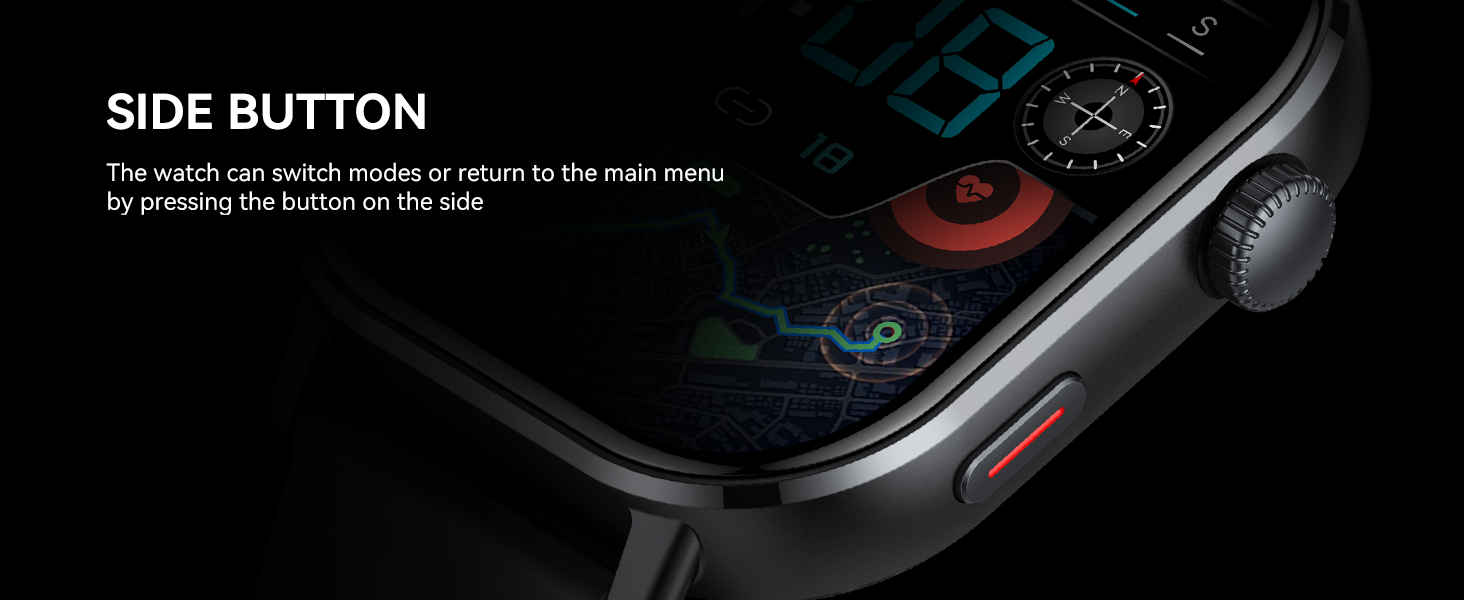
- Side Button/Encoder: Press to return to the main menu or switch between modes. Rotate to scroll through lists or adjust settings.
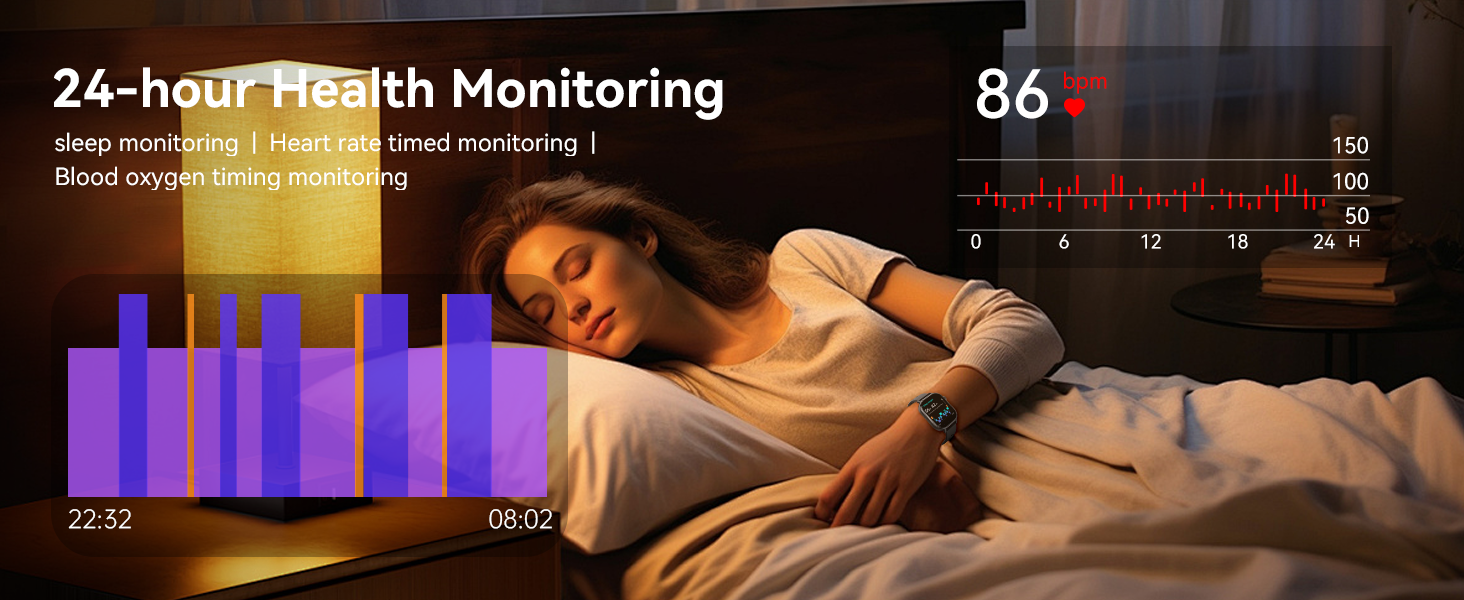
Diagram showing the encoder/button and side button on the Donerton Smart Watch, along with features like step count, atmospheric pressure, and compass display.
The side button allows you to switch modes or return to the main menu.
2. Bluetooth Calls and Notifications
With Bluetooth 5.4, your smartwatch allows you to manage calls and receive notifications directly on your wrist.
- Making/Receiving Calls: Once connected, you can dial numbers, answer incoming calls, and view call history from the watch interface.
- Notifications: Receive alerts for messages (SMS), social media apps (WhatsApp, Facebook, Instagram, Twitter, WeChat), and other app notifications.

The Donerton Smart Watch displaying message reception icons for dial-up calls, mail list, and general information, along with a visual of the Bluetooth 5.4 chip.

The Donerton Smart Watch showing an incoming call notification and icons for call, contacts, and call history, emphasizing its 5.4 Bluetooth Call & Smart Notification features.
3. Health Monitoring
The smartwatch provides comprehensive health tracking features to help you stay informed about your well-being.
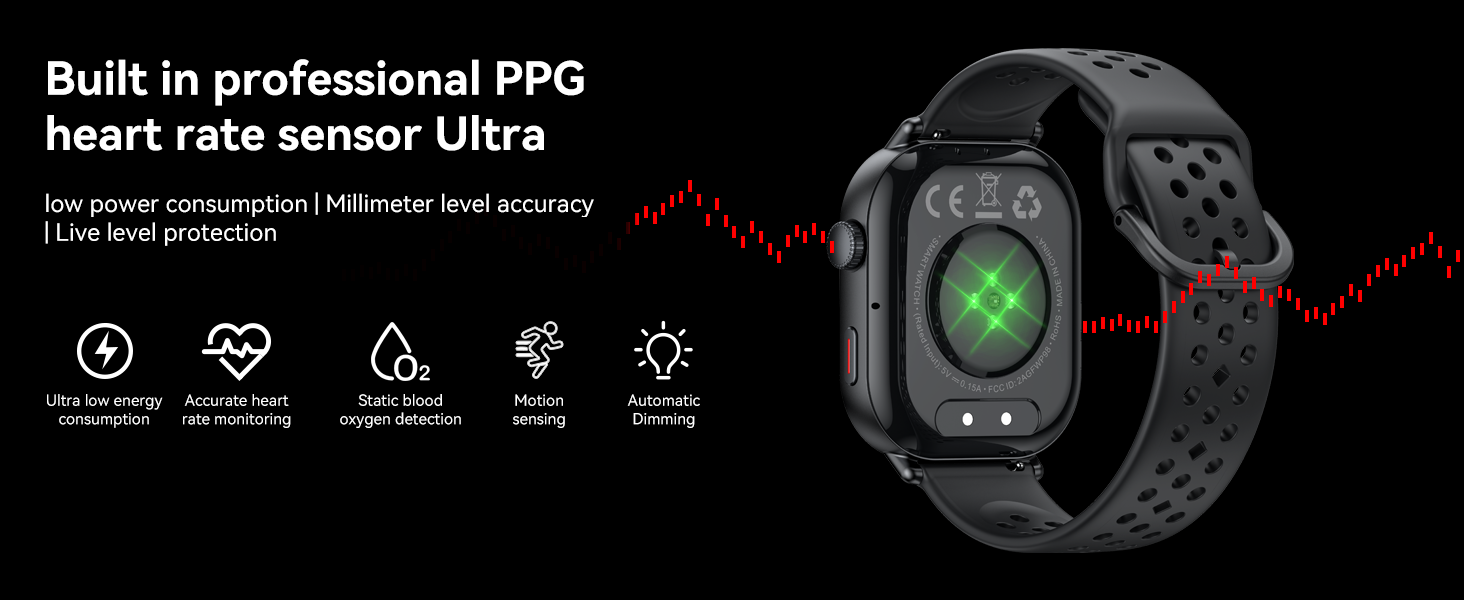
- Heart Rate Monitoring: Tracks your heart rate 24/7. View real-time data and historical trends in the app.
- SpO2 Monitoring: Measures your blood oxygen saturation levels.
- Sleep Tracking: Monitors your sleep patterns, including deep sleep, light sleep, and REM sleep, providing insights into your sleep quality.
- Stress Level Monitoring: Helps you understand and manage your stress levels.
- Menstrual Cycle Tracking: For women, track your period and predict ovulation.

The Donerton Smart Watch displaying sleep stages and duration, with a background image of a person sleeping, illustrating 24/7 accurate health monitoring.

A user wearing the Donerton Smart Watch, which displays current heart rate and blood oxygen levels, demonstrating automatic timed monitoring of heart rate.
A visual representation of 24-hour health monitoring on the Donerton Smart Watch, showing sleep patterns and heart rate data, with a person sleeping in the background.
The Donerton Smart Watch displaying the Women's Health Assistant interface for menstrual cycle tracking and ovulation prediction, with a group of women in the background.
4. Sports Modes and GPS Tracking
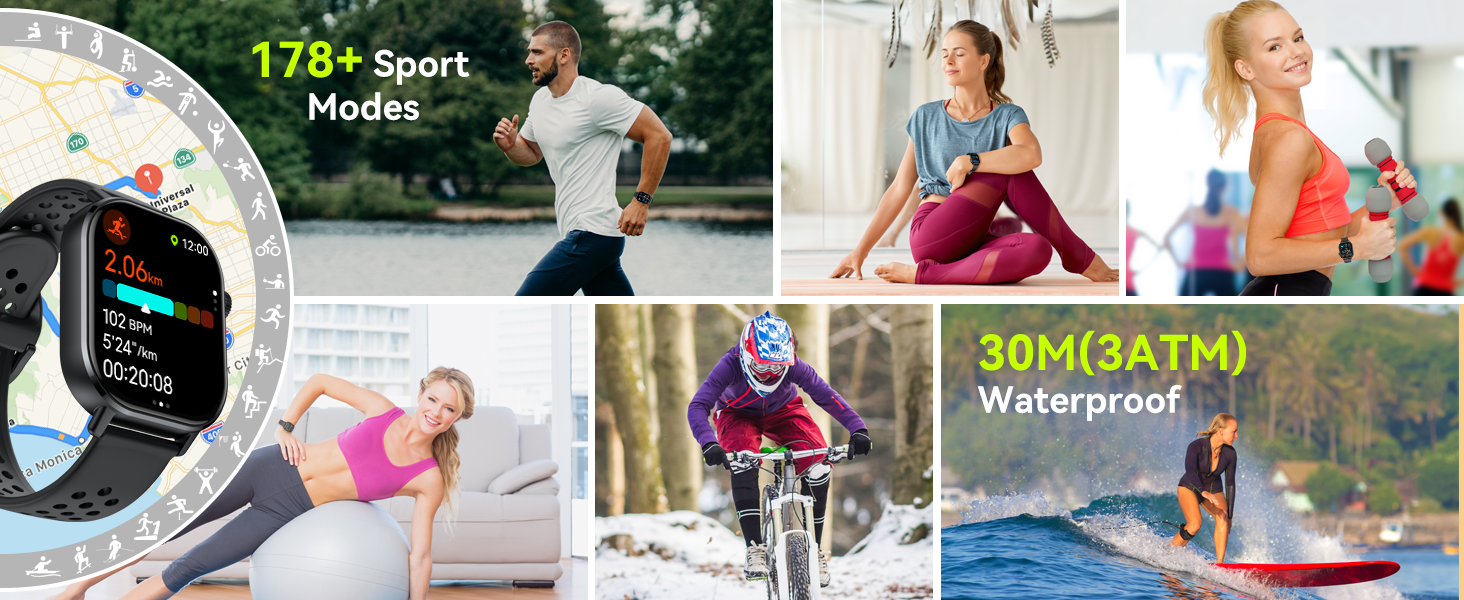
The smartwatch supports over 178 sports modes and features built-in GPS for accurate outdoor activity tracking.
- 178+ Sports Modes: Select from a wide range of activities like running, hiking, cycling, yoga, and more. The watch records real-time data such as steps, calories burned, and distance.
- Built-in GPS: Supports GPS, GLONASS, Beidou, Galileo, and QZSS for precise route tracking during outdoor exercises.
- Outdoor Features: Includes a compass, altimeter, and barometer for comprehensive outdoor navigation and data.

The Donerton Smart Watch displaying suggested workout options and real-time exercise data, with a person cycling in the background, highlighting its 178+ sport modes.

The Donerton Smart Watch displaying a map with GPS tracking, altitude, and barometric pressure, emphasizing its professional outdoor features including GPS Tracker, Altimeter, Barometer, and Compass for hiking and camping.
5. Other Functions
Your Donerton Smart Watch comes with a variety of additional useful features:
- Alarm: Set multiple alarms for reminders.
- Weather Forecast: Get real-time weather updates.
- Stopwatch & Timer: For precise timing.
- Flashlight: A convenient light source.
- Calculator & Calendar: Basic utility tools.
- Music Control: Control music playback on your phone from your wrist.
- Remote Camera: Use your watch as a remote shutter for your phone's camera.
- Breathing Training: Guided breathing exercises for relaxation.
- Sedentary Reminder: Alerts you to move after periods of inactivity.
- Find Watch/Phone: Helps locate your device if misplaced.
- Screen Brightness Adjustment: Customize display brightness.
- Voice Assistant: Use voice commands for various tasks.

A collage of images demonstrating the multifunctional capabilities of the Donerton Smart Watch, including breathing exercise, alarm clock reminder, find phone, sedentary reminder, music control, remote control photography, weather display, and women's health tracking.
Maintenance
1. Cleaning and Care
To maintain your smartwatch's performance and appearance:
- Wipe the screen and watch body regularly with a soft, lint-free cloth.
- For stubborn smudges, dampen the cloth slightly with water. Avoid harsh chemicals or abrasive cleaners.
- Clean the charging contacts periodically to ensure proper charging.
- Keep the watch band clean, especially if it's silicone, to prevent skin irritation.
2. Water Resistance (3ATM)
The Donerton Smart Watch is 3ATM waterproof, meaning it can withstand splashes, rain, and brief immersion in shallow water. It is suitable for:
- Washing hands
- Rainy days
- Showering (avoid hot water and steam)
- Swimming in shallow water (not suitable for diving or high-pressure water activities)
Important: Do not press any buttons while the watch is submerged in water. After exposure to water, dry the watch thoroughly before charging.
A user swimming while wearing the Donerton Smart Watch, illustrating its 3ATM waterproof rating for activities like raining, swimming, and sweating.
3. Battery Care
The smartwatch is equipped with a 350mAh battery, offering up to 7 days of typical use and approximately 25 days of standby time. To maximize battery life:
- Avoid extreme temperatures.
- Charge the watch fully before first use.
- If not using the call function, disable it to save power.
- Frequent GPS usage will consume more power.

A visual representation of the Donerton Smart Watch's 350mAh battery life, showing 2.5 hours charging time, 7 days daily use, and 25 days standby time, with a person running in the background.
Troubleshooting
If you encounter issues with your Donerton Smart Watch, refer to the following common problems and solutions:
| Problem | Possible Solution |
|---|---|
| Watch won't turn on | Ensure the watch is fully charged. Connect to the charger for at least 30 minutes. |
| Cannot pair with phone |
|
| Notifications not received |
|
| Inaccurate health data |
|
| Short battery life |
|
If the problem persists after trying these solutions, please refer to the support section for further assistance.
Specifications
Detailed technical specifications for the Donerton Smart Watch GPS (Model P131):
| Feature | Detail |
|---|---|
| Model Number | P131 |
| Screen Size | 2.06 Inches AMOLED |
| Display Resolution | 410*502 pixels |
| Connectivity Technology | Bluetooth 5.4 |
| GPS | Built-in GPS (supports GLONASS, Beidou, Galileo, NAVIC, QZSS) |
| Battery Capacity | 350 mAh (Nonstandard Battery) |
| Charging Time | Approx. 2.5 hours |
| Typical Use Battery Life | Up to 7 days |
| Standby Time | Approx. 25 days |
| Water Resistance | 3ATM |
| Operating System | Android Wear 2.9 (compatible with Android & iOS) |
| Memory Storage Capacity | 4 GB |
| Item Weight | 6 ounces |
| Package Dimensions | 6.65 x 3.31 x 1.14 inches |
| Special Feature | Activity Tracker, Compass, Barometer, Altimeter, Heart Rate Monitor, SpO2 Monitor, Sleep Monitor, Stress Monitor, Bluetooth Call, Notifications, 178+ Sports Modes |
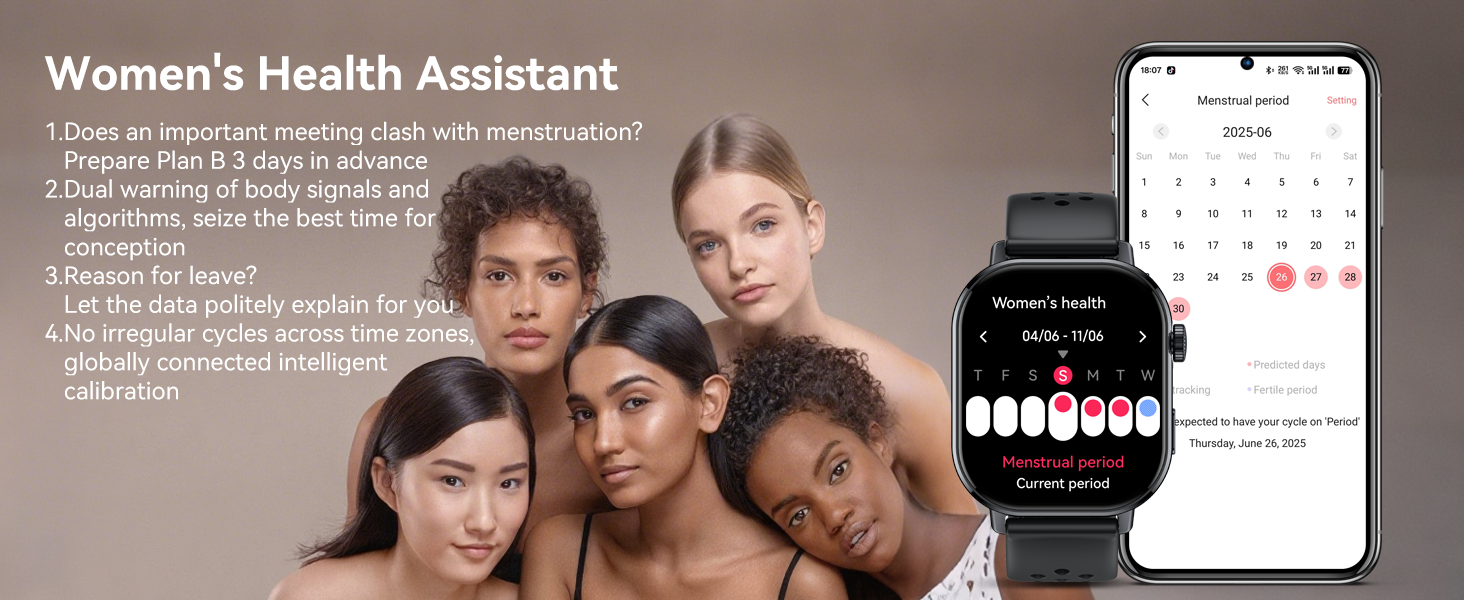
Diagram showing the dimensions of the Donerton Smart Watch (44.5mm width, 230mm max wrist circumference, 160mm min wrist circumference) and its band lengths (127mm and 87mm).
Warranty and Support
Donerton products are manufactured to high quality standards. For information regarding warranty coverage, please refer to the warranty card included in your product packaging or visit the official Donerton website.
If you require technical support, have questions about your device, or need assistance with troubleshooting beyond what is covered in this manual, please contact Donerton customer service. Contact details can typically be found on the official brand website or through the retailer where you purchased the product.
For the latest updates, FAQs, and additional resources, please visit the Donerton Store on Amazon.
Related documentsP131


Ask a question about this manual
Ask about setup, troubleshooting, compatibility, parts, safety, or missing instructions. Manuals+ will review the question and use this page’s manual context to help answer it.