
Introduction
This manual provides essential instructions for setting up, operating, maintaining, and troubleshooting your Motorola Moto G7 Power XT1955 smartphone. Please read this guide thoroughly to ensure proper use and to maximize the performance of your device.
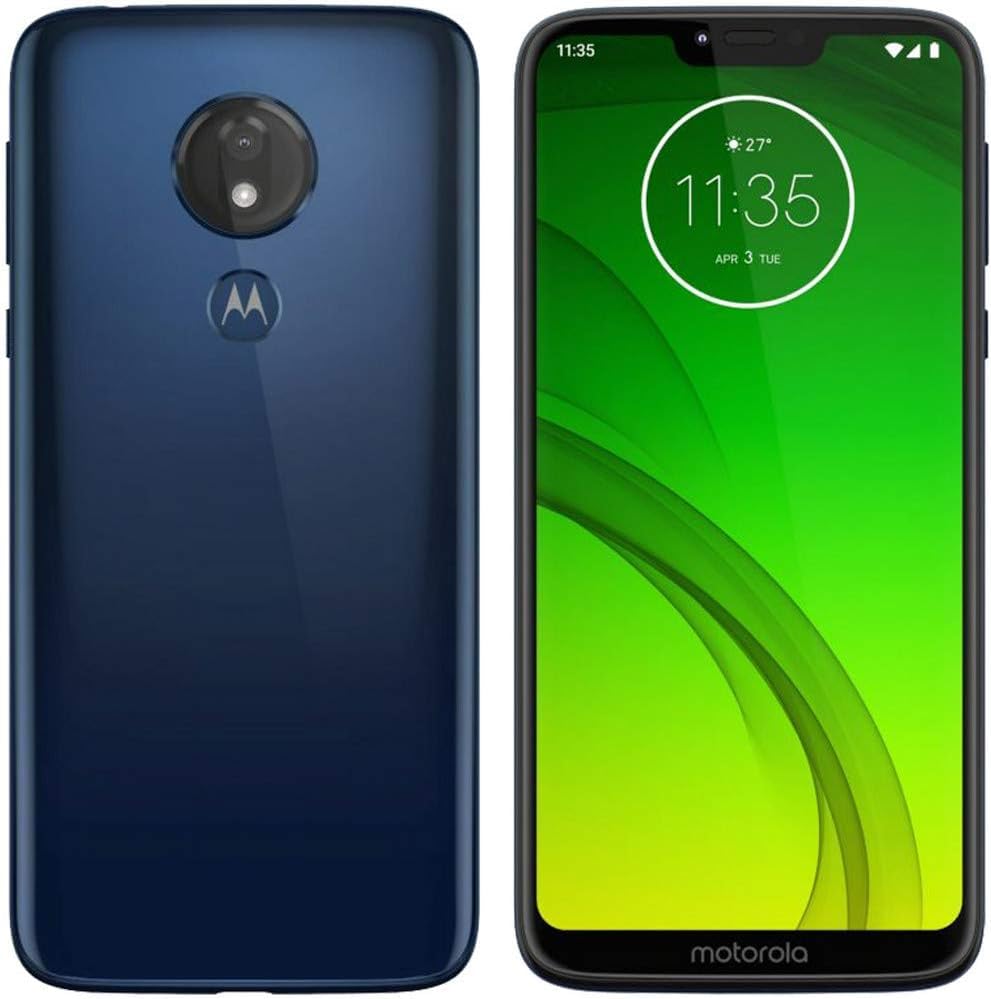
Image: Front and back view of the Motorola Moto G7 Power XT1955 smartphone in blue. The device features a large display on the front and a single camera lens with a fingerprint sensor on the back.
What's in the Box
Verify that all items are present in the package:
- Motorola Moto G7 Power XT1955 Smartphone
- USB-C Cable
- SIM Ejector Tool
Note: Power adapter may be sold separately or vary by region.
Setup
1. Insert SIM Card
- Locate the SIM card tray on the side of your phone.
- Insert the SIM ejector tool into the small hole on the tray and press gently until the tray pops out.
- Place your Nano-SIM card into the tray with the gold contacts facing down. Ensure it fits securely.
- Carefully push the tray back into the phone until it clicks into place.
2. Charge the Battery
- Connect the USB-C cable to the charging port at the bottom of your phone.
- Connect the other end of the USB-C cable to a compatible power adapter (not included) and plug it into a power outlet.
- Allow the phone to charge until the battery indicator shows a full charge before initial use.
3. Power On and Initial Setup
- Press and hold the Power button (located on the right side of the phone) until the Motorola logo appears.
- Follow the on-screen prompts to select your language, connect to Wi-Fi, set up your Google account, and configure other initial settings.
Operating Your Device
Basic Navigation
- Home Screen: Swipe left or right to access different home screen panels.
- App Drawer: Swipe up from the bottom of the home screen to view all installed applications.
- Notifications: Swipe down from the top of the screen to view notifications and quick settings.
- Back, Home, Recents: Use the on-screen navigation buttons (or gestures, if enabled) to navigate.
Making Calls and Sending Messages
- Calls: Tap the Phone icon, enter the number, and tap the call button.
- Messages: Tap the Messages icon, tap "Start chat," enter the recipient's number or contact name, and type your message.
Using the Camera
- Tap the Camera icon to open the camera application.
- Tap the shutter button to take a photo.
- Swipe left or right to switch between photo, video, and other camera modes.
Connecting to Wi-Fi
- Go to Settings > Network & internet > Wi-Fi.
- Toggle Wi-Fi on.
- Select your desired Wi-Fi network from the list and enter the password if prompted.
Maintenance
Cleaning Your Device
- Use a soft, lint-free cloth to clean the screen and body of the phone.
- Avoid using harsh chemicals or abrasive materials.
- Do not expose the phone to excessive moisture.
Software Updates
- Regularly check for software updates to ensure optimal performance and security.
- Go to Settings > System > Advanced > System update.
- Follow the on-screen instructions to download and install any available updates.
Battery Care
- To prolong battery life, avoid extreme temperatures.
- It is recommended to keep the battery charge between 20% and 80% for long-term health.
- Use only approved chargers and cables.
Troubleshooting
Device Not Powering On
- Ensure the battery is charged. Connect the phone to a charger for at least 15 minutes.
- Press and hold the Power button for 10-20 seconds to force a restart.
Network Connectivity Issues
- Check if your SIM card is properly inserted.
- Ensure mobile data is enabled in Quick Settings or Settings > Network & internet > Mobile network.
- Restart your phone.
- If issues persist, contact your service provider (Verizon).
Apps Crashing or Freezing
- Close and reopen the app.
- Clear the app's cache: Settings > Apps & notifications > [App Name] > Storage & cache > Clear cache.
- Restart your phone.
Specifications
| Model Name | Moto G7 Power |
| Model Number | XT1955 |
| Operating System | Android 9.0 |
| Display Size | 6.2 Inches HD+ Max Vision |
| Resolution | 720 x 1520 pixels |
| Processor | Qualcomm Snapdragon S1 QSD8650, 1.8 GHz |
| RAM | 3 GB |
| Internal Storage | 32 GB |
| Rear Camera | 12 MP |
| Battery Capacity | 5000 mAh |
| Connectivity | 4G LTE, 5G (Note: 5G connectivity may depend on network availability and specific model variant) |
| Audio Jack | USB-C |
| Wireless Carrier | Verizon (Locked) |
Warranty and Support
As a renewed product, the Motorola Moto G7 Power XT1955 is typically covered by a specific Amazon Renewed warranty or the seller's warranty. Please refer to your purchase documentation or the Amazon Renewed product page for details on warranty coverage and return policies.
For technical support, troubleshooting beyond this manual, or warranty claims, please contact the seller (Techrific Deals) or Amazon Renewed support directly. You can find their contact information on your order details page on Amazon.
- Amazon Renewed Return Policy: Learn more about Amazon Renewed
- Seller: Techrific Deals


