
Introduction
This user guide is designed to help you unlock the full potential of your HONOR 400 Pro 5G smartphone. Whether you are a new user, a senior, or a tech enthusiast, this manual provides clear, step-by-step instructions to navigate MagicOS 9.0, master its features, and troubleshoot common issues. Our goal is to empower you to confidently use your device for communication, productivity, and entertainment.
Product Overview

Image 1: Front cover of the HONOR 400 Pro 5G User Guide. This image displays the manual's cover, which prominently features a pink HONOR 400 Pro 5G smartphone. The title "HONOR 400 Pro 5G User Guide" is clearly visible, along with the author's name, Alex Knox.
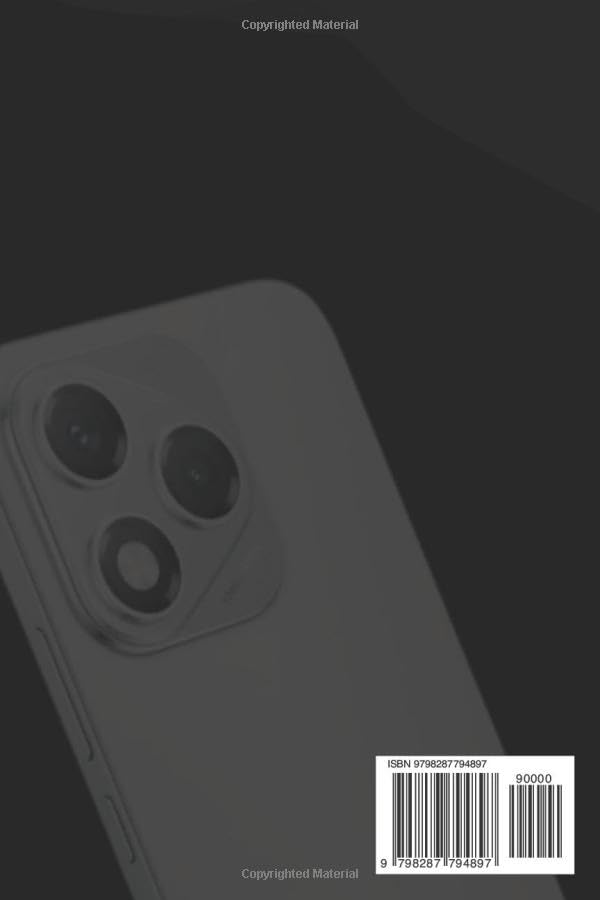
Image 2: Back cover of the HONOR 400 Pro 5G User Guide. This image shows the rear of the manual, featuring the back of the HONOR 400 Pro 5G smartphone with its camera module. An ISBN barcode (979-8287794897) is also visible, indicating the book's unique identifier.
Setup and Activation
Getting your HONOR 400 Pro 5G ready for use is a straightforward process. Follow these steps for initial setup and activation:
- Power On: Press and hold the power button located on the side of your device until the HONOR logo appears.
- Language Selection: Choose your preferred language from the list.
- Region Selection: Select your country or region.
- Connect to Wi-Fi: Select your Wi-Fi network and enter the password. A stable internet connection is required for initial setup.
- Google Account Setup: Sign in with your existing Google account or create a new one. This is essential for accessing the Google Play Store and other Google services.
- Data Transfer (Optional): If you are upgrading from an old device, follow the on-screen prompts to transfer your data.
- Security Setup: Set up your preferred screen lock method (PIN, pattern, password, fingerprint, or face unlock).
- Personalization: Customize your device settings, such as wallpaper, theme, and notification preferences.
- Complete Setup: Once all steps are completed, your HONOR 400 Pro 5G is ready for use.
Operating Your Device: MagicOS 9.0 Features
The HONOR 400 Pro 5G runs on MagicOS 9.0, offering a range of advanced features and intuitive controls. Here are some key functionalities:
- Deep Dive into MagicOS 9.0: Explore powerful AI features such as Magic Portal for intelligent content recognition and sharing, YOYO Agent for personalized assistance, and Magic Capsule for dynamic notifications. Enjoy seamless multitasking with cross-device sharing capabilities.
- Master the 200MP AI Camera: Capture stunning photos and videos with the advanced camera system. Learn to utilize AI enhancements for optimal scene recognition, professional modes for manual control, zoom tips for distant subjects, and built-in editing tools to refine your shots.
- Hidden Features & Shortcuts: Discover productivity hacks like knuckle gestures for screenshots or split-screen mode, and efficient split-screen multitasking for running two apps simultaneously.
- Privacy & Security Made Easy: Enhance your device's security by setting up fingerprint and face unlock. Manage app permissions to control data access and enable elder-friendly security features for simplified and secure usage.
- Bonus Tips for Performance: Implement battery-saving hacks to extend usage time, optimize performance for smoother operation, and follow safe update practices to keep your phone running efficiently and securely.
Maintenance and Care
Proper maintenance ensures the longevity and optimal performance of your HONOR 400 Pro 5G. Follow these guidelines:
- Cleaning: Use a soft, lint-free cloth to clean the screen and body. Avoid abrasive materials or harsh chemicals.
- Battery Care: Avoid extreme temperatures. Do not let the battery drain completely regularly, and avoid overcharging. Use the original charger for best results.
- Software Updates: Regularly check for and install system updates to ensure you have the latest features, security patches, and performance improvements.
- Storage Management: Periodically clear unnecessary files, cache, and uninstall unused apps to free up storage space and maintain device speed.
- Physical Protection: Consider using a protective case and screen protector to guard against drops, scratches, and impacts.
Troubleshooting Common Issues
This section addresses common problems you might encounter with your HONOR 400 Pro 5G and provides solutions:
| Problem | Possible Cause | Solution |
|---|---|---|
| Battery Drains Quickly | High screen brightness, background apps, poor signal, old battery. | Reduce screen brightness, close unused apps, enable power-saving mode, check battery health in settings. |
| Connectivity Glitches (Wi-Fi/Bluetooth) | Router issues, interference, software bug. | Restart Wi-Fi/Bluetooth, restart phone, forget and reconnect network, reset network settings. |
| Apps Crashing/Freezing | Outdated app, insufficient RAM, corrupted data. | Clear app cache/data, update app, restart phone, uninstall and reinstall app. |
| Phone Not Charging | Faulty cable/adapter, dirty charging port, software issue. | Try different cable/adapter, clean charging port gently, restart phone. |
| Slow Performance | Too many apps, low storage, outdated software. | Close background apps, free up storage, update MagicOS, perform a factory reset (as a last resort). |
Specifications
Key specifications for the HONOR 400 Pro 5G User Guide (the book):
- ASIN: B0FD2NQGDD
- Publisher: Independently published
- Publication Date: June 12, 2025
- Language: English
- Print Length: 167 pages
- ISBN-13: 979-8287794897
- Item Weight: 8.1 ounces
- Dimensions: 6 x 0.38 x 9 inches
Note: These specifications pertain to the physical user guide book, not the HONOR 400 Pro 5G smartphone itself.
Warranty and Support Information
Information regarding product warranty and direct support for the HONOR 400 Pro 5G smartphone is typically provided by the device manufacturer, HONOR, or your point of purchase. This user guide, being a third-party publication, does not include specific warranty details or direct support contacts for the device.
For official warranty claims, technical support, or service inquiries related to your HONOR 400 Pro 5G, please refer to the documentation included with your smartphone or visit the official HONOR support website.


