
Introduction
This manual provides detailed instructions for the setup, operation, and maintenance of your Donerton GPS Smart Watch P131. Please read this manual thoroughly before using the device to ensure proper function and to maximize your user experience.

Image: The Donerton GPS Smart Watch P131, showcasing its main display with time, date, battery, and activity tracking, alongside a smaller view of its fitness tracking interface.
What's in the Box
Upon opening your Donerton GPS Smart Watch P131 package, you should find the following items:
- Donerton GPS Smart Watch (P131)
- Watch Band
- Charging Cable
- User Manual
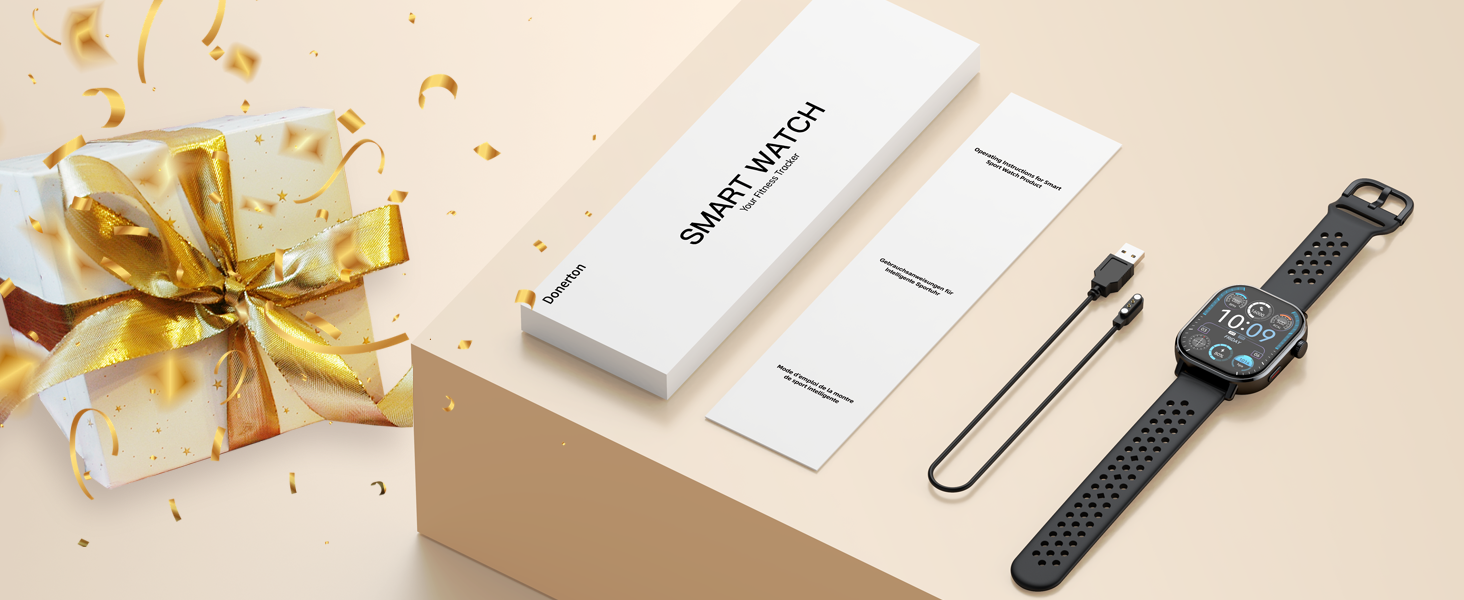
Image: The Donerton Smart Watch P131 packaging, displaying the watch, charging cable, and user manual, with a gift box in the background.
Setup Instructions
1. App Installation and Device Pairing
To utilize all features of your Donerton GPS Smart Watch P131, you must first download and install the companion application, GloryFit, on your smartphone.
- Enable Bluetooth: Turn on the Bluetooth function on your smartphone.
- Download GloryFit App: Open the Google Play Store (for Android) or Apple App Store (for iOS) on your phone. Search for "GloryFit" and download the application.
- Open App and Connect: Launch the GloryFit app. Follow the on-screen prompts to add a new device. Select "P131" from the list of available devices to pair. Confirm the pairing request on both your phone and the watch.
2. Enabling Answer/Call Function
After initial pairing, follow these steps to enable the Bluetooth call feature:
- Confirm Pairing: After selecting "P131" in the GloryFit app, accept the pairing request on your mobile phone's system pop-up.
- Activate Call Bluetooth: On your smart watch, navigate to the settings and turn on the call Bluetooth switch. This allows the watch to make calls and play media audio.
- Grant Permissions: In your phone's Bluetooth settings, locate the paired "P131" device and ensure all necessary permissions are granted for calls and audio.
- Ready for Calls: Once connected, you can use your watch to answer or make calls.
Note: If you do not intend to use the call function, you can turn off the answer/call function to conserve battery life.
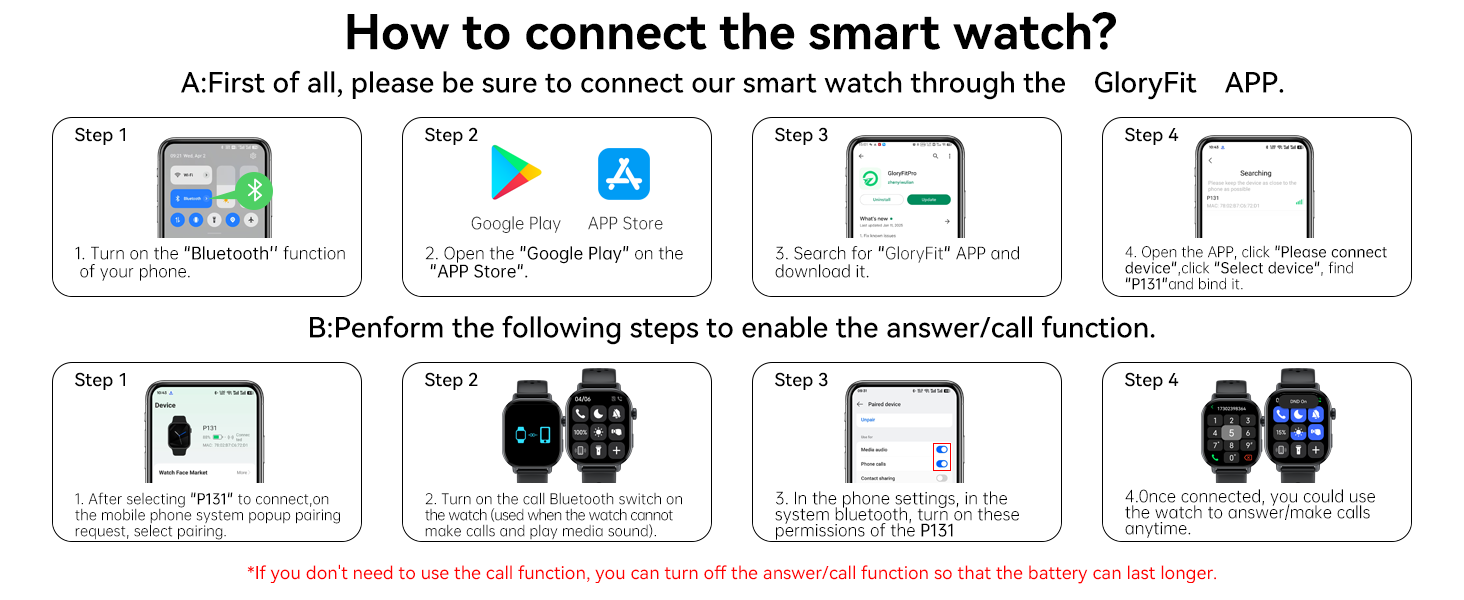
Image: A visual guide demonstrating the steps to connect the Donerton Smart Watch P131 via the GloryFit app and enable its call function.
Operating Instructions
Basic Navigation
- Touchscreen: Swipe left, right, up, or down to navigate through menus and features. Tap to select.
- Encoder/Button: Rotate the crown to scroll through lists or adjust settings. Press the crown to return to the main menu or confirm selections.
- Side Button: Press the side button to quickly switch modes or return to the main menu.

Image: An illustration highlighting the Encoder/Button and Side Button on the Donerton Smart Watch P131, along with their primary functions.
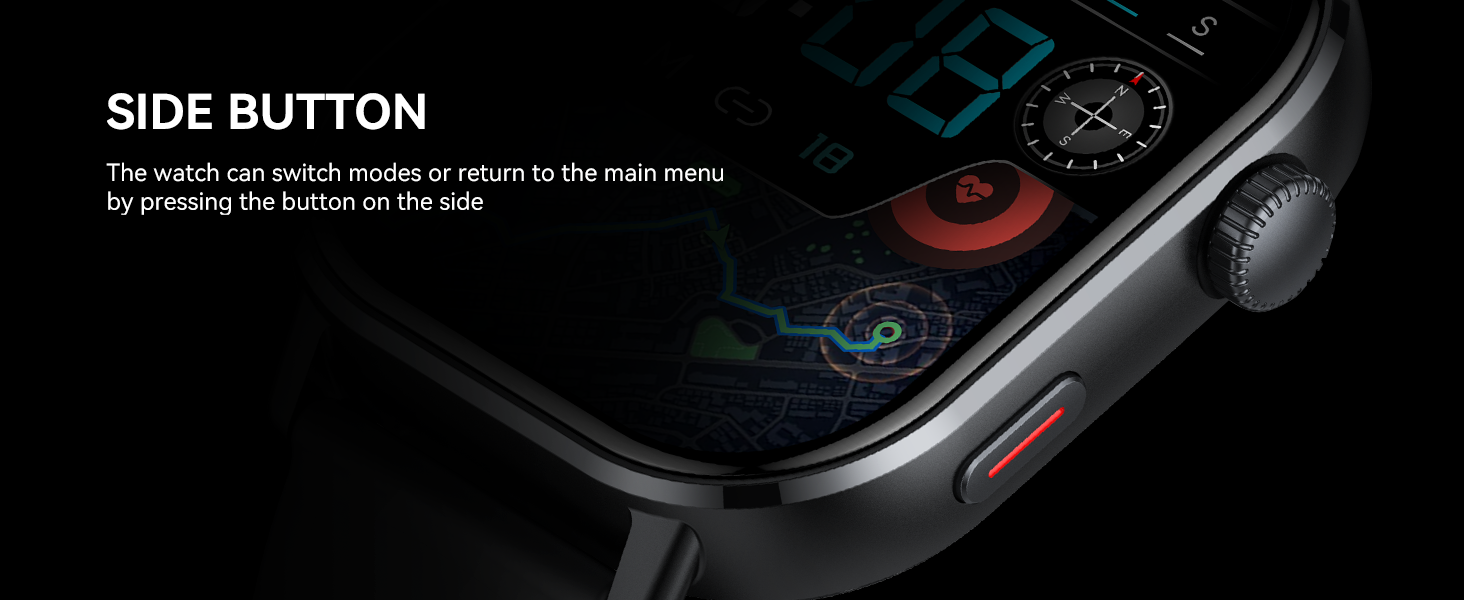
Image: A close-up view of the Donerton Smart Watch P131's side button, explaining its function to switch modes or return to the main menu.
Display and Watch Faces
- 2.06'' AMOLED HD Screen: The watch features a 410*502 pixel AMOLED touchscreen for clear visuals.
- Always-On Display: The "Always-On Display" mode ensures the time is visible at all times.
- Customizable Dials: Personalize your watch with over 200 watch faces available through the app, or upload your own image.

Image: A visual representation of the Donerton Smart Watch P131's 2.06-inch AMOLED screen, highlighting its color accuracy and wide viewing angle against a mountain backdrop.

Image: The Donerton Smart Watch P131 displaying its 2.06-inch AMOLED Ultra Touch Screen, emphasizing its vibrant display and brightness.
Health Monitoring
The Donerton GPS Smart Watch P131 offers comprehensive health tracking features:
- Heart Rate Monitoring: Tracks your heart rate continuously throughout the day.
- SpO2 Monitoring: Measures your blood oxygen saturation levels.
- Stress Level Monitoring: Provides insights into your stress levels.
- Sleep Tracking: Monitors your sleep patterns, including deep sleep, light sleep, and REM stages.
- Menstrual Cycle Tracking: For women, track your period and predict ovulation.

Image: The Donerton Smart Watch P131 displaying sleep tracking data, with a person sleeping in the background, illustrating 24/7 health monitoring.

Image: A person checking their heart rate on the Donerton Smart Watch P131, showing the watch's interface for current heart rate, resting heart rate, and blood oxygen levels.
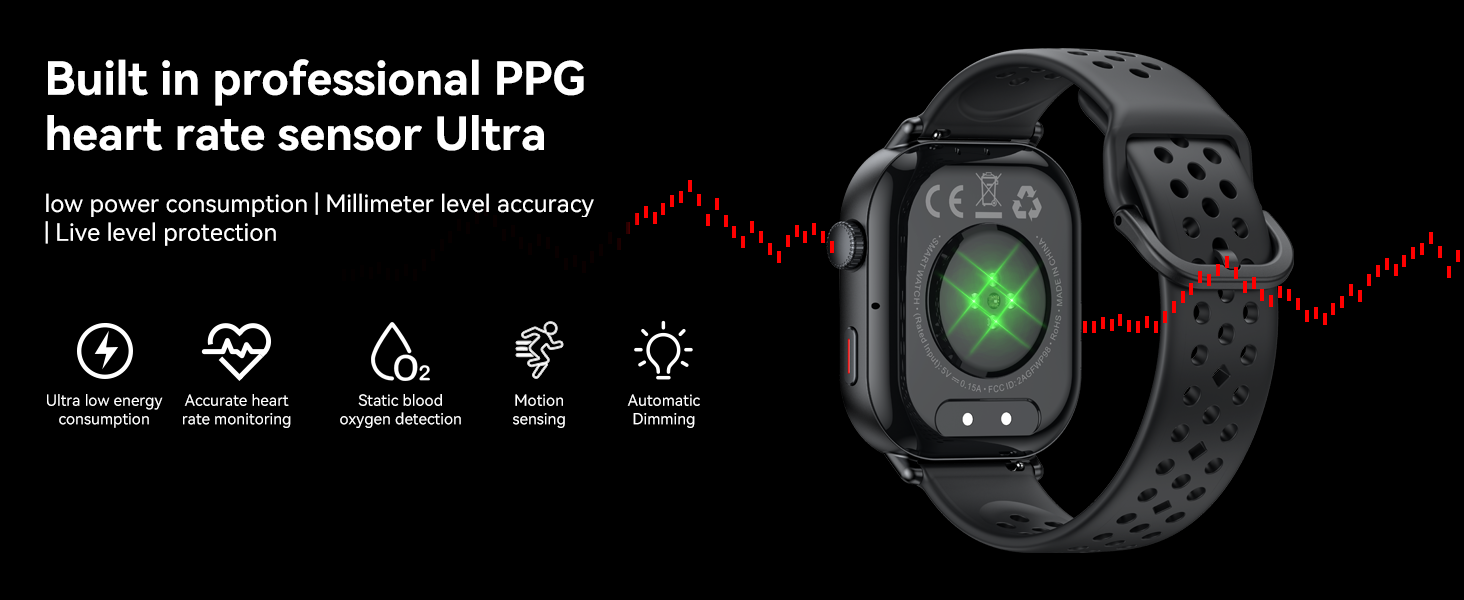
Image: A close-up of the Donerton Smart Watch P131's rear, highlighting the built-in professional PPG heart rate sensor and its features like ultra-low energy consumption and accurate monitoring.
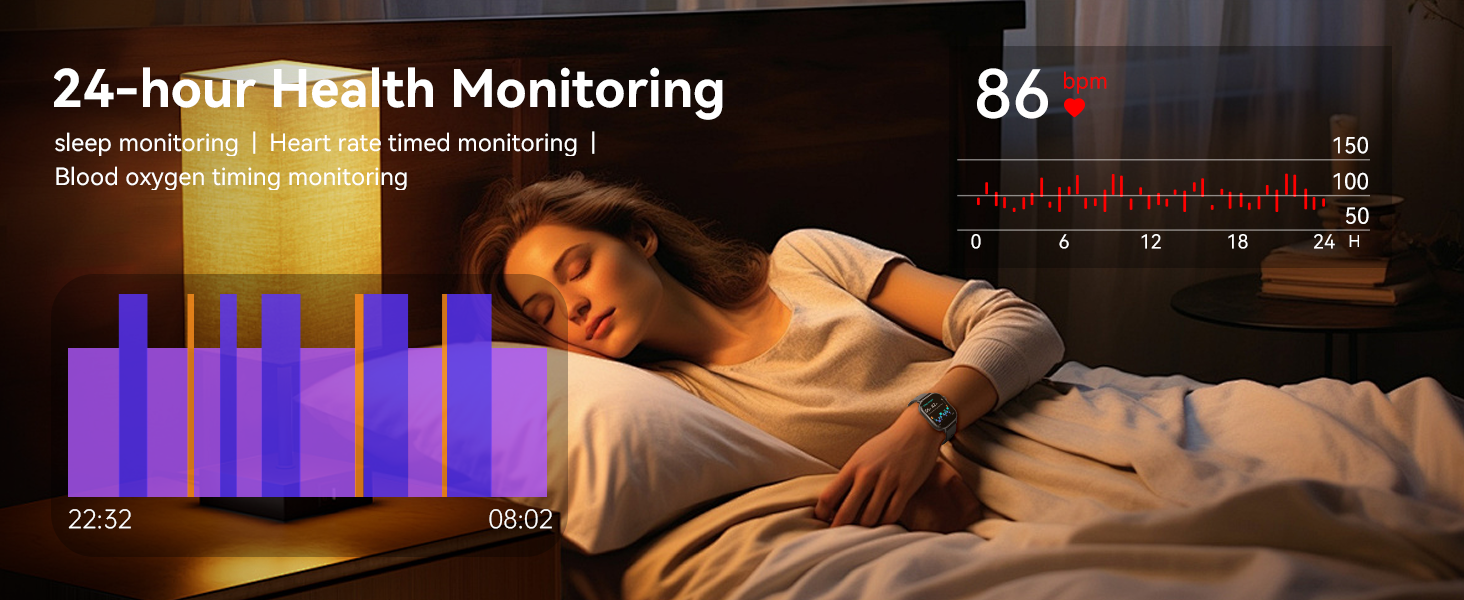
Image: A person sleeping with the Donerton Smart Watch P131, illustrating the watch's 24-hour health monitoring capabilities, including sleep and heart rate tracking.
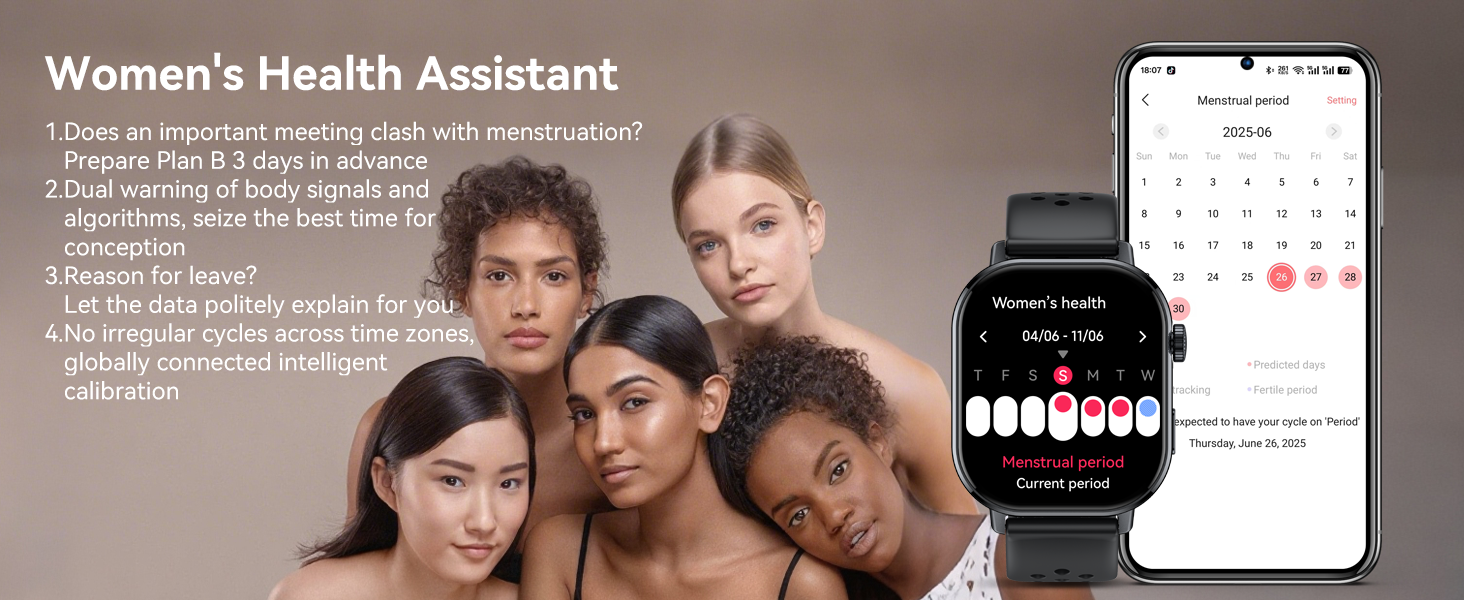
Image: The Donerton Smart Watch P131 displaying the Women's Health Assistant feature, showing menstrual cycle tracking and prediction, with a group of women in the background.
Sports Modes and GPS
The Donerton GPS Smart Watch P131 is equipped with advanced features for outdoor activities and fitness tracking:
- Built-in GPS: Supports GPS, GLONASS, Beidou, Galileo, NAVIC, and QZSS for accurate route tracking during outdoor activities.
- 178+ Sports Modes: Choose from a wide variety of sports, including Running, Hiking, Fitness, Yoga, and more.
- Outdoor Activity Data: Records real-time data such as steps, calories burned, and distance.
- Integrated Sensors: Includes a compass, altimeter, and air pressure sensor for comprehensive outdoor data.
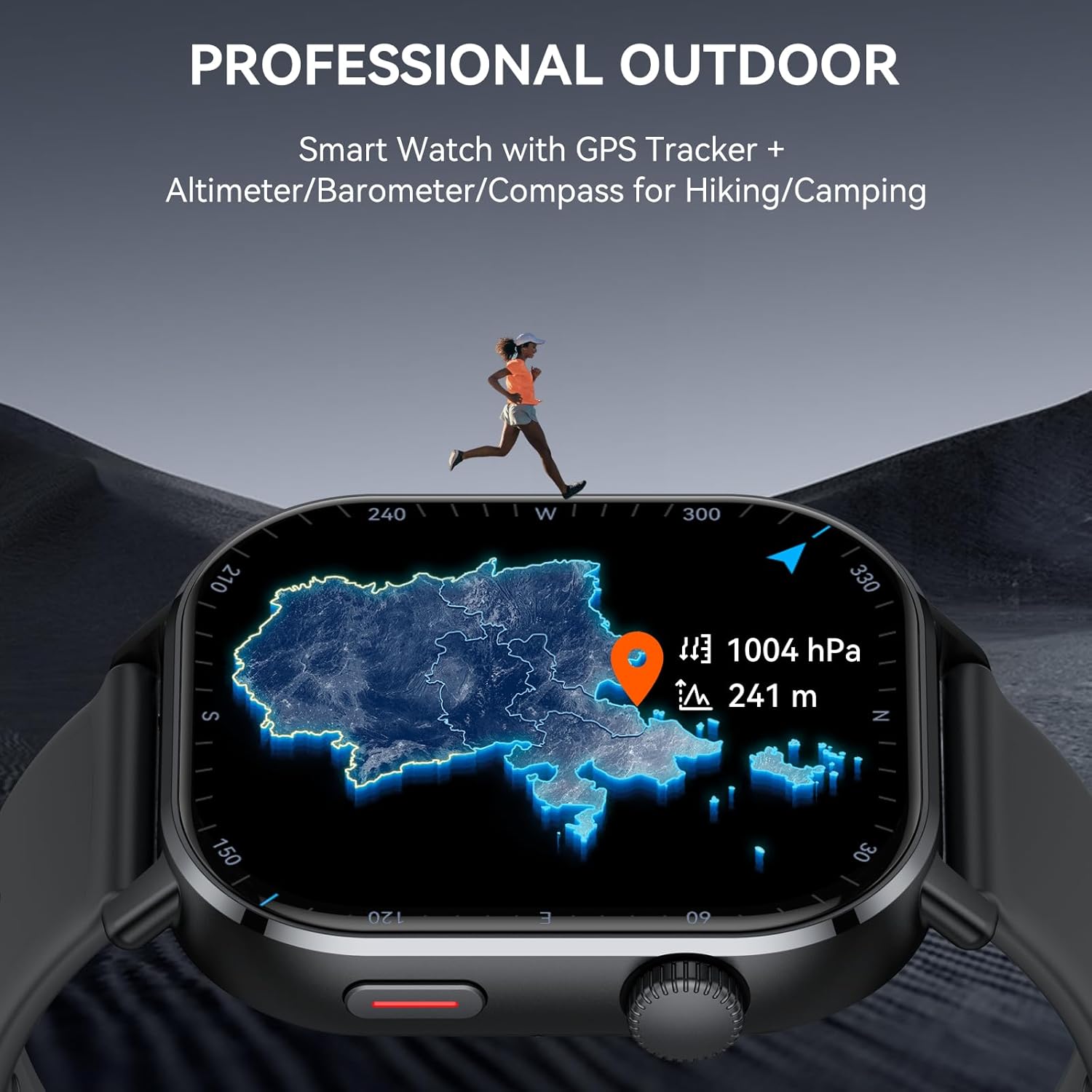
Image: The Donerton Smart Watch P131 displaying a map and atmospheric data, emphasizing its professional outdoor features like GPS, altimeter, barometer, and compass, with a runner in a mountainous landscape.

Image: The Donerton Smart Watch P131 showing a list of suggested workouts and an outdoor run interface, illustrating its support for over 178 sports modes.
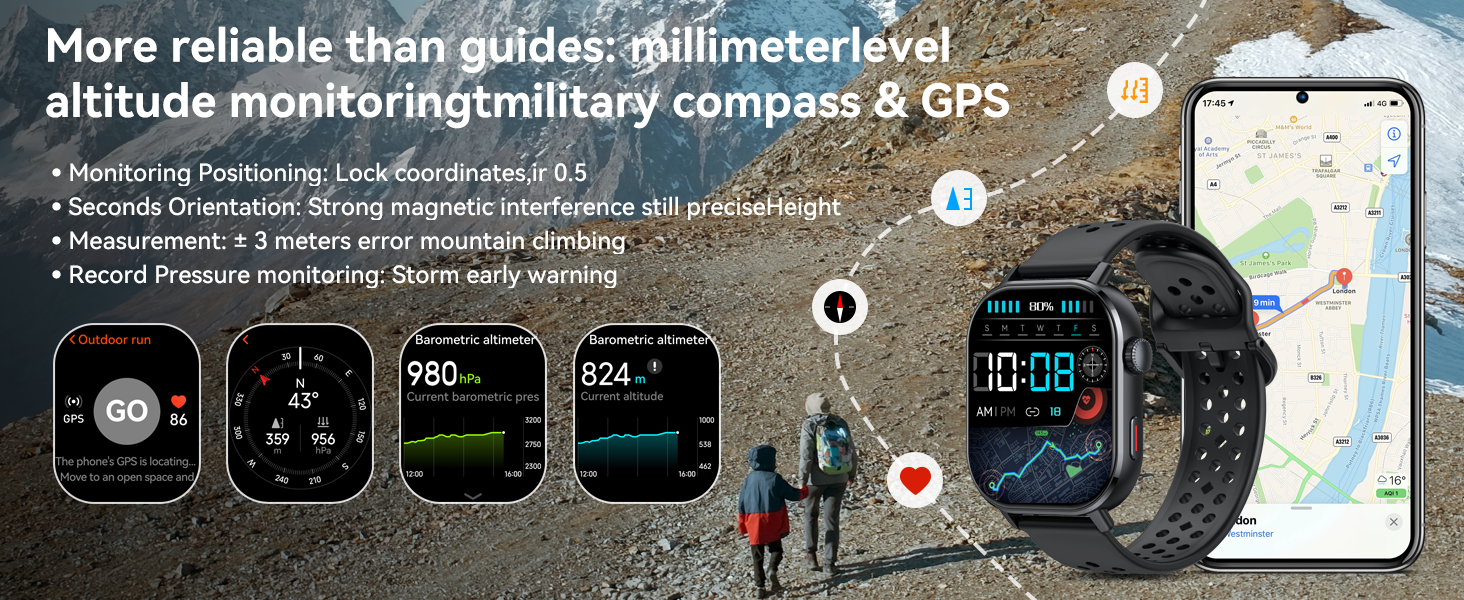
Image: The Donerton Smart Watch P131 displaying various outdoor metrics like barometric altimeter, current altitude, and compass, with hikers in a mountain setting.

Image: The Donerton Smart Watch P131 showing GPS route tracking and activity data, with a cyclist on a road, emphasizing precise control over routes and achievements.
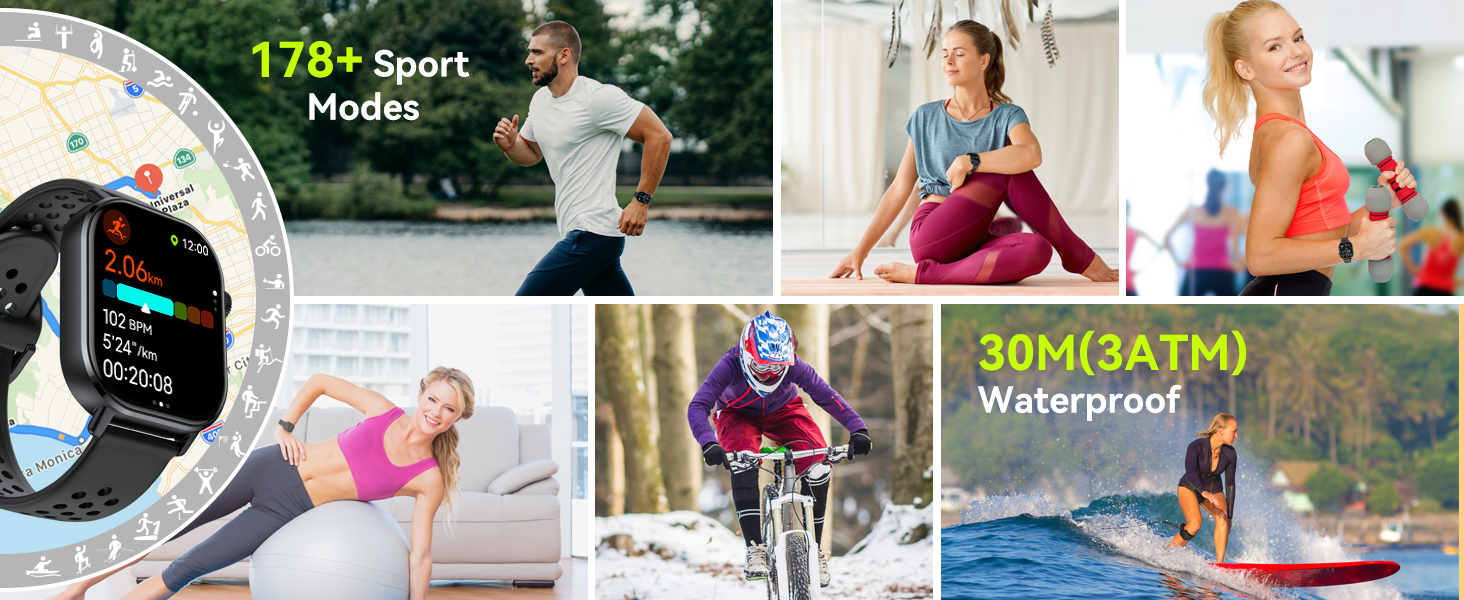
Image: A collage showcasing various sports activities like running, yoga, cycling, and surfing, highlighting the Donerton Smart Watch P131's 178+ sport modes and 3ATM waterproof rating.
Bluetooth Calling and Notifications
Stay connected with the advanced Bluetooth 5.4 features:
- Bluetooth 5.4 Call: Make and receive calls directly from your wrist.
- Information Reminders: Receive notifications from various social media apps (WhatsApp, Facebook, Message, Instagram, Twitter, WeChat, etc.).
- Voice Assistant: Use voice commands to set alarms, check weather, and control music.
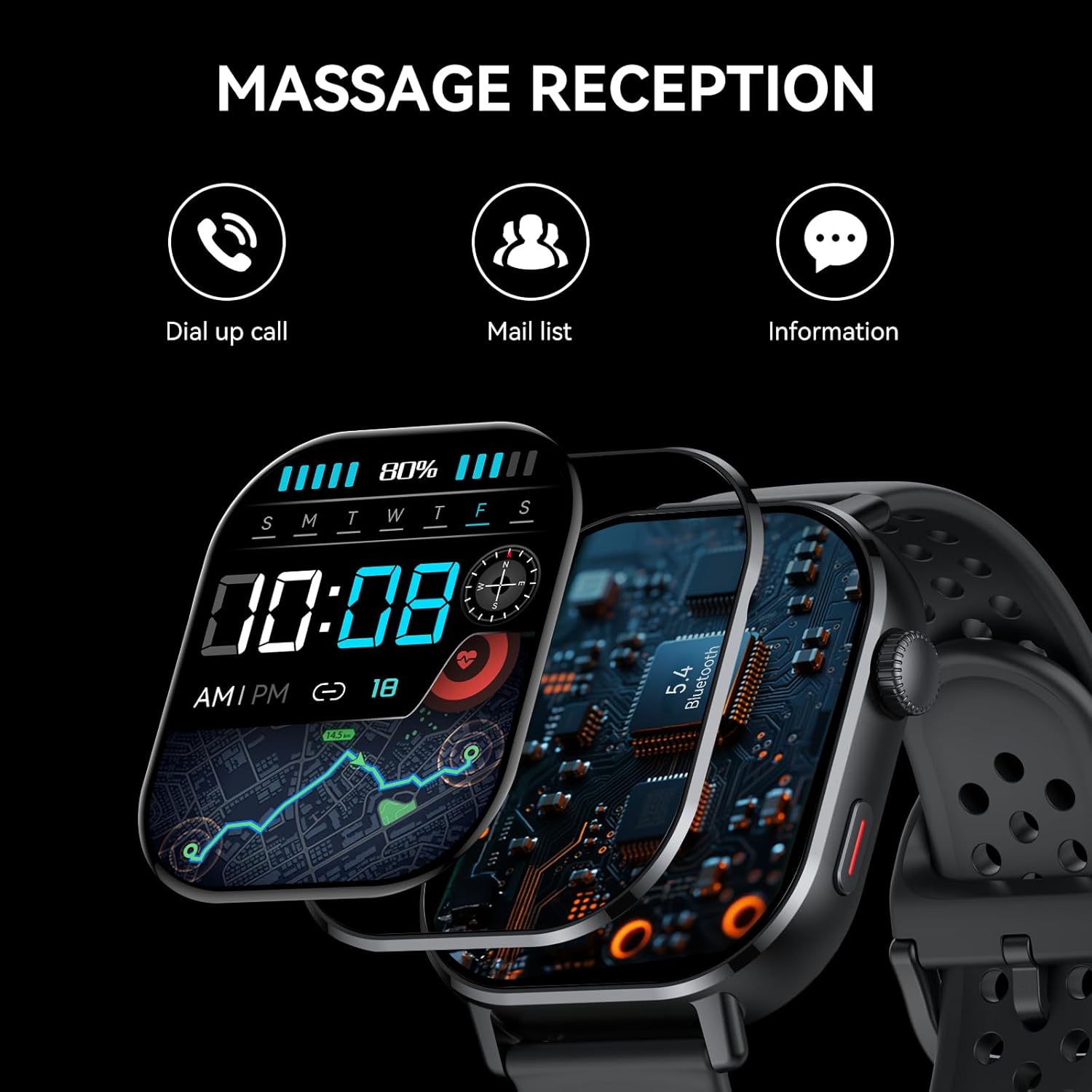
Image: The Donerton Smart Watch P131 displaying message reception, with icons for dial-up calls, mail list, and general information, illustrating its communication features.

Image: A person in a swimming pool wearing the Donerton Smart Watch P131, which displays an incoming call, highlighting its 5.4 Bluetooth call and smart notification features, along with its 5 ATM waterproof rating.
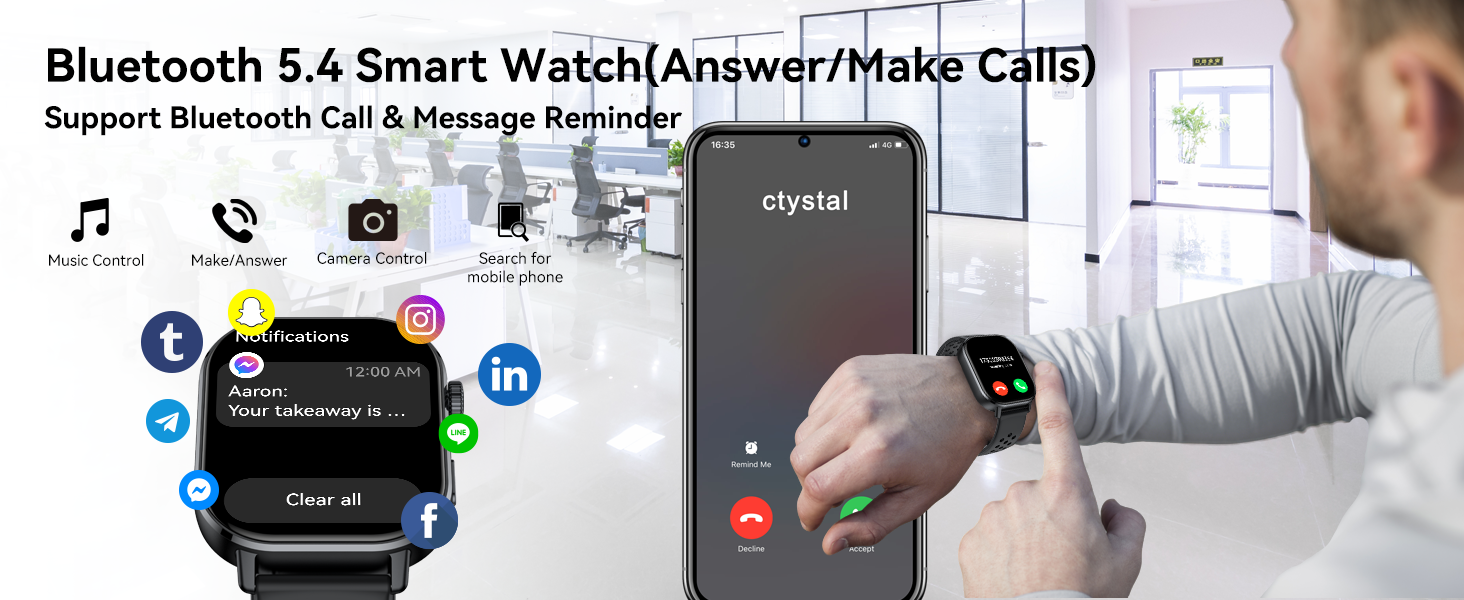
Image: The Donerton Smart Watch P131 showing an incoming call and various app notifications, demonstrating its Bluetooth 5.4 call and message reminder capabilities.
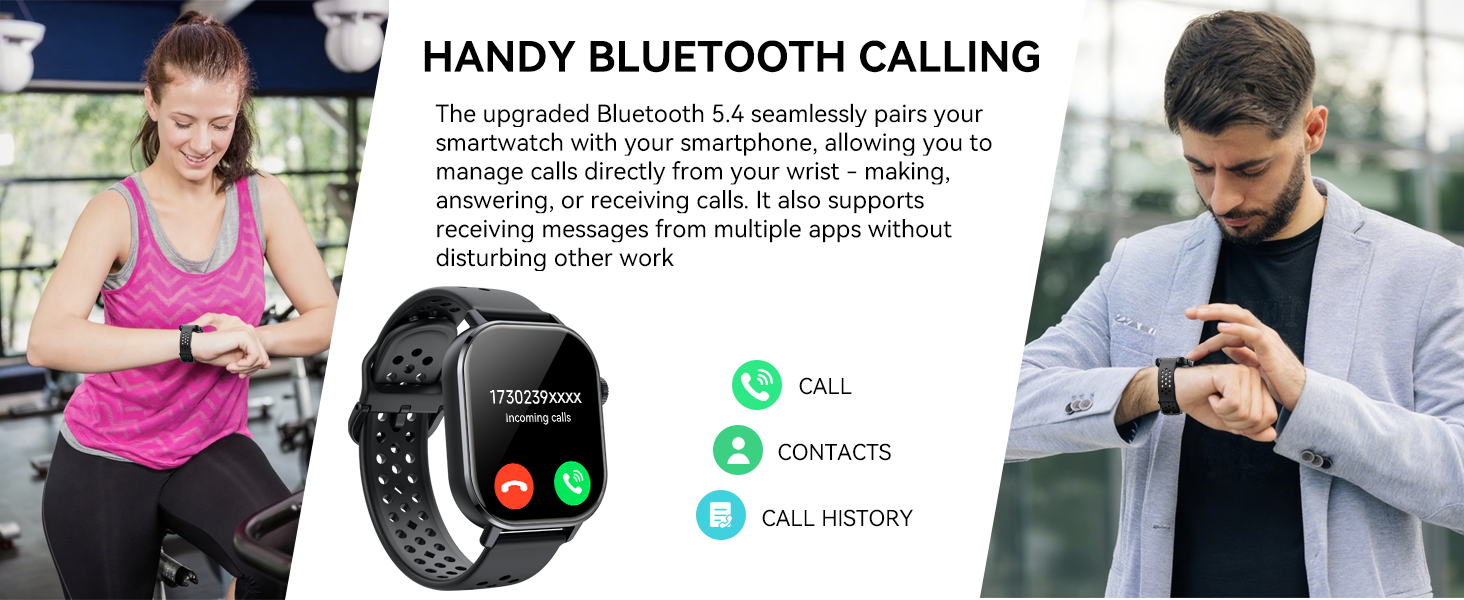
Image: Two individuals using the Donerton Smart Watch P131 for calls, illustrating the convenience of its Bluetooth calling feature for managing calls directly from the wrist.
Multifunctional Features
The Donerton GPS Smart Watch P131 includes a variety of practical functions to enhance your daily life:
- Alarm Clock
- Weather Forecast
- Stopwatch
- Sleep Mode Clock
- Timer
- Flashlight
- Calculator
- Calendar
- Music Control
- Remote Camera Control
- Breathing Training
- Sedentary Reminder
- Find Watch/Find Phone
- Screen Brightness Adjustment

Image: A grid displaying various multifunctional features of the Donerton Smart Watch P131, including breathing exercise, alarm clock, find phone, sedentary reminder, music control, remote photography, weather display, and women's health tracking.

Image: A collage illustrating additional practical functions of the Donerton Smart Watch P131, such as music control, long battery life, camera control, sedentary reminder, calculator, find phone, weather, alarm, stopwatch, calendar, flashlight, and breathing training.

Image: The Donerton Smart Watch P131 displaying a screen full of app icons, representing its function as a universal command center on the wrist for various tasks and notifications.

Image: A person working at a desk, with the Donerton Smart Watch P131 displaying icons for sedentary reminder and calendar, illustrating its health and matter reminder functions.
Battery Life and Charging
The Donerton GPS Smart Watch P131 is equipped with a 350mAh battery:
- Charging Time: Approximately 2.5 hours for a full charge.
- Daily Use: Up to 7 days of typical use.
- Standby Time: Approximately 25 days.
Note: Continuous use of GPS will consume more power and reduce battery life.
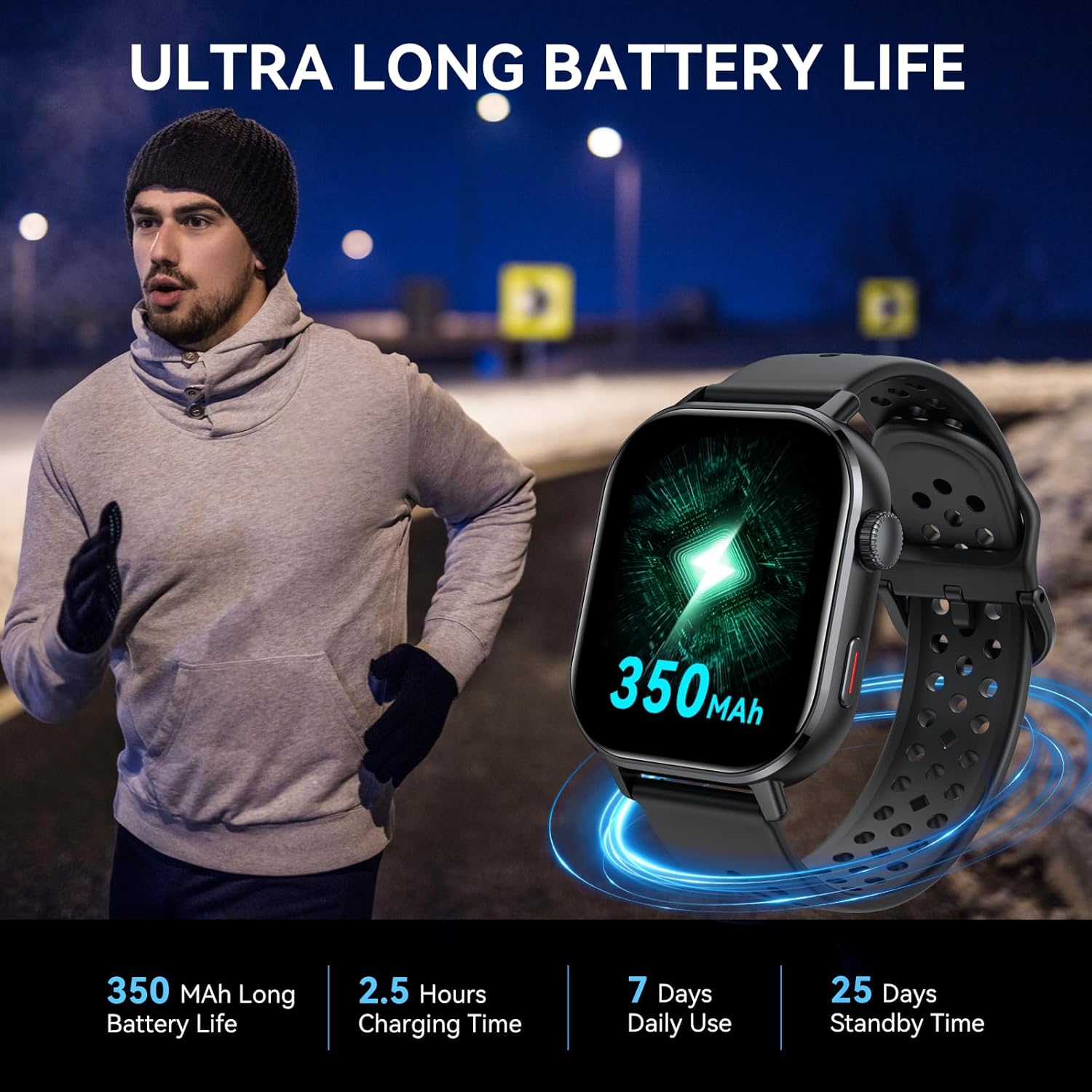
Image: The Donerton Smart Watch P131 displaying its 350mAh battery capacity, with a person running in the background, highlighting its ultra-long battery life.
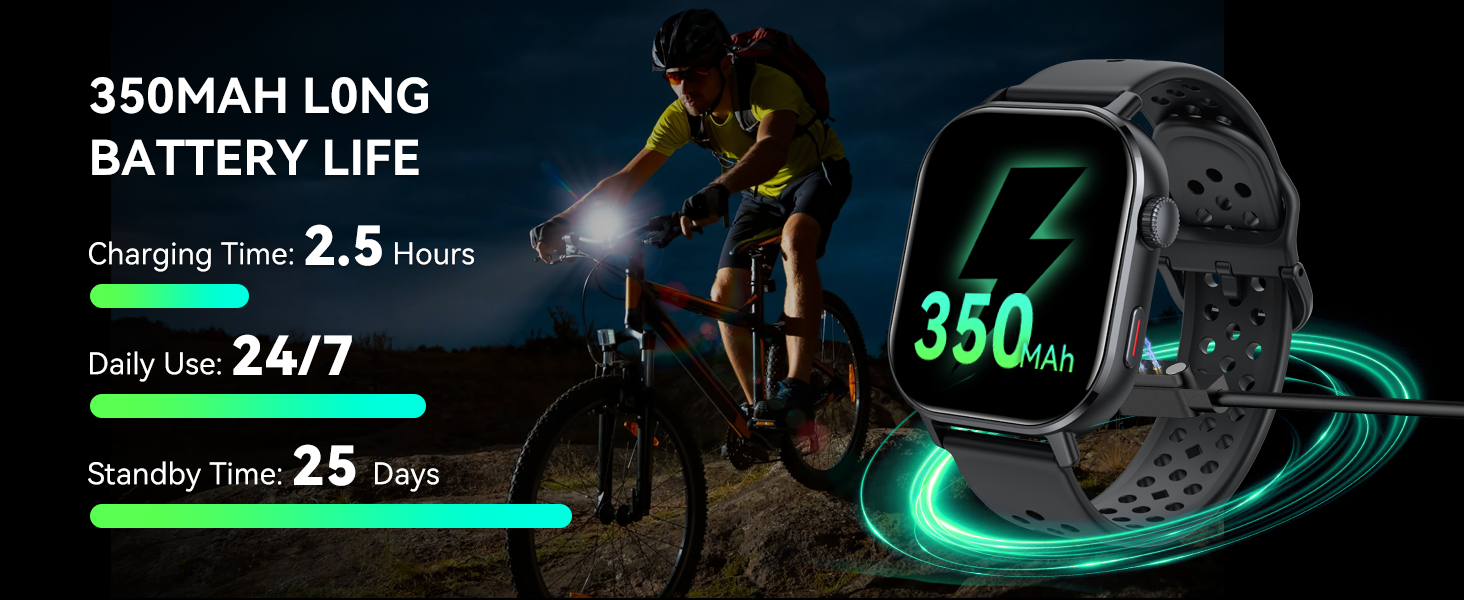
Image: The Donerton Smart Watch P131 being charged, with a cyclist in the background, illustrating its 350mAh long battery life, charging time, daily use, and standby time.
Waterproof Information
The Donerton GPS Smart Watch P131 is 3ATM waterproof. This means it is resistant to:
- Rainy days
- Washing hands
- Swimming (shallow water)
- Sweat
Caution: Do not use the watch in hot water, saunas, or during diving activities. Avoid prolonged exposure to water pressure.
Maintenance
To ensure the longevity and optimal performance of your Donerton GPS Smart Watch P131, follow these maintenance guidelines:
- Cleaning: Regularly wipe the watch screen and strap with a soft, dry cloth. If necessary, use a slightly damp cloth for the strap, then dry thoroughly.
- Avoid Chemicals: Do not use harsh chemicals, cleaning solvents, or strong detergents, as these can damage the watch's finish and internal components.
- Charging: Use only the provided charging cable. Ensure the charging contacts on the watch and cable are clean and dry before charging.
- Storage: Store the watch in a cool, dry place when not in use. Avoid extreme temperatures.
- Strap Care: If the strap becomes wet, dry it completely to prevent skin irritation and prolong its life.
Troubleshooting
If you encounter issues with your Donerton GPS Smart Watch P131, refer to the following common solutions:
| Problem | Possible Solution |
|---|---|
| Watch does not turn on | Ensure the watch is fully charged. Connect it to the charging cable and a power source for at least 30 minutes. |
| Cannot pair with phone | 1. Ensure Bluetooth is enabled on your phone and the watch. 2. Make sure the GloryFit app is installed and running. 3. Restart both your phone and the watch. 4. Forget the device in your phone's Bluetooth settings and try pairing again. |
| Call function not working | 1. Verify that the call Bluetooth is enabled on the watch (refer to Setup Instructions). 2. Check phone's Bluetooth settings to ensure call audio permissions are granted for the watch. 3. Ensure the watch is within Bluetooth range of your phone. |
| Inaccurate health data | 1. Ensure the watch is worn snugly on your wrist, not too tight or too loose. 2. Clean the sensor on the back of the watch. 3. Avoid excessive movement during measurements. |
| GPS not tracking accurately | 1. Ensure you are in an open outdoor area with a clear view of the sky. 2. Allow the watch sufficient time to acquire a GPS signal. 3. Check for any obstructions that might interfere with the signal. |
| Notifications not received | 1. Ensure the watch is connected to your phone via Bluetooth. 2. Check notification settings in the GloryFit app to ensure desired apps are enabled. 3. Verify that your phone's notification permissions are granted to the GloryFit app. |
Specifications
- Model Number: P131
- Screen Size: 2.06 Inches AMOLED
- Operating System: Android Wear 2.9 (compatible with Android/iOS)
- Connectivity: Bluetooth 5.4
- GPS: Built-in GPS (supports GLONASS, Beidou, Galileo, NAVIC, QZSS)
- Waterproof Rating: 3ATM
- Battery: 350mAh Lithium Polymer (included)
- Item Weight: 5.6 ounces
- Package Dimensions: 6.61 x 3.31 x 1.14 inches
- Manufacturer: Donerton
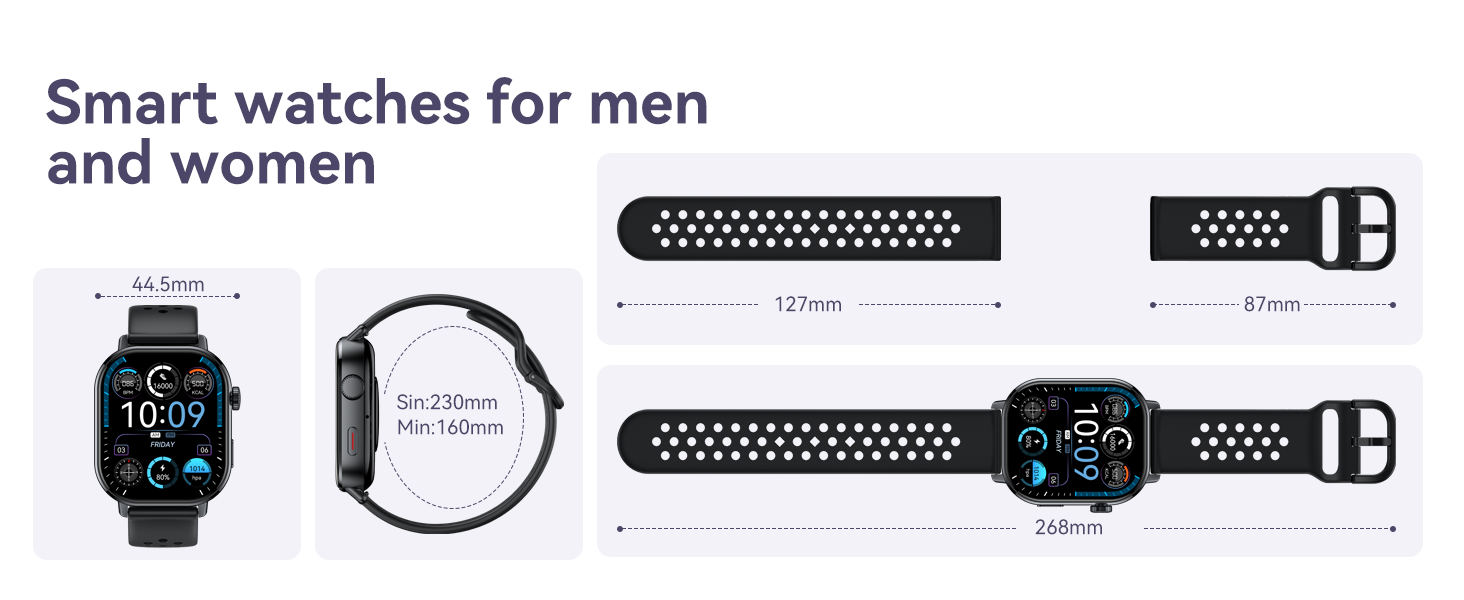
Image: A diagram illustrating the dimensions of the Donerton Smart Watch P131 and its watch band, showing measurements in millimeters.
Warranty and Support
For warranty information and customer support, please refer to the documentation included with your product or visit the official Donerton website. Keep your purchase receipt as proof of purchase for any warranty claims.


