
1. Introduction
Thank you for purchasing the Wancle Conical Burr Coffee Grinder. This appliance is designed to provide consistent and precise coffee grounds for various brewing methods. Please read this manual thoroughly before operating the grinder to ensure safe and optimal performance. Keep this manual for future reference.
2. Important Safety Instructions
- Read all instructions before use.
- Do not immerse the motor base in water or other liquids.
- Unplug from outlet when not in use, before assembling or disassembling parts, and before cleaning.
- Avoid contact with moving parts.
- Do not operate any appliance with a damaged cord or plug, or after the appliance malfunctions or has been damaged in any manner.
- The use of attachments not recommended or sold by the manufacturer may cause fire, electric shock, or injury.
- Do not use outdoors.
- Do not let cord hang over edge of table or counter, or touch hot surfaces.
- Do not place on or near a hot gas or electric burner, or in a heated oven.
- Always attach plug to appliance first, then plug cord into the wall outlet. To disconnect, turn any control to 'off', then remove plug from wall outlet.
- This appliance is for household use only.
3. Product Components
Familiarize yourself with the parts of your Wancle Conical Burr Coffee Grinder.
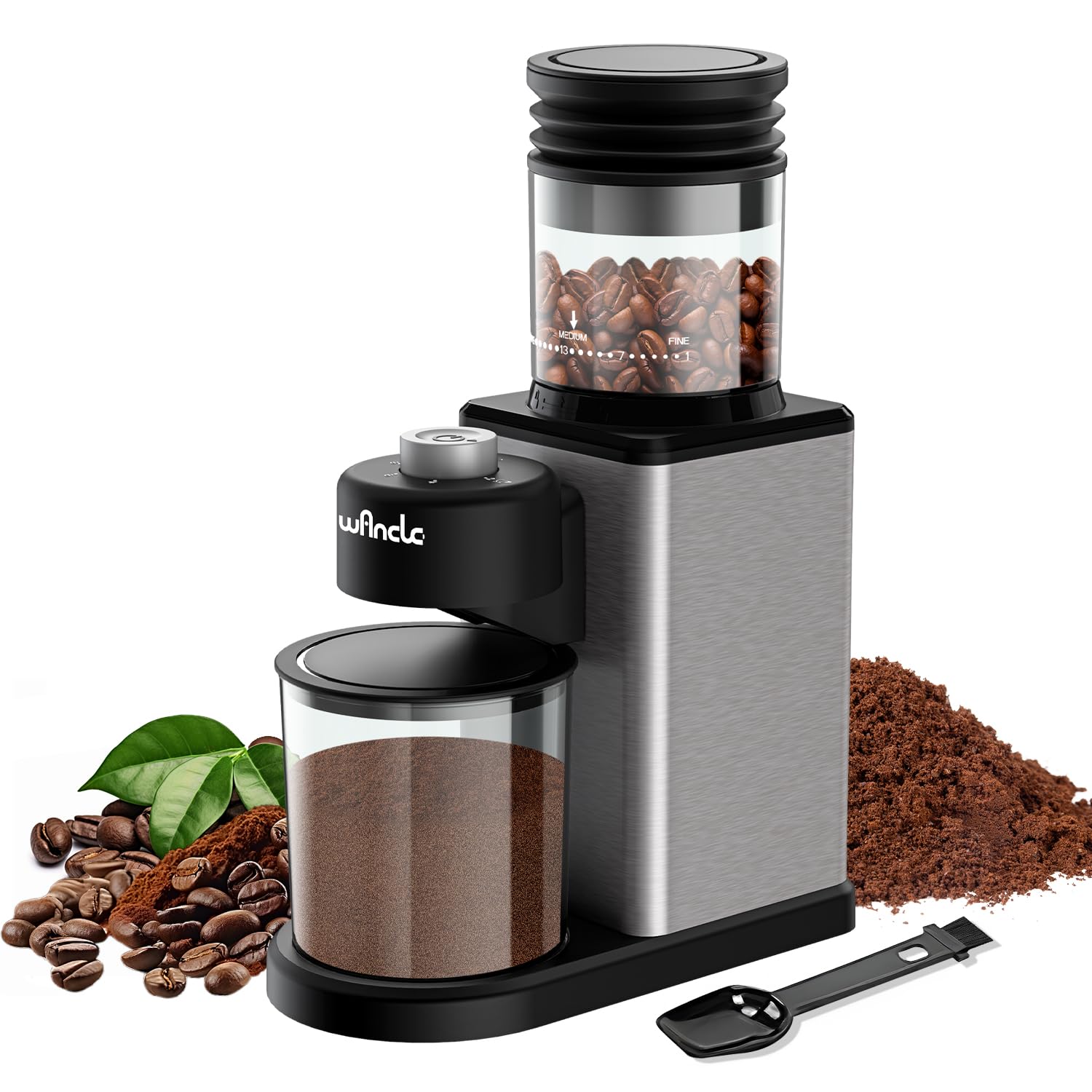
Image: Overview of the Wancle Conical Burr Coffee Grinder, showing the bean hopper, grind setting dial, power button, and grounds container.
- Bean Hopper (top container for whole beans)
- Grind Setting Dial (for adjusting fineness)
- Power Button
- Grinding Chamber (internal burrs)
- Grounds Container (bottom container for ground coffee)
- Cleaning Brush (included accessory)
4. Setup
- Unpack: Carefully remove all components from the packaging. Retain packaging for storage or future shipping.
- Clean: Before first use, wash the bean hopper lid, bean hopper, and grounds container in warm, soapy water. Rinse thoroughly and dry completely. Wipe the motor base with a damp cloth.
- Assemble: Place the grounds container securely into its position on the grinder base. Attach the bean hopper to the top of the grinder, ensuring it clicks into place.
- Placement: Place the grinder on a stable, flat, and dry surface. Ensure there is adequate space around the unit for ventilation and operation.
5. Operating Instructions
5.1 Adding Coffee Beans
- Ensure the grinder is unplugged.
- Remove the lid from the bean hopper.
- Pour whole roasted coffee beans into the hopper. The hopper has an 80g capacity, expandable to 120g. Do not overfill.
- Replace the bean hopper lid securely.
5.2 Adjusting Grind Settings
The Wancle Conical Burr Coffee Grinder offers 25 precision grind settings to suit various brewing methods. Rotate the grind setting dial to select your desired fineness.
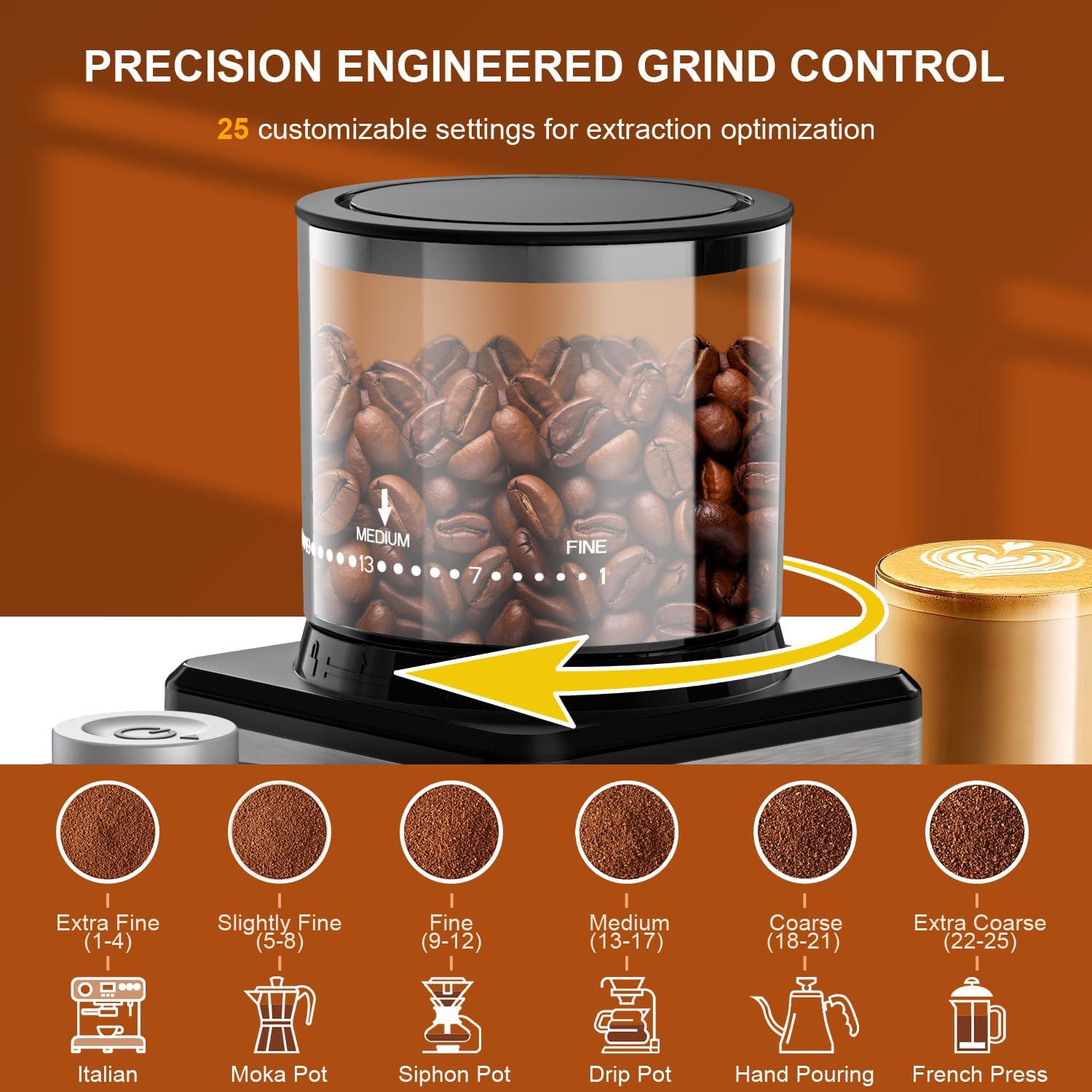
Image: Visual guide to grind settings, illustrating the range from extra fine (1-4 for Italian/Espresso) to extra coarse (22-25 for French Press).
- Extra Fine (1-4): Ideal for Espresso and Turkish coffee.
- Slightly Fine (5-8): Suitable for Moka Pot.
- Fine (9-12): Recommended for Siphon Pot.
- Medium (13-17): Best for Drip Coffee Makers.
- Coarse (18-21): Use for Hand Pouring methods.
- Extra Coarse (22-25): Perfect for French Press.
5.3 Selecting Cup Quantity
The grinder allows you to select the amount of coffee to grind, from 2 to 12 cups. Adjust the cup selector dial to your desired quantity.
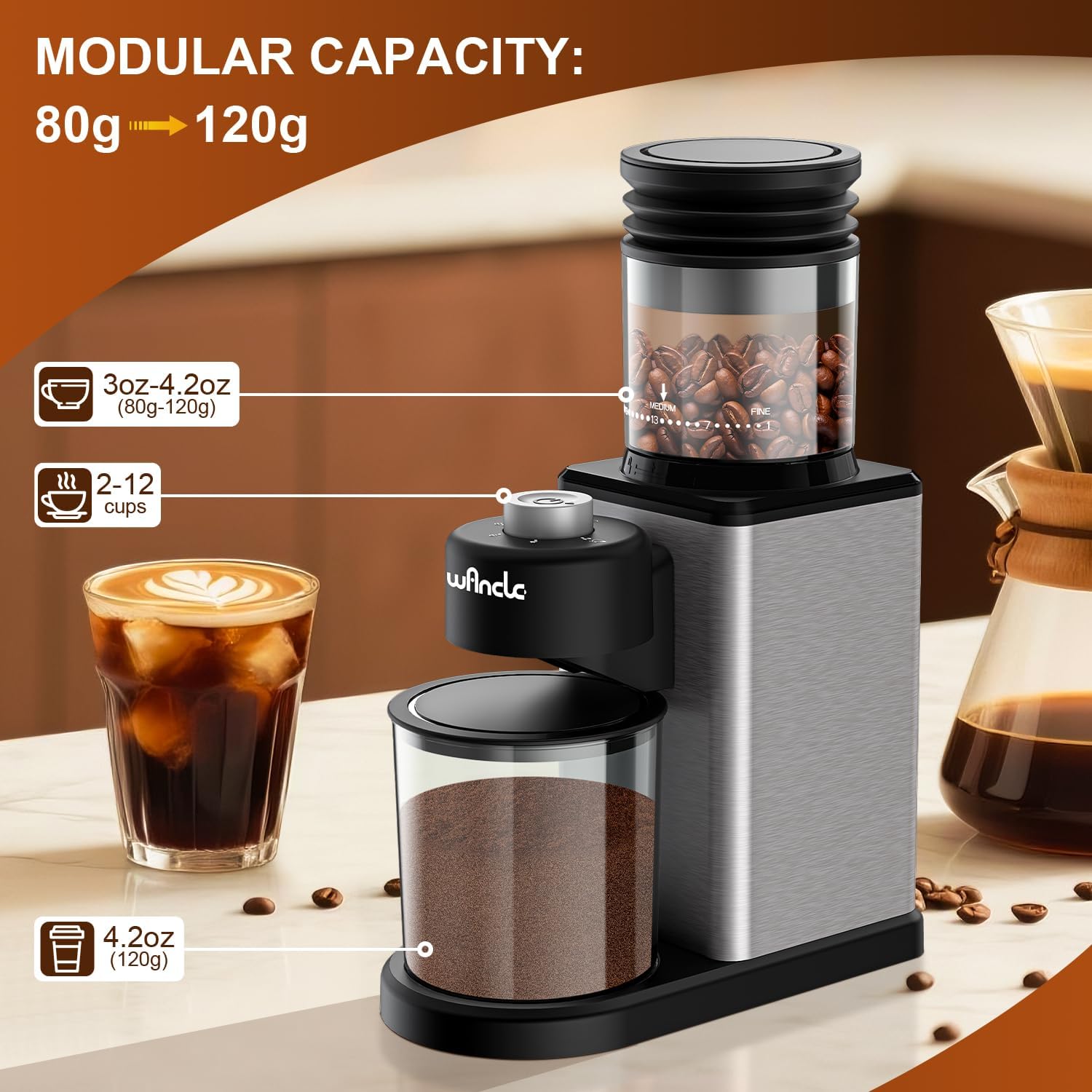
Image: The Wancle coffee grinder displaying its bean hopper capacity (80g-120g) and grounds container capacity (120g), along with the 2-12 cup selection.
5.4 Grinding Process
- Plug the grinder into a 120V power outlet.
- Press the power button to start grinding. The grinder will automatically stop once the selected quantity of coffee has been ground.
- Once grinding is complete, unplug the appliance.
- Carefully remove the grounds container and use the freshly ground coffee.
6. Maintenance and Cleaning
Regular cleaning ensures optimal performance and extends the life of your grinder. Always unplug the grinder before cleaning.

Image: A hand pressing the powder blower on the Wancle coffee grinder, highlighting its easy maintenance and low noise features.
- Disassembly: Remove the bean hopper and grounds container.
- Cleaning Burrs: Use the provided cleaning brush to remove any residual coffee grounds from the conical burrs. The burrs are designed for easy disassembly for thorough cleaning.
- Grounds Outlet: If coffee grounds are observed scattering, promptly clean the plasma emitter inside the grounds outlet with the brush. This helps maintain the anti-static function.
- Containers: Wash the bean hopper, its lid, and the grounds container in warm, soapy water. Rinse and dry completely. These parts are BPA-free.
- Motor Base: Wipe the exterior of the motor base with a clean, damp cloth. Do not immerse the motor base in water.
- Reassembly: Ensure all parts are completely dry before reassembling the grinder.
7. Troubleshooting
- Grinder does not start:
- Ensure the power cord is securely plugged into a working outlet.
- Check that the bean hopper and grounds container are correctly assembled and locked into place. The grinder has safety interlocks.
- Coffee grounds scattering:
- Clean the plasma emitter inside the grounds outlet with the cleaning brush to restore anti-static function.
- Ensure the grounds container is properly seated.
- Inconsistent grind:
- Clean the burrs thoroughly to remove any lodged coffee particles or oils.
- Ensure the grind setting dial is securely set to your desired number.
- Grinder stops during operation:
- The grinder may have overheated. Unplug the unit and allow it to cool down for at least 30 minutes before attempting to use it again.
- Check for any obstructions in the burr chamber.
8. Specifications
| Model Number | CBG-9002 |
| Brand | Wancle |
| Material | Stainless Steel |
| Voltage | 120V |
| Power | 200W |
| Product Dimensions (L x W x H) | 10.8" x 3.7" x 7.5" (27.4cm x 9.4cm x 19.1cm) |
| Item Weight | 3.01 pounds (1.37 kg) |
| Bean Hopper Capacity | 80g (expandable to 120g) |
| Cup Capacity | 2-12 cups |

Image: The Wancle coffee grinder with its height, length, and width dimensions indicated.
9. Warranty and Support
Wancle products are manufactured to high-quality standards. For information regarding warranty coverage, technical support, or service inquiries, please refer to the warranty card included with your product or visit the official Wancle website. Please have your model number (CBG-9002) and purchase date available when contacting support.


