
1. Introduction
Thank you for choosing the MARCALA 2026 V2.0 Travel Carbon Monoxide and Gas Detector. This advanced 4-in-1 device is designed to enhance your safety by continuously monitoring for natural gas, carbon monoxide (CO), temperature, and humidity. Its portable design with dual power options (wall plug-in and battery backup) ensures protection whether you are at home or traveling. Please read this manual thoroughly to understand the proper use, installation, and maintenance of your detector.
2. Product Overview
The MARCALA 2026 V2.0 detector features upgraded sensors for faster and more reliable detection. Its large HD color display provides real-time readings of CO levels, gas presence, temperature, and humidity. In case of danger, the device triggers a flashing light and a loud audible alarm to alert you immediately.

Image: The MARCALA detector illustrating its dual power capabilities: plug-in for continuous power and built-in battery for backup during outages.

Image: The detector's display showing real-time readings for carbon monoxide (CO), gas, humidity, and temperature, highlighting its 4-in-1 monitoring capability.
3. Safety Information
Carbon Monoxide (CO) is an odorless, colorless, and tasteless gas that can be fatal. Natural gas leaks can also be extremely dangerous, leading to explosions or asphyxiation. This detector is designed to provide early warning of these hazards. Always prioritize your safety and evacuate the area immediately if an alarm sounds. Seek professional help to identify and resolve the source of the leak.
4. Setup
Powering the Device:
- Wall Plug-in: The detector comes with a pre-installed plug accessory. Simply plug the device into any standard 110-120V AC outlet. The device will automatically power on and begin monitoring while simultaneously charging its internal battery.
- Battery Power: The detector has a built-in 1000mAh lithium battery, allowing it to operate wirelessly. This is ideal for portable use or during power outages. The battery recharges automatically when plugged into an AC outlet.
- Removable Plug: For enhanced portability, the plug accessory can be removed by twisting it counter-clockwise. This makes the device more compact for travel.
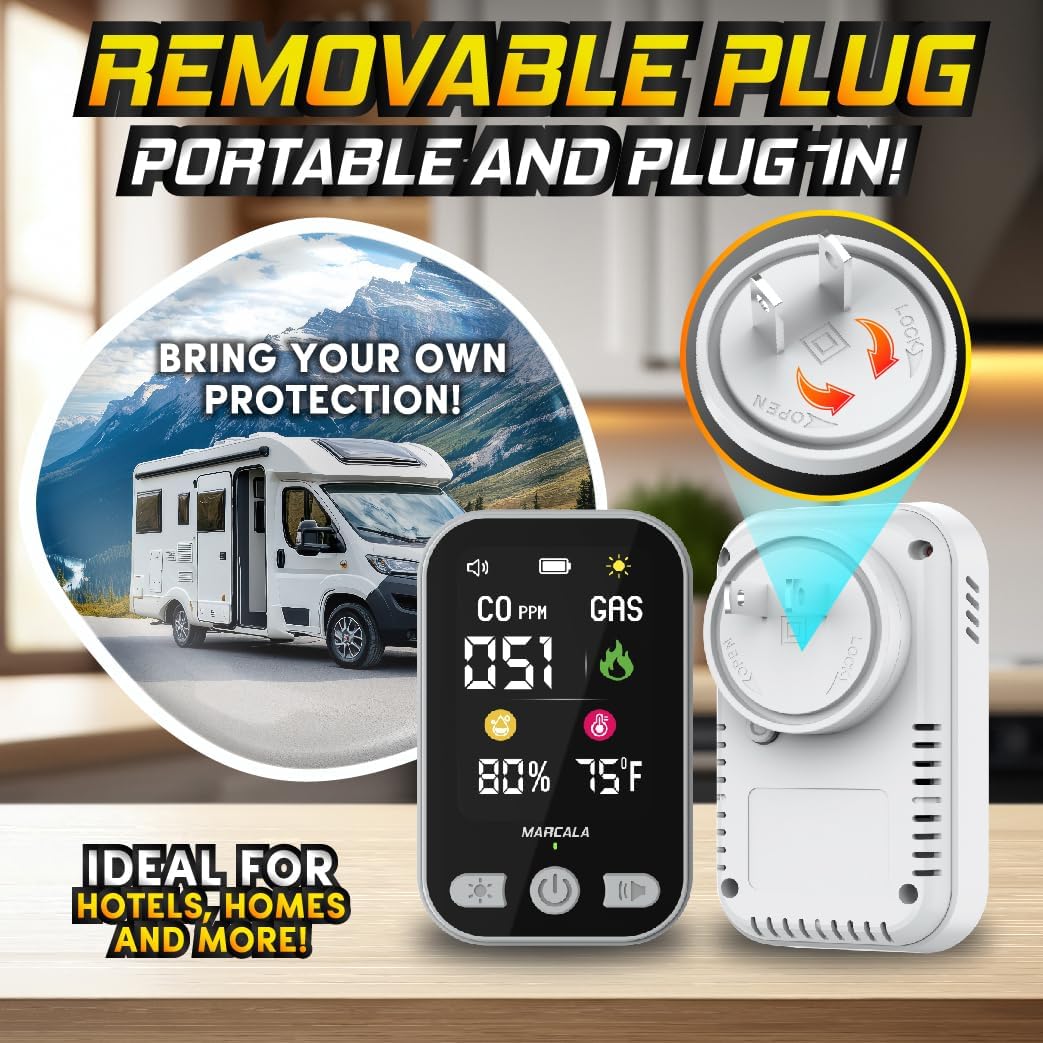
Image: The detector highlighting its removable plug feature, demonstrating how it can be detached for portable use, such as in an RV.
Initial Power-On and Self-Test:
Upon first power-on (either by plugging in or pressing the power button on battery), the device will perform a self-test. The display will show a countdown (typically 60 seconds) as it calibrates its sensors. Once the countdown reaches zero, a green flame icon will appear, indicating that the device is functioning properly and the air quality is safe.
Video: An unboxing and review of the portable CO and gas detector, demonstrating its initial setup and features.
5. Operating Instructions
Display Information:
The large HD color display shows the following information:
- CO PPM: Real-time Carbon Monoxide concentration in parts per million.
- GAS: Indicates the presence of combustible gas.
- Humidity: Percentage of relative humidity.
- Temperature: Ambient temperature in Fahrenheit or Celsius.
- Battery Indicator: Shows current battery level and charging status.
- Brightness Indicator: Adjusts screen brightness.
- Sound Indicator: Mute/unmute alarm sound.
Button Functions:
- Power Button (Center): Press and hold to power on/off. Short press to cycle through display modes (if applicable).
- Brightness Button (Left): Short press to adjust screen brightness (multiple levels).
- Volume Button (Right): Short press to mute/unmute the alarm sound.
Video: A detailed review of the 4-in-1 detector, showcasing its display, features, and how to operate the buttons.
6. Understanding Alerts
The detector provides multi-level alerts for both carbon monoxide and combustible gas:
- Good (Green Indicator): No combustible gas detected, CO levels 0-50 ppm. The green indicator light blinks.
- Attention (Yellow Indicator): Low concentration gas detected, CO levels 51-200 ppm. Alarm beeps once every 3 minutes. The yellow indicator light blinks.
- Warning (Orange Indicator): Medium concentration gas detected.
- Danger (Red Indicator): High concentration gas detected, CO levels 201-999 ppm. Alarm sounds continuously. The red indicator light blinks.
In case of an alarm, follow these steps:
- Evacuate all occupants from the premises immediately.
- Call emergency services or your gas provider.
- Do not re-enter the premises until the source of the leak has been identified and resolved by qualified professionals.
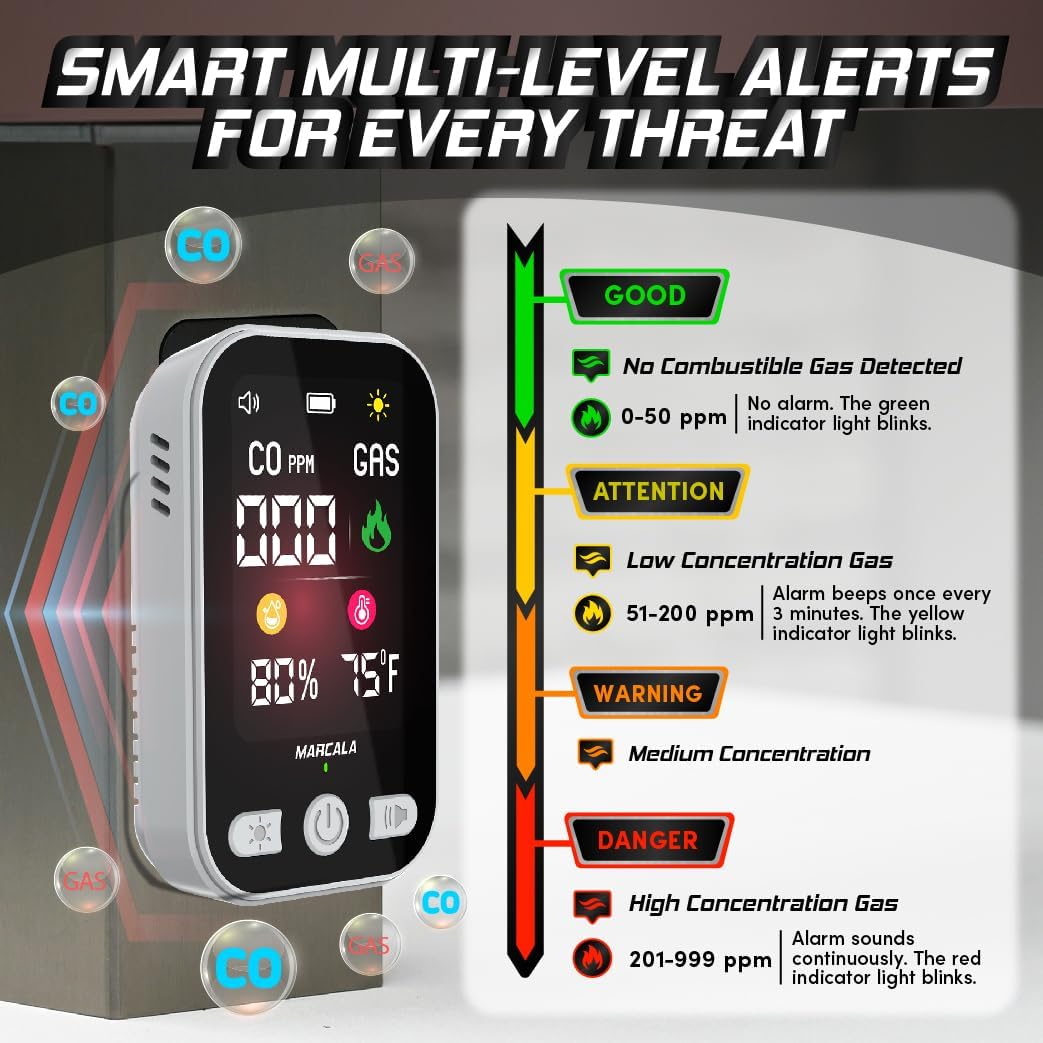
Image: The detector's display illustrating the different alert levels (Good, Attention, Warning, Danger) with corresponding CO ppm ranges and visual indicators.
7. Placement Recommendations
For optimal performance and safety, consider the following placement guidelines:
- Install detectors in or near sleeping areas and living spaces.
- Place detectors at knee level or lower, as carbon monoxide tends to rise.
- For gas detection, place near gas-burning appliances (stoves, water heaters, furnaces).
- Avoid placing the detector directly above heat sources, in direct sunlight, or in areas with high airflow (e.g., near windows, vents) that could interfere with readings.
- For travel, utilize its portable feature in RVs, hotels, or camping tents to ensure safety in unfamiliar environments.
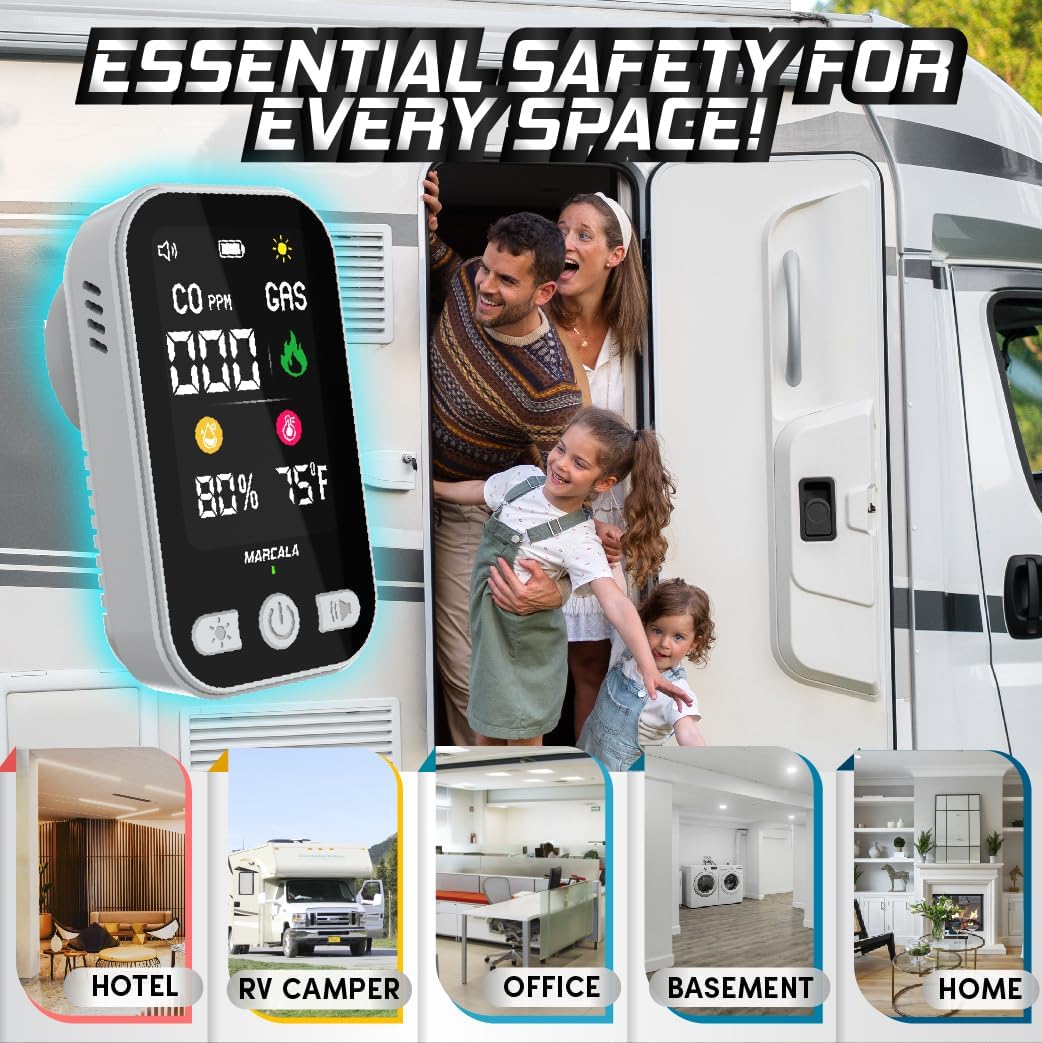
Image: The detector positioned in different environments such as a hotel, RV, office, basement, and home, emphasizing its versatility for essential safety in various spaces.
Video: A review highlighting the peace of mind provided by these CO detectors, particularly for travel and various home settings.
8. Maintenance
- Regular Testing: Test your detector weekly by briefly exposing it to a small amount of combustible gas (e.g., from a lighter, without igniting) or by using a CO test spray. The device should alarm.
- Cleaning: Clean the exterior of the detector regularly with a soft, damp cloth. Do not use harsh chemicals or abrasive cleaners. Ensure the sensor vents are clear of dust and debris.
- Battery Life: The internal battery is designed for long-term use. Recharge it regularly by keeping the device plugged into an AC outlet when not in portable use.
9. Troubleshooting
- False Alarms: Ensure the detector is not placed near sources of fumes (e.g., cleaning products, paint, strong odors) or in areas with extreme temperature fluctuations. Ventilate the area and re-test.
- No Display/No Power: Check if the device is properly plugged into a working AC outlet. If using battery power, ensure the battery is charged.
- Alarm Malfunction: If the alarm does not sound during a test, or if it sounds without any detectable hazard, contact customer support.
10. Specifications
| Feature | Detail |
|---|---|
| Model Number | BS02 |
| CO Measuring Range | 0-999 ppm (±5%) |
| Temperature Measuring Range | -10°C to 50°C / 14°F to 122°F (±3%) |
| Air Humidity Measuring Range | 5% to 95% RH (±5%) |
| Input Voltage | AC 110-220V/50-60Hz |
| Working Current | 0.5A Max |
| Working Environment | -10°C to 60°C / 14°F to 140°F, 20% to 80% RH |
| Product Dimensions | 1.4"D x 2"W x 3"H (90 x 55 x 50mm) |
| Item Weight | 0.2 Pounds (85g) |
| Alarm Type | Audible and Visual Alarms |
| Power Source | Battery Powered and 110-120V AC |
11. Warranty & Support
MARCALA stands behind every detector with a Lifetime Customer Support and Replacement Policy. If you encounter any issues or have questions regarding your product, please contact our dedicated support team.
Contact Information:
- Email: support@marcalallc.com
- Website: www.marcalallc.com