
Equator Advanced Appliances OAC 2000
Contents
Equator Portable Air Conditioner OAC 2000 Instruction Manual
Model: OAC 2000
1. Introduction and Overview
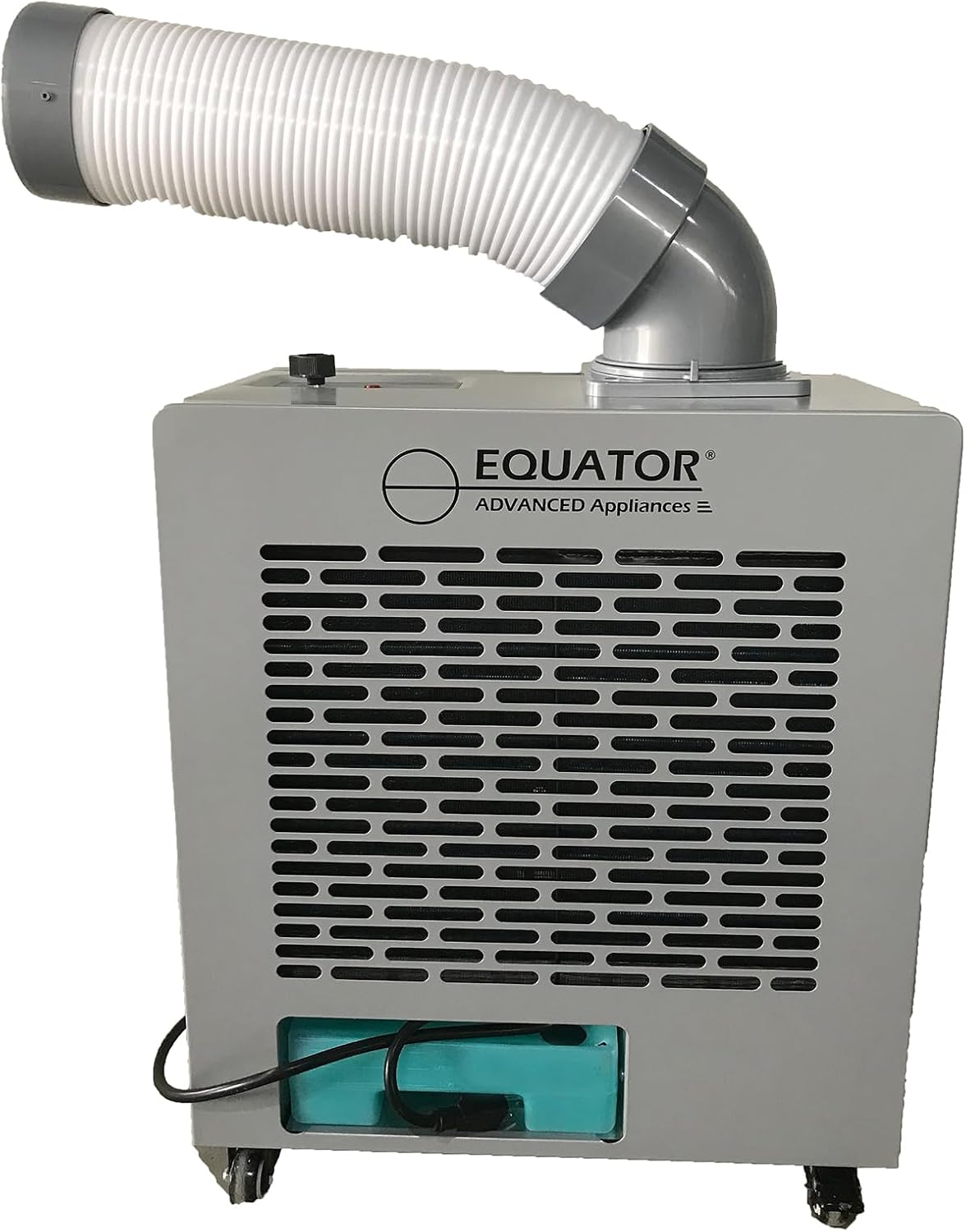
The Equator OAC 2000 Portable Air Conditioner is designed to provide efficient cooling for various outdoor and large indoor spaces. With 7000 BTUs of cooling power and an IP24-rated waterproof housing, it is built to withstand outdoor conditions. Its portable design with casters allows for easy movement, making it suitable for patios, garages, tents, and workshops. This unit offers a low-noise, eco-friendly cooling solution.
2. Setup
The OAC 2000 requires no complex installation, offering plug-and-play functionality. Simply unbox the unit and position it in your desired location.


3. Operating Instructions
The OAC 2000 features simple manual controls. Once positioned, simply plug in the unit. Point the extendable cooling air hose towards the area that requires cooling. The unit is designed for reliable performance in temperatures ranging from 64.4°F to 113°F.

Official Product Video
Official product video demonstrating the features and operation of the Equator OAC 2000 Portable Air Conditioner, including its low noise, portability, and weatherized design.
4. Maintenance
The OAC 2000 is designed for durability with an anti-rust and anti-corrosive all-metal exterior. Its IP24 rating ensures the internal electronics are waterproof, allowing for use in various weather conditions. The unit includes both a drain hose and an integrated water tank for flexible moisture management. Regularly check and clean the air filter located inside the unit to maintain optimal performance.
5. Troubleshooting
The unit is equipped with a warning light on the control panel that illuminates to notify you of any operational issues. For quick troubleshooting, scan the QR code located on the unit's side. This will direct you to the owner's manual and additional support resources. The OAC 2000 also features automatic protection that powers off and cools down the unit if there's any risk of overheating or compressor failure.

For further assistance, you can visit the online manual: appliancedesk.info/index.php?id=OAC-2000
6. Specifications
| Feature | Detail |
|---|---|
| Brand | Equator Advanced Appliances |
| Model Name | OAC 2000 |
| Cooling Capacity | 7000 BTU |
| Power Consumption | 700W |
| Voltage | 110 Volts / 60Hz |
| Air Flow Capacity | 135.4 Cubic Feet Per Minute (8122 cu.ft/hr) |
| Noise Level | 50 dB |
| Product Dimensions (DxWxH) | 11"D x 19"W x 22.4"H |
| Item Weight | 60 pounds |
| Special Features | Auto Power Off, Caster Wheels, Portable, Waterproof, Weatherized |
| Refrigerant | R32 |
| Included Components | Air Conditioner Unit, Cooling Air Hose |
| Certifications | ETL Certified |
7. Warranty & Support
The Equator OAC 2000 Portable Air Conditioner is backed by a 1-year parts and labor warranty, providing peace of mind. For any support needs, refer to the troubleshooting section and utilize the QR code on the unit to access the comprehensive owner's manual. Additional accessories, such as the optional hose extender kit (HEK 4300), are available to expand setup flexibility.
Ask a question about this manual
Ask about setup, troubleshooting, compatibility, parts, safety, or missing instructions. Manuals+ will review the question and use this page’s manual context to help answer it.