
Ufree AMU-2228-Q311
Ufree 3-in-1 Beard Trimmer Kit User Manual
Model: AMU-2228-Q311
1. Introduction
Thank you for choosing the Ufree 3-in-1 Beard Trimmer Kit. This manual provides essential information for the safe and effective use, maintenance, and care of your grooming device. Please read these instructions thoroughly before first use and retain them for future reference.

Image 1.1: The Ufree 3-in-1 Beard Trimmer Kit, showcasing the main trimmer unit, various attachment heads, and guide combs.
2. Important Safety Information
- Keep the appliance dry. Do not immerse the trimmer in water.
- This appliance can be used by children aged 8 years and above and persons with reduced physical, sensory or mental capabilities or lack of experience and knowledge if they have been given supervision or instruction concerning use of the appliance in a safe way and understand the hazards involved.
- Children shall not play with the appliance. Cleaning and user maintenance shall not be made by children without supervision.
- Only use the charging cable provided with the device.
- Do not use the appliance if the blades are damaged, as this may cause injury.
- Unplug the appliance before cleaning.
- Store the trimmer in a cool, dry place away from direct sunlight.
Legal Disclaimer: Statements regarding dietary supplements have not been evaluated by the FDA and are not intended to diagnose, treat, cure, or prevent any disease or health condition.
3. Package Contents
Your Ufree 3-in-1 Beard Trimmer Kit includes the following items:
- Main Trimmer Unit
- Beard Trimmer Head
- Precision Trimmer Head
- Nose Hair Trimmer Head
- Multiple Guard Combs (1mm, 3mm, 5mm, 7mm, 9mm, 12mm, 15mm, 19mm, Left Ear, Right Ear)
- Travel Pouch
- Cleaning Brush
- Lubricating Oil
- Type-C Charging Cable

Image 3.1: The trimmer unit with its interchangeable heads and a selection of guide combs for different trimming lengths.
4. Product Features
- 3-in-1 Grooming System: Includes interchangeable heads for beard, sideburns, and nose hair trimming.
- Sharp Blades & Powerful Motor: Designed for efficient cutting without pulling or snagging. Motor speeds up to 8,000 RPM.
- Long Runtime & Fast Charging: Up to 120 minutes of cordless operation after a 90-minute charge via Type-C port.
- LED Battery Indicator: Displays remaining power.
- Travel Lock Function: Prevents accidental activation during transport.
- IPX6 Waterproof Rating: Suitable for wet or dry use and easy rinsing under tap water.
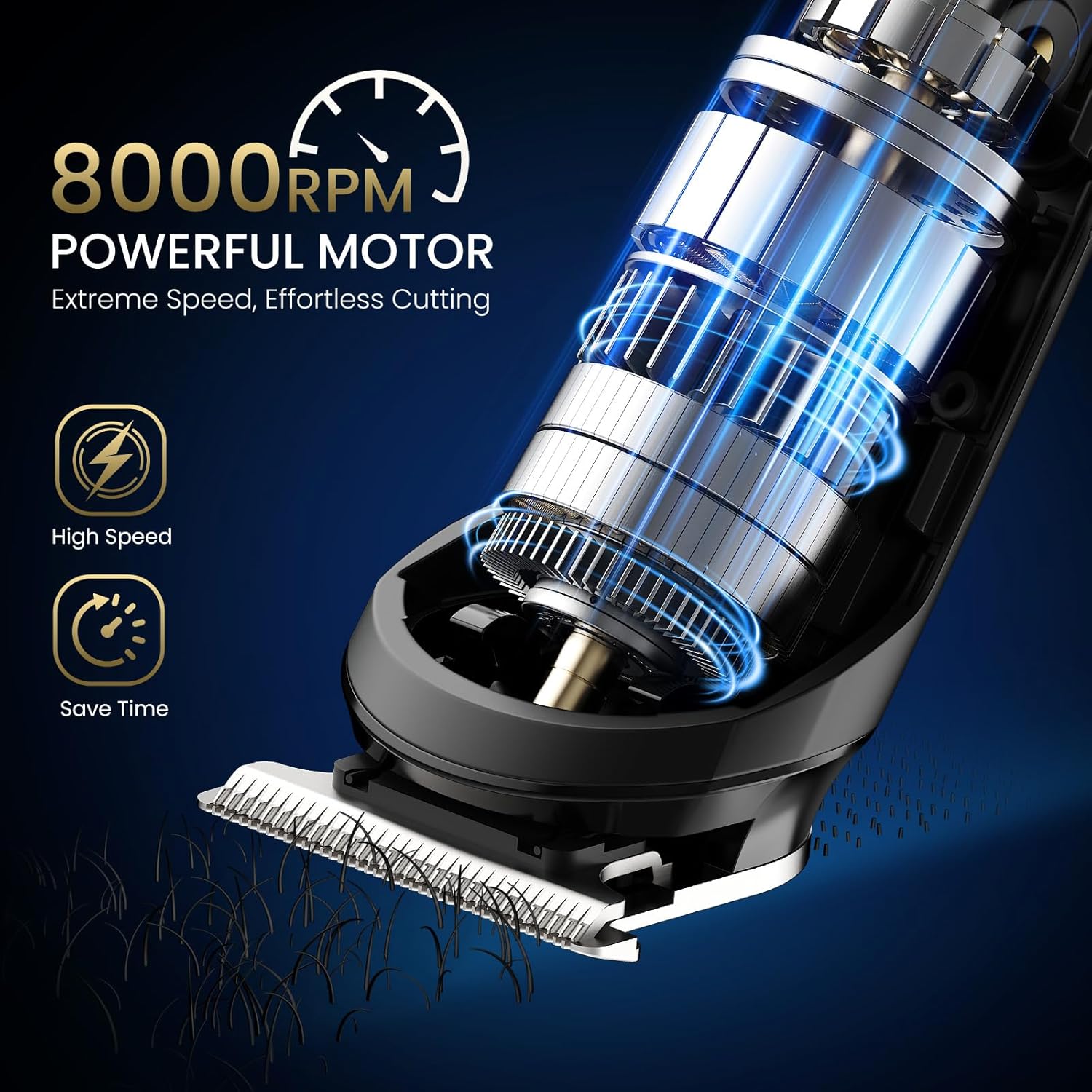
Image 4.1: Illustration of the trimmer's powerful 8000 RPM motor for efficient cutting.
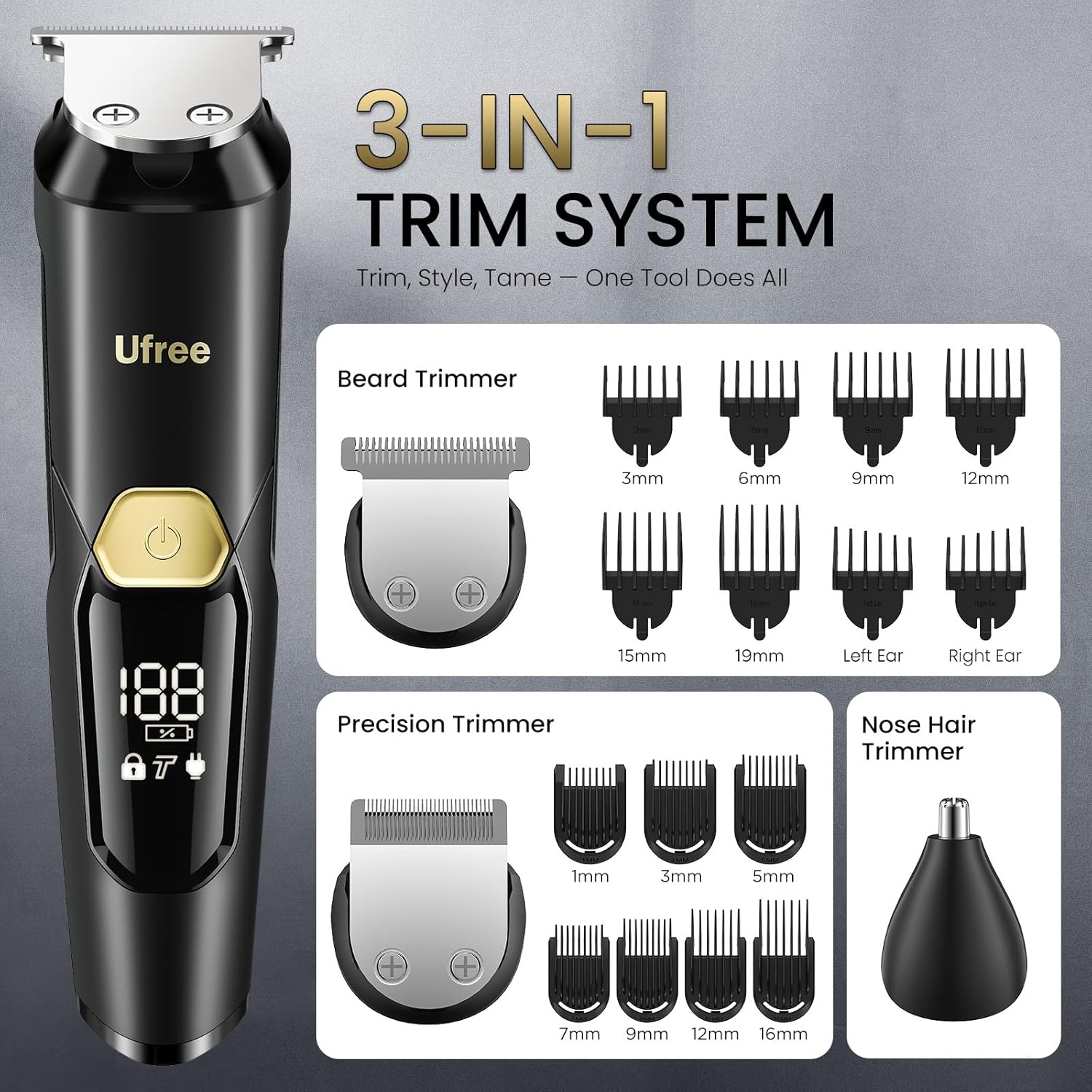
Image 4.2: Close-up view of the trimmer's ultra-sharp blades designed for smooth trimming.
5. Setup and Initial Use
5.1 Charging the Trimmer
- Connect the provided Type-C charging cable to the charging port at the bottom of the trimmer.
- Plug the other end of the cable into a compatible USB power source (e.g., laptop, power bank, wall adapter).
- The LED battery indicator will show the charging status. A full charge takes approximately 90 minutes and provides up to 120 minutes of cordless operation.
- Unplug the trimmer once fully charged.
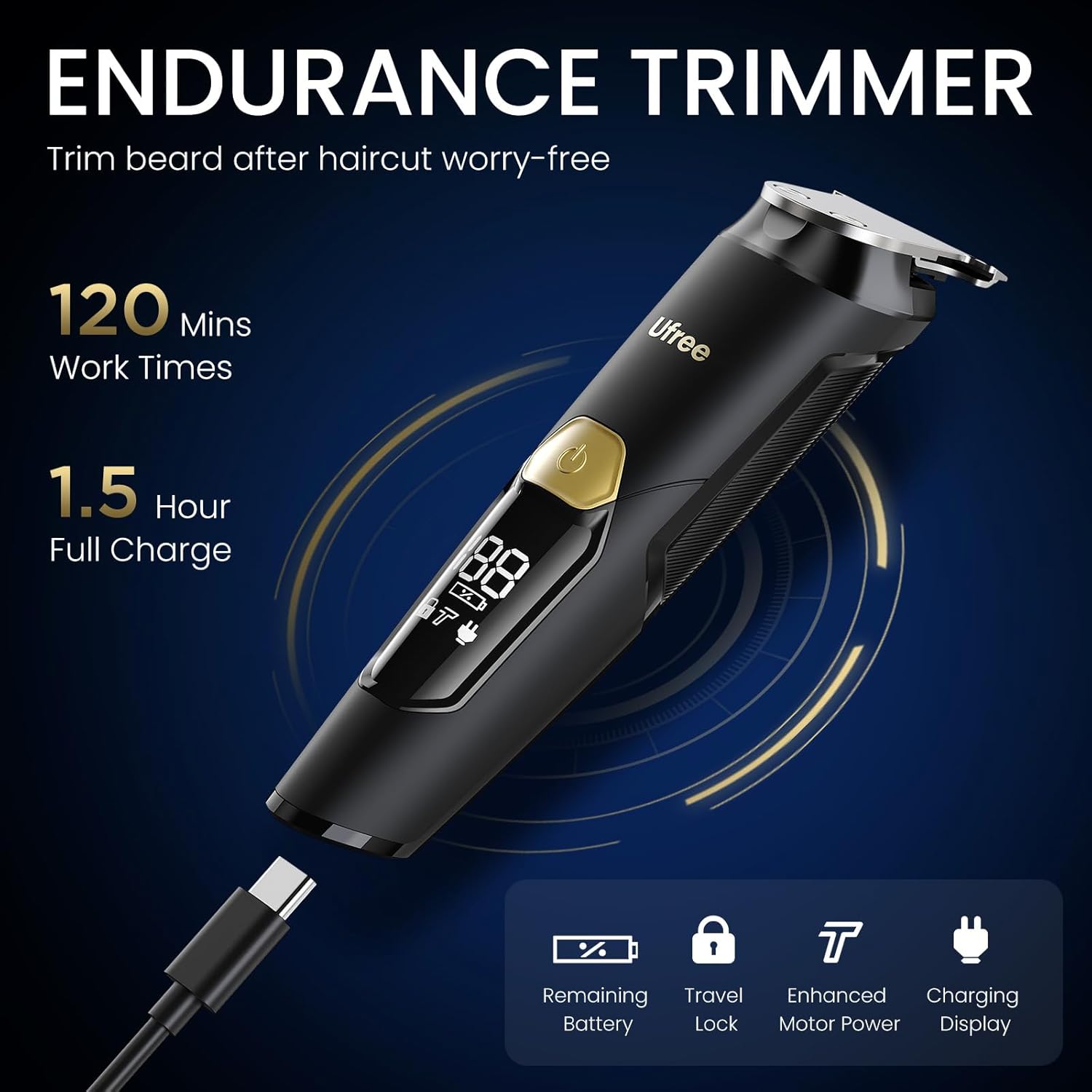
Image 5.1: The trimmer being charged via its Type-C port, with the LED display indicating battery status.
5.2 Attaching/Detaching Trimmer Heads
To change the trimmer head:
- Ensure the trimmer is turned off.
- Grip the current head firmly and gently twist or pull it upwards to detach.
- Align the desired head (beard, precision, or nose trimmer) with the main unit and push it down until it clicks securely into place.

Image 5.2: Visual guide for swapping between the different trimmer heads.
6. Operating Instructions
6.1 General Trimming Tips
- For best results, ensure your hair is clean and dry before trimming, unless using for wet shaving.
- Always start with a longer comb length if you are unsure, and gradually reduce it.
- Move the trimmer against the direction of hair growth for an even cut.
6.2 Using the Beard Trimmer Head
Attach the beard trimmer head. Select the desired guard comb (3mm, 6mm, 9mm, 12mm, 15mm, 19mm) and slide it onto the head until it locks. Turn on the trimmer and begin trimming your beard or hair. The LED display may show motor speed settings (Standard Mode 7500 RPM, Turbo Boost 8000 RPM).

Image 6.1: A man using the beard trimmer head to sculpt his beard.
6.3 Using the Precision Trimmer Head
Attach the precision trimmer head. This head is ideal for detailing, shaping sideburns, or achieving sharp lines. Use with smaller guard combs (1mm, 3mm, 5mm, 7mm, 9mm, 12mm, 16mm) or without a comb for a closer trim.

Image 6.2: A man using the trimmer for a precise haircut, demonstrating its versatility.
6.4 Using the Nose Hair Trimmer Head
Attach the nose hair trimmer head. Gently insert the trimmer tip into your nostril or ear canal. Move it slowly to trim unwanted hair. Do not insert too deeply.

Image 6.3: A man using the nose hair trimmer head for safe and effective nose hair removal.
6.5 Travel Lock Function
To activate the travel lock, press and hold the power button for 3 seconds. The lock icon will appear on the LED display. To deactivate, press and hold the power button for 3 seconds again.
7. Maintenance and Cleaning
7.1 Cleaning the Trimmer Heads
- Ensure the trimmer is turned off and unplugged from any charging source.
- Detach the trimmer head.
- Use the included cleaning brush to remove any loose hairs from the blades and inside the head.
- Since the trimmer is IPX6 waterproof, you can rinse the detached head and the blades under running tap water. Do not rinse the main unit under running water unless specifically designed for full immersion (IPX6 means splash-proof, not submersible).
- Allow all parts to air dry completely before reattaching or storing.

Image 7.1: The trimmer head being rinsed under tap water, with an inset showing the use of the cleaning brush.
7.2 Lubricating the Blades
To maintain optimal performance and blade longevity, apply a small drop of the included lubricating oil to the blades after every few uses, or when you notice reduced cutting efficiency. Turn the trimmer on for a few seconds to distribute the oil evenly.
7.3 Storage
Store the trimmer and all accessories in the provided travel pouch in a dry, cool place.
8. Troubleshooting
| Problem | Possible Cause | Solution |
|---|---|---|
| Trimmer does not turn on. | Battery is depleted. Travel lock is active. | Charge the trimmer. Deactivate travel lock by holding the power button for 3 seconds. |
| Reduced cutting performance or pulling hair. | Blades are dirty or dull. Insufficient lubrication. | Clean the blades thoroughly. Apply lubricating oil to the blades. If issues persist, consider blade replacement (contact support). |
| Trimmer head detaches easily. | Head not properly attached. | Ensure the head is aligned and pushed down until it clicks securely into place. |
| Charging indicator not working. | Cable or power source issue. | Check the Type-C cable connection. Try a different USB power source. |
9. Specifications
- Model Number: AMU-2228-Q311
- Brand: Ufree
- Power Source: Battery Powered
- Battery Type: Lithium Battery (800 mAh)
- Charging Time: Approximately 1.5 hours (90 minutes)
- Operating Time: Up to 120 minutes
- Waterproof Rating: IPX6
- Motor Speed: Up to 8000 RPM
- Item Weight: 0.8 Pounds (approx. 363 grams)
- Package Dimensions: 7.28 x 4.25 x 2.64 inches
- Color: Black
10. Warranty and Customer Support
Ufree provides a 1-Year Warranty for this product. For any questions, concerns, or warranty claims, please contact Ufree customer support.
- Customer Support: Available 24/7
- Money Back Guarantee: 30-Day
You can find more information and contact details on the official Ufree website or through your purchase platform.

Image 10.1: Ufree customer support information, highlighting warranty and support services.
Related documentsAMU-2228-Q311


Ask a question about this manual
Ask about setup, troubleshooting, compatibility, parts, safety, or missing instructions. Manuals+ will review the question and use this page’s manual context to help answer it.