Introduction
Welcome to the FITVII Looki-mini Fitness Tracker user manual. This document provides essential information for the proper setup, operation, and maintenance of your new fitness tracker. The Looki-mini is designed to help you monitor your health and activity levels with features such as heart rate, blood pressure, blood oxygen, and stress monitoring, along with comprehensive activity tracking and smart notifications.
Please read this manual thoroughly before using your device to ensure optimal performance and longevity.
What's in the Box
Upon opening your FITVII Looki-mini package, please verify that all components are present:
- FITVII Looki-mini Fitness Tracker
- Charging Cable
- User Manual (this document)
- Watch Band

Image: Contents of the FITVII Looki-mini package, including the fitness tracker, charging cable, user manual, and watch band.
Setup
1. Charging the Device
Before initial use, fully charge your FITVII Looki-mini. Connect the magnetic charging cable to the charging port on the back of the tracker and plug the USB end into a power adapter (not included) or a computer's USB port. A full charge typically takes approximately 1 hour and provides up to 4 days of normal use. Battery life may vary based on usage and settings, such as the always-on screen feature.

Image: Illustration of the Looki-mini's battery life and charging time, highlighting compatibility with Android 6.0+ and iOS 10.0+ devices.
2. App Installation and Pairing
- Download the App: Search for the official FITVII application in your smartphone's app store (Google Play Store for Android or Apple App Store for iOS).
- Create Account: Open the app and follow the on-screen instructions to create a new user account or log in if you already have one.
- Pair Device: Ensure your phone's Bluetooth is enabled. In the FITVII app, navigate to the device pairing section and select your Looki-mini from the list of available devices. Follow any prompts on both the app and the tracker to complete the pairing process.
The FITVII Looki-mini is compatible with smartphones running Android 6.0 / iOS 10.0 and above, with Bluetooth 5.0. It is not compatible with PCs or tablets.
3. Wearing the Tracker
Wear the Looki-mini snugly on your wrist, about one finger's width above your wrist bone. Ensure the sensor on the back of the tracker is in contact with your skin for accurate health monitoring. The slim and lightweight design (0.39 inches thin, 0.85 oz in weight) is intended for maximum comfort.

Image: The Looki-mini fitness tracker worn on a wrist, demonstrating its compact and lightweight design.
Operating Instructions
1. Display and Navigation
The Looki-mini features a vibrant 1.01" AMOLED display, offering clear visuals in various lighting conditions. The screen supports two always-on standby modes: pointer and digital dial. Navigate through menus by swiping up, down, left, or right, and tap to select options.
2. Health Monitoring
The device continuously tracks various health metrics:
- Heart Rate: 24/7 monitoring of your heart rate.
- Blood Pressure: Real-time blood pressure measurements.
- Blood Oxygen (SpO2): On-demand blood oxygen level checks.
- Stress Levels: Monitors and provides insights into your stress levels.
- Sleep Tracking: Automatically tracks sleep duration and stages (deep, light, awake).
Note: This device is intended for encouraging a healthy lifestyle and is not for medical use. Consult a healthcare professional for medical advice.
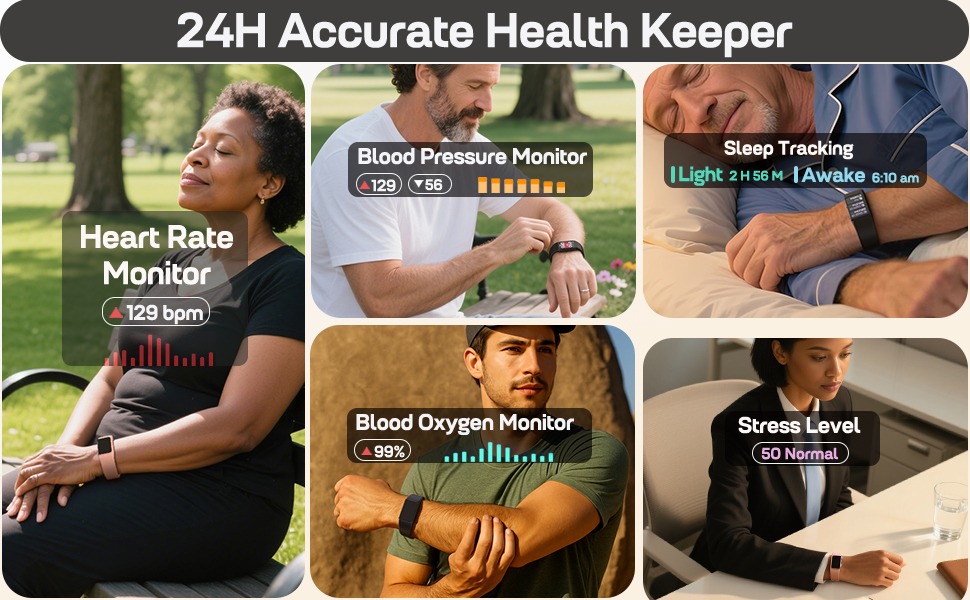
Image: A visual representation of the Looki-mini's health monitoring capabilities, including heart rate, sleep, stress, blood oxygen, and blood pressure.
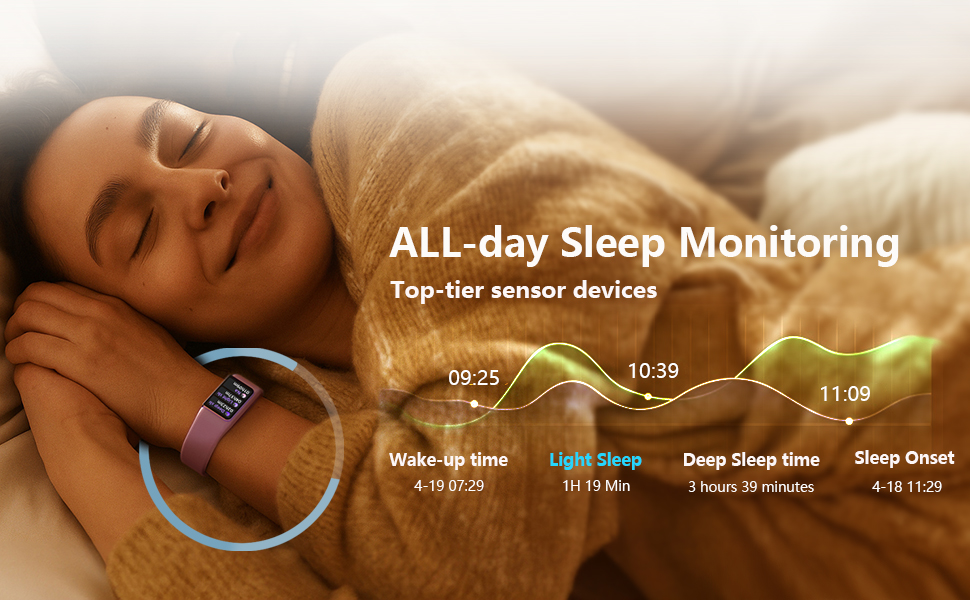
Image: Detailed sleep monitoring data from the Looki-mini, illustrating different sleep stages and durations.
3. Activity Tracking
The Looki-mini supports over 100 sports modes and tracks various fitness metrics:
- Step Count: Records your daily steps.
- Distance: Calculates distance covered.
- Calories: Estimates calories burned.
- Stopwatch & Timer: For timing activities.
- Breath Training: Guided breathing exercises.
The device is IP68 waterproof, making it suitable for swimming and other water-related activities.
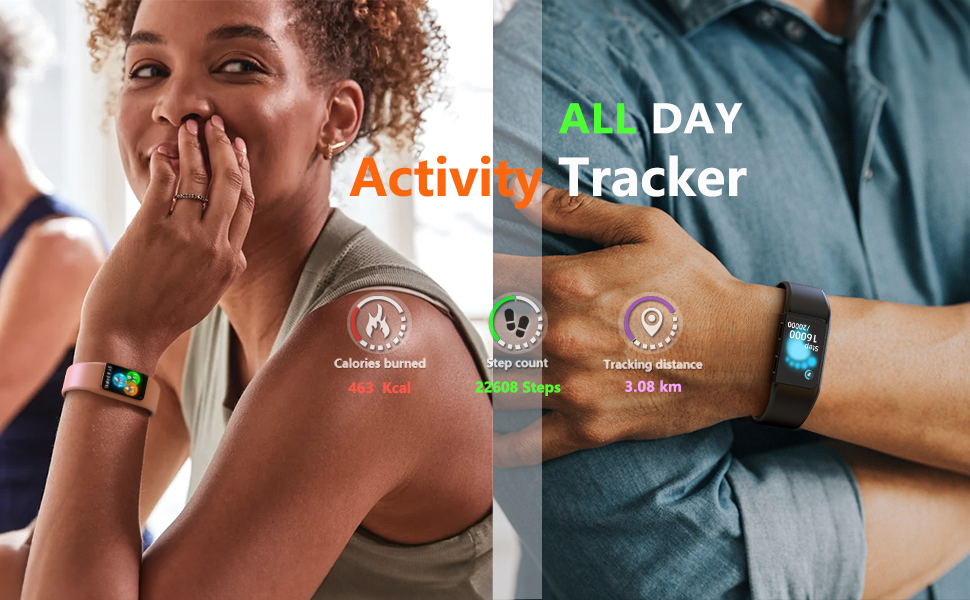
Image: The Looki-mini tracking calories burned, steps, and distance during physical activities, including swimming and running.
4. Smart Features
Stay connected with these smart functionalities:
- Notifications: Receive call and message alerts from your paired smartphone. (Note: Cannot make calls or send messages, notifications only.)
- Weather Updates: Get current weather information.
- Music Control: Manage music playback on your phone.
- Remote Photography: Use the tracker as a remote shutter for your phone's camera.
- Find Your Phone: Locate your misplaced smartphone.
- Custom Watch Faces: Personalize your display with custom photos.
- Reminders: Sedentary reminder, drinking water reminder, and women's health tracking.
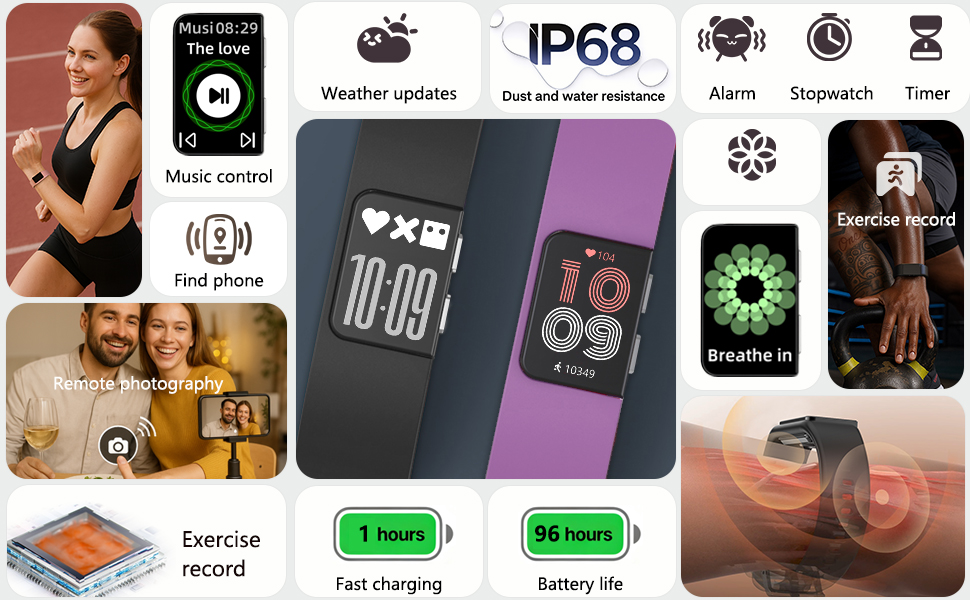
Image: An overview of the Looki-mini's smart features, including music control, notifications, and utility functions.

Image: The Looki-mini displaying various health reminders, such as drink water, sedentary, and women's health tracking.
5. Interactive Expressions
The Looki-mini features fourteen randomly selected animated expressions that appear each time you activate the screen, adding a personalized touch to your daily interactions.
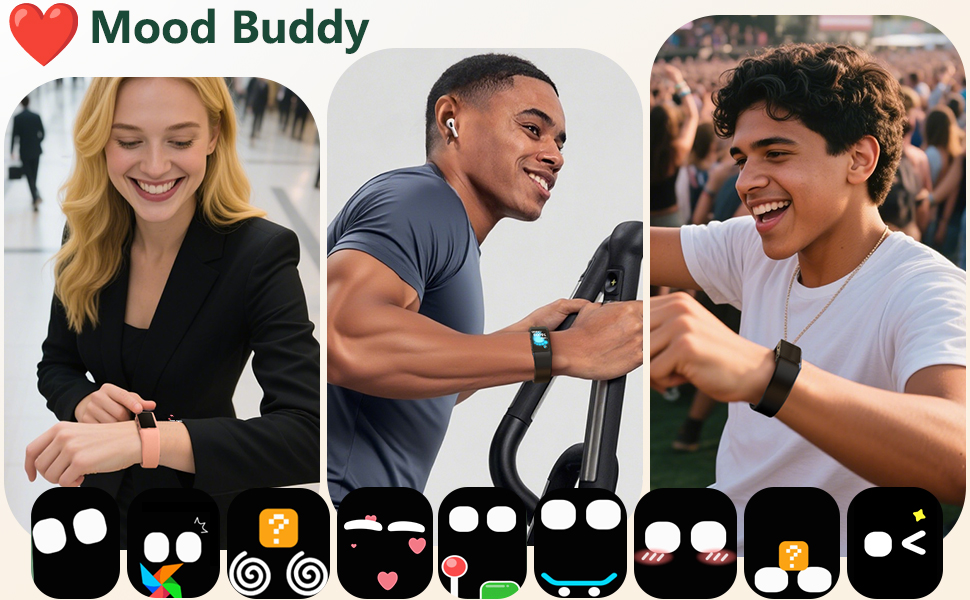
Image: The Looki-mini showcasing its animated mood expressions, which appear randomly upon screen activation.
Maintenance
1. Cleaning the Tracker
Regularly clean your Looki-mini to ensure accurate readings and prevent skin irritation. Wipe the device and band with a soft, damp, lint-free cloth. Avoid using harsh chemicals or abrasive materials.
2. Water Resistance
The Looki-mini is IP68 waterproof, meaning it can withstand immersion in water up to 1.5 meters for 30 minutes. It is suitable for showering and swimming. However, avoid prolonged exposure to hot water, steam, or high-velocity water, as this may compromise the seal.
3. Battery Care
To prolong battery life, avoid fully discharging the device frequently. Charge it when the battery level is low. Store the device in a cool, dry place when not in use for extended periods.

Image: The Looki-mini's design emphasizing its ultra-thin, lightweight, and hypoallergenic materials for user comfort.
Troubleshooting
If you encounter issues with your FITVII Looki-mini, refer to the following common problems and solutions:
- Device not turning on: Ensure the device is fully charged. Connect it to the charging cable and a power source for at least 10 minutes.
- Not pairing with smartphone:
- Ensure Bluetooth is enabled on your smartphone.
- Make sure the tracker is within Bluetooth range of your phone.
- Restart both your smartphone and the fitness tracker.
- Check if the FITVII app is updated to the latest version.
- Inaccurate health readings:
- Ensure the tracker is worn snugly on your wrist, with the sensor in full contact with your skin.
- Avoid excessive movement during measurements.
- Clean the sensor on the back of the device.
- Short battery life:
- Disable the always-on screen feature if it is enabled.
- Reduce the frequency of continuous health monitoring (e.g., heart rate).
- Ensure the device is fully charged each time.
- Notifications not appearing:
- Verify that the tracker is successfully paired with your phone.
- Check notification permissions for the FITVII app in your phone's settings.
- Ensure notifications are enabled within the FITVII app for the desired applications.
If the issue persists, please refer to the support section for further assistance.
Specifications
| Feature | Specification |
|---|---|
| Model Name | Looki-mini |
| Display Size | 1.01 Inches AMOLED |
| Connectivity | Bluetooth 5.0 |
| Operating System Compatibility | Android 6.0+ / iOS 10.0+ |
| Water Resistance | IP68 |
| Battery Life | Up to 4 days (normal use) |
| Charging Time | Approx. 1 hour |
| Item Weight | 0.12 Kilograms (approx. 4.2 ounces) |
| Package Dimensions | 5.94 x 3.5 x 1.26 inches |
| Special Features | Activity Tracker, Always On Display, Daily Workout Memory, Multisport Tracker, Notifications, GPS Via Smartphone |
Warranty and Support
Warranty Information
The FITVII Looki-mini Fitness Tracker comes with a 2-Year Replacement Lifetime Service for any quality issues. Please retain your proof of purchase for warranty claims.
Customer Support
For further assistance, technical support, or warranty claims, please contact FITVII customer service through the official FITVII website or the contact information provided in your product packaging.