
CooSpo H808S
COOSPO H808S Bluetooth Heart Rate Monitor Chest Strap User Manual
Model: H808S | Brand: CooSpo
Introduction
The COOSPO H808S Heart Rate Monitor Chest Strap is designed to provide accurate heart rate data for various fitness activities. Featuring both ANT+ and Bluetooth connectivity, it offers broad compatibility with smartphones, GPS bike computers, smart sports watches, and gym equipment. This manual provides detailed instructions for setup, operation, and maintenance to ensure optimal performance and longevity of your device.

Figure 1: COOSPO H808S Heart Rate Monitor Chest Strap.
What's in the Box
- COOSPO H808S Heart Rate Monitor Sensor
- Adjustable Chest Strap
- User Manual

Figure 2: The COOSPO H808S Heart Rate Monitor packaging.
Setup
Wearing the Heart Rate Monitor
- Take out the HRM accessories (sensor and chest strap).
- Fully wet both sides of the electrode area on the chest strap. This ensures proper contact and accurate readings.
- Mount the sensor onto the chest strap by snapping it into place.
- Wear the strap under your chest muscle, ensuring the sensor is centered on your sternum.
- Adjust the length of the strap to make it comfortable and secure, but not too tight.

Figure 3: Step-by-step guide on how to wear the heart rate monitor.
Powering On and LED Indicator
The device automatically powers on when worn correctly and the electrodes are wet. The LED indicator provides visual feedback:
- Flash in blue: Connected
- Flash in green: Disconnected
Beep reminders also provide audio cues:
- Two short beeps: Start working
- One long beep: Stop working

Figure 4: Explanation of LED light and beep indicators.
Operating the Device
Connectivity
The COOSPO H808S supports both Bluetooth 4.0 and ANT+ connectivity, allowing it to pair with a wide range of devices and applications. Ensure Bluetooth is enabled on your smartphone or device before attempting to connect.

Figure 5: The heart rate monitor supports both Bluetooth and ANT+ for versatile connectivity with various fitness devices.
Compatible Applications
The H808S is compatible with over 200 third-party applications, including popular fitness apps like CooSpoRide, Strava, Zwift, Peloton, Wahoo, Polar Beat, Runkeeper, Rouvy, and many more that support heart rate display features.

Figure 6: The heart rate monitor is compatible with a wide range of third-party fitness applications.

Figure 7: A user actively monitoring their heart rate during exercise using the COOSPO H808S and a connected smartphone application.

Figure 8: Visual representation of various fitness applications compatible with the COOSPO H808S.
Connecting to Fitness Apps (Seller Videos)
Below are video guides provided by CooSpo on how to connect your heart rate monitor to various popular fitness applications. Ensure your heart rate monitor is powered on and worn correctly before attempting to connect.
How to connect CooSpo heart rate monitors with DDP Yoga
This video demonstrates the steps to connect your COOSPO heart rate monitor with the DDP Yoga application, showing how to enable Bluetooth, open the app, and pair the device for real-time heart rate tracking during your yoga workouts.
How to connected CooSpo heart rate monitors with Wahoo App
Learn how to seamlessly connect your COOSPO heart rate monitor to the Wahoo Fitness app. The video guides you through the process of adding a new sensor and linking it to your workout profile for accurate data collection.
How to connected CooSpo heart rate monitors with Kinomap App
This tutorial shows you how to integrate your COOSPO heart rate monitor with the Kinomap application, enabling you to track your heart rate during interactive virtual training sessions.
How to connect CooSpo heart rate monitors with Zwift app.
A quick guide on connecting your COOSPO heart rate monitor to the Zwift app, allowing you to monitor your heart rate while cycling or running in the virtual world of Zwift.
How to connected CooSpo heart rate monitors with Strava APP
This video demonstrates the simple process of connecting your COOSPO heart rate monitor to the Strava app, enabling you to record and analyze your heart rate data for your runs and rides.
COOSPO H808S Heart Rate Monitor Chest Strap Overview
A brief overview of the COOSPO H808S Heart Rate Monitor Chest Strap, highlighting its features and how it is worn.
COOSPO Heart Rate Monitor ANT+ Connectivity
This video showcases the ANT+ connectivity of the COOSPO heart rate monitor, demonstrating its use with various fitness activities like cycling, yoga, rope skipping, basketball, and running.
Maintenance
Cleaning the Chest Strap
To ensure hygiene and prolong the life of your chest strap, it is recommended to clean it with water after each use, especially after sweating. The device is IP67 waterproof, meaning it is protected against immersion in water up to 1 meter for up to 30 minutes.
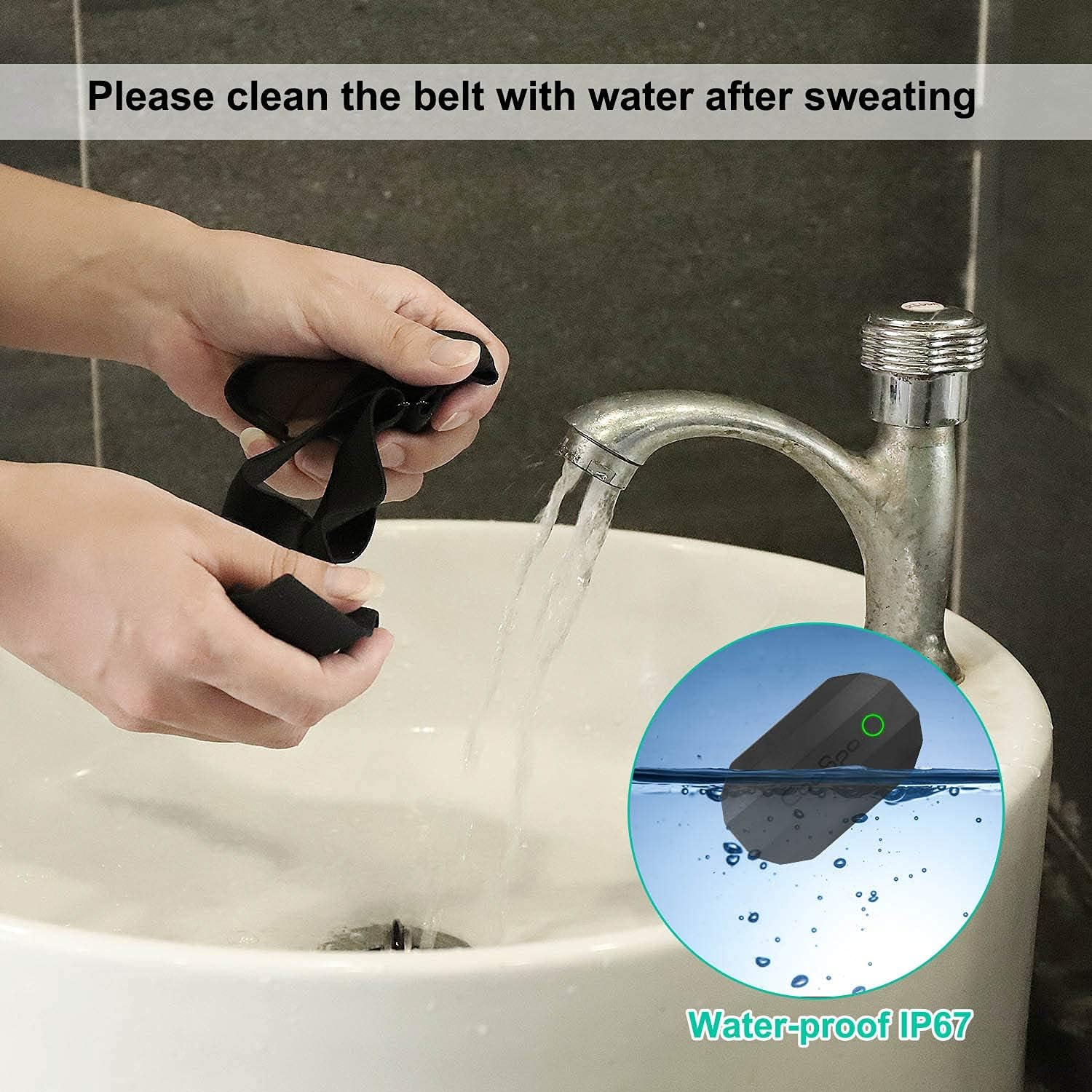
Figure 9: Instructions for cleaning the chest strap and highlighting its IP67 waterproof rating.
Battery Replacement
The COOSPO H808S uses a replaceable CR2032 battery, offering up to 300 hours of working time. When the battery is low or the device stops functioning, replace the battery by carefully opening the battery compartment on the sensor unit. Ensure proper polarity when inserting the new battery.
Troubleshooting
- Device not connecting: Ensure the electrodes on the chest strap are wet and the monitor is worn correctly. Make sure Bluetooth is enabled on your receiving device and that the heart rate monitor is not already paired with another device.
- Inaccurate readings: Re-wet the electrodes. Ensure the strap is snug against your skin and positioned correctly on your chest. Avoid loose clothing that might interfere with sensor contact.
- Short battery life: Always disconnect the sensor from the chest strap when not in use. The sensor may remain active if left attached to the strap, draining the battery. Replace the CR2032 battery if issues persist.
Specifications
| Feature | Specification |
|---|---|
| Brand | CooSpo |
| Model | H808S |
| Connectivity | Bluetooth 4.0, ANT+ |
| Material | Plastic (Sensor) |
| Waterproof Rating | IP67 |
| Battery Type | CR2032 (Replaceable) |
| Battery Life | Up to 300 hours |
| Item Weight | 15 Grams |
| Product Dimensions | 2.36"L x 1.37"W x 0.59"H |
Warranty and Support
For warranty information and technical support, please refer to the official CooSpo website or contact their customer service directly. Keep your purchase receipt as proof of purchase for any warranty claims.