
1. Introduction
This manual provides essential information for the safe and efficient operation of your uninell Robot Vacuum and Mop UR3. The UR3 is designed to provide comprehensive floor cleaning, combining vacuuming, sweeping, and mopping functionalities with advanced navigation and smart features. Please read this manual thoroughly before using the product and retain it for future reference.
2. Safety Information
To reduce the risk of injury or damage, observe the following safety precautions:
- Ensure the power voltage matches the rating label on the charging dock.
- Do not operate the robot in wet environments or near water.
- Keep children and pets away from the robot during operation.
- Do not use the robot to pick up large or sharp objects, liquids, or burning materials.
- Use only the original charging dock and power adapter provided by uninell.
- Regularly clean the brushes and sensors to maintain optimal performance.
- Avoid exposing the robot to direct sunlight or extreme temperatures.
3. Package Contents
Verify that all components are present in the package:
- UR3 Robot Vacuum (with 2-in-1 Dustbox) x 1
- Self-Emptying Station x 1
- HEPA filter x 1 (extra)
- Side Brush x 1 (extra)
- Mop Holder x 1
- Mop Cloth x 1 (extra)
- Dust Bag x 1 (extra)
- Cleaning Brush x 1
- Remote Control x 1
- AAA Battery x 2
- Instruction Manual x 1
- Quick Start Guide x 1

4. Product Overview
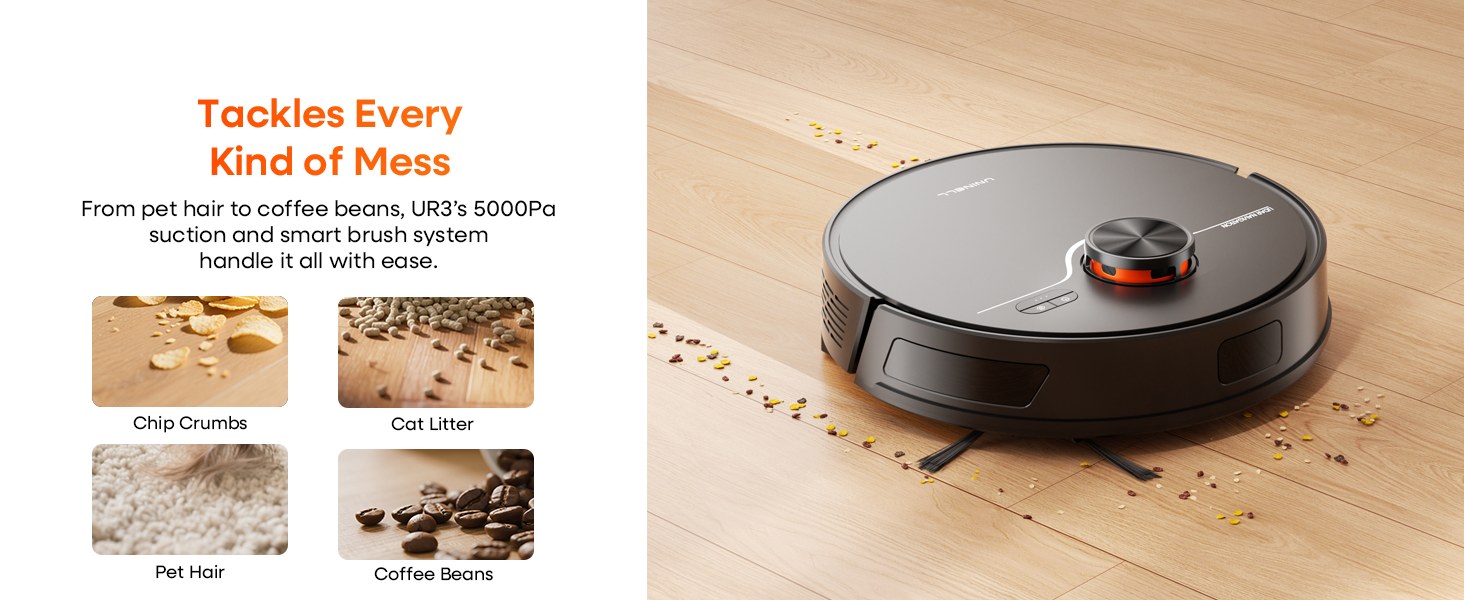
The uninell UR3 is an integrated cleaning solution featuring a robot vacuum with powerful suction and mopping capabilities, complemented by a self-emptying station for hands-free dust disposal. It utilizes LiDAR navigation for precise mapping and efficient cleaning paths.
Robot Vacuum Components
- LiDAR Sensor: For 360° scanning and accurate home mapping.
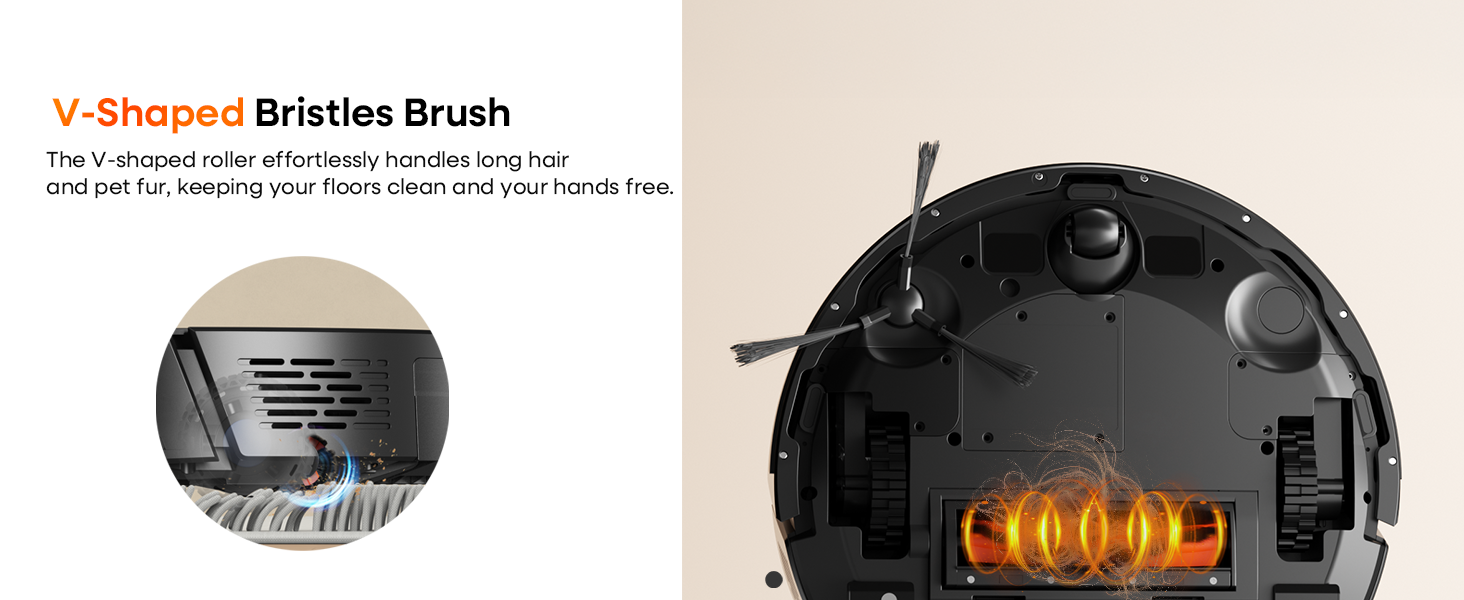
- Main Brush: V-shaped bristles for effective debris collection.
- Side Brushes: To sweep dust from edges and corners.
- Wheels: Rubber-coated for smooth movement across various surfaces.
- Sensors: Anti-drop and obstacle avoidance sensors.
- 2-in-1 Dustbox: Combines dust collection and water tank for vacuuming and mopping.
Self-Emptying Station
- Dust Collection Port: Automatically transfers collected debris from the robot's dustbin to the dust bag.
- 3.5L Dust Bag: Large capacity for up to 70 days of hands-free dust storage.
- Charging Contacts: For automatic recharging of the robot vacuum.
5. Setup
5.1 Charging Station Placement
Place the self-emptying station against a wall in an open area. Ensure there is at least 0.5 meters (1.6 feet) of clear space on both sides and 1.5 meters (4.9 feet) in front of the station for optimal robot navigation and docking.
5.2 Initial Charge
Connect the charging station to power. Place the robot vacuum onto the charging station. The robot will automatically begin charging. For first-time use, ensure the robot is fully charged before operation. A full charge provides up to 180 minutes of runtime.
5.3 App Installation and Connection
Download the 'Smart-Life' app from your mobile device's app store. Follow the in-app instructions to connect your uninell UR3 robot vacuum to your home Wi-Fi network. The app enables advanced control, mapping, and scheduling features.

6. Operating Instructions
6.1 Cleaning Modes
The UR3 offers versatile cleaning modes:
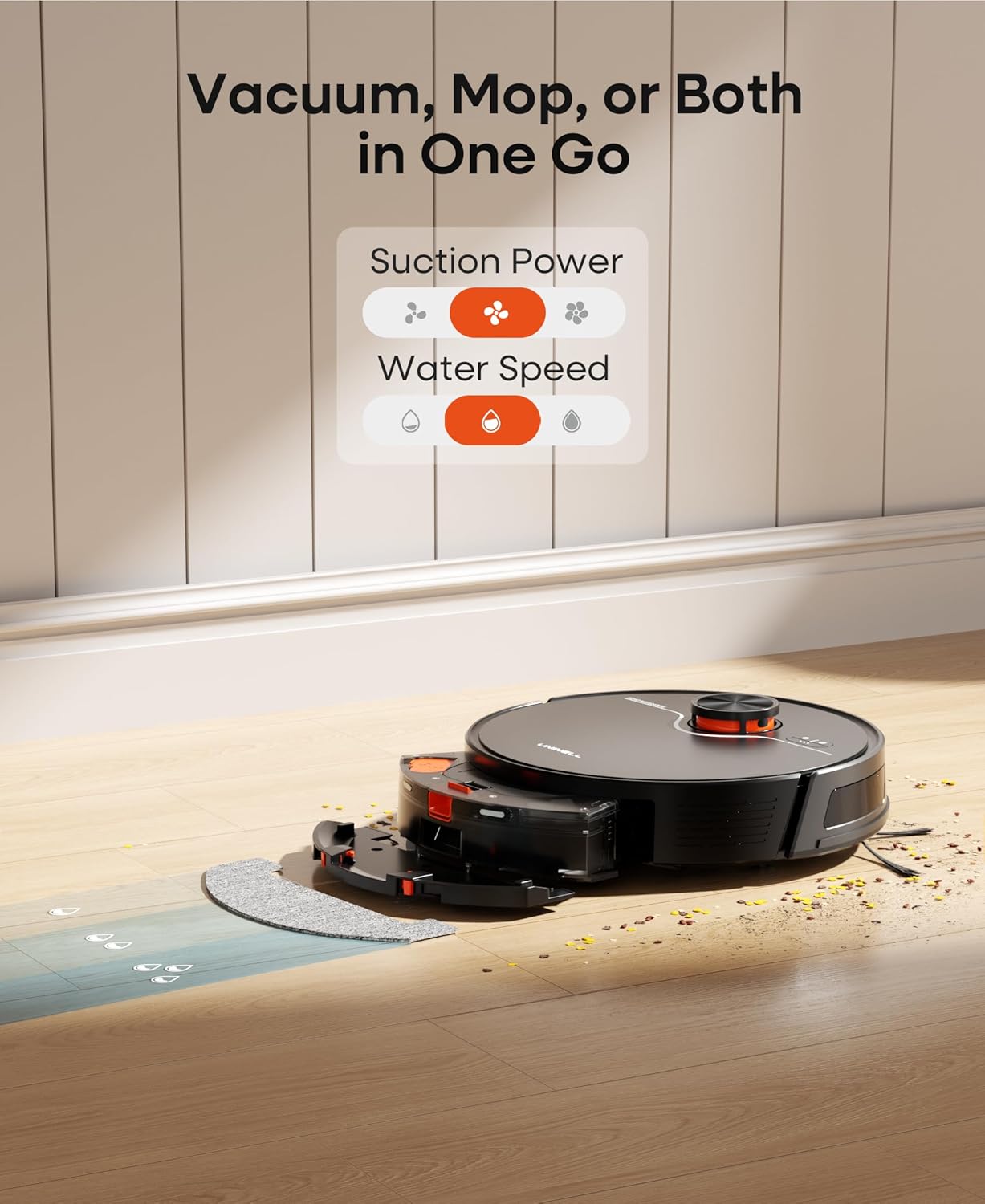
- Vacuuming Only: Utilizes the 350ml dustbin for dry debris collection.
- Mopping Only: Adjust water flow levels via the app for different floor types.
- Vacuum and Mop: Simultaneous operation for comprehensive cleaning.

6.2 Starting and Stopping Cleaning
- Via Robot Button: Press the 'Clean' button on the robot to start or pause cleaning.
- Via App: Use the 'Smart-Life' app to start, pause, or stop cleaning from anywhere.
- Via Remote Control: Use the included remote for direct control.
- Via Voice Control: Compatible with Alexa and Google Assistant for voice commands.
6.3 Smart App Control
The 'Smart-Life' app provides extensive control over your UR3:
- Map Management: View and manage generated home maps.
- No-Go Zones: Draw virtual walls and mopping exclusion zones to restrict cleaning areas.
- Customized Cleaning: Set different suction and water levels for individual rooms.
- Scheduling: Program cleaning times and frequencies.
- Cleaning Order: Specify the order in which rooms are cleaned.
6.4 Remote Control
The included remote control offers convenient physical buttons for basic operations:
- On/Off: Power the robot on or off.
- Auto Mode: Initiate automatic cleaning.
- Pause/Continue: Pause or resume cleaning.
- Carpet Boost: Activate increased suction on carpets.
- Suction Up/Down: Adjust suction power.
- Water Level: Adjust mopping water output.
- Home for Charge: Send the robot back to the charging station.
- Spot Clean: Initiate a concentrated cleaning in a specific area.
- Wi-Fi Setup: For network configuration.
- Directions: Manually steer the robot.
6.5 Navigation and Mapping
The UR3 utilizes advanced LiDAR navigation to scan and map your home in real-time, ensuring efficient and thorough cleaning. It can store up to 5 floor maps for multi-level homes.
- Precision Laser Mapping: Creates accurate maps for optimized cleaning routes.
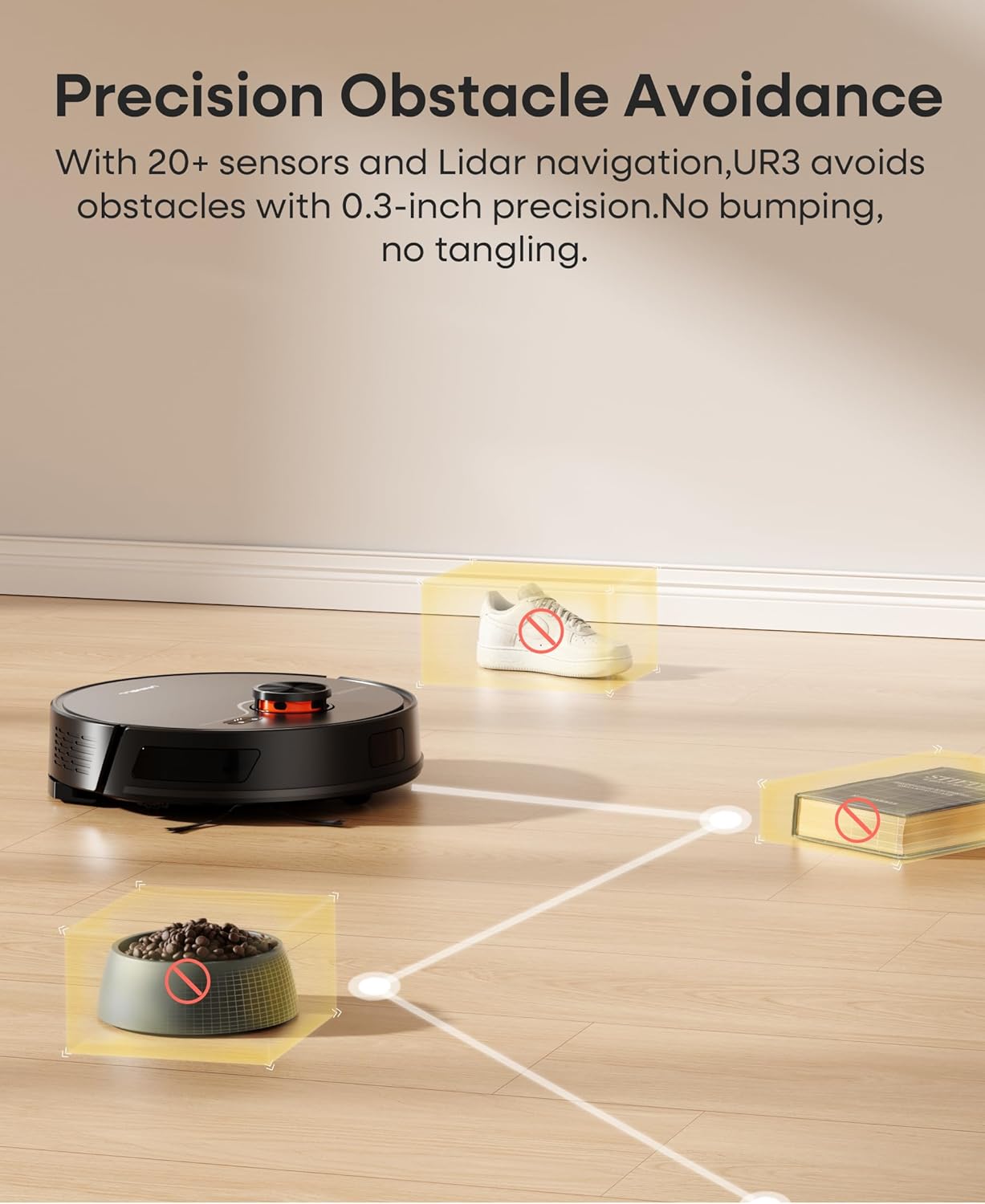
- Obstacle Avoidance: Equipped with over 20 sensors to detect and avoid obstacles with 0.3-inch precision, preventing bumps and tangles.
- Anti-Drop Sensors: Detects edges and prevents falls from stairs or elevated surfaces.
- Threshold Crossing: Advanced rocker arm wheels allow it to climb thresholds up to 0.8 inches.

7. Maintenance
Regular maintenance ensures the longevity and optimal performance of your uninell UR3.
7.1 Self-Emptying Station Dust Bag Replacement
The 3.5L dust bag in the self-emptying station can hold debris for up to 70 days. Replace the dust bag when the app indicates it is full or when you notice reduced suction during emptying.
- Open the lid of the self-emptying station.
- Carefully remove the full dust bag, ensuring the opening is sealed to prevent dust leakage.
- Insert a new dust bag into the slot.
- Close the lid securely.
7.2 Dustbin and Filter Cleaning
The robot's internal dustbin and HEPA filter should be cleaned regularly, especially if you do not use the self-emptying feature frequently.
- Remove the 2-in-1 dustbox from the robot.
- Empty the dust from the dustbin.
- Remove the HEPA filter and tap it gently to dislodge dust. Do not wash the HEPA filter with water.
- Rinse the dustbin with water if necessary, ensuring it is completely dry before reinstallation.
7.3 Side Brush Cleaning/Replacement
Inspect side brushes for tangled hair or debris. Remove and clean them as needed. Replace worn brushes with new ones (an extra side brush is included).
7.4 Main Brush Cleaning/Replacement
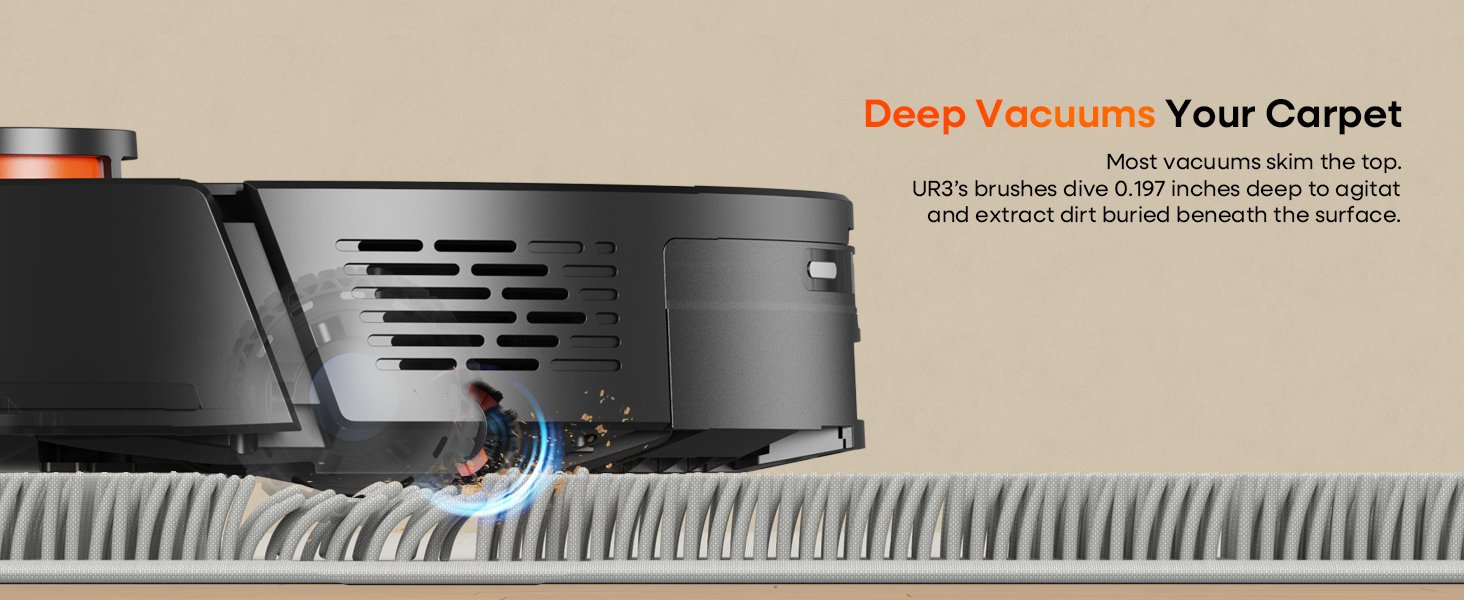
The V-shaped bristles brush effectively tackles pet hair. Periodically remove the main brush cover and clean any tangled hair or debris from the brush. Replace if bristles are damaged.
7.5 Mop Pad Cleaning/Replacement
After mopping, remove the mop pad from the mop holder and wash it. Ensure it is clean and dry before reattaching. Replace worn mop pads as needed (an extra mop cloth is included).
7.6 Sensor Cleaning
Wipe all sensors (LiDAR, anti-drop, obstacle avoidance) with a clean, dry cloth to ensure accurate navigation and prevent malfunctions.
8. Troubleshooting
If you encounter issues with your uninell UR3, refer to the following common problems and solutions:
| Problem | Possible Cause | Solution |
|---|---|---|
| Robot does not turn on. | Low battery; Power switch off. | Charge the robot; Ensure power switch is on. |
| Robot cannot return to charging station. | Charging station obstructed; Too far from station. | Clear obstacles around the station; Manually place robot closer. |
| Poor cleaning performance. | Dustbin full; Brushes tangled; Filter clogged. | Empty dustbin; Clean main/side brushes; Clean/replace filter. |
| Robot gets stuck frequently. | Too many obstacles; Sensors dirty. | Clear floor of loose cables/small items; Clean all sensors. |
| App connection issues. | Incorrect Wi-Fi password; Router too far; App outdated. | Verify Wi-Fi credentials; Move robot closer to router; Update app. |
9. Specifications
| Feature | Specification |
|---|---|
| Brand | uninell |
| Model Name | UR3 |
| Colour | Black |
| Product Dimensions | 32L x 32W x 9.7H Centimetres |
| Item Weight | 5.1 kg |
| Suction Power | 5000Pa |
| Battery Runtime | Up to 180 minutes |
| Battery Cell Composition | Lithium Ion |
| Voltage | 14.4 Volts |
| Noise Level | 50 dB |
| Dust Bag Capacity (Self-Emptying Station) | 3.5 Liters (up to 70 days hands-free) |
| Navigation Type | 360° LiDAR Navigation |
| Mapping Capability | 5 Floor Smart Mapping, Precision Laser Mapping |
| Control Methods | Wi-Fi/App (Smart-Life), Alexa, Google Assistant, Remote Control, Onboard Buttons |
| Special Features | 70-Day Self-Emptying, No-Go Zones, Scheduled Cleaning, Carpet Boost, Anti-Drop Sensors, Obstacle Avoidance |
| Surface Recommendation | Hard Floor, Low-Pile Carpet, Hardwood Floor, Laminate, Luxury Vinyl, Tile |
10. Warranty and Support
uninell is committed to product quality and customer satisfaction.
- Warranty: The uninell UR3 comes with a 24-month (2-year) warranty.
- Technical Support: Lifetime technical support is provided.
- Customer Service: Our after-sales service team is available 24/7 and will respond promptly within 24 hours for any issues or inquiries.
- Returns: Enjoy a 90-day free return policy.
For assistance, please contact uninell customer support through the contact information provided in your Quick Start Guide or on the official uninell website.

