
1. Product Overview and Package Contents
Thank you for choosing the Bextgoo 7024B-Pro 2K WiFi Video Doorbell. This device provides enhanced security and convenience for your home. Please ensure all components are present before proceeding with installation.
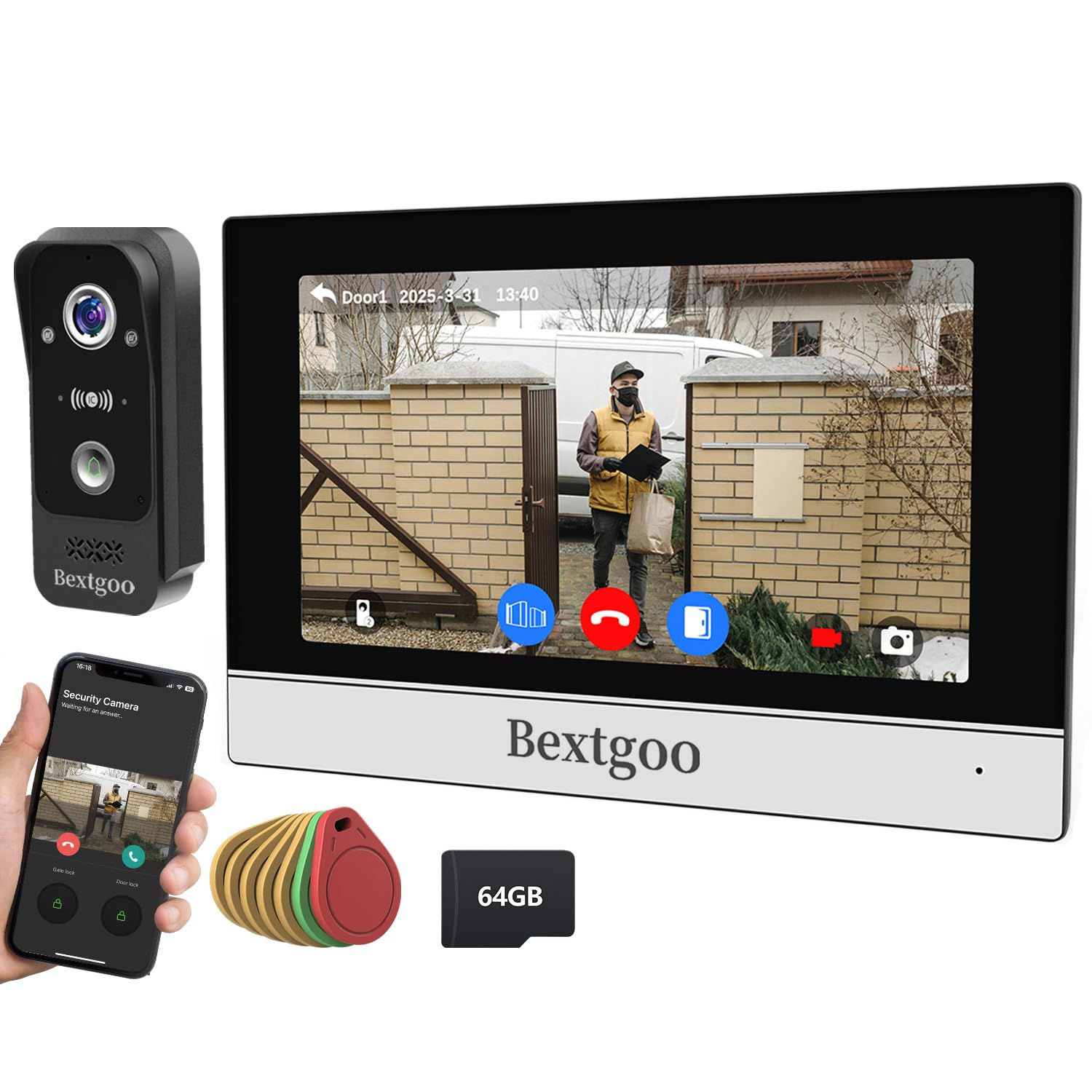
Image: The Bextgoo 7024B-Pro 2K WiFi Video Doorbell system, showing the outdoor doorbell unit and the indoor monitor.
Package Contents:
- 1 x WiFi Video Doorbell Unit
- 1 x Indoor Monitor
- RFID Cards (Quantity may vary)
- Wiring Kit
- Power Cable
- Screw Kit for Installation
- User Manual (This document)
2. Setup and Installation
Proper installation is crucial for the optimal performance of your video doorbell system. This device supports wall mounting and wired connectivity.
2.1 Mounting the Outdoor Unit
- Choose Location: Select a suitable location near your entrance, ensuring a clear view and access to power. The recommended viewing angle is 170 degrees.
- Drill Holes: Use the provided screw kit and template (if included) to mark and drill holes for wall mounting.
- Secure Unit: Attach the video doorbell unit securely to the wall using the screws.
2.2 Wiring and Power Connection
- Connect Wiring Kit: Follow the wiring diagram in the separate quick start guide for connecting the doorbell unit to the indoor monitor and power supply. Ensure all connections are secure.
- Power Supply: Connect the power cable to the system. The system operates on 5 Volts.
- Initial Power On: Once all connections are made, power on the system. The indoor monitor should activate.
2.3 Network Configuration (WiFi)
- Download App: Download the official Bextgoo application on your smartphone (compatible with Android and iOS).
- Pair Device: Follow the in-app instructions to pair your video doorbell system with your home WiFi network. This typically involves scanning a QR code or entering network credentials.
- Test Connection: Verify that the doorbell and monitor are connected to the network and accessible via the app.
3. Operating Instructions
This section details the daily operation of your Bextgoo 2K WiFi Video Doorbell system.
3.1 Answering a Call
- When a visitor presses the doorbell, the indoor monitor will ring and display the live video feed.
- You will also receive a notification on your paired smartphone via the Bextgoo app.
- To answer, press the 'Answer' button on the indoor monitor or within the smartphone app.
- You can then communicate with the visitor using two-way audio.
3.2 Remote Access and Monitoring
- Open the Bextgoo app on your smartphone to view the live feed from your doorbell at any time.
- The app allows you to initiate two-way communication, capture screenshots, or record video.
3.3 Using RFID Cards
- The system supports RFID cards for convenient access control.
- To grant access, present a pre-programmed RFID card to the designated reader area on the outdoor doorbell unit.
- Refer to the app settings for adding or removing RFID cards.
3.4 Night Vision
The doorbell unit is equipped with infrared night vision, providing clear video up to 15 meters in low-light conditions.
4. Maintenance
Regular maintenance ensures the longevity and optimal performance of your video doorbell system.
- Cleaning: Gently wipe the camera lens and housing of the outdoor unit with a soft, damp cloth. Avoid abrasive cleaners.
- Firmware Updates: Periodically check the Bextgoo app for available firmware updates to ensure your system has the latest features and security enhancements.
- Wiring Inspection: Annually inspect all wiring connections for any signs of wear or damage.
- Storage: The system includes a 64 GB card for video storage. Regularly review and manage recorded footage as needed.
5. Troubleshooting
If you encounter issues with your Bextgoo 2K WiFi Video Doorbell, refer to the following common troubleshooting steps.
5.1 No Power to Unit
- Check Power Cable: Ensure the power cable is securely connected to both the unit and the power source.
- Verify Power Outlet: Test the power outlet with another device to confirm it is functional.
- Inspect Wiring: Review all wiring connections for any loose or damaged wires.
5.2 No Video Feed / Poor Quality Video
- Check Network Connection: Ensure both the doorbell and your smartphone are connected to a stable WiFi network.
- Clean Lens: Clean the camera lens on the outdoor unit to remove any dirt or obstructions.
- Signal Strength: If the WiFi signal is weak, consider relocating your router or using a WiFi extender.
5.3 RFID Cards Not Working
- Reprogram Card: Try reprogramming the RFID card through the Bextgoo app.
- Card Placement: Ensure the card is held correctly against the reader area.
- System Reset: As a last resort, a system reset might resolve the issue (refer to the app for reset options).
6. Specifications
Key technical specifications for the Bextgoo 7024B-Pro 2K WiFi Video Doorbell system.
| Feature | Specification |
|---|---|
| Model Name | 7024B-Pro |
| Brand | Bextgoo |
| Video Capture Resolution | 4MP (2K HD) |
| Connectivity Technology | Wired, Wi-Fi |
| Wireless Communication Technology | WiFi |
| Viewing Angle | 170 Degrees |
| Night Vision Range | 15 Meters |
| Power Source | Electric Cable |
| Voltage | 5 Volts |
| Material | Plastic |
| Mounting Type | Wall Mount |
| Product Dimensions | 19.5 x 13.2 x 1.8 cm |
| Product Weight | 1.1 kg |
| Recommended Uses | Outdoor Security, Indoor Security |
| Compatible Devices | Smartphone (Android, iOS) |
| Special Features | 2K HD Resolution, Infrared Night Vision |
| Included Storage | 64 GB Card |
7. Warranty and Support
Bextgoo is committed to providing high-quality products and customer satisfaction.
7.1 Warranty Information
This product comes with a standard manufacturer's warranty. Please refer to the warranty card included in your package or visit the official Bextgoo website for detailed terms and conditions.
7.2 Customer Support
For technical assistance, troubleshooting, or any inquiries regarding your Bextgoo 2K WiFi Video Doorbell, please contact our customer support team:
- Email: support@bextgoo.com (Example)
- Website: www.bextgoo.com/support (Example)
Please have your model number (7024B-Pro) and purchase details ready when contacting support.
