
Important Safety Instructions
Please read and understand all safety instructions before operating this product. Failure to follow these instructions may result in electric shock, fire, or serious injury.
- Do not disassemble, puncture, shock, crash, short circuit, or incinerate the device.
- Keep the device dry and do not expose it to high temperatures or humid environments.
- Avoid using the device with appliances that exceed its maximum output of 120W to prevent damage.
- Keep out of reach of children.
- Ensure proper ventilation during use and charging.
Package Contents
Verify that all items are included in your package:
- 1 x ZeroKor G120 Portable Power Station
- 1 x 5V USB-C Power Adapter (for wall charging)
- 1 x Car Cigarette Lighter Adapter
- 1 x USB-A to USB-C Charging Cable
- 1 x User Manual

Image: ZeroKor G120 Portable Power Station, USB-C power adapter, car cigarette lighter adapter, USB-A to USB-C charging cable, and user manual.
Product Overview
Ports and Display
The ZeroKor G120 is equipped with multiple output ports and a clear display to monitor its status.
- AC Output: Two 120V/120W max AC outlets for standard appliances.
- DC Output: One 12V-16.8V/6A max DC port.
- USB Ports: One USB-A (5V/2.4A max), one QC USB (5V/3.1A, 9V/2A, 12V/1.5A max), and one USB-C (5V/3.1A, 9V/2A, 12V/1.5A max) for fast-charging phones, tablets, and drones.
- USB-C Input: Used for recharging the power station.
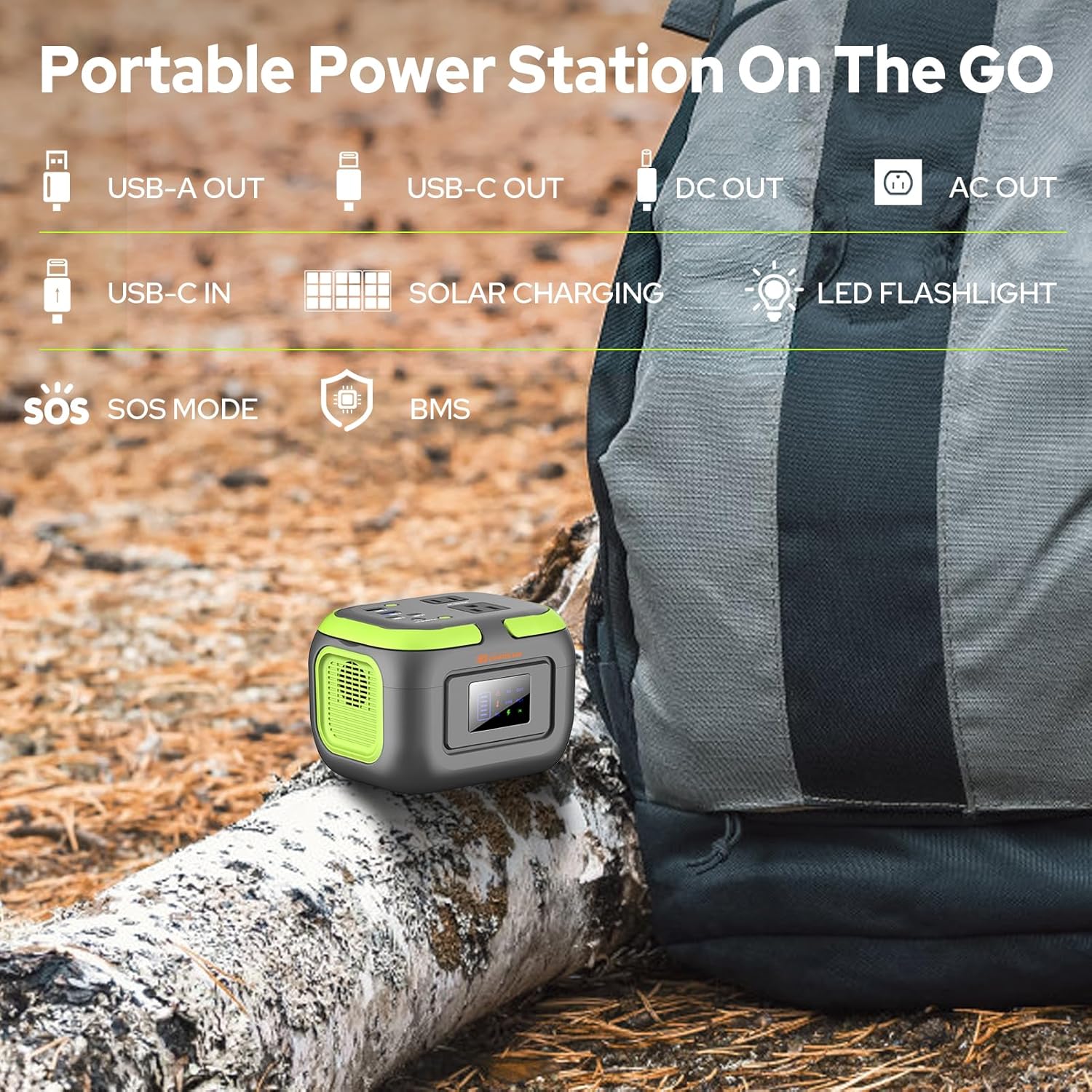
Image: Top view of the ZeroKor G120 Portable Power Station, highlighting the various output ports including AC, DC, USB-A, and USB-C, along with the USB-C input port.
LED Flashlight
The power station features a built-in LED flashlight with 3 light modes: steady, dim, and SOS. To activate, press and hold the light button on the side. Press again to cycle through modes, and hold to turn off.

Image: The ZeroKor G120 Portable Power Station illuminating a camping tent with its built-in LED flashlight, demonstrating its utility in outdoor low-light conditions.
Setup
Initial Charging
Before first use, fully charge your ZeroKor G120 Portable Power Station. This ensures optimal battery performance and longevity.
- Connect the provided USB-C power adapter to the USB-C input port on the power station.
- Plug the adapter into a standard wall outlet.
- The display will show a charging indicator. The device is fully charged when the battery icon is full and static.
- Charging typically takes 4-5 hours.
Operating Instructions
Powering On/Off Outputs
To activate or deactivate specific output types:
- AC Output: Press and hold the AC button for approximately 3 seconds until the 'AC OUT' indicator appears on the display. Repeat to turn off.
- DC Output: Press and hold the DC button for approximately 3 seconds until the 'DC OUT' indicator appears on the display. Repeat to turn off.
- USB Output: USB ports are typically active when a device is connected. The 'USB OUT' indicator will appear on the display.

Image: A close-up view of the ZeroKor G120 Portable Power Station's display screen showing battery level and active output indicators, surrounded by its various USB, AC, and DC ports.
Connecting Devices
Plug your devices into the appropriate ports. The power station can charge multiple devices simultaneously, provided the total wattage does not exceed 120W.

Image: The ZeroKor G120 Portable Power Station simultaneously charging a smartphone, tablet, and powering a small light, demonstrating its multi-device charging capability.
Charging the Power Station
The ZeroKor G120 offers three convenient ways to recharge:
1. Wall Outlet Charging
- Use the included USB-C power adapter.
- Plug the adapter into a standard wall socket and connect the USB-C end to the power station's USB-C input port.
- Charging time: Approximately 4-5 hours.

Image: The ZeroKor G120 Portable Power Station connected to a wall outlet for charging, with a smartphone also connected to the power station, illustrating its pass-through charging capability.
2. Car Charger Charging
- Use the included Car Cigarette Lighter Adapter and USB-A to USB-C charging cable.
- Connect the USB-A end of the cable to the car adapter, and the USB-C end to the power station's USB-C input port.
- Plug the car adapter into your vehicle's 12V cigarette lighter socket.
3. Solar Panel Charging (Solar Panel Not Included)
- Connect a compatible solar panel (sold separately) to the power station's USB-C input port using an appropriate cable.
- Ensure the solar panel is placed in direct sunlight for efficient charging.

Image: The ZeroKor G120 Portable Power Station connected to a solar panel for recharging, set up next to a camping tent on a beach, showcasing its solar charging capability for outdoor use.
Battery Management System (BMS) and Safety Features
The ZeroKor G120 incorporates an advanced Battery Management System (BMS) to ensure safe and reliable operation. This system provides multiple layers of protection:
- Short Circuit Protection: Prevents damage from electrical shorts.
- Over-Current Protection: Safeguards against excessive current flow.
- Over-Voltage Protection: Protects against voltage surges.
- Overload Protection: Prevents damage when connected devices draw too much power.
- Overheating Protection: A built-in cooling fan system automatically activates and deactivates based on internal temperature to prevent overheating.

Image: A visual representation of the ZeroKor G120's Battery Management System (BMS), detailing its comprehensive safety features including protection against short circuit, over-current, over-voltage, overload, overheating, and overcharge.
Maintenance
- Storage: Recharge the power station every 3 months to maintain battery health, even if not in use. Store in a cool, dry place away from direct sunlight and extreme temperatures.
- Cleaning: Use a dry, soft cloth to clean the exterior of the device. Do not use liquid cleaners.
- Avoid Overloading: Do not connect devices that exceed the 120W maximum output.
Troubleshooting
Device Not Charging
- Ensure the charging cable and adapter are securely connected to both the power station and the power source.
- Verify that the wall outlet or car socket is functional.
- If using a solar panel, ensure it is in direct sunlight and properly connected.
Output Not Working
- Confirm that the specific output (AC or DC) is activated by pressing and holding its respective button.
- Check if the connected device's power consumption exceeds the power station's 120W maximum output.
- Ensure the power station has sufficient battery charge.
Specifications
| Feature | Specification |
|---|---|
| Model Name | G120 Power Station 120W |
| Battery Capacity | 97.6Wh (26,400mAh) |
| AC Output | 2 x 120V/120W max |
| DC Output | 1 x 12V-16.8V/6A max |
| USB-A Output | 1 x 5V/2.4A max |
| QC USB Output | 1 x 5V/3.1A, 9V/2A, 12V/1.5A max |
| USB-C Output | 1 x 5V/3.1A, 9V/2A, 12V/1.5A max |
| USB-C Input | For charging the power station |
| Charging Methods | Wall outlet, Car charger, Solar panel (sold separately) |
| Item Weight | 2.2 Pounds |
| Product Dimensions | 5.7"L x 4.4"W x 4.1"H |
| Material | ABS |
| Special Features | LED Flashlight (3 modes), BMS Protection, Cooling Fan |
Warranty and Support
The ZeroKor G120 Portable Power Station comes with a 12-month warranty from the date of purchase.
For technical support, warranty claims, or any questions regarding your product, please contact ZeroKor customer service through the retailer's platform or visit the official ZeroKor website for contact information.
Product Use Cases
The ZeroKor G120 is designed for versatile use, providing reliable power in various situations:
- Outdoor Adventures: Ideal for camping, hiking, RV trips, and van life to power small electronics and lights.
- Emergency Backup: A dependable power source during power outages at home or on the go.
- Portable Workstation: Keep laptops, cameras, and other work devices charged in remote locations.

Image: A man using the ZeroKor G120 Portable Power Station at a campsite with an RV, demonstrating its suitability for outdoor power needs.

Image: The ZeroKor G120 Portable Power Station placed on a nightstand, illustrating its use as an indoor power backup for small devices.
Official Product Video
Video: An official product video from ZeroKor demonstrating the "Camping Portable Power Bank with AC Outlet 120W". This video highlights the power station's features and its practical applications in outdoor settings.

