
1. Introduction
The Necto MS150 Cellular Temperature & Humidity Monitor is a 3-in-1 device designed for remote monitoring of temperature, humidity, and power status. It provides real-time alerts and continuous monitoring, making it ideal for various environments such as RVs, homes, greenhouses, and server rooms. With included cellular service, it operates independently of Wi-Fi, ensuring reliable connectivity.
Key Features:
- 2 Years of Cellular Service Included: No monthly fees for the initial two years, providing cost-effective remote monitoring without Wi-Fi.
- Instant Alerts & 24/7 Monitoring: Customizable high/low temperature and humidity thresholds with real-time text and email alerts.
- Rechargeable Internal Battery: Offers up to 3 days of continuous monitoring during power outages.
- Intuitive Dashboard & Easy Setup: User-friendly online portal for remote access, settings management, and data viewing.
- Fast Refresh & Free Data Storage: Takes readings every 10 seconds, updates every 10 minutes, and stores data for 1 year.
2. What's Included
Your Necto MS150 package includes all necessary components for immediate setup and operation:
- Necto MS150 Sensor Unit
- Adhesive Wall Mount
- USB-C Charger
- USB Converter
- Mounting Screws

Image: The Necto MS150 unit, USB-C charger, USB converter, adhesive wall mount, and mounting screws.
Video: An overview of the Necto RV temperature monitor and sensor, showing its components and basic functionality.
3. Setup
Setting up your Necto MS150 is a straightforward three-step process:
- Power Up: Plug the Necto device into any standard wall outlet using the provided USB-C charger and USB converter. The device will automatically connect to the cellular network.
- Place Device: Place the unit on any flat, stable surface or mount it to a wall using the included adhesive wall mount or mounting screws. Ensure it is placed in an area with good air circulation and away from direct heat sources or vents for accurate readings.
- Customize Settings: Access the online user portal (app.getnecto.com) from your mobile phone or PC. Activate your device, then customize alert preferences and set your desired temperature and humidity thresholds.

Image: Visual guide illustrating the simple three-step installation process for the Necto monitor.
Video: A demonstration of the easy setup process for the Necto RV temperature and humidity sensor.
4. Operating the Device & App
The Necto MS150 provides comprehensive monitoring and alert capabilities through its intuitive online portal:
- Real-Time Monitoring: View current temperature and humidity readings, as well as power status, directly from the Necto app or web interface. Readings are taken every 10 seconds and updated on the portal every 10 minutes.
- Customizable Alerts: Set specific high and low thresholds for temperature and humidity. You can also configure alerts for power outages, low battery, and device offline status.
- Multiple Alert Methods: Receive instant notifications via text message and email. You can add up to 5 contacts to receive these critical alerts.
- Data History & Reports: Access and download up to 1 year of historical data in a CSV file for detailed analysis.

Image: The Necto device highlighting its capabilities as a 3-in-1 sensor for humidity, power outage, and temperature.

Image: The Necto mobile application's intuitive interface, allowing users to adjust thresholds, set alert preferences, and view historical data.

Image: Examples of real-time alerts received on a smartphone from the Necto sensor for critical environmental changes.
Video: A demonstration of the Necto Temperature & Humidity Sensor's power outage monitoring feature, ideal for pet safety.
Video: This video highlights the Necto monitor's suitability for campers and trailers, ensuring pet safety on the go.
Video: An overview of the Necto RV Temperature & Humidity Sensor, emphasizing its power outage monitoring capabilities.
5. Power Management
The Necto MS150 is designed for continuous operation, even during power interruptions:
- Rechargeable Internal Battery: The device features a long-lasting rechargeable battery that provides up to 72 hours (3 days) of operation without external power.
- Power Outage Alerts: In the event of a power loss, the device will immediately send alerts to your configured contacts, ensuring you are informed of any disruptions.
- Low Battery Notifications: Receive alerts when the device's internal battery is running low, prompting you to recharge it.

Image: The Necto monitor positioned in an RV, showcasing its ability to provide continuous monitoring and alerts even during power outages, thanks to its internal battery.
6. Applications
The Necto MS150 is a versatile monitoring solution suitable for a wide range of environments:
- RVs & Pet Safety: Ensure the comfort and safety of your pets in RVs by monitoring internal temperatures and humidity, especially when you are away.
- Greenhouses: Maintain optimal growing conditions by tracking temperature and humidity levels to prevent damage to plants.
- Vacation Homes: Monitor conditions in unoccupied properties to prevent issues like freezing pipes, excessive humidity, or power failures.
- Server Rooms: Protect sensitive electronic equipment from overheating and humidity fluctuations, preventing costly downtime and data loss.
- Food Storage: Monitor temperature and humidity in food storage areas to prevent spoilage and ensure food safety.
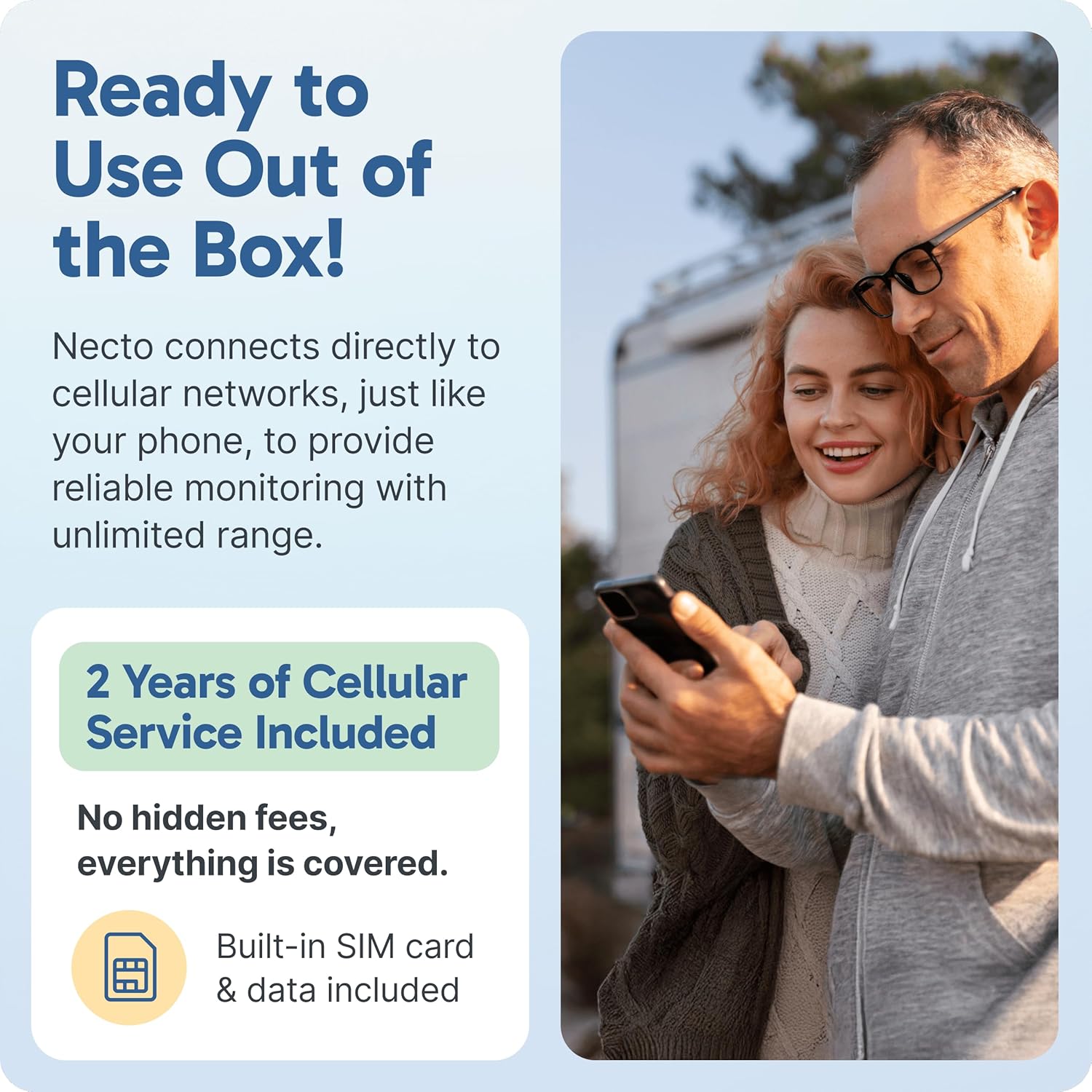
Image: A couple using their phone with the Necto monitor, emphasizing its out-of-the-box readiness and cellular connectivity for remote monitoring.
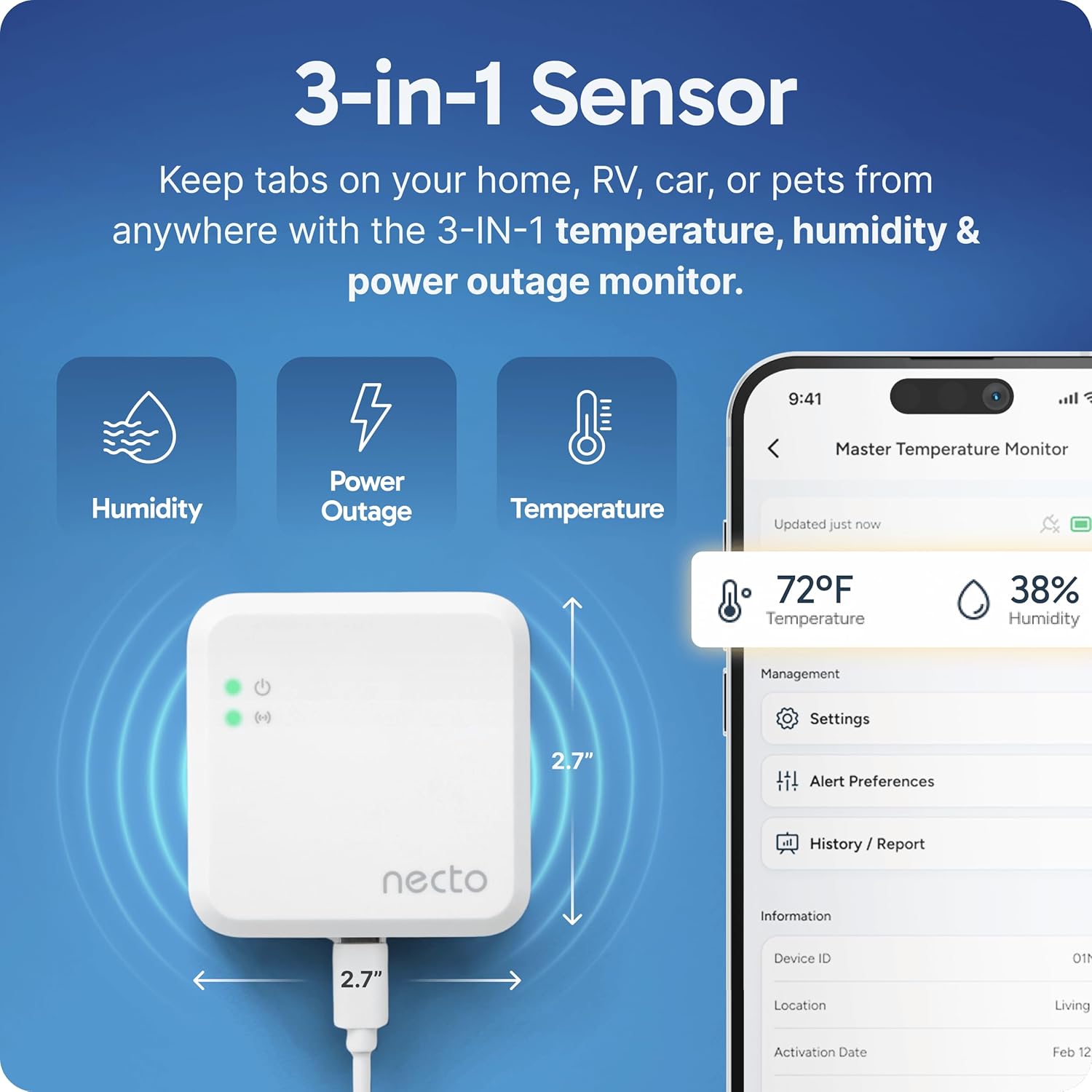
Image: A person with a dog inside a van, illustrating how the Necto monitor can be used to ensure pet safety through 24/7 temperature and humidity monitoring.
7. Specifications
| Feature | Detail |
|---|---|
| Model Number | MS150 |
| Brand | NECTO |
| Color | White |
| Product Dimensions | 2.7"W x 2.7"H |
| Item Weight | 2.15 Ounces |
| Battery Description | Lithium-Ion (1 included) |
| Mounting Type | Wall Mount |
| Upper Temperature Rating | 120 Degrees Fahrenheit |
| Temperature Accuracy | 0.5 Degrees Fahrenheit |
| Measurement Accuracy | +/-0.5% |
| Included Components | Sensor, Adhesive Wall Mount, USB-C Charger, USB Converter, Mounting screws |
8. Troubleshooting
If you encounter any issues with your Necto MS150, please refer to the following common troubleshooting steps:
- No Cellular Signal: Ensure the device is in an area with adequate 4G LTE coverage. Try relocating the device to a different spot.
- No Alerts Received: Verify that your alert preferences are correctly configured in the Necto app/portal, including correct phone numbers and email addresses. Check your spam/junk folders for email alerts.
- Inaccurate Readings: Ensure the device is not placed near heat sources (e.g., direct sunlight, appliances) or vents that could affect temperature and humidity readings. Allow some time for the sensor to stabilize after relocation.
- Device Offline: Check if the device is powered on and connected to a power source. If operating on battery, ensure the battery is charged. If the issue persists, try restarting the device.
9. Warranty and Support
The Necto MS150 comes with a manufacturer's warranty covering defects in materials and workmanship. For specific warranty details and duration, please refer to the documentation included with your product or contact NECTO customer support.
Customer Support:
For technical assistance, troubleshooting, or warranty claims, please visit the official NECTO website or refer to the contact information provided in your Quick Start Guide. Online resources and FAQs may also be available to assist you.
