
TOTO SW3346
TOTO WASHLET S2 Electronic Bidet Toilet Seat Instruction Manual
Model: SW3346
1. Introduction
This manual provides detailed instructions for the installation, operation, and maintenance of your TOTO WASHLET S2 Electronic Bidet Toilet Seat. Please read this manual thoroughly before installation and use to ensure proper function and safety. Retain this manual for future reference.

Image 1.1: TOTO WASHLET S2 Electronic Bidet Toilet Seat.
The TOTO WASHLET S2 offers a refreshing and hygienic cleansing experience with features such as instantaneous warm water, a heated seat, and an air dryer. It incorporates advanced technologies like PREMIST and EWATER+ for enhanced cleanliness and ease of maintenance.
2. Important Safety Information
Observe all safety precautions to prevent injury or property damage. Failure to follow these instructions may result in electric shock, fire, or other hazards.
- Electrical Safety: Ensure the product is connected to a properly grounded 120V GFCI outlet. Do not use extension cords. Disconnect power before performing any maintenance.
- Water Safety: Use only potable water. Ensure all water connections are secure to prevent leaks. Do not install in areas where freezing may occur.
- Product Use: This product is intended for household use only. Do not sit or stand on the lid. Do not allow children to operate without supervision.
3. Package Contents
Verify that all components are present before beginning installation:
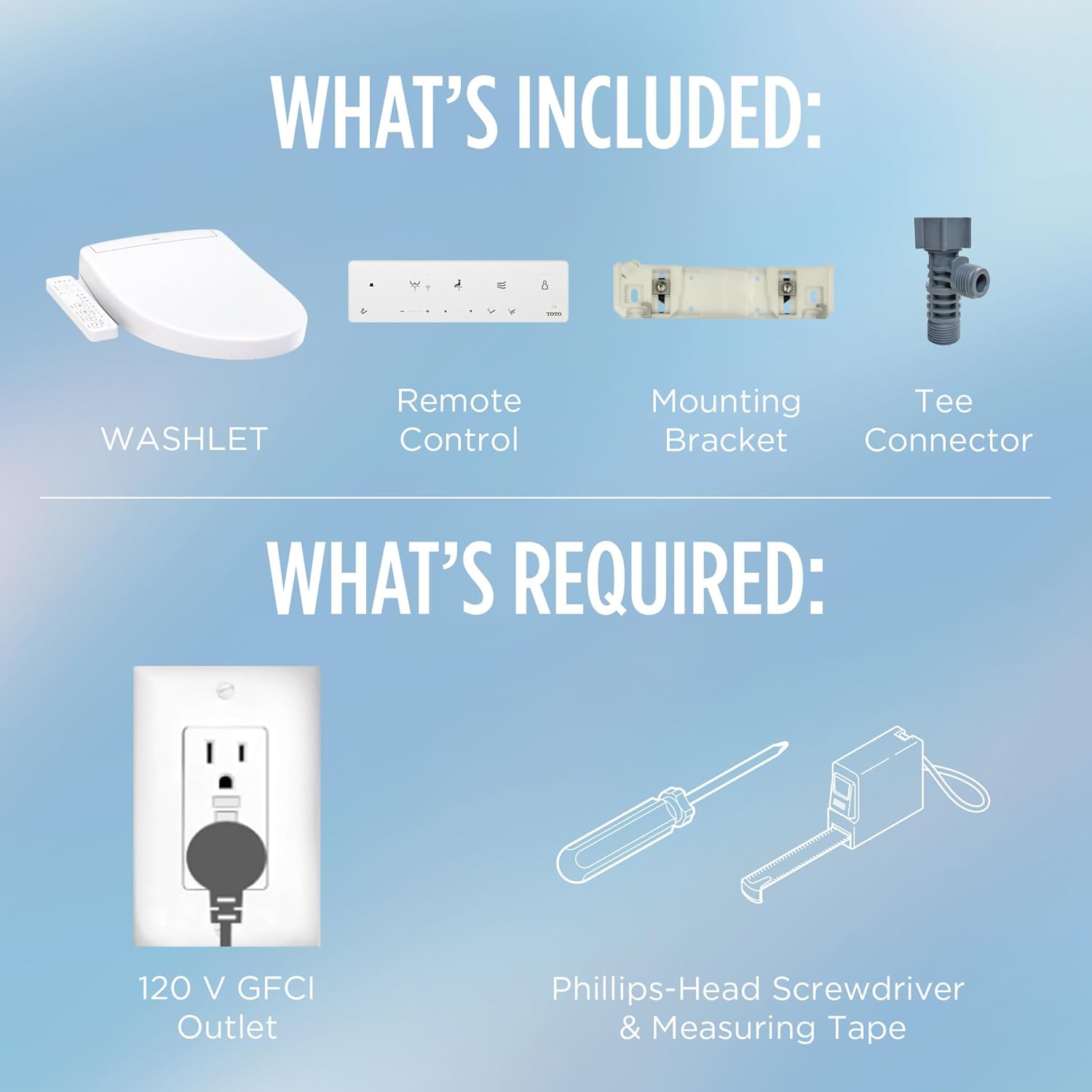
Image 3.1: Included components and required tools for installation.
- WASHLET S2 Unit
- Remote Control (integrated side panel)
- Mounting Bracket
- Tee Connector
- Mounting Hardware
- Water Supply Hose
Tools Required (Not Included):
- Phillips-head Screwdriver
- Measuring Tape
- Adjustable Wrench
4. Installation
Follow these steps carefully for proper installation. For an interactive 3D guide, download the BILT app.

Image 4.1: BILT Intelligent Instructions app for guided installation.
4.1 Pre-Installation Checks
- Toilet Compatibility: Ensure your toilet is compatible with an elongated bidet seat. Refer to the fit guide below.
- Electrical Outlet: A 120V GFCI (Ground Fault Circuit Interrupter) electrical outlet is required within reach of the WASHLET's power cord.
- Water Supply: A cold water supply line is necessary.

Image 4.2: WASHLET Fit Guide for Elongated and Round Toilets.

Image 4.3: Elongated Fit Chart with specific dimensions.
4.2 Mounting the WASHLET
- Remove your existing toilet seat.
- Install the mounting bracket onto the toilet bowl using the provided hardware. Ensure it is securely fastened.
- Slide the WASHLET unit onto the mounting bracket until it clicks into place.
4.3 Water Connection
- Turn off the water supply to the toilet at the shut-off valve.
- Flush the toilet to drain the tank.
- Disconnect the existing water supply hose from the toilet tank.
- Install the provided tee connector to the toilet tank's fill valve.
- Connect the toilet's water supply hose to one end of the tee connector.
- Connect the WASHLET's water supply hose to the other end of the tee connector and to the WASHLET unit.
- Slowly turn on the water supply and check for leaks.
4.4 Electrical Connection
- Plug the WASHLET's power cord into the 120V GFCI electrical outlet.
- Ensure the power cord is not pinched or damaged.
5. Operation
The WASHLET S2 features an integrated side control panel for easy access to all functions.

Image 5.1: Overview of WASHLET S2 key functions.
5.1 Cleansing Functions
The WASHLET offers various cleansing modes with adjustable water pressure and temperature.

Image 5.2: Adjustable water spray and pressure options.
- Rear Cleansing: Press the 'Rear' button for a standard posterior wash.
- Soft Rear Cleansing: Press the 'Soft Rear' button for a gentler posterior wash.
- Front Cleansing: Press the 'Front' button for a feminine wash.
- Oscillating Spray: Press the 'Oscillate' button during cleansing for the wand to move back and forth, covering a wider area.
- Pulsating Spray: Press the 'Pulse' button during cleansing for a massaging effect.
- Water Pressure Adjustment: Use the '+' and '-' buttons to increase or decrease water pressure.
- Wand Position Adjustment: Use the 'Position' buttons to adjust the wand's projection.
- Water Temperature Adjustment: Use the 'Temp' button to cycle through three temperature settings. The WASHLET features instantaneous water heating for a continuous warm water stream.
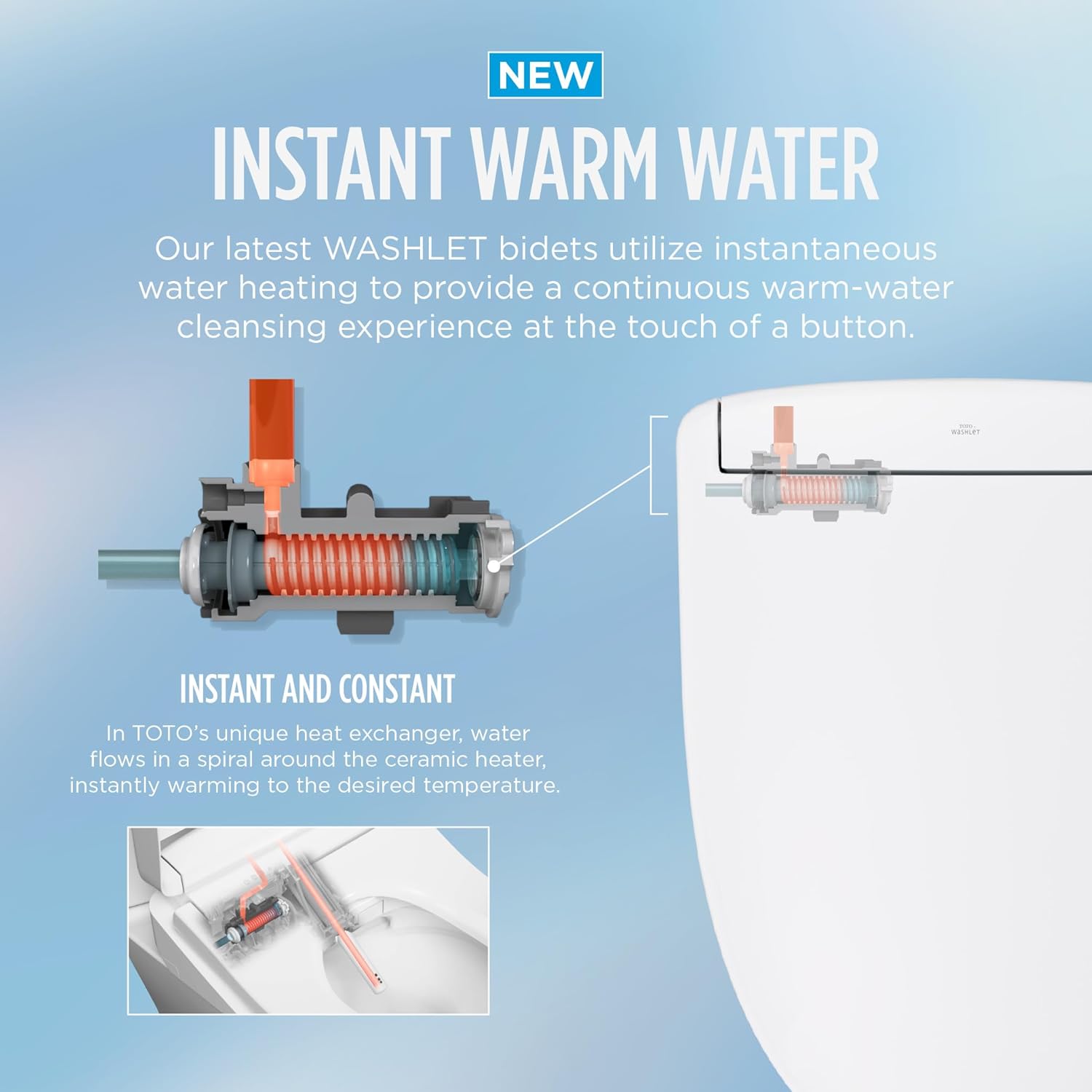
Image 5.3: Instantaneous Warm Water Heating System.
5.2 Additional Functions
- Heated Seat: Press the 'Seat Temp' button to adjust the seat temperature (three settings).
- Warm Air Dryer: Press the 'Dryer' button to activate the warm air dryer (three temperature settings).
- Air Deodorizer: The built-in air deodorizer automatically activates to neutralize odors.
- PREMIST: Before each use, the toilet bowl is misted with water to help prevent waste from sticking.
- Night Light: The integrated night light provides soft illumination. To activate or adjust the night light: Hold down the 'Stop' button for 10 seconds until all buttons flash. Then, press the 'Pressure -' button to cycle through modes (Off, On, Timer). The 'Leaf' light indicates the current mode. If 'Timer' is selected, the night light will activate 12 hours from the time of setting.
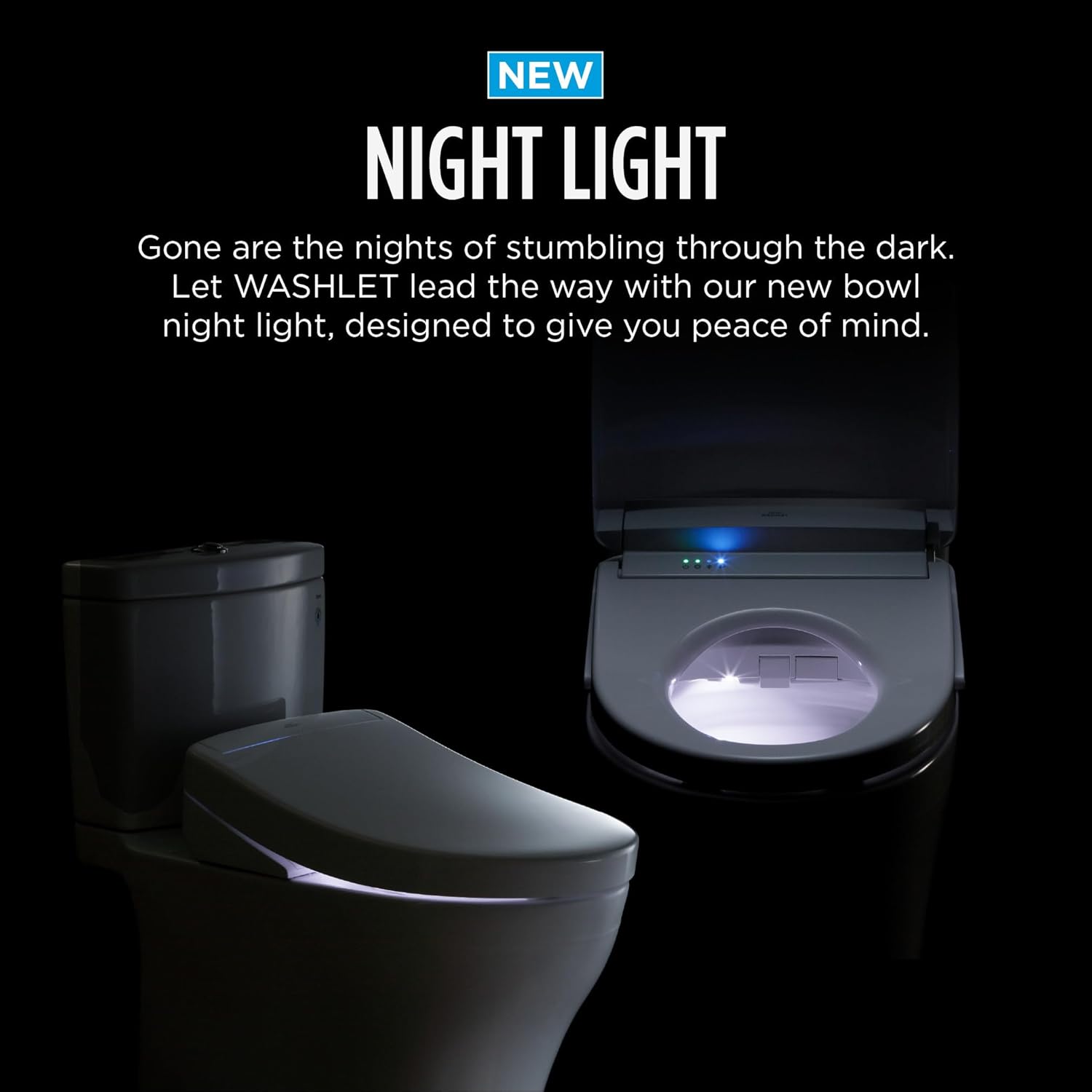
Image 5.4: WASHLET S2 Night Light in operation.
6. Maintenance
Regular cleaning ensures optimal performance and hygiene of your WASHLET S2.
6.1 General Cleaning
- Wipe the exterior of the WASHLET unit with a soft, damp cloth and a mild, non-abrasive cleaner.
- Do not use harsh chemicals, abrasive cleaners, or brushes, as these can damage the surface.
- The WASHLET S2 features Clean Resin, a hydrophobic material that repels liquids, making the seat and wand easier to clean.
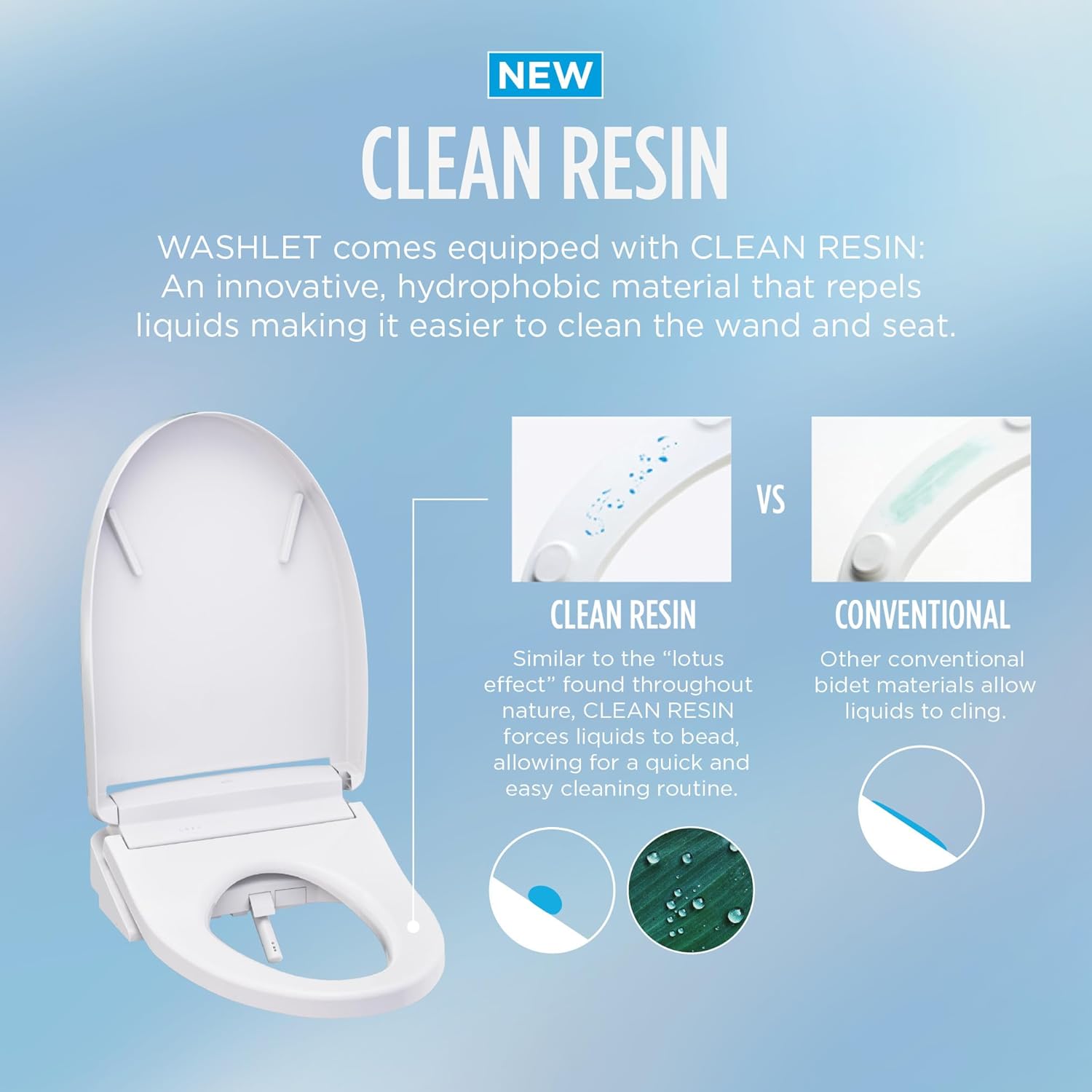
Image 6.1: Clean Resin technology for easy cleaning.
6.2 Wand Cleaning (EWATER+)
The WASHLET S2 utilizes EWATER+ for automatic wand cleaning.
- EWATER+ transforms incoming water into a safe and powerful compound that cleans the inside and outside of the wand before and after every use. This helps maintain hygiene without manual intervention.
- For manual cleaning, gently pull out the wand and wipe it with a soft cloth. Do not use excessive force.
7. Troubleshooting
If you encounter issues with your WASHLET S2, refer to the following common problems and solutions:
| Problem | Possible Cause | Solution |
|---|---|---|
| No power/Unit not operating | Power cord unplugged, GFCI tripped, no power to outlet. | Check power cord connection. Reset GFCI outlet. Verify power to outlet. |
| No water spray | Water supply valve closed, water filter clogged, seat sensor not activated. | Open water supply valve. Clean water filter (if applicable). Ensure you are seated properly on the WASHLET. |
| Water not warm | Water temperature setting too low, instantaneous heater issue. | Adjust water temperature setting. Allow a moment for the instantaneous heater to warm water. |
| Heated seat not working | Seat temperature setting too low, seat sensor not activated. | Adjust seat temperature setting. Ensure you are seated properly on the WASHLET. |
| Night light not working | Night light function is off or incorrectly set. | Refer to Section 5.2 for instructions on activating and setting the night light. |
| Unit is loose on toilet | Mounting bracket not tightened sufficiently. | Ensure mounting bracket bolts are securely tightened. |
If the problem persists after attempting these solutions, please contact TOTO customer support.
8. Specifications
| Feature | Detail |
|---|---|
| Model Number | SW3346 |
| Color | Cotton White |
| Shape | Elongated (Oval) |
| Material | Plastic |
| Product Dimensions (L x W) | 21"L x 18.44"W (533mm L x 468mm W) |
| Item Weight | 13.5 Pounds |
| Power Supply | 120V AC |
| Water Heating | Instantaneous |
| UPC | 739268467644 |
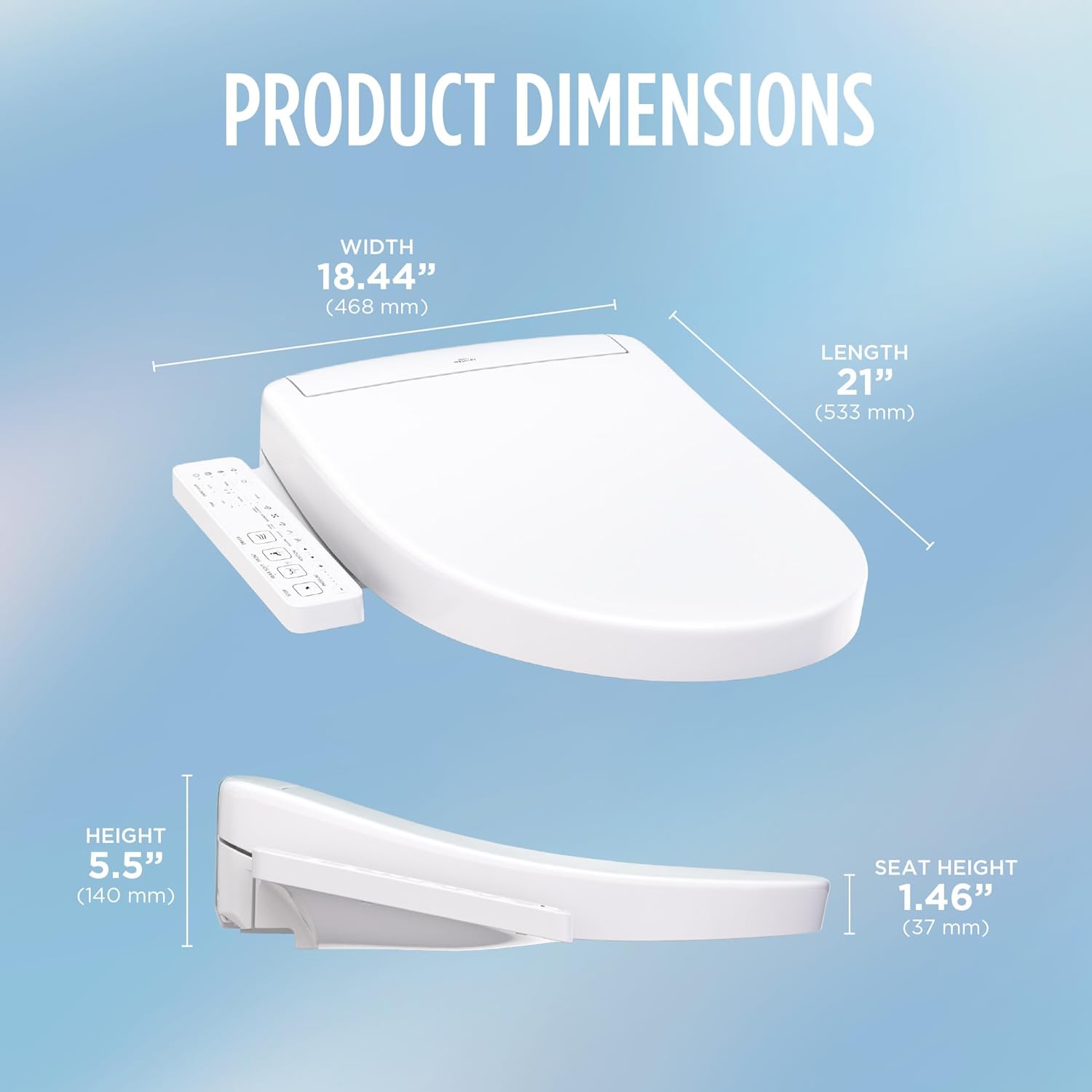
Image 8.1: WASHLET S2 Product Dimensions.
9. Warranty and Support
TOTO products are designed for quality and durability. For specific warranty details, please refer to the warranty card included with your product or visit the official TOTO website.
Customer Support
For technical assistance, troubleshooting, or warranty claims, please contact TOTO Technical Support.
TOTO Technical Support: 1-888-295-8134 (Press 4 when prompted)

Image 9.1: TOTO Factory Trained Installer Network.
TOTO maintains a network of factory-trained repair and installation technicians to provide world-class service.
Ask a question about this manual
Ask about setup, troubleshooting, compatibility, parts, safety, or missing instructions. Manuals+ will review the question and use this page’s manual context to help answer it.