1. Introduction
This manual provides comprehensive instructions for the assembly, operation, and maintenance of your Casaottima 98-inch 2-Person Gaming Desk. This desk is designed to offer a spacious and functional workspace for two individuals, featuring integrated storage, USB charging ports, LED lighting, and an ergonomic monitor stand. Please read this manual thoroughly before assembly and use to ensure proper function and safety.

Image 1.1: The Casaottima 98-inch 2-Person Gaming Desk, showcasing its dual workstation design, integrated LED lighting, and monitor stands. This desk provides ample space for two users to work or game simultaneously.
2. Important Safety Information
- Ensure the desk is properly anchored to the wall to prevent tipping.
- Do not exceed the weight limit of 150 lbs (68 kg) on the desk surface.
- Keep the desk away from the edge of the floor to ensure stability.
- Do not allow children to climb on the desk.
- Keep all electrical components (power outlets, USB ports, LED lights) away from liquids.
- Use only the provided power cord and ensure it is not pinched or damaged.
3. Setup and Assembly
Assembly of this desk requires two people for optimal ease and safety. While the process is straightforward, careful attention to detail is recommended. Please ensure all parts are present and undamaged before beginning assembly.
3.1. Package Contents
Verify that all components listed in the packing list are included. If any parts are missing or damaged, contact Casaottima customer support immediately.
3.2. Tools Required
- Phillips head screwdriver (not included)
- Allen wrench (usually included, check package)
- Optional: Electric drill with appropriate bits for pre-drilling if holes do not align perfectly.
3.3. Assembly Steps
- Unpack and Organize: Carefully unpack all components and lay them out on a clean, soft surface to prevent scratches. Group similar parts together.
- Assemble Frame: Begin by assembling the metal frame components according to the included diagram. Ensure all screws are tightened securely but do not overtighten.
- Attach Desktop Panels: Carefully place the desktop panels onto the assembled frame. Secure them using the provided hardware. Pay attention to the orientation of panels with pre-drilled holes for the monitor stand and power strip.
- Install Monitor Stand: Attach the monitor stand to the designated areas on the desktop.
- Install Storage Shelves: Assemble and install the adjustable storage shelves in the central section. Refer to the diagrams for height adjustment options.
- Install Power Strip and LED Lights: Integrate the built-in power strip and LED light strips as indicated in the instructions. Ensure all cables are routed neatly and safely.
- Attach Footpads: Screw in the adjustable non-slip footpads to the bottom of the desk legs. Adjust them to ensure the desk is level and stable on uneven surfaces.

Image 3.1: Detailed product dimensions, illustrating the overall length, depth, and height of the desk, including the monitor stand and central storage unit. This diagram is crucial for planning your space and during assembly.

Image 3.2: Close-up view of the adjustable non-slip footpads. These footpads allow for leveling the desk on uneven floors and protect your flooring from scratches.
4. Operating Instructions
4.1. Power Outlets and USB Charging Ports
The desk is equipped with a built-in power strip featuring 3 AC outlets (125V/12A) and 2 USB charging ports (5V/2A). To use, connect the desk's main power cord to a wall outlet. You can then plug in up to five electronic devices simultaneously.

Image 4.1: The integrated power strip, showing 3 AC outlets and 2 USB ports, designed for convenient charging and powering of electronic devices directly from the desk surface.
4.2. LED Lighting System
The integrated LED light strip offers customizable ambient lighting. Use the control panel to select from 10 static colors and 10 dynamic modes. Adjust the brightness using the 6 available grades. The system includes a memory function, retaining your last settings when powered off and on.

Image 4.2: A close-up of the LED light strip and its control interface, demonstrating the various color and brightness options available to customize your workspace ambiance.
4.3. Ergonomic Monitor Stand
The full-length monitor stand is designed to raise your monitors to an ergonomic viewing height, reducing neck and eye strain. This elevated platform also provides additional storage space underneath for a tidier desktop.
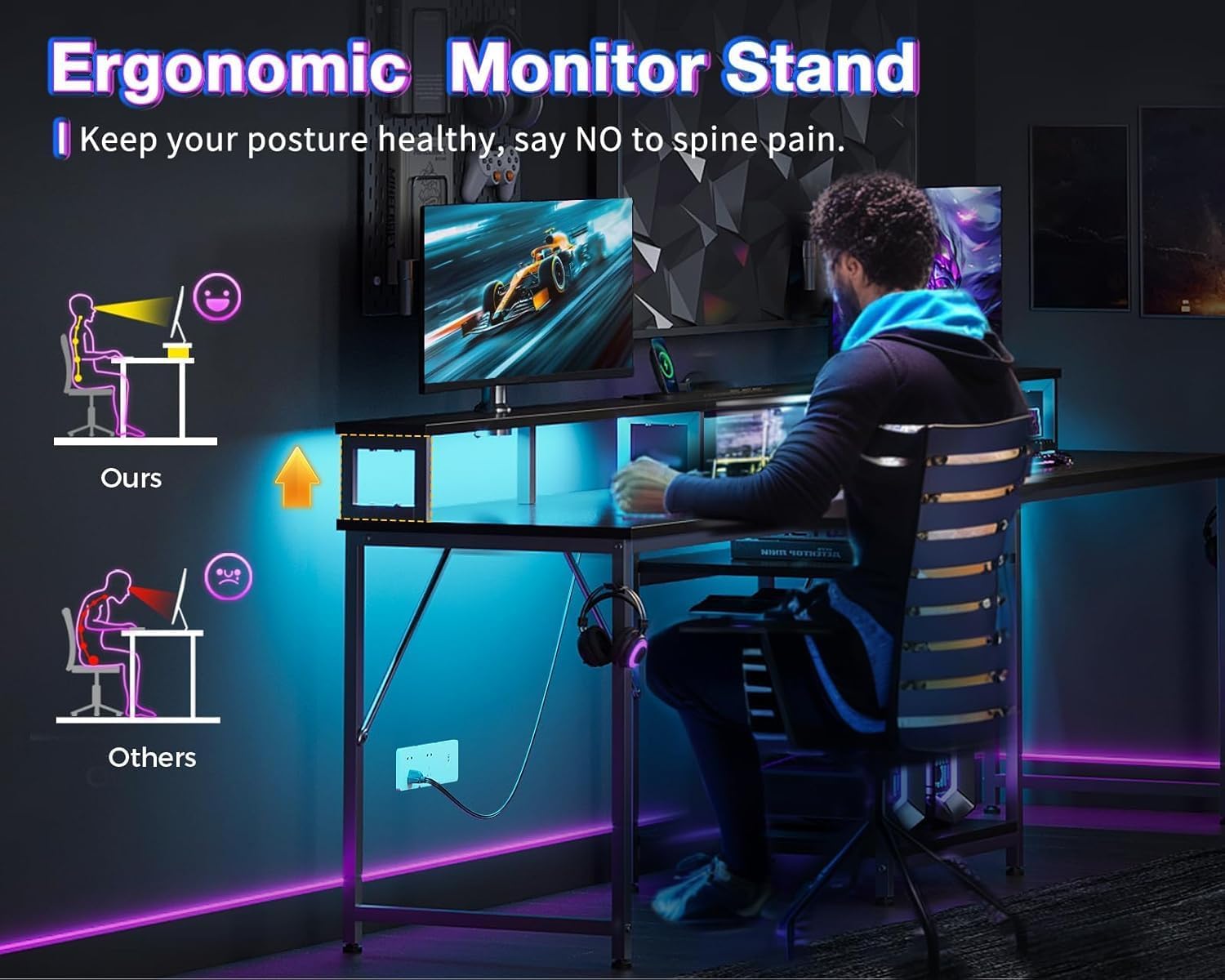
Image 4.3: Illustration demonstrating the ergonomic benefits of the monitor stand, showing how it helps maintain a healthy posture compared to desks without such a feature.
4.4. Adjustable Storage Shelves
The central storage shelves are height-adjustable, allowing you to customize your storage space for various items such as office supplies, electronics, or computer towers. Adjust the shelf height by repositioning the support pins in the pre-drilled holes.
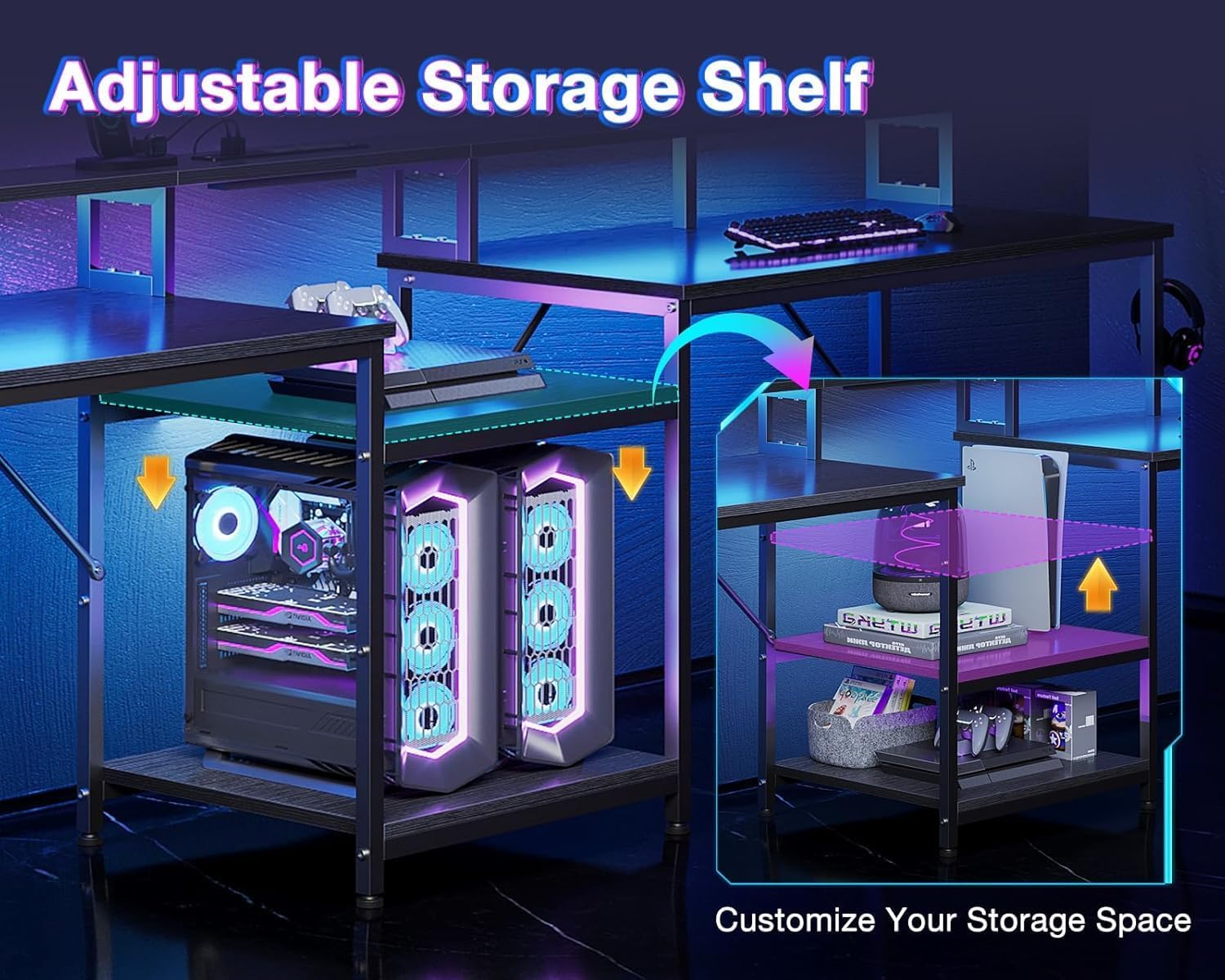
Image 4.4: A visual representation of the adjustable storage shelf, highlighting how its height can be customized to accommodate different items, including computer towers or decorative elements.
5. Maintenance
- Cleaning: Wipe the desk surfaces with a damp cloth. Avoid using harsh chemicals or abrasive cleaners, as these may damage the finish.
- Hardware Check: Periodically check all screws and fasteners to ensure they remain tight. Retighten as necessary to maintain stability.
- Cable Management: Ensure all power cords and USB cables are neatly organized and not pinched or under tension to prevent damage.
6. Troubleshooting
6.1. Assembly Issues
- Parts Not Aligning / Missing Holes: If you encounter difficulties with parts aligning or discover missing pre-drilled holes, do not force components. Contact Casaottima customer support for assistance. For minor misalignments, a drill may be used with caution to create pilot holes if you possess the necessary tools and expertise.
- Desk Wobbles: Ensure all screws are securely tightened. Adjust the non-slip footpads on each leg to level the desk on uneven flooring.
6.2. Electrical Components
- Power Outlets / USB Ports Not Working:
- Verify the desk's main power cord is securely plugged into a functional wall outlet.
- Check if the wall outlet itself is receiving power (test with another device).
- Ensure devices plugged into the desk's outlets/USB ports are functioning correctly.
- LED Lights Not Functioning:
- Confirm the desk is powered on.
- Check the connection of the LED strip to its power source.
- Ensure the control panel buttons are pressed firmly.
7. Specifications
| Feature | Detail |
|---|---|
| Brand | Casaottima |
| Model Number | 00260-3050-3430 |
| Product Dimensions (D x W x H) | 19.7"D x 97.6"W x 35"H |
| Item Weight | 53.9 Pounds (24.45 kg) |
| Color | Black |
| Top Material Type | Engineered Wood |
| Base Material | Metal |
| Special Features | Built-In Monitor Stand, Ergonomic Design, Built-In USB Outlet, LED Lights, Adjustable Storage Shelves, Headphone Hooks |
| Power Outlets | 3 AC Outlets (125V/12A) |
| USB Ports | 2 USB Ports (5V/2A) |
| Power Cord Length | 6.6 Feet |
| Maximum Weight Capacity | 150 lbs (68 kg) |
| Assembly Required | Yes |
| Product Care Instructions | Wipe with Damp Cloth |
8. Warranty Information
This Casaottima product comes with a Limited Warranty. For specific details regarding warranty coverage, duration, and terms, please refer to the warranty card included in your product packaging or contact Casaottima customer support directly. Keep your proof of purchase for warranty claims.
9. Customer Support
If you have any questions, require assistance with assembly, or need to report missing/damaged parts, please contact Casaottima customer support. You can typically find contact information on the product packaging, the Casaottima official website, or through your retailer.
For more information, visit the Casaottima Store on Amazon.