
Introduction
This manual provides instructions for the NORTH EDGE ET482 Outdoor Sports Smartwatch. It covers device setup, operation, maintenance, and troubleshooting. Please read this manual thoroughly before using your smartwatch to ensure proper function and to maximize its features.
Package Contents
The NORTH EDGE ET482 Smartwatch package includes the following items:
- NORTH EDGE ET482 Smartwatch
- User Manual
- Magnetic Charging Cable
Product Overview
Familiarize yourself with the physical components of your ET482 smartwatch.
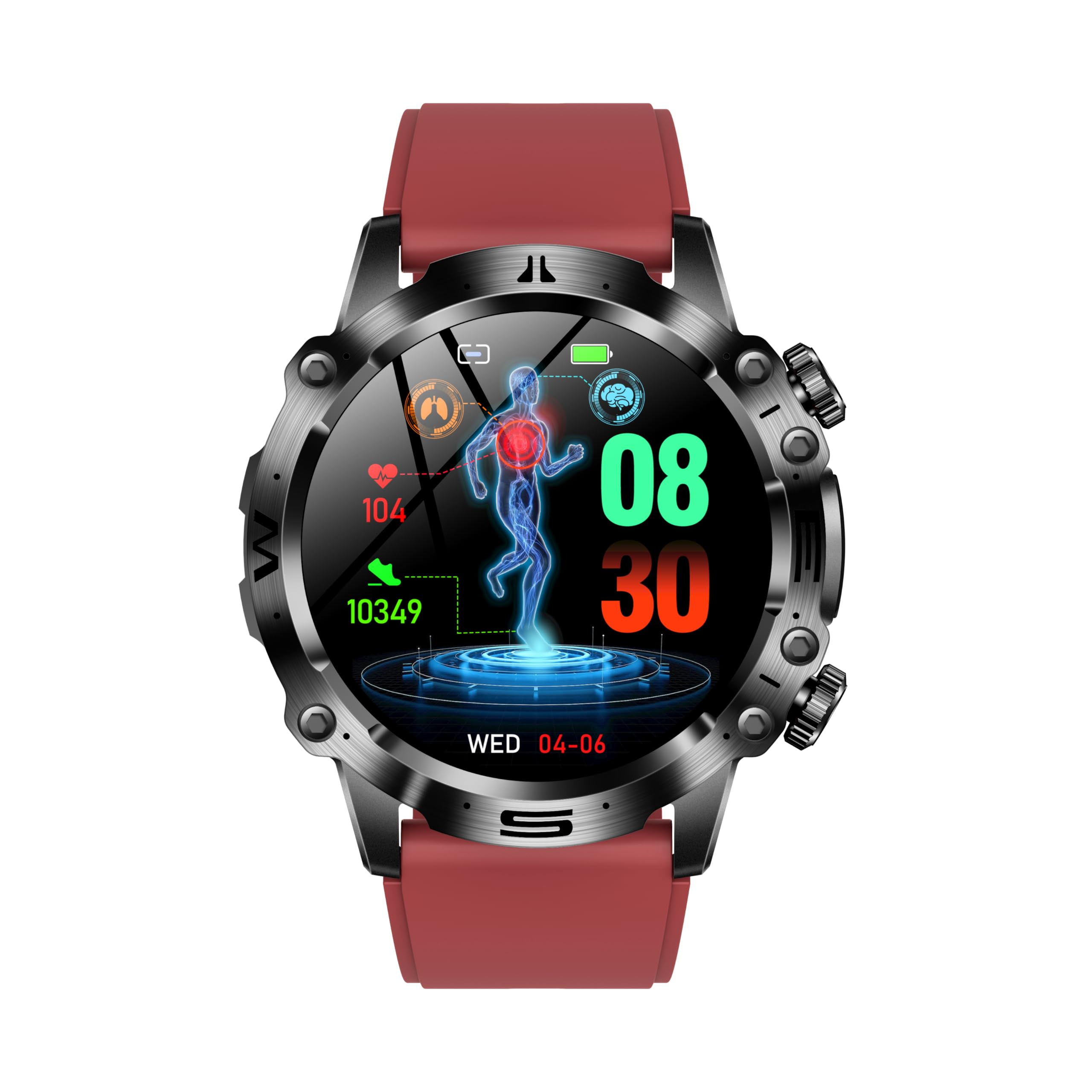
Figure 1: Front view of the NORTH EDGE ET482 Smartwatch, showcasing its AMOLED display and physical buttons.

Figure 2: Rear view of the NORTH EDGE ET482 Smartwatch, highlighting the optical heart rate sensor and magnetic charging contacts.
The smartwatch features an AMOLED HD display, physical buttons on the side for navigation, and advanced sensors on the rear for health monitoring.
Setup
1. Charging the Smartwatch
Before first use, fully charge your ET482 smartwatch. Connect the magnetic charging cable to the charging contacts on the back of the watch and plug the USB end into a power adapter (not included) or a computer's USB port. The watch will display a charging indicator. A full charge typically takes approximately 2 hours.
Figure 3: Illustrates the magnetic charging connection on the back of the smartwatch.
2. Power On/Off
- Power On: Press and hold the power button (usually the top right button) for a few seconds until the NORTH EDGE logo appears.
- Power Off: From the watch face, swipe down to access quick settings, or navigate to the 'Settings' menu. Select 'Power Off' and confirm. Alternatively, press and hold the power button until the power off option appears.
3. App Installation and Pairing
To unlock the full functionality of your ET482 smartwatch, you need to install the companion application on your smartphone.
- Download the App: Search for the official NORTH EDGE companion app in the Apple App Store (for iOS 8.2 and above) or Google Play Store (for Android 4.4 and above).
- Create an Account: Open the app and follow the on-screen instructions to create a new user account or log in if you already have one.
- Enable Bluetooth: Ensure Bluetooth is enabled on your smartphone.
- Pair the Device: In the app, navigate to the 'Device' or 'Add Device' section. The app will search for nearby smartwatches. Select "ET482" from the list of available devices. Follow any pairing prompts on both your phone and the smartwatch to complete the connection.
Once paired, the watch will synchronize data with your phone, and you can customize settings through the app.
Operating Instructions
1. Basic Navigation
- Touchscreen: Swipe left, right, up, or down to navigate through menus, notifications, and widgets. Tap to select items.
- Physical Buttons:
- Power Button (Top Right): Press to wake/sleep the screen, return to the watch face, or long-press for power options.
- Function Button (Bottom Right): Customizable, often used to quickly access sports modes or a specific health feature.
2. Bluetooth Calling
The ET482 supports Bluetooth calling, allowing you to make and receive calls directly from your wrist when connected to your smartphone.
- Ensure your smartwatch is successfully paired with your phone via Bluetooth.
- To make a call, access the 'Dialer' or 'Contacts' app on your watch.
- To answer an incoming call, tap the green answer icon on the watch screen.

Figure 4: The Bluetooth call interface on the ET482 smartwatch, showing options for dialing, contacts, and call history.
3. Health Monitoring Features
The ET482 smartwatch offers comprehensive health tracking capabilities.

Figure 5: Overview of various health monitoring features accessible on the smartwatch, including ECG, blood glucose, and comprehensive health data.
- ECG Monitoring: Access the ECG function from the app list. Follow on-screen instructions to place your finger on the designated sensor for an electrocardiogram reading.

Figure 6: ECG monitoring interface showing real-time heart activity and risk screening for arrhythmia.
- Heart Rate, Blood Pressure, Blood Oxygen (SpO2): These metrics are continuously monitored or can be measured on demand. Access their respective apps on the watch. Ensure the watch is snug on your wrist for accurate readings.

Figure 7: Blood oxygen and blood pressure monitoring screens on the ET482.
- Non-Invasive Blood Glucose Monitoring: This feature provides an estimate of blood glucose levels. Consult the app for detailed instructions on how to take a reading and interpret results. Note: This feature is for reference only and should not replace professional medical advice or equipment.
- Body Composition Analysis: The watch can estimate metrics like BMI, body fat percentage, uric acid, and lipid levels. Follow the app's guidance for performing these measurements.
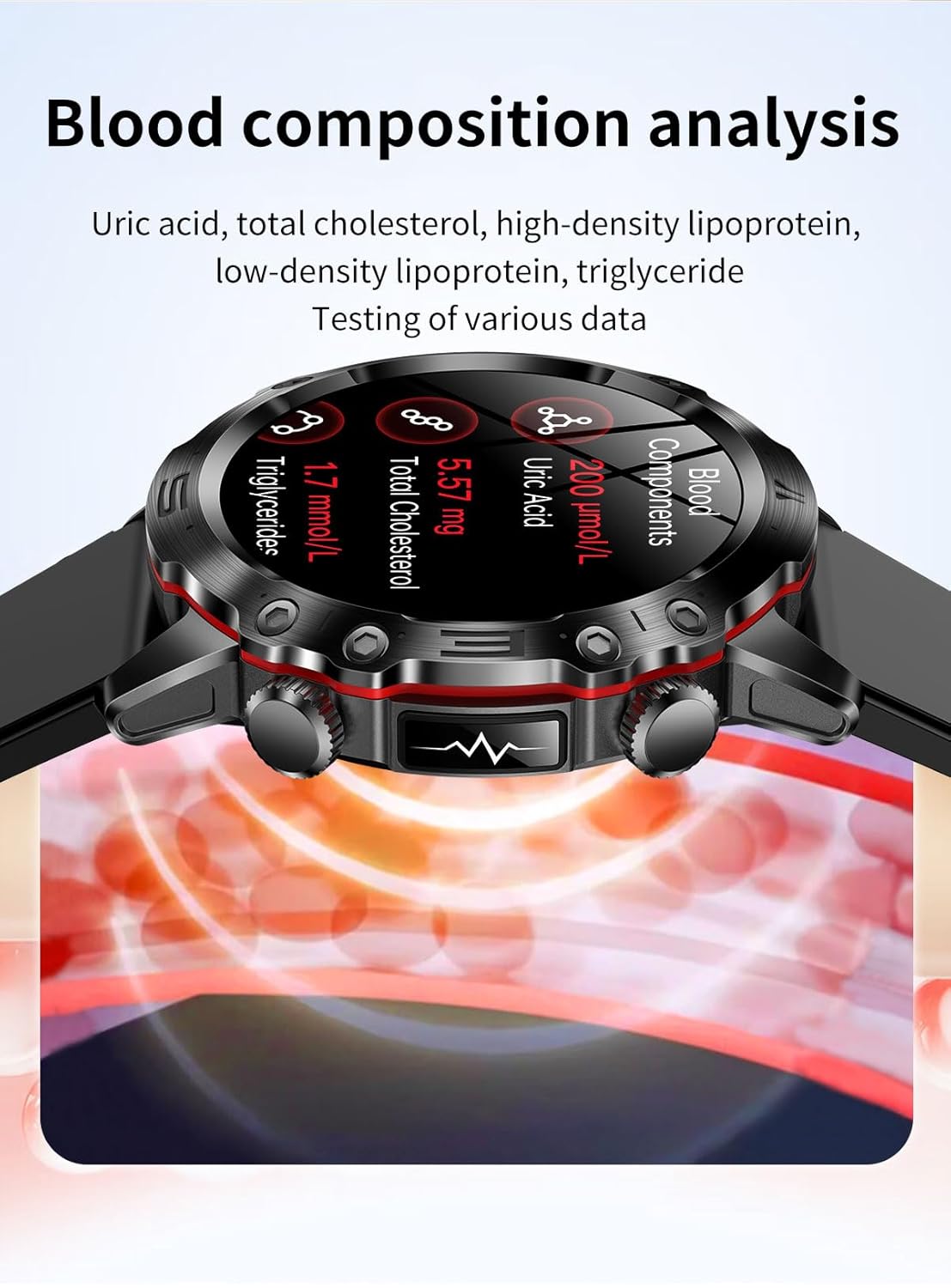
Figure 8: Blood composition analysis screen showing uric acid, total cholesterol, and triglyceride levels.
- Female Health Tracking: Track menstrual cycles and predict fertile windows through the dedicated feature in the companion app.
- HRV (Heart Rate Variability) & Stress Monitoring: The watch monitors HRV to assess stress levels. View trends and insights in the app.
4. Sports Modes
The ET482 supports multiple sports modes to track your workouts. Access the 'Sports' app on your watch, select your activity (e.g., running, cycling, walking), and start tracking. The watch will record data such as duration, distance, calories burned, and heart rate.

Figure 9: The smartwatch interface showing active sports tracking with real-time data.
5. Sleep Tracking
Wear your smartwatch to bed to automatically track your sleep patterns, including deep sleep, light sleep, and awake times. View detailed sleep analysis in the companion app.
6. SOS Emergency Call
Configure emergency contacts in the companion app. In an emergency, you can activate the SOS function (e.g., by long-pressing a specific button) to send an alert with your location to your designated contacts.
7. Other Features
- Music Control: Control music playback on your smartphone directly from your watch.
- Voice Assistant: Access your phone's voice assistant through the smartwatch.
- Games: The watch includes some pre-installed games.
- Flashlight: Use the watch screen as a temporary flashlight.
Maintenance
1. Cleaning
Regularly clean your smartwatch and strap to prevent skin irritation and maintain device performance. Use a soft, lint-free cloth. If necessary, dampen the cloth with a small amount of water. Do not use harsh chemicals or abrasive materials.
2. Water Resistance (IP68)
The ET482 smartwatch has an IP68 water resistance rating. This means it is protected against dust ingress and can withstand immersion in water up to 1.5 meters for up to 30 minutes. It is suitable for daily use, such as washing hands, rain, and shallow swimming. However, it is not recommended for hot showers, saunas, or diving, as steam and high water pressure can compromise the seals.
3. Charging Best Practices
- Use only the provided magnetic charging cable.
- Ensure the charging contacts on the watch and cable are clean and dry before charging.
- Avoid exposing the watch to extreme temperatures during charging.
Troubleshooting
If you encounter issues with your ET482 smartwatch, refer to the following common solutions:
| Problem | Possible Solution |
|---|---|
| Watch does not power on | Ensure the watch is fully charged. Connect to the charger for at least 30 minutes. If still unresponsive, try a forced restart (refer to Power On/Off section). |
| Cannot pair with smartphone |
|
| Inaccurate health readings |
|
| Battery drains quickly |
|
Specifications
| Feature | Detail |
|---|---|
| Model | ET482 |
| Display | AMOLED HD Display |
| Battery Capacity | 300 mAh |
| Charging Method | Magnetic Charging |
| Water Resistance | IP68 |
| Connectivity | Bluetooth |
| Compatible OS | Android 4.4 and above, iOS 8.2 and above |
| Product Dimensions | 16 x 10 x 5 cm |
| Item Weight | 133 g |
| Special Features | ECG, Bluetooth Calling, Heart Rate Monitor, Blood Pressure, Blood Oxygen, Non-invasive Blood Glucose, HRV, Female Health Tracking, SOS Emergency Call |
Warranty and Support
For warranty information and customer support, please refer to the official NORTH EDGE website or contact your retailer. Keep your purchase receipt as proof of purchase for any warranty claims.
For further assistance, you may visit the NORTH EDGE brand store on Amazon.


