
Introduction
Thank you for choosing the SOARFLY Cordless Leaf Blower. This powerful and versatile tool is designed to make your lawn and yard care tasks easier and more efficient. Featuring a high-performance motor, adjustable speed settings, an exclusive LCD display, and long-lasting batteries, this blower is ideal for clearing leaves, dust, and light snow. Please read this manual carefully before operation to ensure safe and optimal use of your device.
Setup
1. Attaching the Nozzles
The SOARFLY Cordless Leaf Blower comes with both long and short nozzle options to suit various cleaning needs. To attach a nozzle, align the tabs on the nozzle with the slots on the blower's air outlet and twist clockwise until it locks securely into place. To remove, twist counter-clockwise and pull.

Image: The SOARFLY Cordless Leaf Blower demonstrating the attachment of its long and short nozzles for versatile cleaning tasks.
2. Charging and Installing Batteries
Your leaf blower is equipped with two 4.0Ah Lithium-Ion batteries. Before first use, fully charge both batteries using the provided charger. Insert the battery into the charging block and plug the charger into a standard electrical outlet. The indicator light on the charger will show the charging status. Once fully charged, slide the battery into the battery compartment at the base of the blower's handle until it clicks into place. To remove, press the release button and slide the battery out.

Image: A close-up of the SOARFLY Cordless Leaf Blower's two 4.0Ah batteries and charging unit, highlighting their quick-charging capability and extended runtime.
Operating Instructions
1. Powering On and Speed Control
To power on the blower, press the power button located on the handle. The exclusive LCD display will illuminate, showing the current wind speed, gear level, and battery status. Use the speed adjustment buttons (+/-) to select one of the three available speed levels. Level 1 is ideal for light dust, Level 2 for dry leaves and general yard cleanup, and Level 3 provides maximum power for wet leaves or light snow.
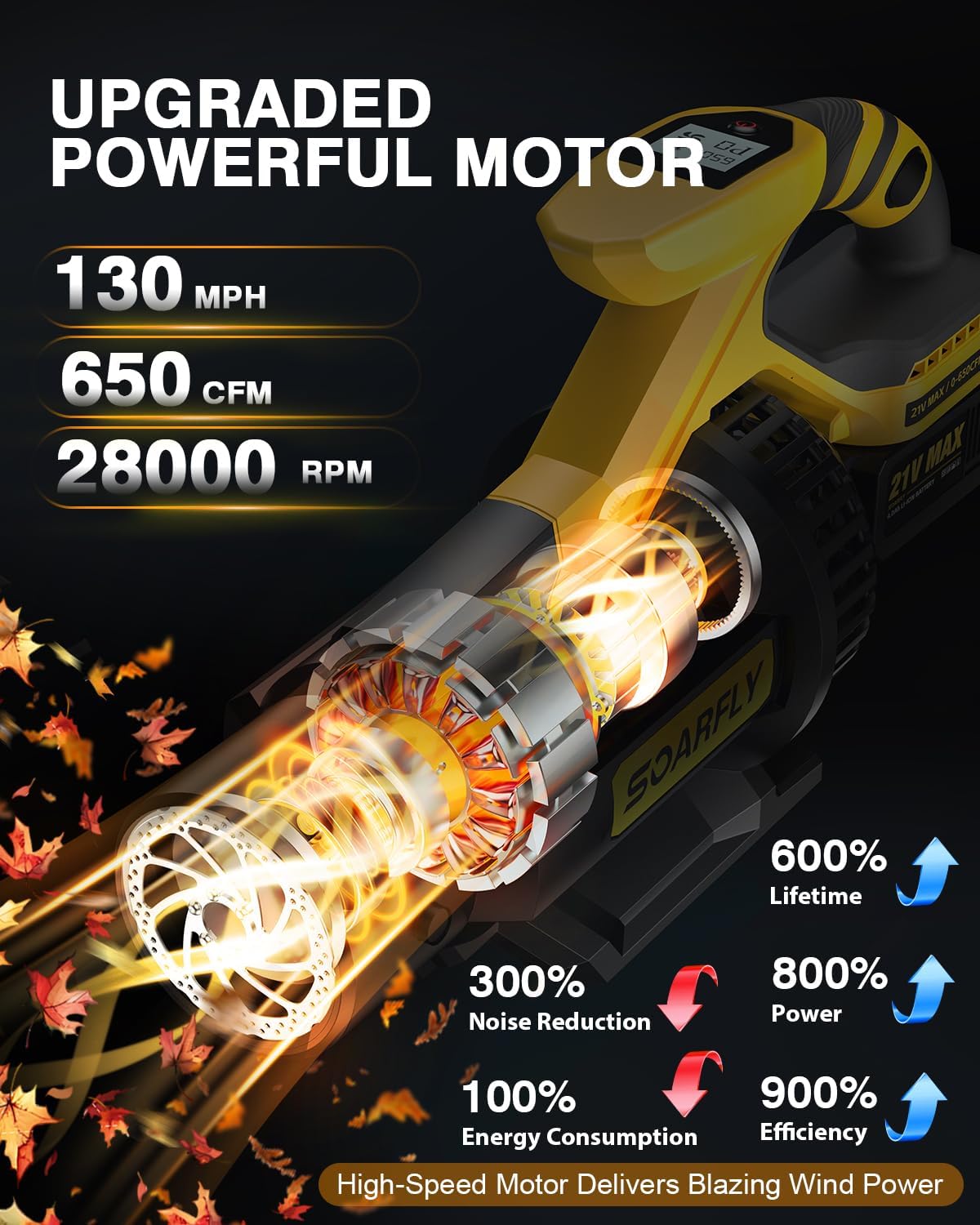
Image: The SOARFLY Cordless Leaf Blower's LCD display, clearly indicating wind speed (CFM), gear level, and real-time battery status for precise control.

Image: Visual representation of the SOARFLY Cordless Leaf Blower's three adjustable speed levels, from light breeze to powerful blast, suitable for various cleaning scenarios.
2. General Usage Tips
Hold the blower firmly with the ergonomic handle. The lightweight design reduces fatigue during extended use. Direct the nozzle towards the debris you wish to clear. For optimal results, work in sections and blow debris into a designated area for easy collection. The cordless design allows for unrestricted movement around your property.

Image: The SOARFLY Cordless Leaf Blower in action, showcasing its effectiveness in multiple environments including clearing leaves from a yard, dust from a workshop, and snow from a car.
3. Official Product Video
Video: An official product video from xinyigou demonstrating the SOARFLY Cordless Leaf Blower in use, highlighting its features and performance in various outdoor cleaning tasks.
Maintenance
1. Cleaning
After each use, ensure the blower is turned off and the battery is removed. Wipe down the exterior of the blower with a clean, damp cloth. Remove any debris or dust from the air intake and outlet vents to maintain optimal airflow and prevent overheating. Do not use harsh chemicals or abrasive cleaners.
2. Battery Care
Store batteries in a cool, dry place away from direct sunlight and extreme temperatures. For long-term storage, it is recommended to charge batteries to approximately 50% capacity. Avoid completely draining the batteries before recharging to prolong their lifespan.
Troubleshooting
1. Blower Shuts Down with Remaining Battery Indication
If the blower shuts down while the LCD display still shows a partial battery charge (e.g., 1/2 charge or 2 bars), this may indicate that the battery's voltage has dropped below the operational threshold under load, even if some capacity remains. Try recharging the battery fully. If the issue persists, ensure the battery is securely seated and consider testing with the second battery to rule out a faulty battery.
2. Reduced Airflow
Check for any obstructions in the nozzle or air intake vents. Ensure the battery is fully charged and properly installed. Select a higher speed setting if necessary for heavier debris.
Specifications
| Feature | Detail |
|---|---|
| Brand | SOARFLY |
| Model Name | Leaf Blower Cordless |
| Item Model Number | JY-LB2401-A |
| Power Source | Battery Powered |
| Max Air Speed | Up to 130 MPH |
| Max Air Volume | Up to 650 CFM |
| Motor RPM | 28,000 RPM |
| Speed Settings | 3 Adjustable Levels |
| Display | Exclusive LCD Display (Wind Speed, Gear, Battery Status) |
| Batteries | 2 x 4.0Ah Lithium Ion (included) |
| Item Weight | 8.6 pounds (3.91 Kilograms) |
| Special Feature | Adjustable Speed, Lightweight |
Warranty & Support
The product includes 2-Year Battery Quality Maintenance. For any problems with the product, please contact our customer support. We are available 24/7 to assist you with any issues or questions you may have.