1. Product Overview
The 8849 Tank 4 Pro is a rugged smartphone designed for durability and advanced functionality. It features a built-in projector, a large battery, and a robust camera system, making it suitable for various environments and uses.
Key Features:
- Integrated Projector: 100 Lumens DLP projector with 1280x720 resolution, autofocus, and keystone correction.
- High Performance: MediaTek Dimensity 8300 5G chipset, 36GB RAM (18GB physical + 18GB virtual), and 1TB ROM (expandable up to 2TB with TF card).
- Display: 6.73-inch AMOLED screen with 1440x3200 resolution, 120Hz refresh rate, and up to 1800 nits brightness.
- Long-lasting Battery: 11600mAh battery with 120W fast charging and reverse charging capability.
- Advanced Camera System: 50MP main camera, 32MP front camera, 64MP night vision camera, and 50MP telephoto camera.
- Rugged Design: IP68 waterproof, shockproof, and dustproof for extreme conditions.
- Additional Features: 1200 Lumens camping light, warning lights, GPS (L1/L5 Glonass+Galileo+Beidou), Face ID, Fingerprint sensor, Wi-Fi 6, 3.5mm audio jack.
2. Initial Setup
2.1 Package Contents
Before starting, ensure all items are present in the box:
- 1x 8849 Tank 4 Pro Phone with Phone Case
- 1x USB-C Power Adaptor (120W)
- 1x Type-C Cable
- 1x User Manual
- 1x Warranty Card
- 1x Extra Screen Protective Film (phone comes with one pre-applied)
2.2 SIM Card and TF Card Installation
To install your SIM card(s) and an optional TF (microSD) card:
- Locate the SIM tray on the side of the phone.
- Use the provided SIM ejector tool to open the tray.
- Carefully place your Nano SIM card(s) and/or TF card into the designated slots on the tray. Ensure they are correctly oriented.
- Gently push the tray back into the phone until it is flush with the device body.
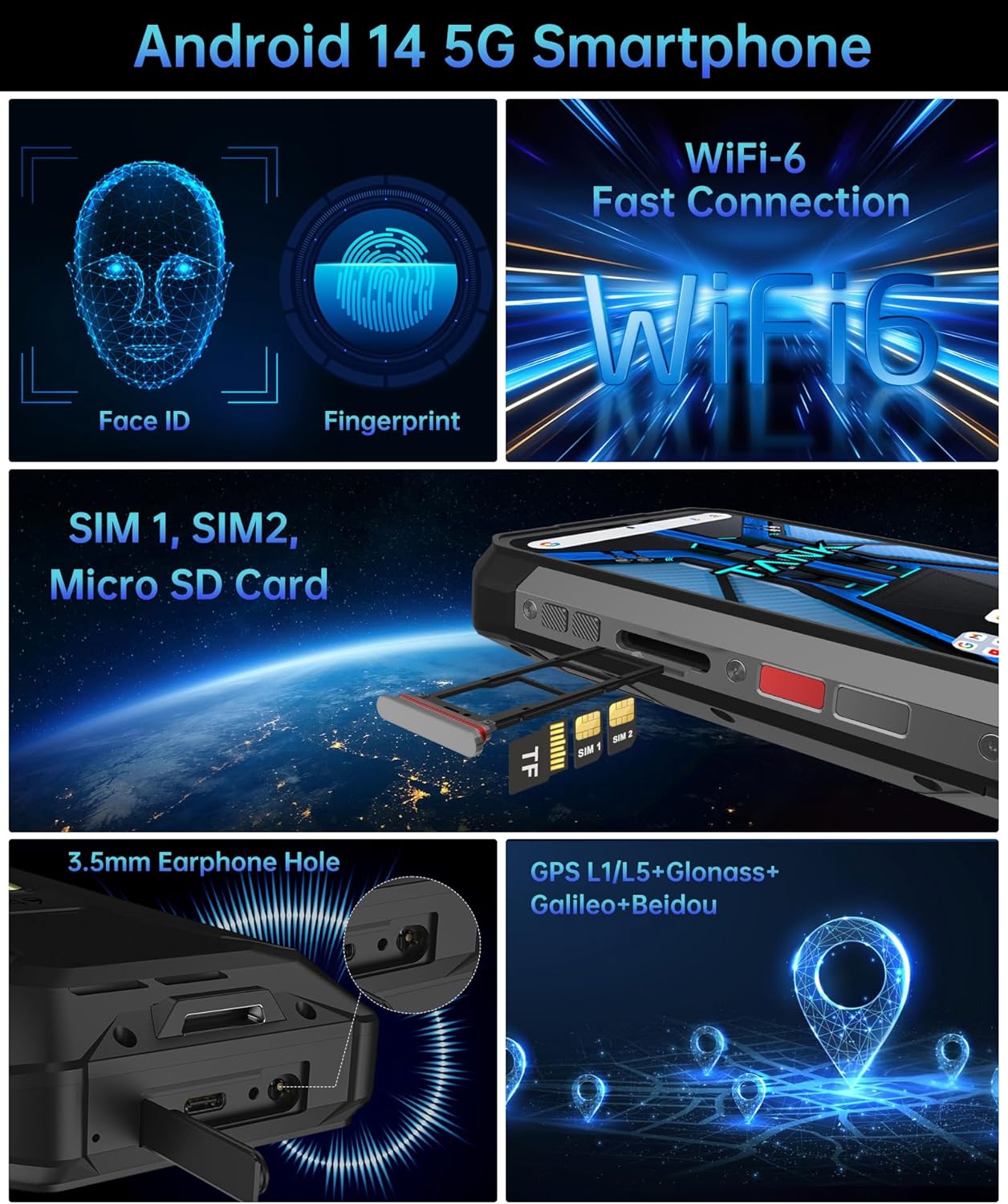
Figure 2.2.1: SIM and TF Card Installation
2.3 Powering On and Initial Configuration
To power on your device for the first time:
- Press and hold the Power button (usually on the right side) until the 8849 logo appears on the screen.
- Follow the on-screen prompts to select your language, connect to Wi-Fi, and set up your Google account.
- Configure security features such as Face ID or fingerprint unlock as desired.
3. Operating Your Device
3.1 Projector Functionality
The Tank 4 Pro features a built-in DLP projector for displaying content on larger surfaces.
- Activation: Access the projector function through the quick settings panel or a dedicated app.
- Autofocus & Keystone Correction: The projector automatically adjusts focus and corrects image distortion for optimal viewing.
- Usage: Project movies, documents, or other media onto a wall or screen.
Video 3.1.1: Demonstrating the 8849 Tank 4 Pro's projector capabilities, including autofocus and keystone correction, for an enhanced viewing experience.

Figure 3.1.2: Projector Specifications
3.2 Camera System
The device is equipped with multiple cameras for diverse photographic needs:
- Main Camera: 50MP for high-detail photos.
- Front Camera: 32MP for selfies and video calls.
- Night Vision Camera: 64MP for capturing images in low-light or complete darkness.
- Telephoto Camera: 50MP for zoomed-in shots.
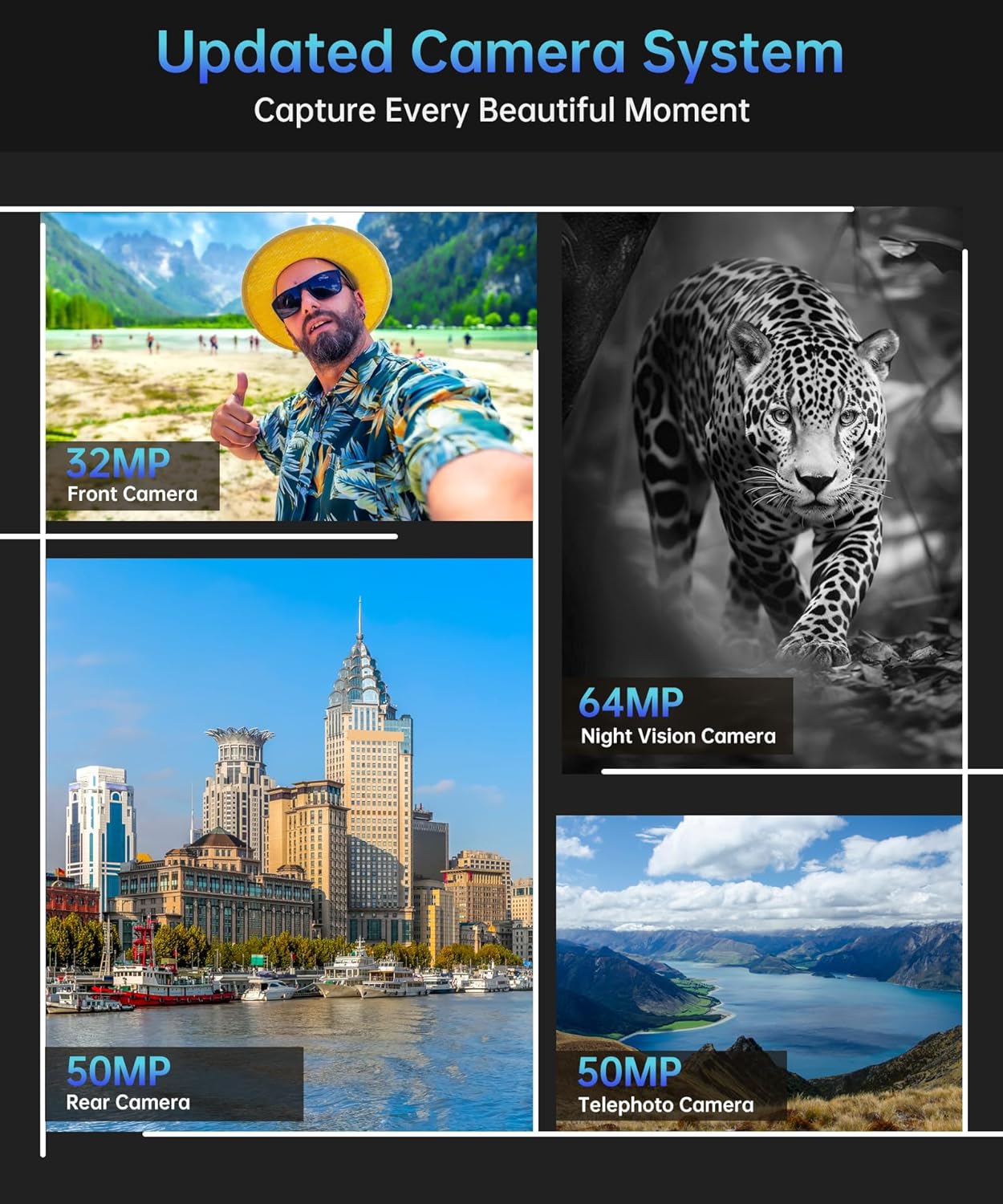
Figure 3.2.1: Camera System Overview
3.3 Camping Light and Warning Lights
The integrated 1200 Lumens camping light provides powerful illumination for outdoor activities. Warning lights are also available for emergency signaling.
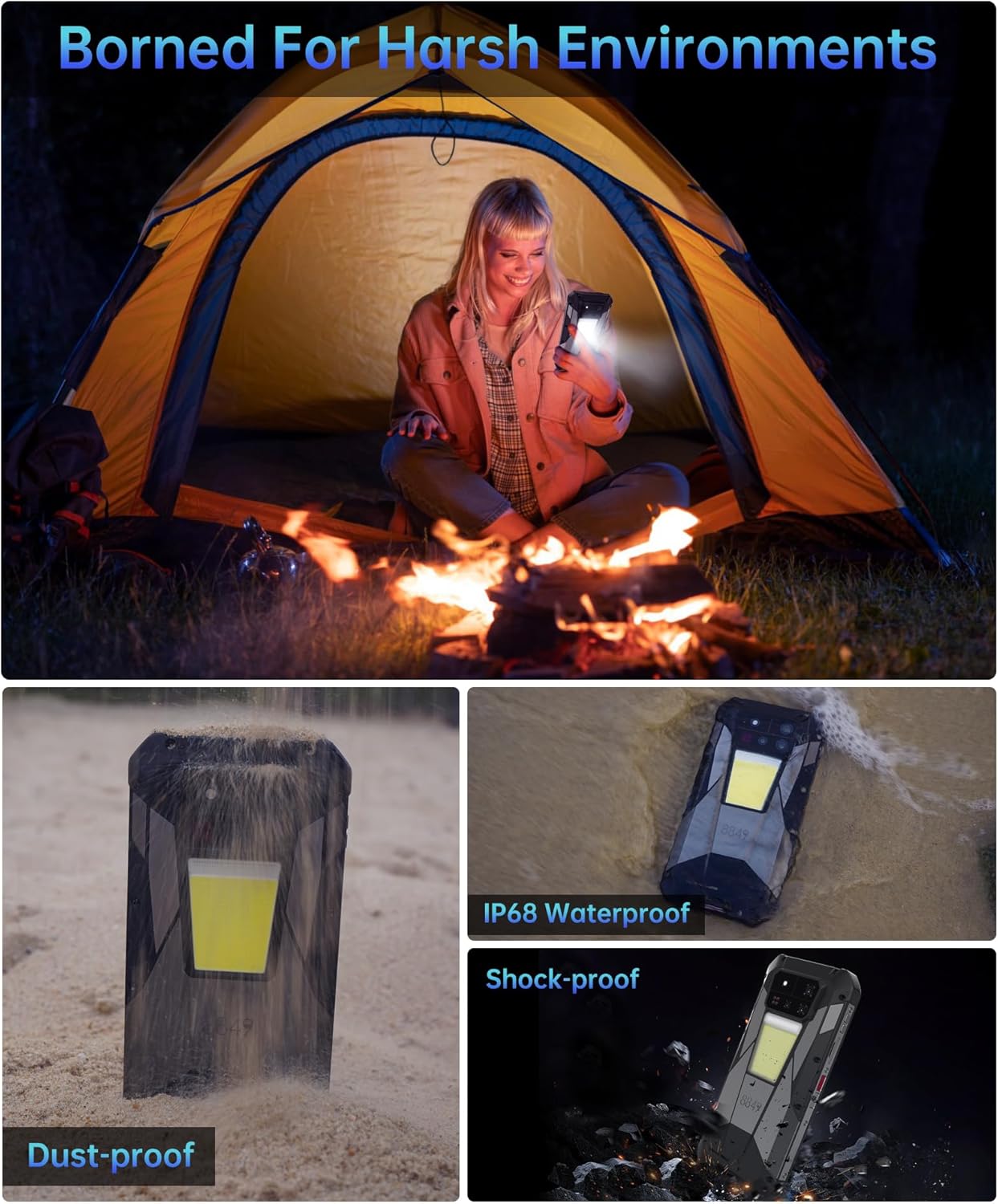
Figure 3.3.1: Camping Light in Use
3.4 Battery and Charging
The 11600mAh battery supports 120W fast charging. Use the provided USB-C power adaptor and cable for optimal charging speed. The phone also supports reverse charging via OTG cable to power other devices.
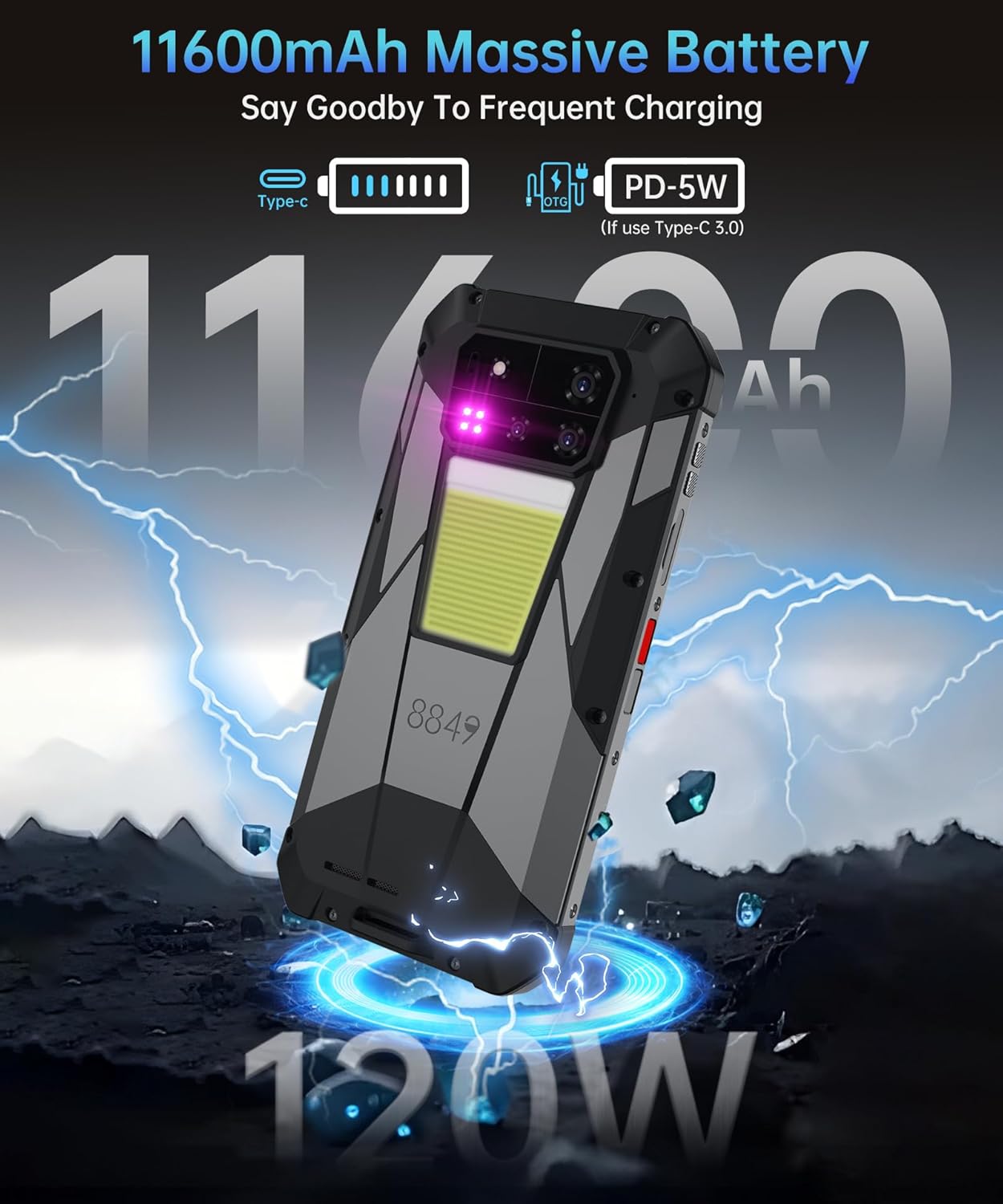
Figure 3.4.1: Battery and Charging
3.5 Connectivity and Navigation
The device supports global 5G networks, Wi-Fi 6, and a comprehensive GPS system (L1/L5 Glonass+Galileo+Beidou) for accurate navigation.
Note: In the United States, this phone primarily supports T-Mobile and Verizon networks. Verify frequency band compatibility with other carriers.

Figure 3.5.1: Connectivity Features
4. Maintenance and Care
To ensure the longevity and optimal performance of your 8849 Tank 4 Pro, follow these maintenance guidelines:
- Cleaning: Regularly wipe the phone with a soft, damp cloth. For stubborn dirt, use a mild soap solution. Avoid harsh chemicals or abrasive materials.
- Waterproof Seals: Ensure all port covers (USB-C, 3.5mm audio jack, SIM tray) are securely closed before exposing the phone to water or dust to maintain its IP68 rating.
- Screen Protection: Utilize the provided screen protective film to prevent scratches.
- Temperature: Avoid exposing the phone to extreme temperatures (very hot or very cold) for extended periods, as this can affect battery life and internal components.
- Charging: Always use the original 120W power adaptor and Type-C cable for charging to prevent damage and ensure fast charging capabilities.
Figure 4.1.1: Rugged Design for Harsh Environments
5. Troubleshooting
This section addresses common issues you might encounter with your Tank 4 Pro.
5.1 Network Connectivity Issues
- No Signal/Limited Service: Verify that your SIM card is correctly inserted. Check your carrier's coverage in your area.
- US Carrier Compatibility: The 8849 Tank 4 Pro is primarily compatible with T-Mobile and Verizon in the United States. If using another carrier, confirm that their frequency bands are supported by the device. Refer to the specifications section for supported bands.
- APN Settings: If you have data connectivity issues, check your Access Point Name (APN) settings. These can usually be found in your phone's network settings and may need to be manually configured according to your carrier's instructions.
5.2 Projector Not Working
- Check Power: Ensure the phone has sufficient battery charge.
- Activation: Confirm the projector feature is enabled in the phone's settings or quick access panel.
- Obstructions: Ensure the projector lens is not obstructed and is clean.
- Environment: For best results, use the projector in a dimly lit environment.
5.3 Device Unresponsive
- Restart: If the device becomes unresponsive, press and hold the Power button for approximately 10-15 seconds to force a restart.
- Charging: If the device does not turn on, connect it to the charger for at least 30 minutes before attempting to power it on again.
6. Technical Specifications
| Feature | Specification |
|---|---|
| Model Name | TANK 4 Pro |
| Operating System | Android 14 |
| CPU Model | Mediatek Dimensity 8300 |
| RAM | 18 GB (expandable to 36GB virtual) |
| Memory Storage Capacity | 1024 GB (1TB), expandable up to 2TB with TF card |
| Screen Size | 6.73 Inches AMOLED |
| Resolution | 1440 x 3200 |
| Refresh Rate | 120 Hz |
| Battery Capacity | 11600 Milliamp Hours |
| Charging | 120W Fast Charging, Reverse Charging |
| Projector | 100 Lumens DLP (1280x720 resolution) |
| Main Camera | 50MP |
| Front Camera | 32MP |
| Night Vision Camera | 64MP |
| Telephoto Camera | 50MP |
| Connectivity | 5G, Wi-Fi 6, Bluetooth 5.3 |
| GPS | L1/L5 Glonass+Galileo+Beidou |
| Durability | IP68 Waterproof, Shockproof, Dustproof |
| Audio Jack | 3.5 mm |
| Item Weight | 1.17 pounds (530 grams) |
| Dimensions | 7.64 x 4.21 x 2.91 inches |
| Supported Frequency Bands (Global) | GSM: B2/3/5/8; WCDMA: Band1/2/4/5/6/8/19; C2K: BC0,BC1; LTE FDD: B1/2/3/4/5/7/8/12/13/17/18/19/20/25/26/28A/28B/66; LTE TDD: 34/38/39/40/41/42; 5G NR: N1/2/3/5/7/8/12/20/25/28/38/40/41/66/77/78 |
7. Warranty and Support
8849 is committed to providing comprehensive support for your Tank 4 Pro device.
- Warranty: Please refer to the included Warranty Card for detailed information regarding your product's warranty coverage.
- Customer Support: For any inquiries or assistance, 24-hour customer support is available. Contact information can be found on the official 8849 website or through the support channels listed in your warranty documentation.
- Lifetime Service: The manufacturer offers lifetime service for the product.


