
NORTH EDGE X-Trek 2 Outdoor Adventure GPS Smartwatch User Manual
Model: X-Trek 2
Introduction
Welcome to the NORTH EDGE X-Trek 2 Outdoor Adventure GPS Smartwatch user manual. This guide provides detailed instructions on how to set up, operate, and maintain your new smartwatch. The X-Trek 2 is engineered for explorers and athletes, offering advanced features like built-in GPS, Bluetooth calling, and comprehensive health monitoring to support your active lifestyle.
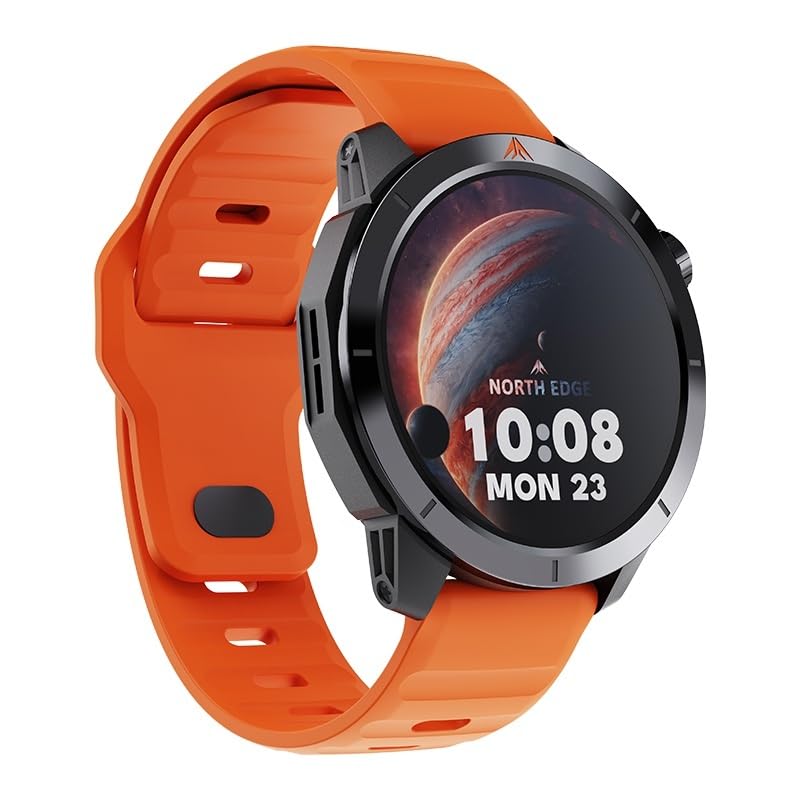
Image: The NORTH EDGE X-Trek 2 Smartwatch, featuring a robust design and an orange silicone strap.
Package Contents
Before you begin, please ensure all items are present in your package:
- NORTH EDGE X-Trek 2 Smartwatch
- Magnetic Charging Cable
- User Manual (this document)
Getting Started: Setup
1. Charging the Smartwatch
Before first use, fully charge your X-Trek 2 smartwatch. Connect the magnetic charging cable to the charging points on the back of the watch. Plug the USB end into a power adapter (not included) or a computer's USB port. The watch will indicate charging status on its screen.

Image: Magnetic Charging. The connector automatically attaches to the contact points for easy and secure charging.
2. Powering On/Off
To power on, press and hold the power button (typically the top right button) until the screen illuminates. To power off, navigate to the settings menu on the watch, select "Power Off," and confirm your selection.
3. Pairing with Your Smartphone
Download the official companion app (refer to the watch screen or quick start guide for the app name) from your smartphone's app store. Enable Bluetooth on your phone. Open the app, create an account, and follow the on-screen instructions to search for and pair with your X-Trek 2 smartwatch. Ensure the watch is discoverable during this process.
Operating Your Smartwatch
Basic Navigation
- Touchscreen: Swipe left, right, up, or down to navigate through menus and widgets. Tap to select items or confirm actions.
- Buttons: The X-Trek 2 features physical buttons for quick access to functions and an optical rotary button for smooth scrolling through lists and menus.
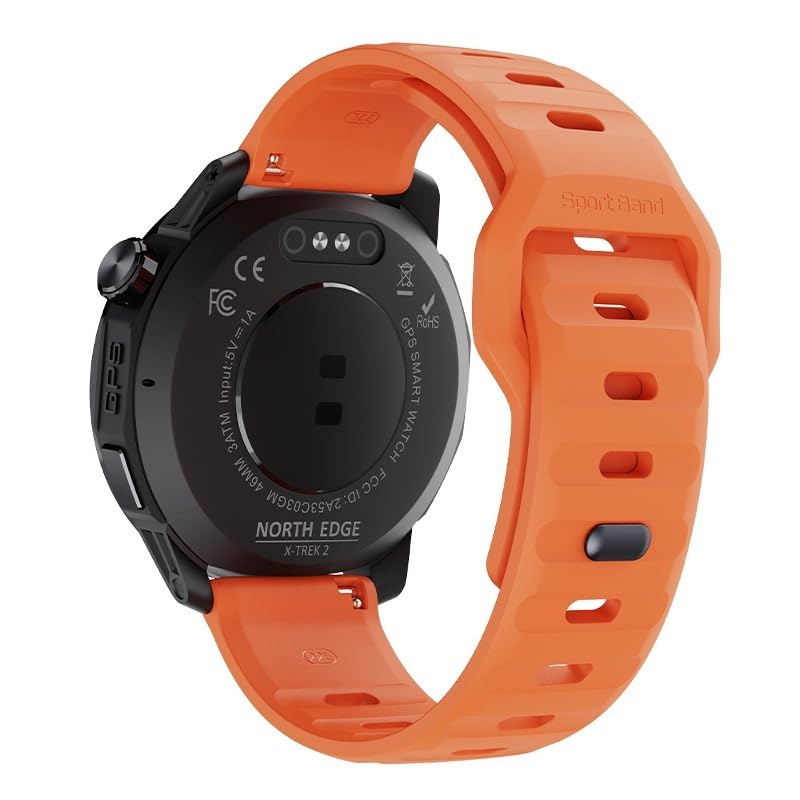
Image: Rear view of the smartwatch. This shows the optical sensors for health monitoring and the physical buttons for navigation.
Bluetooth Calling
Once successfully paired with your smartphone, you can make and receive calls directly from your wrist. The watch features a built-in microphone and speaker for clear communication. To answer an incoming call, tap the green icon on the watch screen. To initiate a call, access the dialer or contacts list from the watch menu.
GPS Tracking
The integrated high-precision GPS module provides real-time location tracking for outdoor activities. Activate GPS in your chosen sports mode (e.g., Running, Cycling, Hiking) to accurately record your route, distance, pace, and other relevant metrics.
Features Overview
Health Monitoring
The X-Trek 2 monitors various health metrics to help you stay informed about your well-being:
- Heart Rate: Provides continuous heart rate monitoring throughout the day.
- Blood Oxygen (SpO2): Measures your blood oxygen saturation levels.
- Stress Levels: Tracks and helps manage your stress with integrated monitoring.

Image: Health Monitoring. The high-precision PPG biosensor continuously monitors heart rate, SpO2, and stress levels.
Outdoor Navigation Tools
Equipped with a compass, altimeter, and barometer, the X-Trek 2 provides essential environmental data for your outdoor adventures:
- Altimeter: Measures current altitude and records daily data, useful for hiking and climbing.
- Barometer: Measures atmospheric pressure and can provide severe weather alerts.
- Compass: Offers directional guidance for navigation.

Image: Altimeter and Barometer. Automatically measure current altitude and atmospheric pressure, record daily data, and receive weather alerts.
Sports Modes
Choose from over 60+ sports modes to track your specific activities. Each mode provides tailored metrics and data analysis for optimized performance monitoring, whether you're running, cycling, or engaging in other fitness pursuits.
Water Resistance
The X-Trek 2 is 3ATM water resistant (up to 50 meters), making it suitable for splashes, rain, and brief immersion. It is designed to withstand wet conditions but is not recommended for swimming, diving, or high-pressure water activities.
Maintenance
Cleaning Your Smartwatch
Regularly clean your smartwatch and strap to prevent skin irritation and maintain optimal functionality. Use a soft, damp, lint-free cloth. Avoid harsh chemicals, abrasive materials, or ultrasonic cleaners. Ensure the watch is completely dry before charging.
Strap Care
The silicone strap is durable and comfortable. Clean it with mild soap and water, then rinse thoroughly and dry completely before wearing. Avoid prolonged exposure to direct sunlight or extreme temperatures to preserve its material integrity.

Image: Soft Silicone Strap. The comfortable and durable silicone strap is designed for all-day wear and easy cleaning.
Troubleshooting
Watch Not Powering On
- Ensure the watch is fully charged using the provided magnetic charging cable.
- Press and hold the power button for at least 10-15 seconds to attempt a forced restart.
Cannot Pair with Phone
- Verify that Bluetooth is enabled on both your phone and the smartwatch.
- Ensure the companion app is installed, updated, and running in the foreground or background.
- Restart both your phone and the smartwatch, then attempt pairing again.
- If previously paired, forget the device in your phone's Bluetooth settings and try pairing from scratch.
Inaccurate GPS Readings
- Ensure you are in an open outdoor area with a clear view of the sky, away from tall buildings or dense foliage.
- Wait for the watch to acquire a stable GPS signal before starting your activity. This may take a few moments.
Specifications
| Feature | Detail |
|---|---|
| Model Name | X-Trek 2 |
| Display Type | Digital, 1.43-inch AMOLED (466x466 pixels, 326 PPI) |
| Connectivity | Bluetooth, Built-in GPS |
| Water Resistance | 3ATM (50 Metres) |
| Sensors | Heart Rate Monitor, Blood Oxygen Monitor, Altimeter, Barometer, Compass |
| Sports Modes | 60+ |
| Band Material | Silicone |
| Case Material | Metal |
| Item Weight | 68 Grams |
| Compatible Devices | iOS and Android smartphones |

Image: Large AMOLED Display. The 1.43-inch AMOLED screen with 466x466 pixels provides a clear and bold vision for all data and metrics.
Warranty and Support
Warranty Information
The NORTH EDGE X-Trek 2 Smartwatch comes with a limited warranty. Please refer to the warranty card included in your package or contact customer support for specific details regarding coverage and terms. Keep your proof of purchase for warranty claims.
Customer Support
For further assistance, technical support, or warranty claims, please contact NORTH EDGE customer service. Contact details can typically be found on the official NORTH EDGE website or on the product packaging. Please have your model number and purchase date ready when contacting support.


