
Product Overview
The FEZIBO 55 x 24 Inch Electric Standing Desk is designed to enhance your workspace with its versatile height adjustment and integrated storage solutions. Featuring a robust alloy steel frame and an engineered wood tabletop, this desk offers stability and durability for your home office needs. Transition effortlessly between sitting and standing positions to promote a healthier work routine.
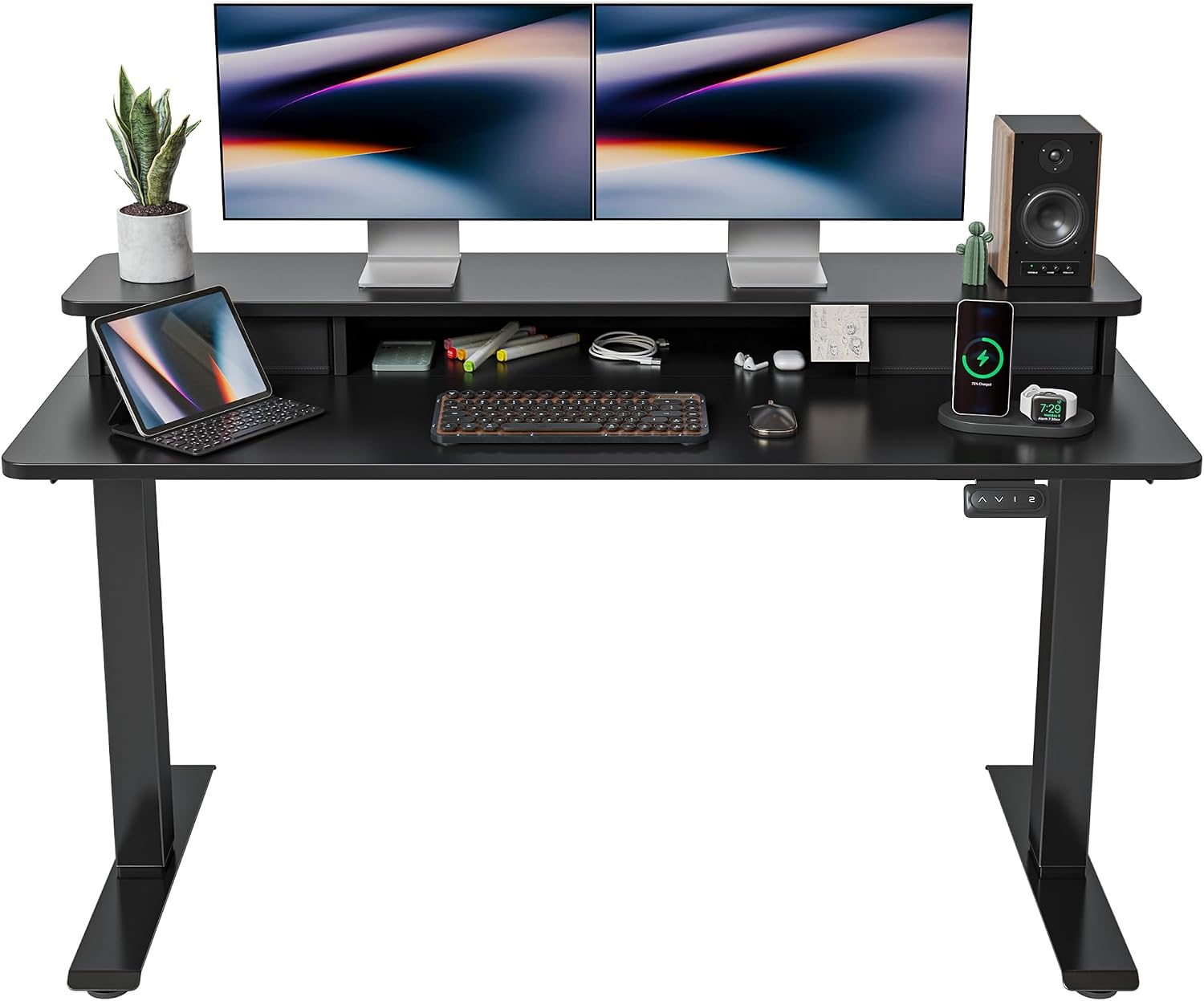
Image: The FEZIBO 55x24 Inch Black Electric Standing Desk, showcasing its spacious desktop with two monitors, keyboard, mouse, and integrated storage.
Safety Instructions
- Ensure all connections are secure before operation.
- Keep hands and objects clear of moving parts during height adjustment.
- Do not overload the desk beyond its specified weight capacity.
- Supervise children and pets around the desk during operation.
- The desk is equipped with anti-collision technology; however, always exercise caution.
- Only use the provided power adapter and components.
Package Contents
Please verify that all components are present before beginning assembly:
- Desktop (55 x 24 inches, Black)
- Electric Lifting Columns (Legs)
- Control Panel with Memory Presets
- Power Adapter and Cables
- Double Drawers (Fabric)
- Top Shelf/Monitor Stand
- Assembly Hardware (Screws, Allen Wrench, etc.)
- 2 Hooks
- 4 Height-Adjustable Feet (or Wheels, depending on variant)
Assembly Instructions
A detailed installation video and comprehensive instructions are included in your package. Please follow them carefully for proper assembly.
- Unpack all components and verify against the package contents list.
- Attach the lifting columns to the desktop using the provided hardware.
- Install the top shelf/monitor stand onto the desktop.
- Insert the fabric drawers into their designated slots on the top shelf.
- Mount the control panel to the underside of the desktop.
- Connect all cables from the lifting columns and power adapter to the control box.
- Attach the adjustable feet or wheels to the bottom of the lifting columns.
- Plug the desk into a power outlet.

Image: A diagram illustrating the product dimensions and height adjustment range of the desk.

Image: An illustration highlighting the industrial-grade alloy steel frame, telescopic range, and low noise operation.
Operating Instructions
Height Adjustment
Use the up (▲) and down (▼) arrow buttons on the control panel to manually adjust the desk height. The desk supports height adjustment between 27.36'' and 46.06''.
Memory Presets
The control panel features 2 programmable memory height buttons. To set a memory position:
- Adjust the desk to your desired height using the up/down arrows.
- Press and hold one of the memory buttons (e.g., '1' or '2') until the display confirms the setting.
To recall a saved height, simply press the corresponding memory button.
Anti-Collision Technology
The desk is equipped with auto-sensing anti-collision technology. If the desk encounters an obstacle while lifting or lowering, it will automatically stop and move approximately 2cm in the opposite direction to prevent damage or injury.

Image: Visual representation of the anti-collision system, showing the desk stopping upon encountering an obstacle. Also highlights the convenient desk hooks and stable frame base.
Maintenance
- Regularly wipe the desktop surface with a soft, damp cloth. Avoid abrasive cleaners.
- Check all screws and connections periodically to ensure they remain tight.
- Keep the motor and electrical components free from dust and moisture.
Troubleshooting
| Problem | Possible Cause | Solution |
|---|---|---|
| Desk does not move. | Power cable disconnected or motor error. | Check power connections. Perform a reset. |
| Desk moves unevenly. | Uneven load or loose connections. | Distribute weight evenly. Check and tighten all assembly screws. |
| Anti-collision activates frequently. | Obstacles in the path. | Ensure clear path for desk movement. |
| Control panel unresponsive. | Temporary glitch. | Perform a reset. |
Reset Procedure
If the desk is not functioning correctly, perform a reset:
- Press and hold the DOWN (▼) button on the control panel for 5 seconds.
- The desk should move to its lowest position and then slightly back up, indicating a successful reset.
Specifications
- Brand: FEZIBO
- Model: FEZIBO-SD-5524-BLK
- Desktop Dimensions: Approximately 55" (W) x 24" (D)
- Height Adjustment Range: 27.36'' - 46.06''
- Material: Engineered Wood (Desktop), Alloy Steel (Frame)
- Noise Level: Under 50 dB during operation
- Special Features: Electric Height Adjustable, Double Drawers, Anti-Collision Technology, Memory Height Presets
Warranty and Support
For specific warranty details and technical support, please refer to the documentation included with your product or contact FEZIBO customer service directly. Protection plans may also be available for extended coverage.


