
1. Introduction
Welcome to the KAYOTOM AT-600 4G LTE Push-to-Talk (PoC) Walkie Talkie user manual. This device is designed for reliable, long-range communication utilizing 4G LTE cellular networks, offering nationwide coverage without traditional range limitations. It is ideal for team management, outdoor activities, and situations requiring consistent communication over vast distances. This manual provides essential information for setting up, operating, and maintaining your AT-600 walkie talkie.
2. Product Overview
The KAYOTOM AT-600 is a compact and durable two-way radio featuring advanced communication technology. It operates on 4G LTE networks, providing unlimited range wherever cellular service is available. Key features include a lifetime free SIM card, a long-lasting 3000mAh battery, AI noise cancellation for clear audio, and robust group management capabilities.

Figure 2.1: Two KAYOTOM AT-600 walkie talkies, showcasing their compact design and included SIM cards.

Figure 2.2: Visual representation of the global intercom functionality, highlighting unlimited range communication via high-speed network.
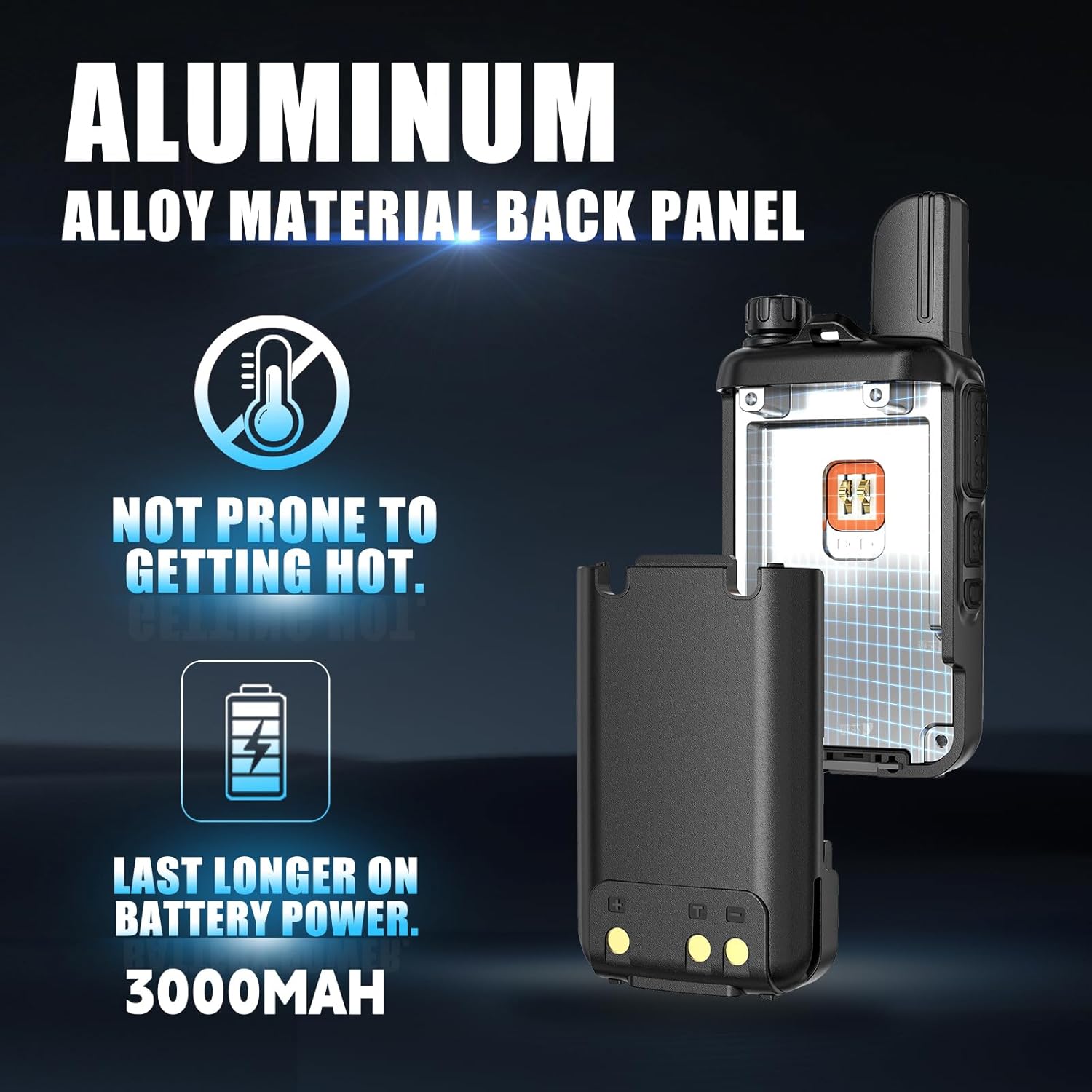
Figure 2.3: The aluminum alloy back panel and 3000mAh battery, designed for durability and efficient heat dissipation.
3. What's in the Box
Your KAYOTOM AT-600 package includes the following items:
- 4G Radios (2 units)
- Lifetime SIM Card (pre-installed)
- Battery (pre-installed)
- Lanyard
- Belt Clip
- USB Adapters with USB-C Power Cable
4. Setup Guide
4.1. Initial Charging
Before first use, fully charge your AT-600 walkie talkie. Connect the provided USB-C power cable to the radio's USB-C port and plug the adapter into a power outlet. The device will indicate charging status on its screen. A full charge provides over 24 hours of continuous use, with 50% charge achieved in approximately 20 minutes.
4.2. SIM Card and Battery
The lifetime free SIM card and battery are pre-installed in your device. No manual installation is required for these components.
4.3. Powering On/Off
To power on the device, rotate the top knob clockwise. To power off, rotate it counter-clockwise until the device shuts down.
4.4. Group Configuration
For multi-device and group management, contact KAYOTOM support via Amazon Message after your purchase. Provide your IMEI ID, and the support team will assist in linking your devices into custom groups as needed.
5. Operating Instructions
5.1. Push-to-Talk (PTT) Function
The AT-600 utilizes a dedicated Push-to-Talk (PTT) button for instant communication. Press and hold the PTT button on the side of the device to transmit your voice. Release the button to listen.

Figure 5.1: The PTT button, designed for quick and convenient communication.
5.2. Volume Control
The top rotary knob also controls the volume. Rotate clockwise to increase volume and counter-clockwise to decrease it.

Figure 5.2: The quick rotary switch for one-hand operation, controlling power and volume.
5.3. Menu Navigation and Group Selection
Use the navigation buttons below the screen to access the menu. From the menu, you can select groups for individual or group calls. The device supports up to 200 groups, each accommodating up to 500 people.

Figure 5.3: Free grouping options for individual and broadcast calls, supporting large teams.

Figure 5.4: The device's menu interface, allowing for group and member selection, settings, and device information access.
5.4. AI Noise Cancellation
The AT-600 features advanced AI noise cancellation, filtering out up to 95% of ambient background noise. This ensures broadcast-quality audio clarity even in challenging environments.
6. Maintenance
6.1. Battery Care
To maximize battery life, avoid fully discharging the battery frequently. Recharge the device using the provided USB-C cable and adapter. Store the device in a cool, dry place when not in use for extended periods.
6.2. Cleaning
Clean the device with a soft, damp cloth. Do not use harsh chemicals or abrasive cleaners. Ensure the USB-C port cover is securely closed to prevent dust and moisture ingress.
7. Troubleshooting
7.1. No Signal / "Searching" Display
If the device displays "Searching" or has no signal, ensure you are in an area with 4G LTE cellular coverage. Move to an open area or a location with better signal reception. A strong initial signal is required for registration.
7.2. "Login Timeout" Error
If you encounter a "Login timeout" error, try powering the device off and then on again. Ensure stable network connectivity. If the issue persists, contact customer support.
7.3. Audio Issues
Check the volume level using the rotary knob. Ensure the PTT button is fully pressed during transmission and released when listening. Verify that the AI noise cancellation feature is not inadvertently affecting your audio in specific conditions.
8. Specifications
Detailed technical specifications for the KAYOTOM AT-600 walkie talkie:
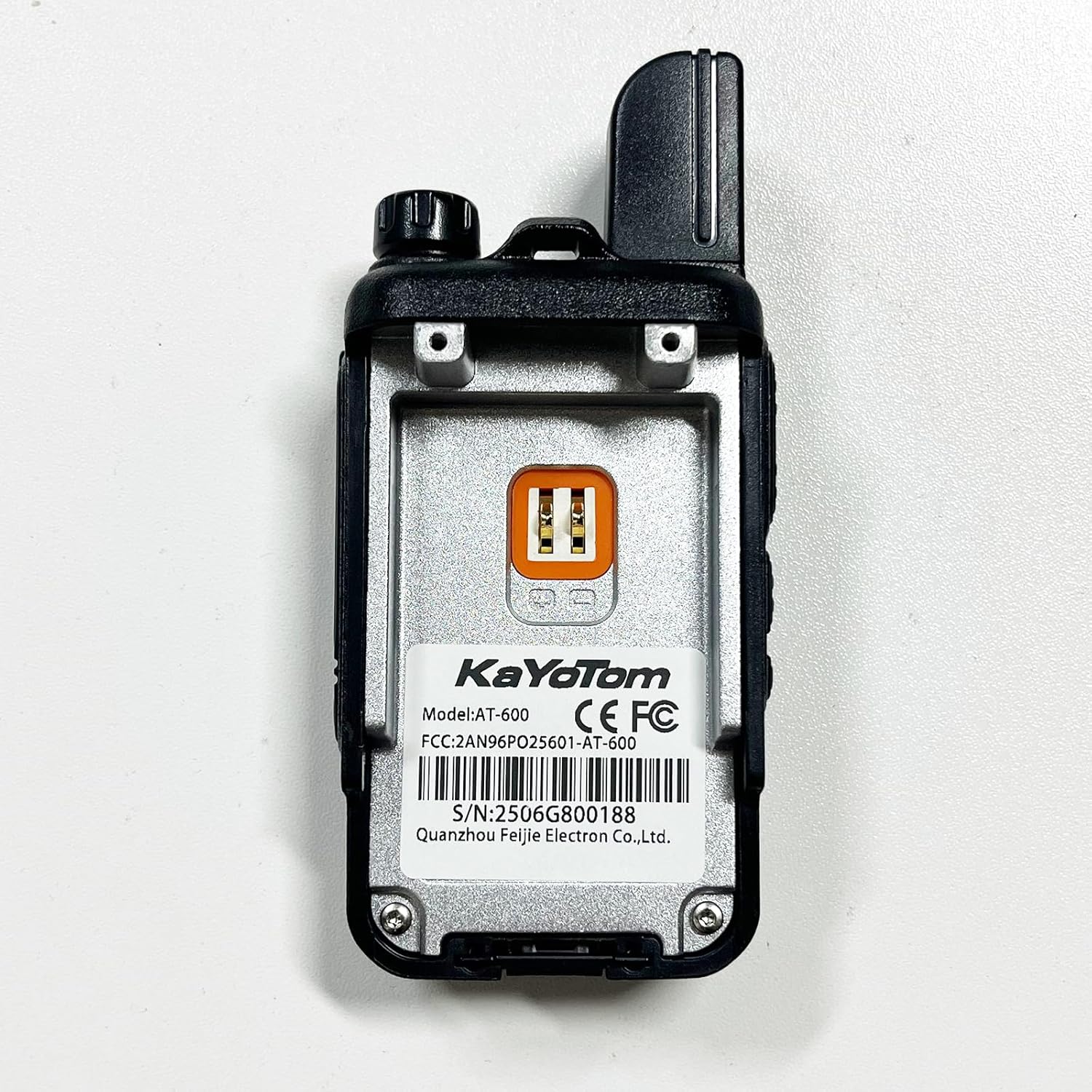
Figure 8.1: Rear view of the AT-600, displaying the model number (AT-600) and FCC ID (2AN96PO25601).
| Feature | Specification |
|---|---|
| Model Number | AT-600 |
| Brand | KAYOTOM |
| Connectivity | 4G LTE (Push-to-Talk over Cellular) |
| Talking Range | Unlimited (Nationwide 5000+ Miles) |
| Battery Capacity | 3000mAh (2 D batteries included) |
| Charging Port | USB-C |
| Noise Cancellation | Advanced AI Noise Cancellation |
| Number of Channels | 200 |
| Product Dimensions | 1.18 x 1.97 x 3.35 inches |
| Item Weight | 13 ounces (0.37 Kilograms) |
| Voltage | 3.7 Volts (DC) |
| Water Resistance Level | Not Water Resistant |
| FCC ID | 2AN96PO25601 |
9. Warranty and Support
The KAYOTOM AT-600 walkie talkie comes with a 1-year warranty. For technical assistance, group setup, or any product-related inquiries, please contact KAYOTOM customer support through Amazon Message. Our dedicated team is available to ensure a smooth experience with your device.