Introduction
The ULANZI MT85 is a versatile magnetic tripod selfie stick designed for mobile photography and videography. It features an automatic pop-open four-legged stand, a strong dual-sided magnetic phone mount, and a detachable Bluetooth remote control. This manual provides essential information for the safe and effective use of your MT85.
Safety Information
- Do not expose the device to extreme temperatures, direct sunlight, or high humidity.
- Keep the device away from water and other liquids.
- Do not attempt to disassemble or modify the device. This will void the warranty.
- Ensure the tripod legs are fully extended and stable before mounting a device.
- Do not exceed the maximum load capacity of 1 kg for the center column and 400 g for the joint.
- Keep magnetic components away from sensitive electronic devices, credit cards, and pacemakers.
Product Features
- Automatic Pop-Open Design: Legs deploy instantly upon contact with a surface.
- Four-Legged Support: Enhanced stability with non-slip pads.
- Dual-Sided Magnetic Mount: Strong N52 magnets (20N front, 25N rear) for secure phone attachment and accessory mounting.
- Extendable Design: Extends up to 150 cm for selfie stick or tripod use.
- Bluetooth Remote Control: Detachable remote with up to 10m range for convenient photo/video capture.
- Universal Compatibility: Direct MagSafe compatibility for iPhone 12-17 series; magnetic ring included for other smartphones (e.g., Samsung, Google Pixel, Motorola).
- Multi-Axis Adjustment: Allows for 315° tilt, 175° height adjustment, and 160° rotation for optimal angles.
Setup
1. Unfolding the Tripod
The ULANZI MT85 features an automatic pop-open design. To deploy the tripod legs, simply hold the device vertically and gently drop its base onto a flat, stable surface. The four legs will automatically extend and lock into position within 0.1 seconds.

Image: The MT85 tripod demonstrating its 0.1s quick snap-open feature, where the four legs automatically pop up upon contact with a surface.
2. Attaching Your Smartphone
The MT85 uses a strong dual-sided magnetic mount for secure phone attachment.
- For MagSafe Compatible Phones (iPhone 12-17 series): Simply align your phone with the magnetic mount. The strong magnets will securely hold your device.
- For Other Smartphones (e.g., Samsung, Google Pixel, Motorola): Use the included magnetic ring. Attach the magnetic ring to the back of your phone or phone case, ensuring it is centered for optimal magnetic connection. Once the ring is attached, you can magnetically mount your phone to the tripod.
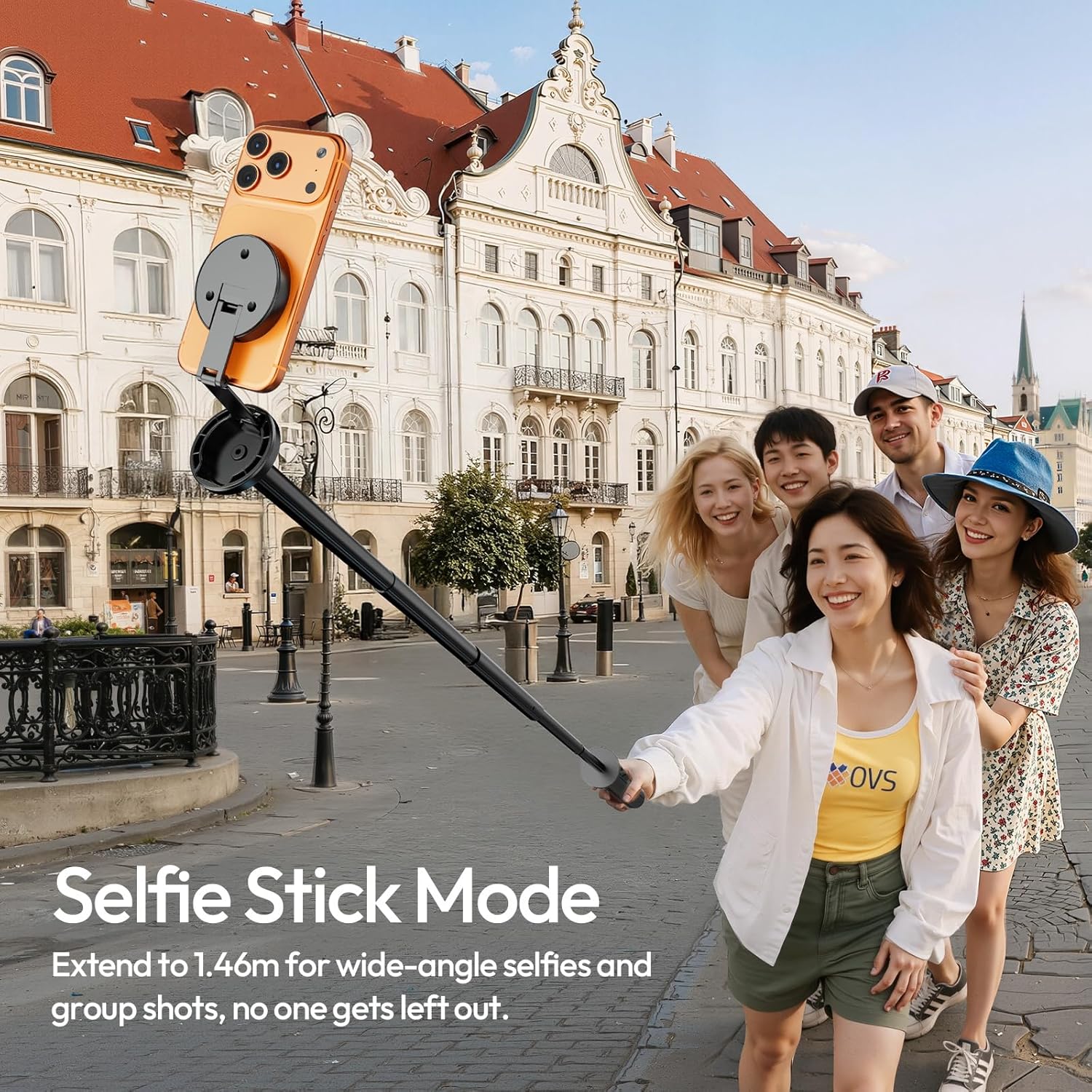
Image: Illustration of the MT85's strong dual-sided magnetic mount, indicating front (20N) and back (25N) magnetic forces for attaching phones and accessories.
3. Pairing the Bluetooth Remote
- Slide down the remote control from the handle to detach it.
- Press and hold the button on the remote until the indicator light starts flashing, indicating it is in pairing mode.
- On your smartphone, go to Bluetooth settings and search for available devices.
- Select "ULANZI MT85" (or similar name) from the list to pair. The indicator light on the remote will stop flashing once successfully paired.
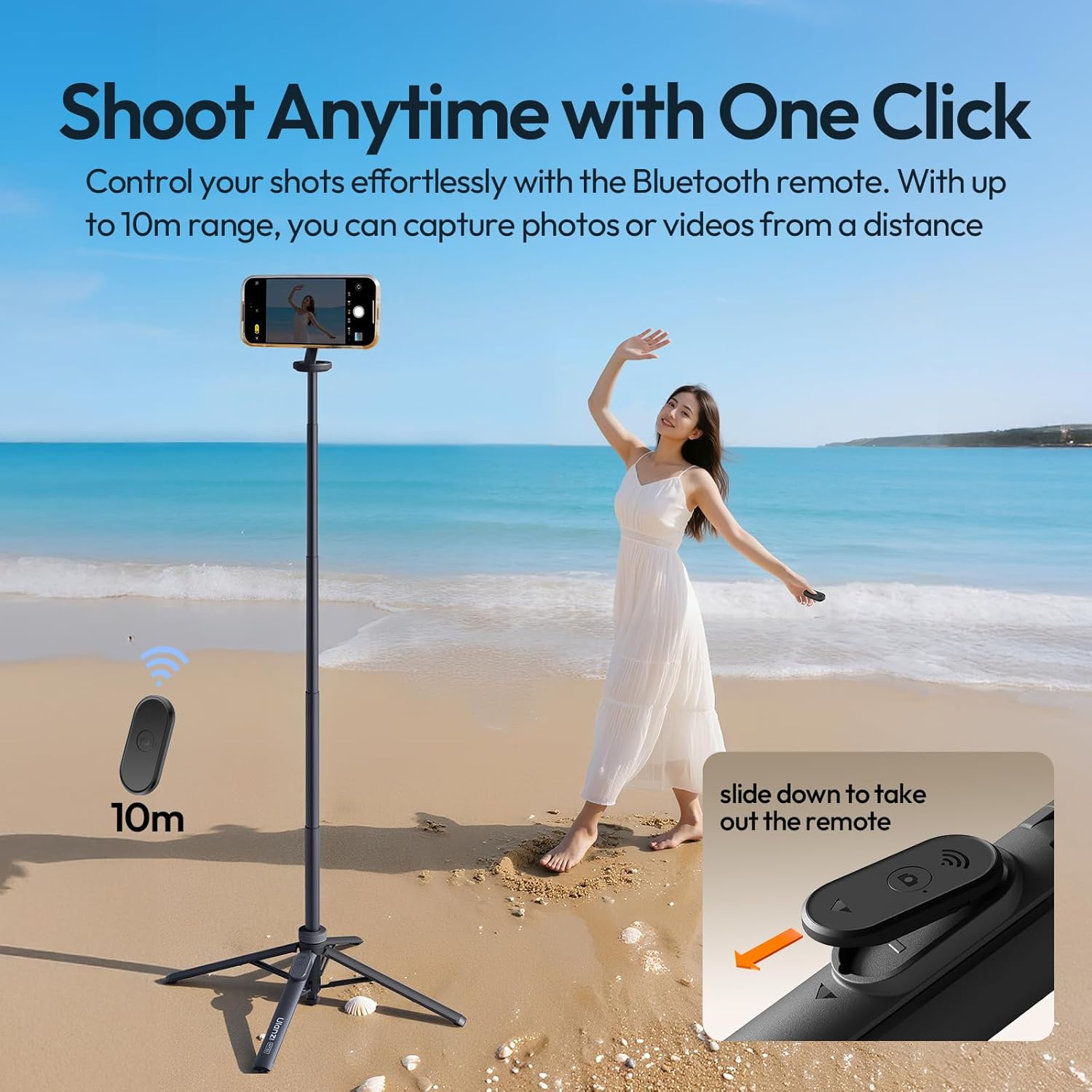
Image: The ULANZI MT85 in tripod mode with a phone mounted, showing the detachable Bluetooth remote control and its 10m range for capturing photos or videos.
Operating Instructions
1. Selfie Stick Mode
To use the MT85 as a selfie stick, hold the handle firmly and extend the telescopic pole to your desired length, up to 150 cm. This mode is ideal for wide-angle selfies and group shots.

Image: The ULANZI MT85 extended in selfie stick mode, capturing a wide-angle group photo, demonstrating its reach up to 1.46 meters.
2. Tripod Mode
Once the legs are automatically deployed, place the tripod on a flat, stable surface. Extend the telescopic pole to achieve the desired height, up to 150 cm. The four-leg design with non-slip pads provides enhanced stability for stationary shots.
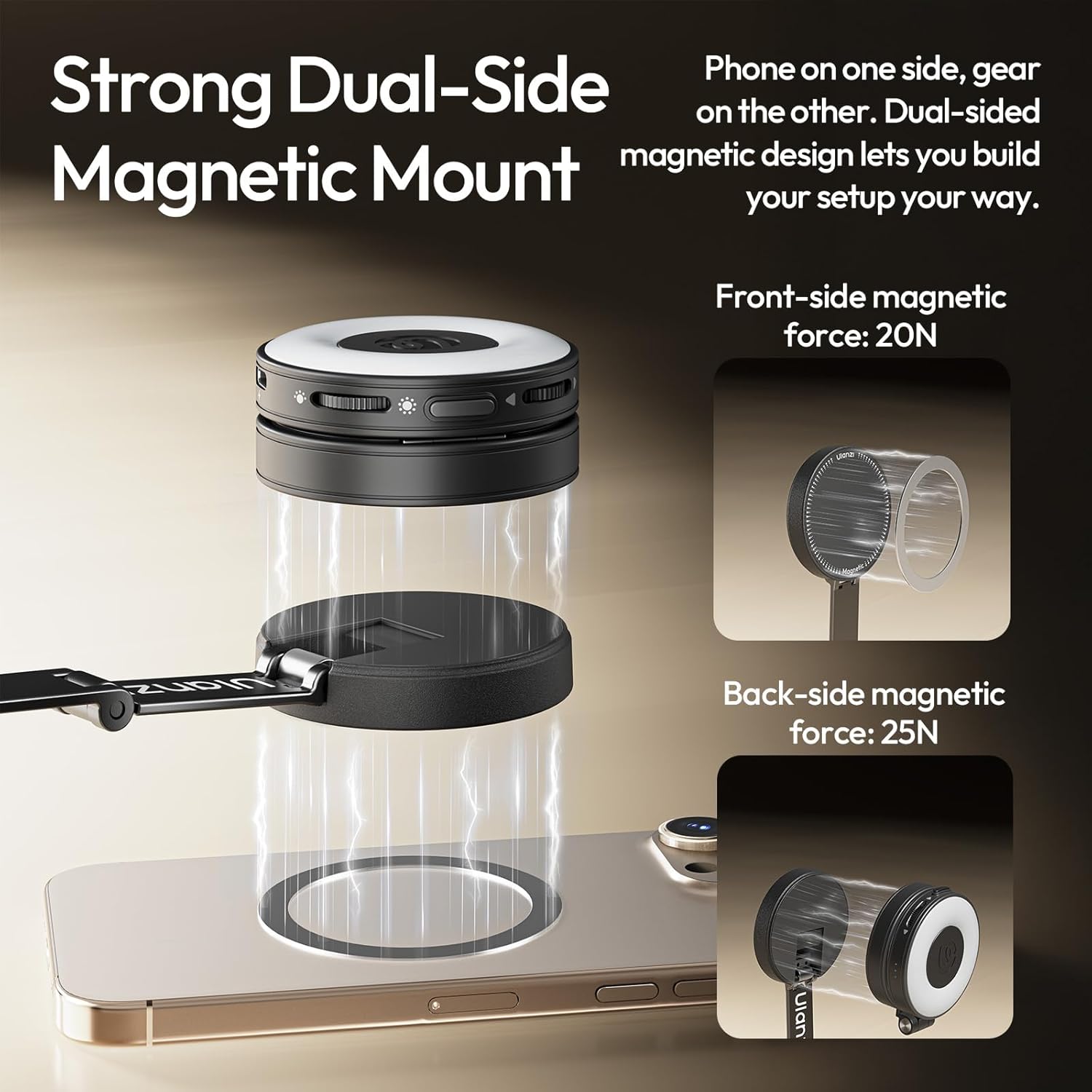
Image: The MT85 tripod showcasing its four-leg support system with non-slip pads, designed for extra stability and capable of supporting a load of up to 1kg.
3. Adjusting the Angle
The MT85 offers multi-axis folding and rotation to help you find the perfect shooting angle. Adjust the tilt (up to 315°), height (up to 175°), and rotation (up to 160°) of the magnetic mount to frame your shot precisely.

Image: Diagrams illustrating the multi-axis adjustability of the ULANZI MT85, including 315° tilt, 175° height adjustment, and 160° rotation to achieve various shooting angles.
4. Using the Bluetooth Remote
Once paired, press the button on the Bluetooth remote control to remotely trigger your smartphone's camera shutter. This allows for hands-free photo and video capture from a distance of up to 10 meters.
Maintenance
- Clean the device with a soft, dry cloth. Do not use abrasive cleaners or solvents.
- Store the tripod in a cool, dry place when not in use.
- Ensure the telescopic pole is fully retracted before storage to prevent damage.
- Regularly check the magnetic mount for any debris that might affect its grip.
Troubleshooting
- Bluetooth Remote Not Connecting:
- Ensure the remote is charged (if applicable) and in pairing mode.
- Turn off and on your phone's Bluetooth.
- Unpair and re-pair the remote in your phone's Bluetooth settings.
- Ensure the remote is within the 10m operating range. - Tripod Instability:
- Ensure all four legs are fully extended and locked.
- Place the tripod on a flat, level, and stable surface.
- Do not exceed the maximum load capacity.
- In windy conditions, consider lowering the extended height for better stability. - Phone Not Attaching Securely:
- Ensure the magnetic mount and your phone/case are clean and free of obstructions.
- For non-MagSafe phones, verify the magnetic ring is correctly attached and centered.
- Ensure your phone case is not too thick to interfere with the magnetic connection.
Specifications
| Brand | ULANZI |
| Model | MT85 |
| Material | Aluminium + ABS |
| Folded Dimensions (H x W x L) | 28.5 cm x 6 cm x 6 cm |
| Weight | Approx. 385 g (Product description states 385g, specifications state 100g. Using 385g as more likely for a tripod of this size.) |
| Extended Height (Selfie Stick/Tripod) | 150 cm |
| Load Capacity (Center Column) | 1 kg |
| Load Capacity (Joint) | 400 g |
| Magnetic Force (Front) | 20N |
| Magnetic Force (Rear) | 25N |
| Remote Control Range | 10 m |
| Supported Systems | iOS, Android, HarmonyOS |
Warranty and Support
For warranty information and customer support, please refer to the official ULANZI website or contact your retailer. Keep your purchase receipt as proof of purchase.


