
1. Introduction
This manual provides detailed instructions for the Hexgears GK735 Wired Full Size Mechanical Keyboard. This keyboard features a durable aluminum top panel, Kailh BOX White switches, customizable RGB lighting, and a 104-key layout with a numpad. It is designed for a responsive and comfortable typing experience across various applications.

Figure 1: Hexgears GK735 Mechanical Keyboard with dimensions (44.1cm x 14.7cm)
Key Features:
- Aluminum Shell: Durable construction with a sleek finish.
- Hot-Swappable Switches: Allows for easy replacement of switches without soldering.
- Kailh Box Switches: Provides crisp tactile feedback.
- White Backlit & RGB Light Strip: Dual-zone lighting for keys and side edges.
- PBT Keycaps: Durable, oil-resistant keycaps.
- N-Key Rollover: Ensures all key presses are registered accurately.
- Full-Size Layout with Numpad: Complete 104-key layout for versatile use.

Figure 2: Overview of Hexgears GK735 key features.
2. Setup
2.1 Connectivity
The Hexgears GK735 is a wired mechanical keyboard. Connect the integrated USB-A cable from the keyboard to an available USB port on your computer or compatible device. The keyboard does not require additional drivers for basic functionality.
2.2 System Compatibility
This keyboard is compatible with Windows, Mac, and Linux operating systems. It can also be used with various gaming consoles that support USB keyboard input.

Figure 3: Keyboard connected to a computer.

Figure 4: System compatibility with Windows, Mac, and Linux.
2.3 Adjustable Typing Angle
The keyboard features two-level adjustable feet on the underside. Extend these feet to achieve a preferred ergonomic typing angle, which can help reduce wrist strain during prolonged use.

Figure 5: Adjustable feet for ergonomic support.

Figure 6: Ergonomic support with adjustable typing angles.
3. Operating Instructions
3.1 Kailh BOX White Switches
The GK735 keyboard is equipped with Kailh BOX White mechanical switches. These switches provide a crisp, tactile feedback with an audible click, designed for responsive and satisfying keystrokes. They are rated for 80 million keystrokes and offer IP56 dust and water resistance.
- Feeling: Clicky
- Operating Force: 55 ± 10gf
- Conduction Stroke: 1.8 ± 0.4mm
- Total Travel: 3.6 ± 0.3mm
- Lifespan: 80-million Clicks

Figure 7: Kailh BOX White Switches details.

Figure 8: Kailh BOX White Switches features.
3.2 RGB Lighting Features
The keyboard features dual-zone lighting: 16.8 million color anti-glare side bars and white backlit keys. The side bars offer 6 modes (breathing/wave) for dynamic visual effects. The diffused lighting is engineered to provide dazzling visuals without causing eye strain.

Figure 9: Keyboard with RGB lighting.

Figure 10: Dual-zone RGB illumination.
3.3 N-Key Rollover and Anti-Ghosting
The keyboard supports full N-key rollover and anti-ghosting, ensuring that every key press is registered accurately, even when multiple keys are pressed simultaneously. This feature is crucial for fast-paced gaming and high-speed typing.

Figure 11: Gaming-grade anti-ghosting.
3.4 Polling Rate
The GK735 features a 1000Hz polling rate, providing a response time of less than 1ms. This wired connection ensures minimal input lag, offering a highly responsive experience.

Figure 12: High polling rate for reduced lag.
4. Maintenance
4.1 Hot-Swappable Switches and Keycaps
The GK735 keyboard is designed with hot-swappable sockets, allowing you to easily exchange switches and keycaps without the need for soldering. Use the included keycap puller and switch puller to safely remove and replace components. This enables customization of the typing feel and aesthetics.
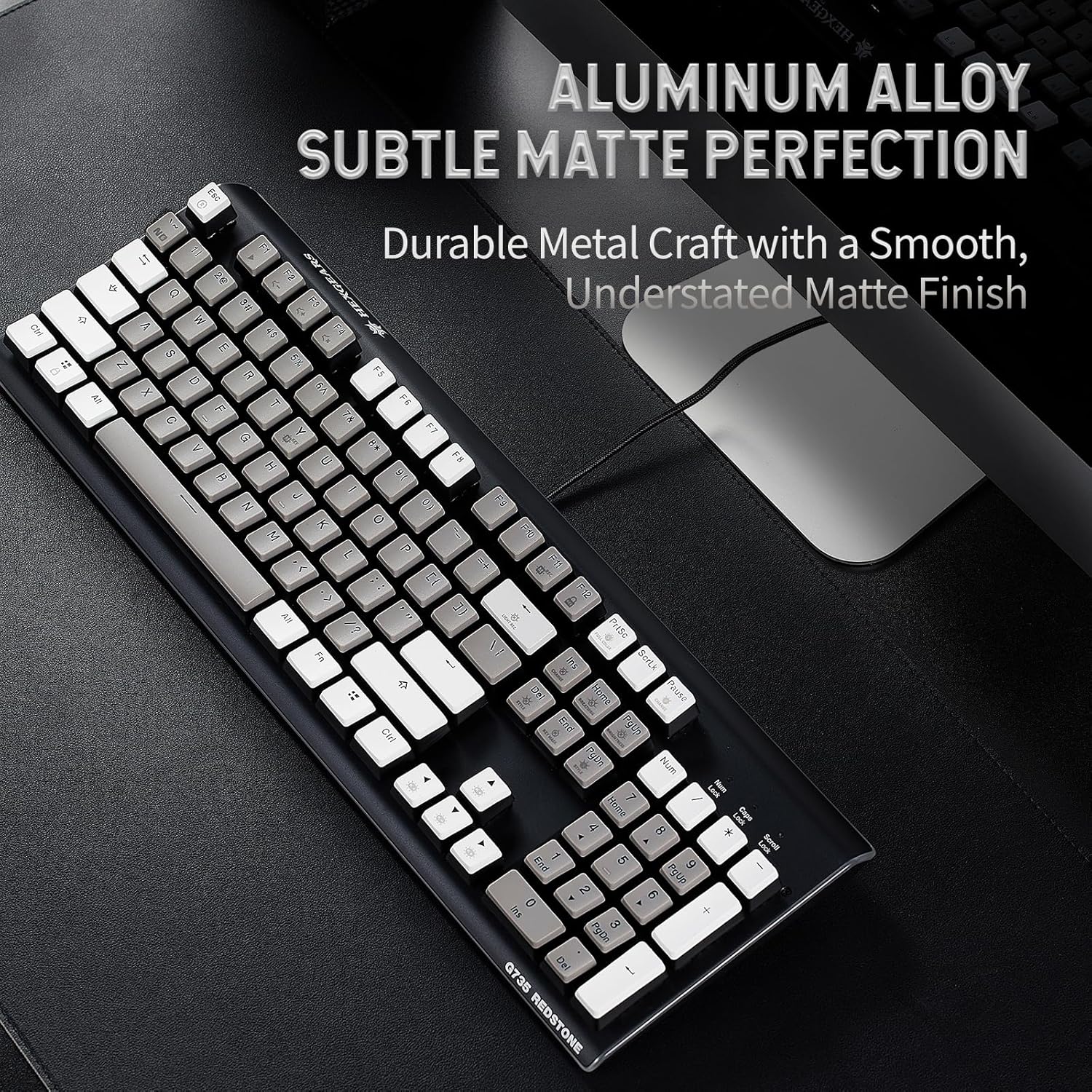
Figure 13: Hot-swappable switch mechanism.

Figure 14: Hot-swappable keyboard feature.
4.2 PBT Double-Shot Keycaps
The keyboard features durable PBT double-shot keycaps. These keycaps are resistant to oil shine and wear, ensuring longevity and maintaining their appearance over time. The grey/white floating keycaps offer a distinct aesthetic.

Figure 15: Durable PBT double-shot keycaps.
4.3 Cleaning
To clean the keyboard, disconnect it from your device. Use a soft, dry cloth to wipe down the keycaps and frame. For deeper cleaning, remove the keycaps using the provided keycap puller and clean the switches and plate with compressed air or a small brush. Avoid using harsh chemicals or excessive moisture.
5. Troubleshooting
5.1 Keyboard Not Responding
- Ensure the USB cable is securely connected to both the keyboard and the computer.
- Try connecting the keyboard to a different USB port on your computer.
- Test the keyboard on another computer to determine if the issue is with the keyboard or the original computer.
- Restart your computer.
5.2 Lighting Issues
- Verify that the keyboard is properly powered via the USB connection.
- Refer to the keyboard's quick start guide for specific function key combinations to control RGB lighting modes and brightness.
5.3 Key Input Problems
- If a specific key is not registering, try removing and re-inserting its switch using the switch puller.
- Ensure no debris is lodged under the keycap or switch.
If you continue to experience issues, please contact Hexgears customer support for further assistance.
6. Specifications
| Feature | Detail |
|---|---|
| Product Dimensions | 17.36 x 5.79 x 1.57 inches (44.1 x 14.7 x 4 cm) |
| Item Weight | 3.04 pounds (1.38 kg) |
| Manufacturer | Hexgears (DONGGUAN) Intelligent Technology Co., Ltd. |
| Item Model Number | GK735-GW-C-BoxWhite |
| Compatible Devices | Gaming Console, Laptop, PC |
| Connectivity Technology | USB-A (Wired) |
| Keyboard Description | US Layout, Full Size (104 keys) |
| Recommended Uses | Business, Education, Everyday Use, Gaming, Multimedia, Personal, Photo Editing, Programming, Student, Video Editing |
| Special Features | Backlit, Customizable Display Keys, Ergonomic, Hot-Swappable, Hotkeys and Media Keys |
| Color | Gray-White & Clicky |
| Keyboard Backlighting Color Support | Single Color (Keys) with RGB Side Strips |
7. Package Contents
The Hexgears GK735 Mechanical Keyboard package includes the following items:
- 1 x GK735 Mechanical Keyboard with USB Cable
- 1 x Keycap Puller
- 1 x Switch Puller
- 1 x User Manual (Quick Start Guide)

Figure 16: Contents included in the package.
8. Official Product Videos
8.1 Wired Full Size Mechanical Keyboard Overview
Video 1: A detailed look at the Hexgears GK735 Wired Full Size Mechanical Keyboard, showcasing its design and features.
8.2 Hexgears Mechanical Keyboard Review
Video 2: A review of the Hexgears Mechanical Keyboard, highlighting its performance and user experience.
8.3 This is my favorite keyboard by far!!
Video 3: A user's personal review and demonstration of the Hexgears GK735 keyboard.
8.4 Hexgear Gaming Keyboard Full Size
Video 4: A closer look at the full-size layout and build quality of the Hexgears gaming keyboard.
9. Warranty and Support
The Hexgears GK735 Mechanical Keyboard comes with a manufacturer's warranty. For specific warranty details, including coverage period and terms, please refer to the documentation included in your product packaging or visit the official Hexgears website.
For technical support, troubleshooting assistance, or warranty claims, please contact Hexgears customer service. Contact information can typically be found on the manufacturer's website or in the product's quick start guide.