
1. Introduction
This manual provides detailed instructions for the setup, operation, maintenance, and troubleshooting of your Hexgears I4 Mechanical Keyboard. Please read this manual thoroughly before using the product to ensure optimal performance and longevity.
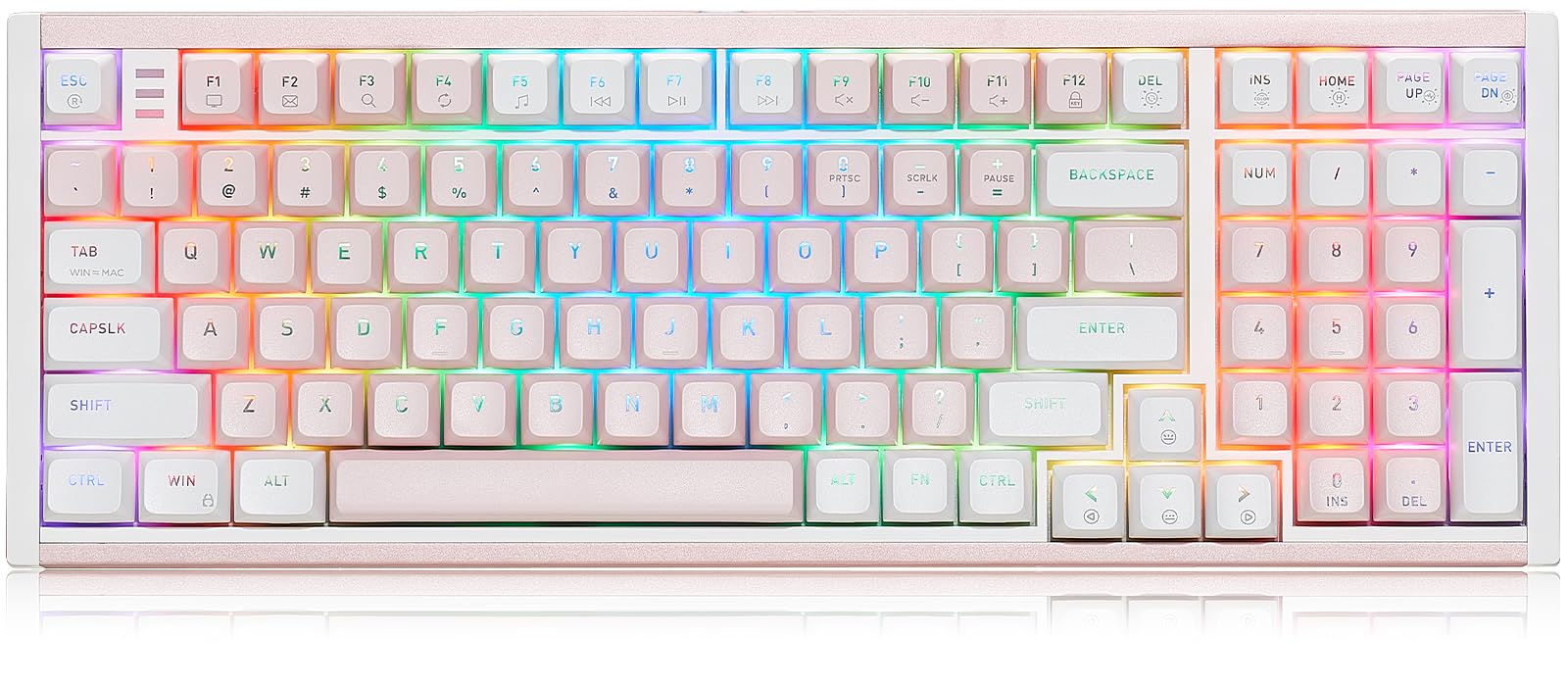
Image 1.1: The Hexgears I4 Mechanical Keyboard, showcasing its full layout and design.
2. Package Contents
Verify that all items listed below are included in your product package:
- 1 x Hexgears I4 Mechanical Keyboard
- 1 x Type-C Cable
- 1 x Keycap Puller
- 1 x Switch Puller
- 1 x User Manual
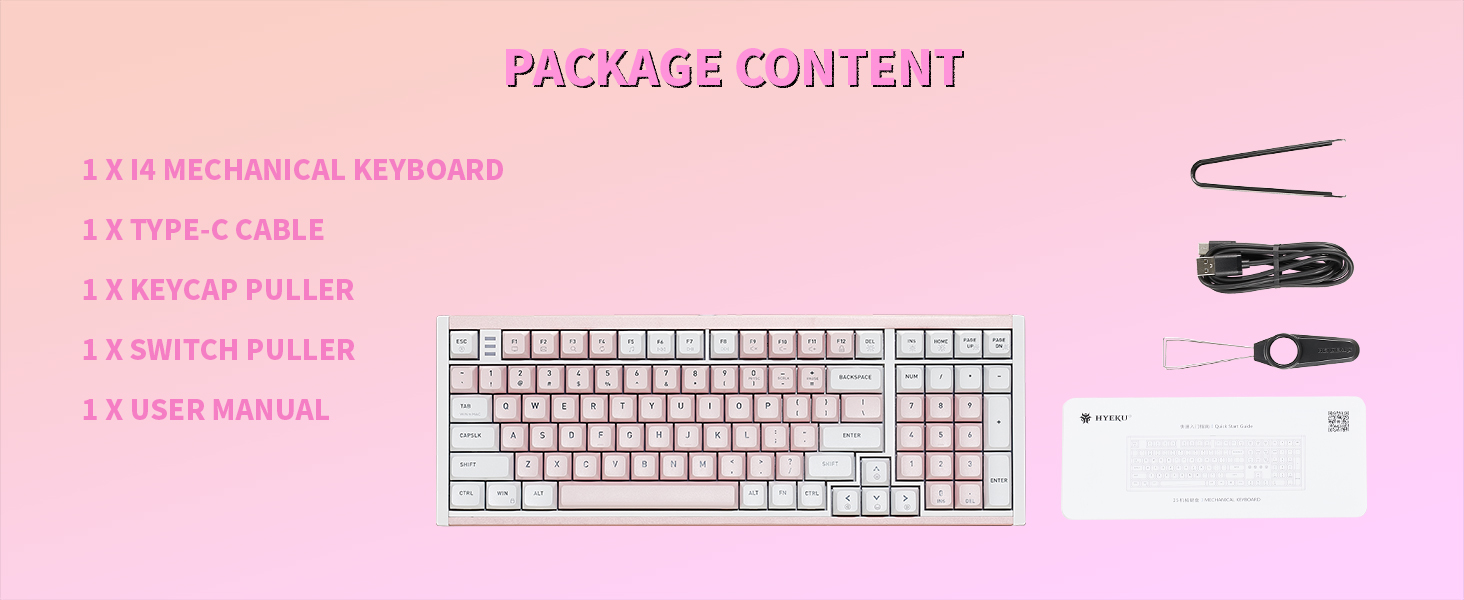
Image 2.1: Contents included in the Hexgears I4 Mechanical Keyboard package.
3. Product Features
The Hexgears I4 Mechanical Keyboard is designed for performance and customization, featuring:
- Kailh Smoky Quick Switches: Experience precise feedback with a satisfying tactile bump, crisp response, and enhanced comfort. The enclosed Box structure provides dust/water resistance and a 100-million-keystroke lifespan.
- Premium Full Aluminum Case: The keyboard boasts an aluminum case for enhanced durability and a premium aesthetic. Its spray-painted finish ensures a smooth texture, complemented by a silver decorative backplate.
- Flex-Cut Hot-Swappable PCB: Easily customize your typing experience by switching between different key switches without soldering. This feature allows for personalized typing tailored to your preferences.
- 16.8M Dynamic RGB Backlight: Upgrade your desk setup with customizable RGB options for per-key illumination, allowing users to personalize brightness, colors, and light effects. The thick PBT keycaps are not shine-through, offering brilliance without glare.
- Fully Programmable via Hexgears Driver: Remap keys, create macros, and customize RGB lighting. Features N-key rollover (NKRO) anti-ghosting for 100% accurate keystroke registration during complex multi-key commands.

Image 3.1: Close-up of the Kailh Smoky Quick Switch, highlighting its tactile feel and durability.

Image 3.2: Diagram illustrating the hot-swappable PCB, compatible with 3/5 pin mechanical switches.
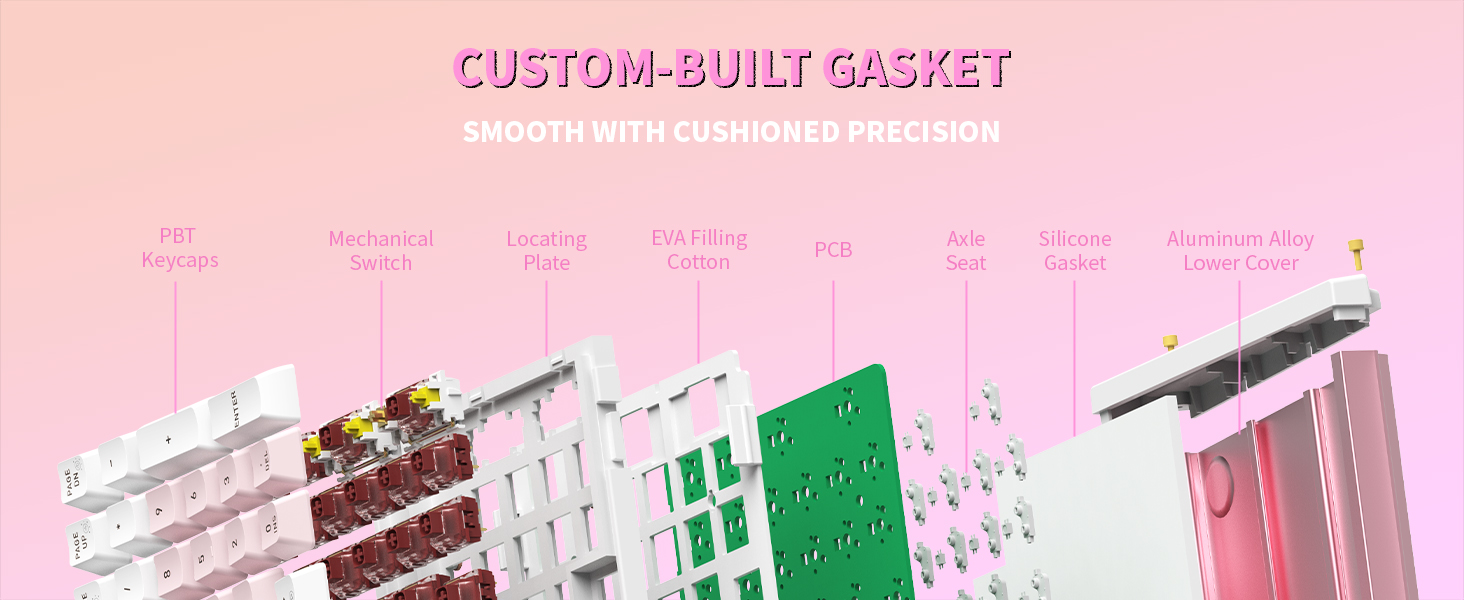
Image 3.3: Exploded view of the keyboard's custom-built gasket structure for cushioned precision.
4. Setup Instructions
- Unpack the Keyboard: Carefully remove the Hexgears I4 keyboard and all accessories from its packaging.
- Connect the USB-C Cable: Insert the USB-C end of the provided cable into the port on the keyboard. Connect the other end (USB-A) to an available USB port on your computer (PC, Mac, Laptop, Tablet, or Xbox).
- System Recognition: Your operating system (Windows or Mac OS) should automatically detect and install the necessary drivers. Allow a few moments for this process to complete.
- Placement: Place the keyboard on a stable, flat surface.

Image 4.1: Connecting the Hexgears I4 keyboard via its USB-C cable.
5. Operating Instructions
5.1. RGB Backlight Control
The Hexgears I4 features dynamic RGB backlighting with 16.8 million colors and 20 preset effects. Use the following key combinations to adjust the lighting:
- FN + HOME: Toggle backlight constant brightness mode.
- FN + PAGE UP: Toggle backlight breathing mode.
- FN + DEL: Cycle through backlight effect modes.
- FN + PAGE DOWN: Adjust backlight switch.
- FN + INS: Change backlight color switch.

Image 5.1: Key combinations for controlling RGB backlight effects and colors.
5.2. Programmable Keys and Macros
Utilize the Hexgears Driver software for full customization:
- Remap any key to suit your workflow or gaming style.
- Create and edit complex macros for single-key execution of multiple commands.
- Customize RGB lighting effects beyond the onboard presets.
The driver software ensures N-key rollover (NKRO) anti-ghosting for accurate keystroke registration.
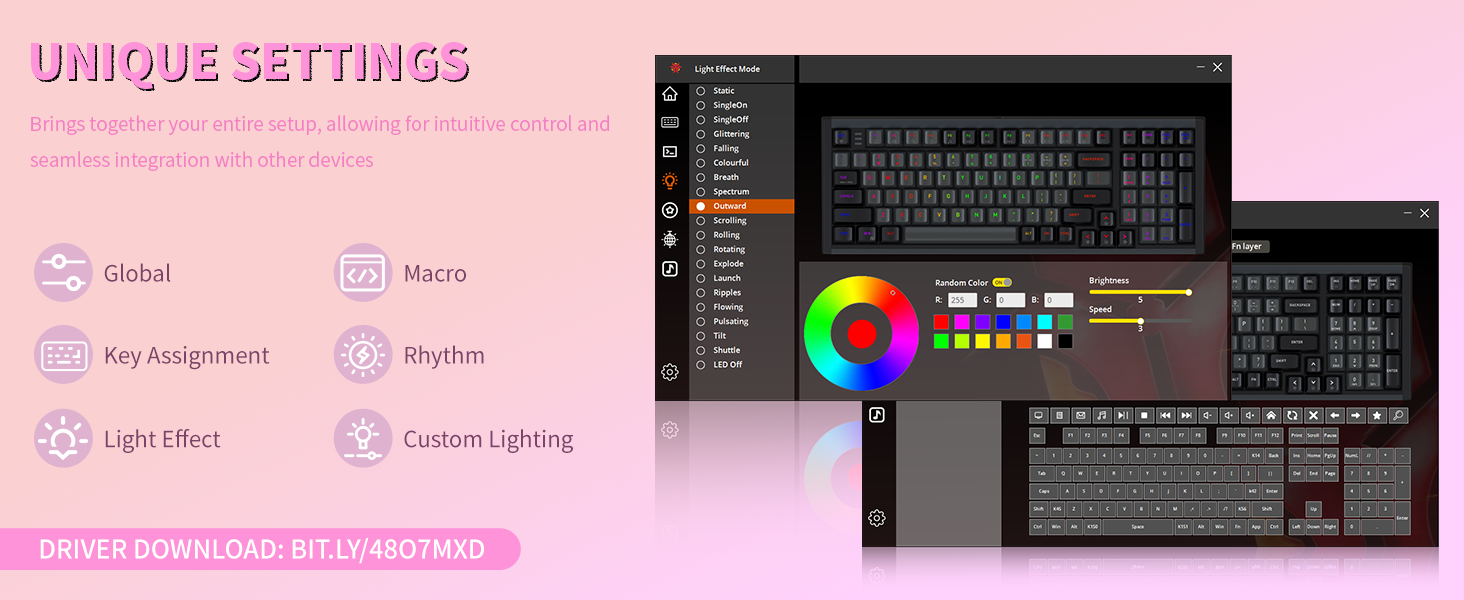
Image 5.2: Screenshot of the Hexgears Driver software interface for macro and lighting customization.
5.3. Windows/Mac Mode Switching
The keyboard supports both Windows and Mac OS. Refer to the quick start guide or the Hexgears Driver for specific instructions on switching between operating system modes, typically indicated by a key combination or a physical switch.
6. Maintenance
6.1. Cleaning
To maintain your keyboard's appearance and functionality:
- Disconnect the keyboard from your computer before cleaning.
- Use a soft, lint-free cloth slightly dampened with water or a mild cleaning solution to wipe the surface.
- For dust and debris between keycaps, use compressed air or a small brush.
- Avoid harsh chemicals or abrasive materials that could damage the finish or keycaps.
6.2. Keycap and Switch Replacement
The Hexgears I4 features hot-swappable switches, allowing for easy replacement without soldering. Use the provided keycap and switch pullers:
- Keycap Removal: Gently attach the keycap puller to the desired keycap and pull upwards until it detaches.
- Switch Removal: Use the switch puller to grasp the top and bottom clips of the switch. Apply gentle pressure and pull the switch straight up.
- Installation: Align the pins of the new switch with the holes on the PCB and press down firmly until it clicks into place. Then, press the desired keycap onto the switch stem.
7. Troubleshooting
- Keyboard Not Responding: Ensure the USB-C cable is securely connected to both the keyboard and the computer. Try connecting to a different USB port or using a different USB-C cable.
- RGB Backlight Not Working: Check the backlight control key combinations (FN + keys) to ensure it's not turned off or set to a very dim setting. Verify that the Hexgears Driver software is installed and updated.
- Keys Not Registering: If individual keys are not working, try removing and re-inserting the switch using the provided switch puller. Ensure the switch pins are not bent. If the issue persists, consider replacing the switch.
- Incorrect Key Layout (Mac/Windows): Ensure the keyboard is set to the correct operating system mode. Refer to the quick start guide for mode switching instructions.
8. Specifications
| Feature | Detail |
|---|---|
| Brand | Hexgears |
| Model | I4 |
| Connectivity Technology | USB-C |
| Switch Type | Kailh Smoky Quick Switch (Tactile) |
| Keycaps | PBT Keycaps |
| Backlight | 16.8M Dynamic RGB Backlight |
| Special Features | Hot-Swappable PCB, Aluminum Case, Fully Programmable |
| Compatible Devices | Laptop, MAC, PC, Tablet, Xbox |
| Material | Aluminum |
| Item Weight | 1.95 pounds |
| Package Dimensions | 16.54 x 7.2 x 2.28 inches |
9. Warranty Information
Hexgears products are covered by a limited warranty against manufacturing defects. For specific warranty terms and conditions, please refer to the warranty card included in your product packaging or visit the official Hexgears website. Keep your proof of purchase for warranty claims.
10. Customer Support
If you encounter any issues or have questions regarding your Hexgears I4 Mechanical Keyboard, please contact our customer support team. You can reach us through the following methods:
- Online Support: Visit the official Hexgears website for FAQs, driver downloads, and support resources.
- Contact Seller: If purchased through Amazon, you can contact the seller directly by navigating to your orders, selecting the product, and choosing the 'Ask a question' or 'Problem with order' option.

Image 10.1: Hexgears customer support information.


