1. Introduction and Safety Information
Thank you for choosing the U ULTTY Bladeless Tower Fan and Air Purifier. This appliance combines efficient cooling with advanced air purification, designed to enhance your indoor environment. Please read this manual thoroughly before operation to ensure safe and optimal performance.
Important Safety Precautions:
- Always place the appliance on a stable, flat, and dry surface.
- Do not immerse the appliance, cord, or plug in water or other liquids.
- Keep out of reach of children and pets. The bladeless design offers enhanced safety, but supervision is always recommended.
- Unplug the appliance from the power outlet when not in use, before cleaning, or before performing any maintenance.
- Do not operate the appliance with a damaged cord or plug.
- Ensure proper ventilation around the unit; do not block air inlets or outlets.
2. Product Overview
Familiarize yourself with the components of your U ULTTY Bladeless Tower Fan and Air Purifier.

The U ULTTY Bladeless Tower Fan and Air Purifier, showcasing the main unit, remote control, and the H13 HEPA filter.

Diagram highlighting key features: innovative bladeless design, remote control, LED touchscreen, 360° HEPA filtration, and 90° oscillation.
3. Setup Guide
Unpacking and Placement:
- Carefully remove all packaging materials from the unit. Retain packaging for future storage or transport.
- Place the fan on a firm, level surface, ensuring there is at least 12 inches (30 cm) of clear space around the unit for optimal airflow.
- Ensure the power cord is not pinched or placed under the unit.
Filter Installation:
The H13 HEPA filter may come pre-installed. If not, or for future replacement:
- Locate the filter compartment, typically at the base of the main unit.
- Twist or unlatch the cover as indicated by the markings on the unit.
- Insert the H13 HEPA filter, ensuring it is seated correctly.
- Secure the filter compartment cover.
Power Connection:
Plug the power cord into a standard electrical outlet (120V AC, 60Hz). The unit will enter standby mode.
4. Operating Instructions
Your U ULTTY Bladeless Tower Fan and Air Purifier can be controlled via the LED touch-screen on the unit or the included remote control.
Power On/Off:
- Press the Power button (symbol: circle with vertical line) on the unit or remote to turn the fan on or off.
Mode Settings:
Press the Mode button (symbol: three horizontal lines) to cycle through the available modes:
- Normal Mode: Provides a consistent airflow at your selected speed.
- Natural Mode: Simulates a natural breeze by varying fan speeds.
- Sleep Mode: Operates at a lower, quieter speed with dimmed LED display for undisturbed sleep.

Illustration of the fan's three modes (Normal, Natural, Sleep) and nine speed settings, demonstrating customizable air circulation.
Speed Settings:
- Use the Speed Up/Down buttons (symbols: + / -) to adjust the fan speed from 1 to 9. Speed 1 is the quietest, and Speed 9 provides maximum airflow.
Oscillation:
- Press the Oscillation button (symbol: rotating arrows) to activate or deactivate the 90° wide oscillation feature, distributing air across a larger area.
- The air outlet can also be manually adjusted by 30° (up/down) to direct airflow.
Timer Function:
- Press the Timer button (symbol: clock) to set the auto-off timer for up to 8 hours. Each press adds 1 hour to the timer.

A hand holding the remote control, demonstrating the ease of operating the fan via remote or the intuitive LED touch display on the unit.
5. Air Purification Function
The U ULTTY Bladeless Tower Fan integrates an advanced air purification system to improve your indoor air quality.
True HEPA Filtration:
- The fan is equipped with a CARB certified H13 HEPA filter, capable of capturing 99.97% of airborne particles as small as 0.3 microns. This includes smoke, dust, pollen, pet dander, and other common allergens.
- The air purification function operates effectively across all fan speeds (1-9).

Close-up view of the 360° HEPA + Silver-Ion Medical Coating filter, emphasizing its role in air purification.
Quiet Operation:
- The unique air-duct design minimizes noise, allowing the fan to operate at levels as low as 32dB, particularly in Sleep Mode. This ensures a comforting, cool, and quiet environment.
- The LED display dims after 2 minutes in Sleep Mode to prevent light disturbance.

A visual representation comparing the low noise level of the U ULTTY fan (32dB) to other tower fans (55dB) and a whisper (41dB), highlighting its quiet operation.
Coverage:
- The fan effectively covers rooms up to 450 sq.ft., filtering the entire room's air 5 times per hour, contributing to consistently fresh air.
6. Maintenance
Regular maintenance ensures the longevity and efficiency of your U ULTTY Bladeless Tower Fan and Air Purifier.
Cleaning the Exterior:
- Before cleaning, always unplug the appliance from the power outlet.
- Wipe the exterior surfaces with a soft, damp cloth. Do not use abrasive cleaners or solvents.
- The bladeless design makes cleaning exceptionally easy, as there are no grilles or blades to disassemble.
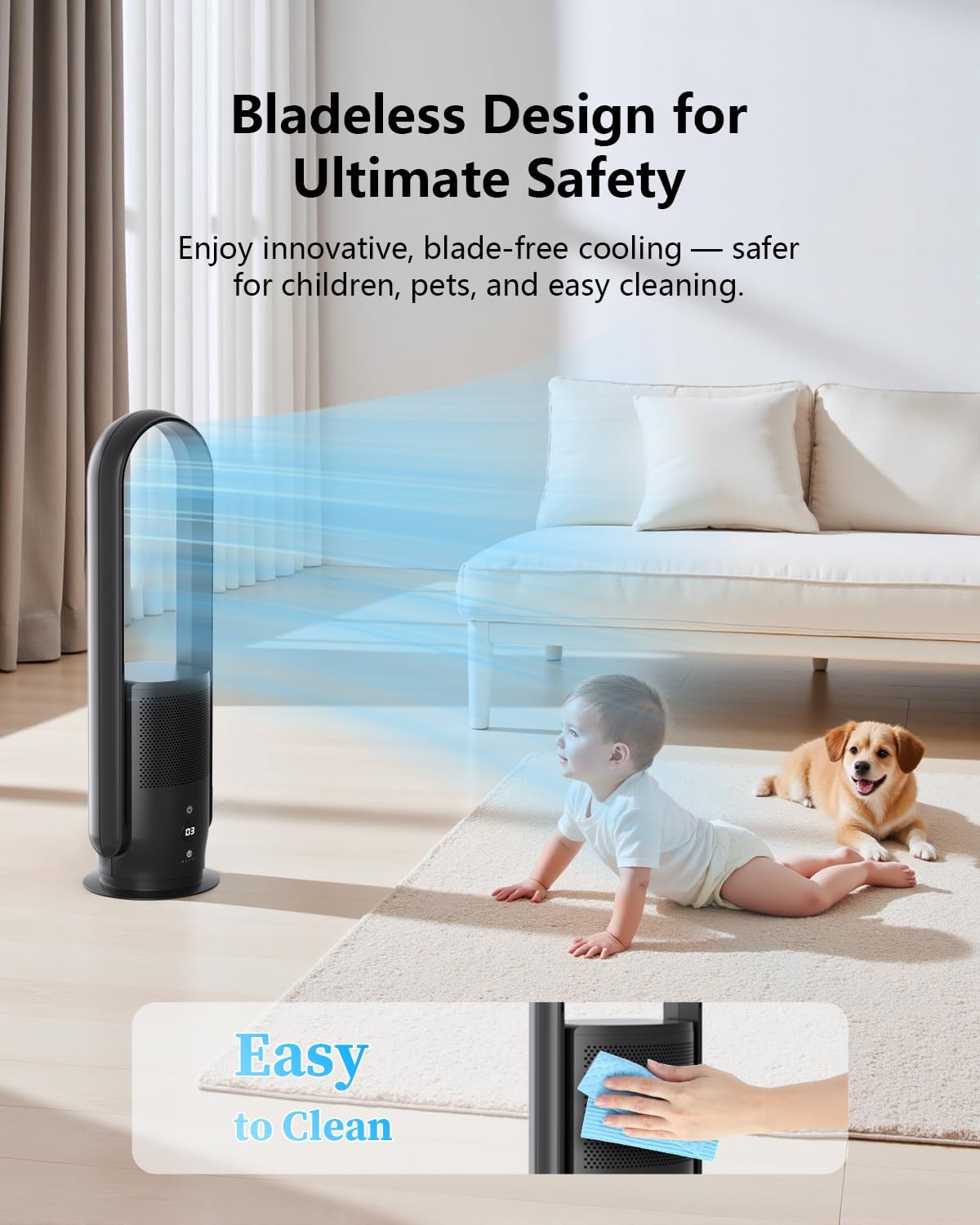
An image showing the ease of cleaning the bladeless fan, highlighting its user-friendly maintenance.
Filter Replacement:
- The HEPA filter has a limited lifespan and should be replaced periodically, typically every 6-8 months, depending on air quality and usage.
- A filter indicator light on the unit may illuminate when it's time for replacement.
- Refer to the 'Filter Installation' section (Section 3) for instructions on how to replace the filter.
- Genuine U ULTTY replacement filters are recommended for optimal performance.
7. Troubleshooting
If you encounter issues with your U ULTTY Bladeless Tower Fan and Air Purifier, please refer to the following common problems and solutions:
| Problem | Possible Cause | Solution |
|---|---|---|
| Unit does not turn on. | No power supply; Power button not pressed; Unit in standby mode. | Ensure the power cord is securely plugged into a working outlet. Press the Power button on the unit or remote. |
| Weak or no airflow. | Air inlets/outlets blocked; Fan speed too low; Filter clogged. | Check for obstructions around the unit. Increase fan speed. Check and replace the HEPA filter if necessary. |
| Unusual noise. | Unit not on a stable surface; Obstruction in air path; Filter not installed correctly. | Place the unit on a flat, stable surface. Check for any foreign objects near air inlets. Reinstall the filter securely. |
| Remote control not working. | Batteries depleted; Obstruction between remote and unit; Remote not pointed correctly. | Replace batteries in the remote. Ensure no objects are blocking the signal path. Point the remote directly at the unit's sensor. |
| Filter indicator light is on. | Filter needs replacement. | Replace the HEPA filter as per instructions in Section 6. |
If the problem persists after attempting these solutions, please contact U ULTTY customer support for further assistance.
8. Specifications
| Feature | Detail |
|---|---|
| Model Number | SKJ-CR022 |
| Product Dimensions | 10"D x 10"W x 32"H |
| Item Weight | 8.3 pounds |
| Wattage | 35 watts |
| Controller Type | Remote Control, Touchpad Control |
| Air Filtration Standard | H13 HEPA (CARB certified) |
| Oscillation Angle | 90° (horizontal) |
| Air Outlet Adjustment | 30° (manual up/down) |
| Noise Level | As low as 32dB |
| Coverage Area | Up to 450 sq.ft. |
| Timer | 8-hour auto-off |
| Certifications | CE Certified, ETL Certified |
9. Warranty and Support
U ULTTY products are manufactured to the highest quality standards. For information regarding your product's warranty, please refer to the warranty card included in your product packaging or visit the official U ULTTY website.
For technical support, troubleshooting assistance, or to inquire about replacement parts (such as HEPA filters), please contact U ULTTY customer service through the contact information provided on the official website or your purchase documentation.
Website: U ULTTY Official Store