Product Overview
The Culligan MaxClear Technology Gravity Water Filter System provides clean, purer-tasting water by reducing harmful contaminants. This countertop ceramic water filter is NSF/ANSI Certified to reduce lead, microplastics, and total PFAS. It is designed for easy installation and maintenance, offering a durable and sleek solution for daily hydration.
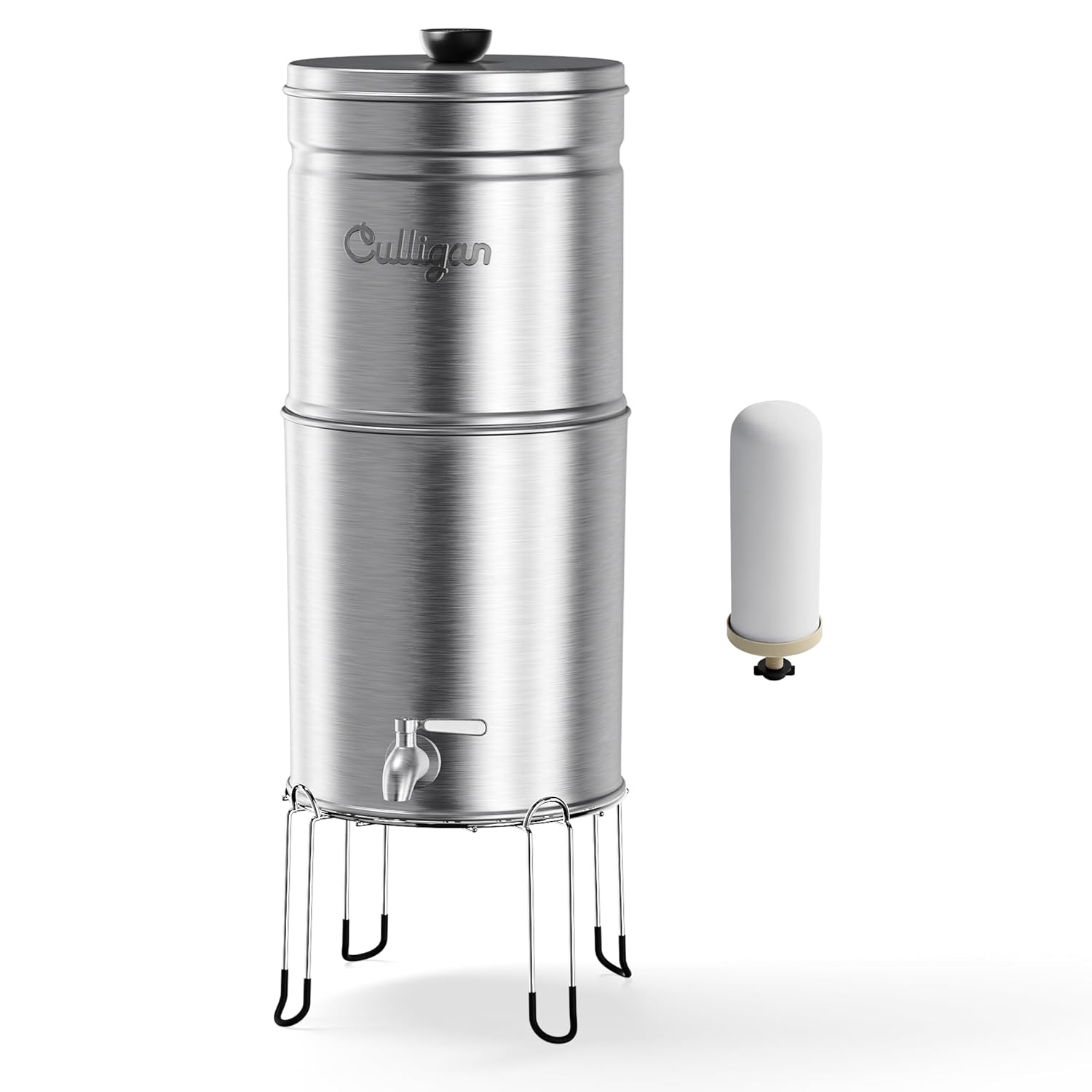
Image: The Culligan MaxClear Technology Gravity Water Filter System, showcasing its brushed stainless steel design and a single filter element.

Image: A comparison table highlighting the contaminants reduced by Culligan MaxClear Technology, including microplastics, lead, total PFAS, chlorine, and chloramine.
Key Features:
- Advanced Filtration: Certified to remove 99% of lead, 99% of Total PFAS, and 96% of microplastics.
- NSF/ANSI Certified: Tested and certified by IAPMO for contaminant reduction.
- Easy Setup: No electricity or plumbing required, gravity-fed system.
- Large Capacity: 3-gallon capacity for ample daily drinking water.
- Durable Design: Constructed from stainless steel with a brushed finish, includes a stainless steel spigot and stand.
- Portable: Suitable for home use, camping, or emergency situations.
What's in the Box
Upon unboxing your Culligan MaxClear Technology Gravity Water Filter System, please ensure all components listed below are present and in good condition.

Image: All components of the water filter system, including the upper and lower stainless steel containers, filter(s), spigot, stand, and rubber mat.
- Upper Stainless Steel Container
- Lower Stainless Steel Container with Spigot
- MaxClear Ceramic Filter(s) (Quantity as per model purchased)
- Stainless Steel Stand
- Rubber Stopper(s) (for unused filter holes)
- Wingnut(s) (for securing filters)
- Rubber Washer(s) (for filter base)
- User Manual
Setup Instructions
Follow these steps to set up your Culligan MaxClear Technology Gravity Water Filter System for the first time.
- Unpack and Clean: Carefully unpack all components. Wash both stainless steel containers, the lid, and the spigot with warm, soapy water. Rinse thoroughly.
- Prepare Filter(s): Unwrap your new filter(s). Gently scrub the white ceramic portion of each filter under running water to remove any dust from manufacturing or packaging.
- Install Filter(s):
- Ensure the rubber washer is positioned at the base of the filter stem.
- Insert the filter stem(s) upright into one or more of the holes in the upper container.
- From the underside of the upper container, snugly fasten the wingnut(s) onto the filter stem(s). Tighten just enough so the filter stands upright without wobbling. Do not overtighten.
- If you are using fewer filters than available holes, plug any remaining holes with the provided rubber stopper(s) from the underside of the upper container.
- Assemble System: Place the lower container onto the stainless steel stand. Carefully place the upper container (with installed filters) on top of the lower container. Ensure it sits securely.
- Initial Flushing (Priming):
- Fill the top container with tap water.
- Allow the water to filter completely through to the lower container. This process may take several hours for the first fill.
- Once filtered, dump the water from the lower container. This initial water may contain harmless carbon dust.
- Repeat this filling and dumping cycle two more times (total of three full cycles) to thoroughly flush the filters and remove any remaining manufacturing debris.
- Your Culligan MaxClear Technology Gravity Water Filter System is now ready for use.
Video: This video demonstrates the process of replacing a filter, which is similar to the initial installation steps. It shows how to remove the old filter, prepare and install the new filter(s), and perform the initial flushing cycles.
Operating Instructions
Using your Culligan MaxClear Technology Gravity Water Filter System is straightforward:
- Fill the Top Container: Remove the lid and pour tap water into the upper stainless steel container. Do not overfill.
- Allow Filtration: Replace the lid. The water will slowly filter through the ceramic filter(s) into the lower container by gravity. The filtration rate depends on water quality and filter condition.
- Dispense Water: Once the water has filtered into the lower container, use the spigot to dispense clean, filtered water into your glass or pitcher.
- Refill as Needed: When the upper container is empty, or the lower container is full, you can refill the top container.
Maintenance
Regular maintenance ensures optimal performance and longevity of your filter system.
Filter Replacement:
The filter life is measured by the number of gallons of water that have cycled through. Refer to your product manual for the specific filter life for your model (e.g., 150 gallons per filter). Replace filters when the flow rate significantly decreases or after the recommended gallon capacity is reached, whichever comes first.
- Empty System: Ensure both containers are empty of water.
- Separate Containers: Remove the upper container from the lower container.
- Remove Old Filter(s): Unscrew the wingnut(s) from the underside of the upper container to release the old filter(s). Dispose of the old filter(s) responsibly.
- Install New Filter(s): Follow the "Prepare Filter(s)" and "Install Filter(s)" steps from the Setup Instructions section.
- Perform Flushing: After installing new filters, perform the "Initial Flushing (Priming)" steps from the Setup Instructions section (three full cycles) to clear any carbon dust or debris from the new filters.

Image: A cutaway diagram illustrating the multi-stage filtration process of the MaxClear filter, including the outer ceramic shell, activated carbon, and high-flow carbon block layers.
Cleaning the System:
Clean the stainless steel containers and lid regularly with warm, soapy water. Rinse thoroughly and dry completely to prevent water spots. Do not use abrasive cleaners or scouring pads, as they may damage the finish.
The ceramic filter can be gently scrubbed with a soft brush or sponge under running water to remove any buildup on its surface, which can help restore flow rate between replacements. Do not use soap on the filter itself.
Troubleshooting
| Problem | Possible Cause | Solution |
|---|---|---|
| Slow Filtration Rate | Filter is clogged with sediment or has reached end of life. | Gently scrub the ceramic filter surface under running water. If flow does not improve, replace the filter. Ensure wingnut is not overtightened. |
| Water Leaking from System | Spigot not properly installed or tightened; containers not seated correctly. | Check that the spigot is securely tightened. Ensure the upper container is properly seated on the lower container. Verify all rubber washers are correctly in place. |
| Unpleasant Taste/Odor in Filtered Water | New filter not adequately flushed; filter needs replacement. | Perform additional flushing cycles (fill and dump water 2-3 times). If problem persists, replace the filter. |
| System Wobbles on Stand | Stand not assembled correctly or placed on an uneven surface. | Ensure the stand legs are fully extended and locked into place. Place the system on a flat, stable surface. |
Specifications
- Model Number: MCV701B
- Product Dimensions: 9.4"L x 9.4"W x 27.6"H
- Weight: 11.05 Pounds
- Capacity: 3 Gallons
- Material: Stainless Steel
- Filter Type: Ceramic with Carbon Block
- Certifications: NSF/ANSI Certified (by IAPMO) for contaminant reduction (Lead, Microplastics, Total PFAS, Chlorine, Chloramine)
- Installation Type: Potable Drinking Water (Gravity Fed)
- Special Features: Heavy Duty, Lightweight, Portable
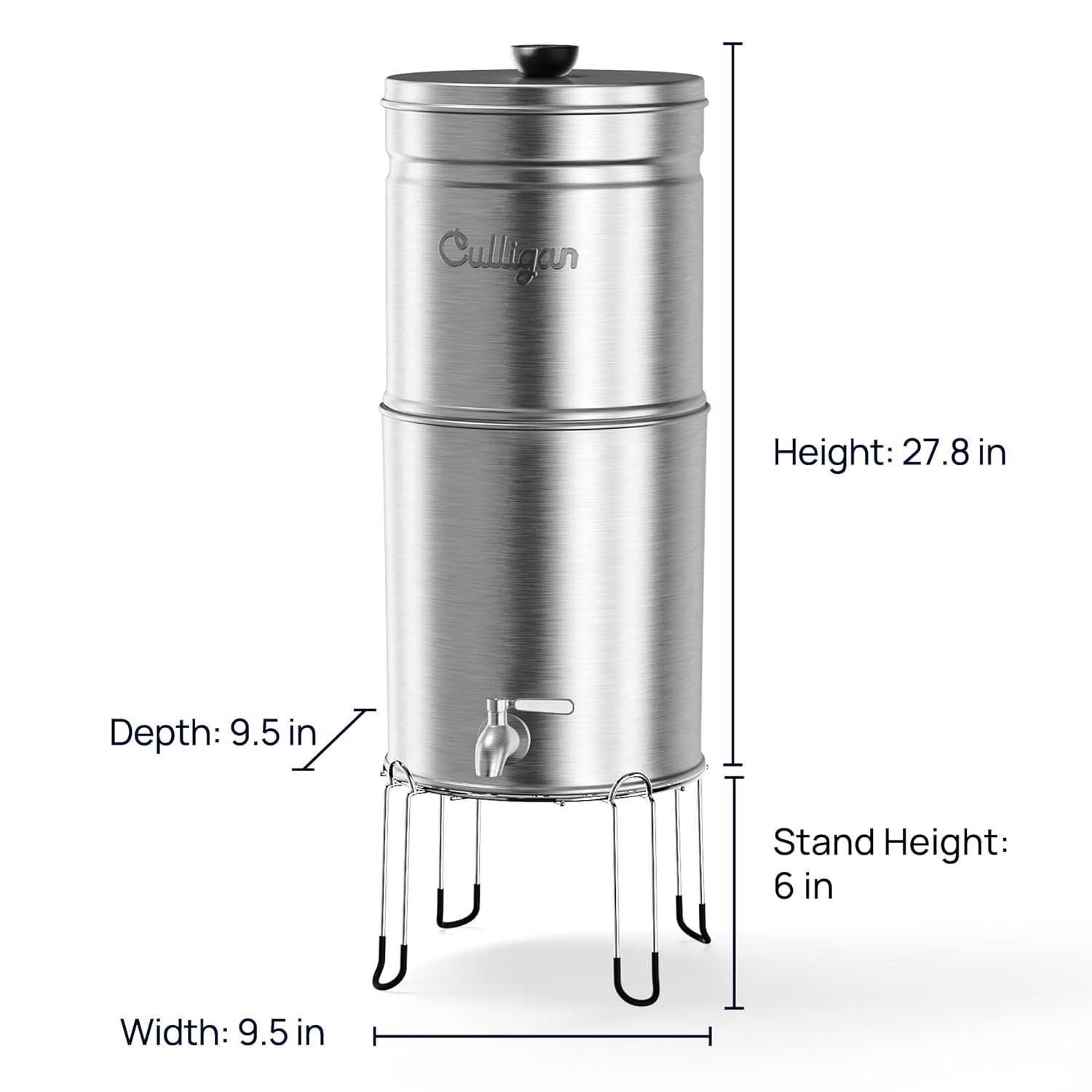
Image: Diagram illustrating the height, depth, and width of the Culligan MaxClear Technology Gravity Water Filter System.
Warranty & Support
For warranty information and customer support, please refer to the official Culligan website or contact their customer service directly. The user manual included in your product packaging also contains detailed warranty terms and contact information.
For additional resources and product information, visit the official Culligan Store: Culligan Store on Amazon.


