
Introduction
Thank you for purchasing the TORRAS CF20pro Smart Car Aroma Diffuser. This device combines advanced technology with elegant design to enhance your driving experience. Featuring smartphone app control, adjustable scent intensity, customizable ambient lighting, and smart automatic functions, the CF20pro offers a personalized and convenient way to maintain a pleasant atmosphere in your vehicle. Please read this manual thoroughly before use to ensure proper operation and maintenance.
Safety Information
- Keep the device out of reach of children and pets.
- Do not disassemble, repair, or modify the device. Unauthorized modifications may void the warranty and pose safety risks.
- Use only the provided USB-C cable for charging.
- Avoid exposing the device to extreme temperatures, direct sunlight for prolonged periods, or high humidity. The device is designed to withstand temperatures up to 90°C, but prolonged exposure to higher temperatures should be avoided.
- Ensure the device is placed on a stable, flat surface in the car to prevent it from falling during driving.
- Do not block the mist outlet.
- If any abnormal operation or damage occurs, discontinue use immediately and contact customer support.
Package Contents
Verify that all items are present in the package:
- TORRAS CF20pro Main Unit (Height: 56mm, Base Diameter: 100mm) x 1
- Essential Oil Cartridge x 2
- USB-C Cable x 1
- Instruction Manual x 1

Image: Contents of the TORRAS CF20pro package.
Product Overview
The TORRAS CF20pro features a sleek design with intuitive controls and smart functionalities. Key components include the main diffuser unit, a removable scent cartridge, and an integrated ambient light ring.

Image: The TORRAS CF20pro diffuser showcasing its customizable ambient lighting via the smartphone app.
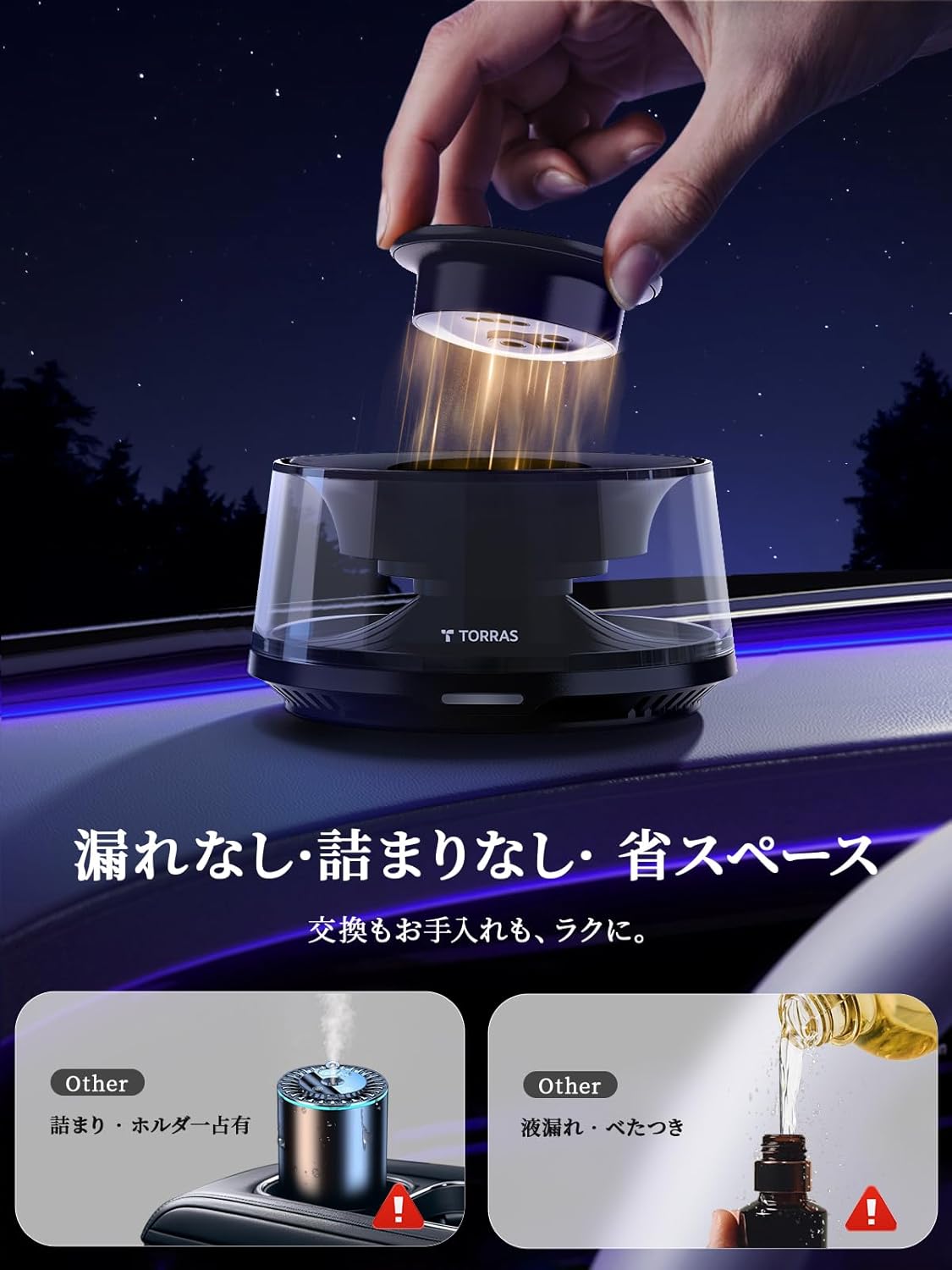
Image: Easy, mess-free magnetic scent cartridge replacement.
Setup
1. Install the Scent Cartridge
- Gently remove the top cover of the diffuser.
- Insert an essential oil cartridge into the designated slot. The magnetic design ensures easy and secure placement.
- Replace the top cover.
2. Download and Connect the App
The TORRAS CF20pro is controlled via a dedicated smartphone application. Follow these steps to connect:
- Download the "TORRAS Life" app from the Google Play Store (for Android) or the Apple App Store (for iOS).
- Open the app and grant necessary permissions, including Bluetooth access.
- Tap "Add Device" within the app.
- Long press the power button on the CF20pro unit to turn it on. The device will enter pairing mode.
- In the app, select the CF20pro from the list of available devices and tap "Add."
- Once connected, the app will display the device status, and you can begin customizing settings.

Image: App connection procedure for the TORRAS CF20pro.
Operating Instructions
Power On/Off Modes
The CF20pro offers three smart power management modes:
- Engine Linkage Mode: The diffuser automatically turns on when the car engine starts and turns off when the engine is switched off.
- Bluetooth Sensing Mode: The diffuser automatically activates when your paired smartphone is detected nearby (within approximately 10 meters) and turns off after you leave the vehicle.
- Timer Mode: Set a specific operating duration (in minutes) via the app. The diffuser will turn off automatically after the set time.

Image: Smart activation modes including Bluetooth connection, timer, and engine linkage.
Scent Intensity Adjustment
Control the scent release with 13 adjustable levels via the app:
- Open the "TORRAS Life" app.
- Navigate to the scent control section.
- Adjust the mist interval from 3 to 15 minutes to achieve your desired scent strength. A shorter interval results in a stronger scent.

Image: App interface for 13-level scent intensity adjustment.
Ambient Lighting Control
Customize the dual-ring ambient lighting with over 256 colors:
- Access the lighting settings in the "TORRAS Life" app.
- Choose from 256 colors for each ring to create unique color combinations.
- Select from 5 dynamic lighting modes or a constant light mode.
- Seven preset theme colors are also available for quick selection.
Solar Auxiliary Charging
The CF20pro features a solar panel for auxiliary charging. When the device is off and exposed to sunlight, the solar panel will provide a low-output charge to extend battery life. This function is for supplementary charging and cannot replace a dedicated charger. It includes overcharge protection.

Image: Solar auxiliary charging and heat-resistant battery feature.
Maintenance
Scent Cartridge Replacement
The solid essential oil cartridges are designed for easy, mess-free replacement:
- Gently lift the top cover of the diffuser.
- The used cartridge can be easily removed due to its magnetic attachment.
- Insert a new essential oil cartridge.
- Replace the top cover.
Cleaning and Condensation
Condensation may occur on the transparent cover due to water vapor from the mist. This is a normal phenomenon. To clean:
- Rotate the transparent cover and the base counter-clockwise to open the device.
- Wipe away any condensed moisture with a soft, dry cloth.
- Reassemble the device by rotating clockwise until secure.
Troubleshooting
Here are solutions to common issues:
| Issue | Solution |
|---|---|
| How to get the app? | Refer to the "APP Smart Operation Procedure" on page 25 of this instruction manual or the Setup section above. |
| What is the essential oil usage time? | Each cartridge provides approximately 1800 sprays. The remaining spray count can be checked via the app. If used for 2 hours a day at 5-minute intervals, one cartridge lasts approximately 75 days. Actual duration may vary based on usage frequency and interval settings. |
| Information about solar panel charging. | The solar panel provides auxiliary (low-output) charging and cannot replace a dedicated charger. It has overcharge protection. Approximately 5% charge can be gained in 2 hours when the device is powered off and exposed to sunlight. |
| Condensation on the transparent cover. | This is a normal phenomenon caused by water vapor from spraying. Rotate the transparent cover and base counter-clockwise to open the device, then wipe off the moisture. |

Image: Frequently Asked Questions and their solutions.
Specifications
| Feature | Detail |
|---|---|
| Model Number | CF20PRO |
| Brand | TORRAS |
| Dimensions | 14.6 x 14.4 x 9.2 cm |
| Weight | 580 g |
| Scent Type | Solid Oil (White Musk + White Musk variant) |
| Scent Duration | Approx. 200 days (based on 1.5 hours/day usage with 1800 sprays per cartridge) |
| Power Source | Battery powered, Solar auxiliary power |
| Color | Black |
| Heat Resistance | Up to 90°C (High-temperature environment tested) |
| Connectivity | Bluetooth |
Warranty and Support
The TORRAS CF20pro Car Diffuser comes with a 1-year warranty from the date of purchase. During this period, free replacement is provided for any operational questions, scent issues, malfunctions, or other problems.
Dedicated Support System
TORRAS offers 1-on-1 dedicated customer support, available 24 hours a day, year-round, to assist you with any inquiries or issues.
How to Contact Support
To contact customer support, please follow these steps:
- Go to the product page on Amazon.
- Click on the seller name (e.g., "Torras-Fragrance").
- Click the "Ask a Question" button to send a message.

Image: Warranty and customer support details.
