
ZAFRO NPLA3-06C/X1E
ZAFRO 10000 BTU Portable Air Conditioner
Model: NPLA3-06C/X1E
User Instruction Manual
Product Overview
The ZAFRO 10000 BTU Portable Air Conditioner is a versatile 3-in-1 unit designed to provide cooling, dehumidification, and fan functions for spaces up to 450 sq. ft. This manual provides essential information for safe operation, installation, maintenance, and troubleshooting.

Figure 1: ZAFRO Portable Air Conditioner unit with remote control.
Included Components
Your ZAFRO Portable Air Conditioner package includes the following items:
- Air conditioner machine
- Remote control
- Exhaust hose
- Hose connector
- Water pipe (for continuous drainage)
- Adapter
- Window kit
- User manual

Figure 2: All components included in the ZAFRO Portable Air Conditioner package.
Setup and Installation
Follow these steps to set up your portable air conditioner:
- Unpacking: Carefully remove the unit and all accessories from the packaging. Ensure all tape is removed from the unit. Allow the unit to stand upright for at least 24 hours before starting to allow refrigerants to settle.
- Window Panel Assembly:
- Connect the adjustable window kit pieces. The kit is designed to fit windows from 25.6 to 49.6 inches. Secure the desired length using the provided bolt and wing nut.
- Snap the window kit adapter into the designated opening on the window panel.

Figure 3: Assembly of the adjustable window panel for various window sizes.
- Exhaust Hose Connection:
- Connect one end of the exhaust hose to the hose connector on the window kit.
- Connect the other end of the exhaust hose to the exhaust air outlet of the AC unit. The hose is extendable and contractible for flexible placement.
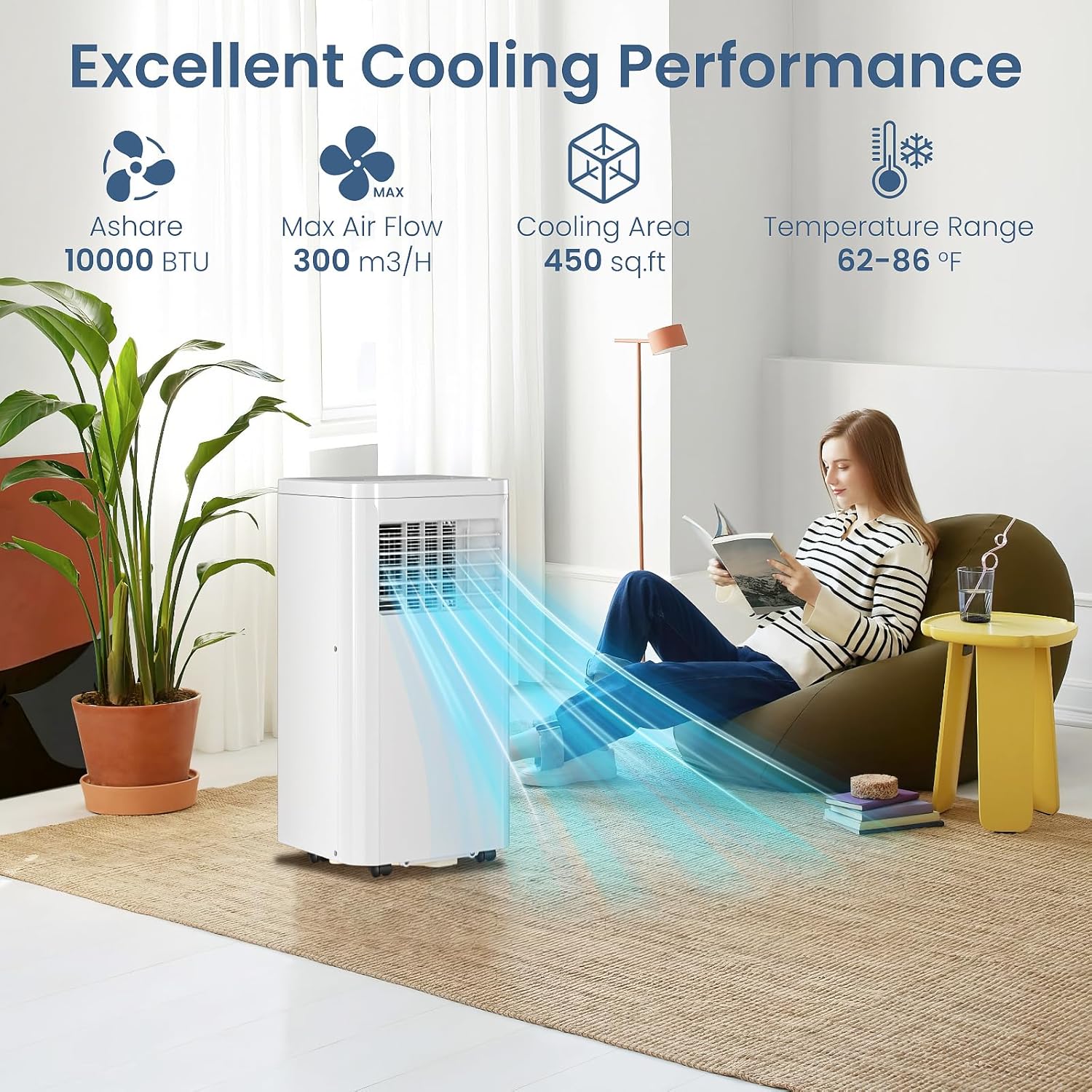
Figure 4: Connecting the exhaust hose to the rear of the AC unit.
- Window Installation:
- Open the window and place the assembled window panel firmly in the opening. Close the window to secure the kit.
- Ensure the exhaust hose is securely attached to prevent air leakage.

Figure 5: Proper installation of the window kit and exhaust hose.
- Drainage Setup (Dehumidifier Mode):
- For continuous drainage in dehumidifier mode, remove the rubber plug from the drain port and connect the provided water pipe. Direct the pipe into a suitable container or drain.
- For manual drainage, the unit has an internal water tank. When the tank is full, a water full indicator will light up, and the unit will automatically shut off. Empty the tank by removing the bottom drain plug.
- Power Connection: Plug the power cord into a secure wall outlet. The power cord features a reset and test function for safety.
Operating Instructions
Your ZAFRO Portable Air Conditioner can be operated using the LED display panel on the unit or the included remote control.

Figure 6: Overview of the LED touch panel and remote control functions.
Control Panel & Remote Functions:
- Power: Turns the unit on or off.
- Mode: Cycles through Cooling, Dehumidifier, and Fan modes.
- Speed: Adjusts fan speed between Low and High (2 speeds).
- Up/Down Arrows: Adjusts desired temperature (62°F to 86°F) or timer settings.
- Timer: Sets a 24-hour timer for automatic on/off operation.
- Sleep Mode: (Remote only) Automatically adjusts temperature and fan speed for quiet, energy-efficient operation during sleep.
Modes:
- Cooling Mode: Provides powerful cooling with adjustable temperature settings.
- Dehumidifier Mode: Removes excess moisture from the air. Requires drainage setup.
- Fan Mode: Circulates air without cooling.
Video 1: Detailed guide on setting up and operating the ZAFRO Portable AC.
Maintenance
Air Filter Cleaning:
For optimal performance and air quality, clean the air filter at least once every two months.
- Remove both grilles from the back of the unit.
- If the filter is heavily soiled, immerse it in lukewarm water with a mild detergent and rinse thoroughly.
- Allow the filter to air dry completely before re-attaching to the unit.
Drainage:
If using the dehumidifier function, ensure proper drainage as described in the Setup section. Regularly check the water tank and empty it when the indicator lights up to prevent overflow.
Troubleshooting Table
Refer to this table for common issues and solutions:
| Symptom | Inspection | Solution |
|---|---|---|
| The unit is not operating. | Check the power connection is secure. | Insert the power cord securely into the wall outlet. |
| Check if the water level indicator lights up. | Empty the drain pan by removing the rubber plug. | |
| Check the room temperature. | The range of operating temperature is 61-95°F. | |
| The unit works with reduced capacity. | Check the air filter for dirt. | Clean the air filter as necessary. |
| Check if the air duct is blocked. | Clear the obstacle. | |
| Check if the room door or window is open. | Keep the door and windows closed. | |
| Water Leakage | The exhaust hose is detached. | Make sure the exhaust hose is securely attached. |
| Overflow while moving the unit. | Empty the water tank before transportation. | |
| Excessive Noise | Check if there are any loose or vibrating parts. | Secure and tighten the parts. |
| The noise sounds like water flowing. | Noise coming from flowing refrigerant. This is normal. |
Specifications
| Feature | Detail |
|---|---|
| Product Dimensions | 11.81 x 13.39 x 27.09 inches |
| Item Weight | 44.2 pounds |
| Cooling Power | 10000 British Thermal Units (BTU) |
| Cooling Area | Up to 450 Sq.Ft |
| Noise Level | 53 Decibels |
| Voltage | 115 Volts |
| Power Source | Corded Electric |
| Special Features | Dehumidifier, Fast Cooling, Remote Controlled, Sleep Mode |
Warranty and Support
The ZAFRO Portable Air Conditioner comes with a 1-Year Warranty. For any support needs, troubleshooting assistance, or warranty claims, please refer to the contact information provided in your user manual or visit the official ZAFRO website.
Related documentsNPLA3-06C/X1E


Ask a question about this manual
Ask about setup, troubleshooting, compatibility, parts, safety, or missing instructions. Manuals+ will review the question and use this page’s manual context to help answer it.