
1. Product Overview
Thank you for choosing the Basike Boombox V98 Portable Bluetooth Speaker. This device combines powerful audio performance with advanced features like IPX6 water resistance, TWS technology, and a built-in power bank, designed for versatile use in various environments. Please read this manual carefully to ensure proper operation and to maximize your experience with the product.
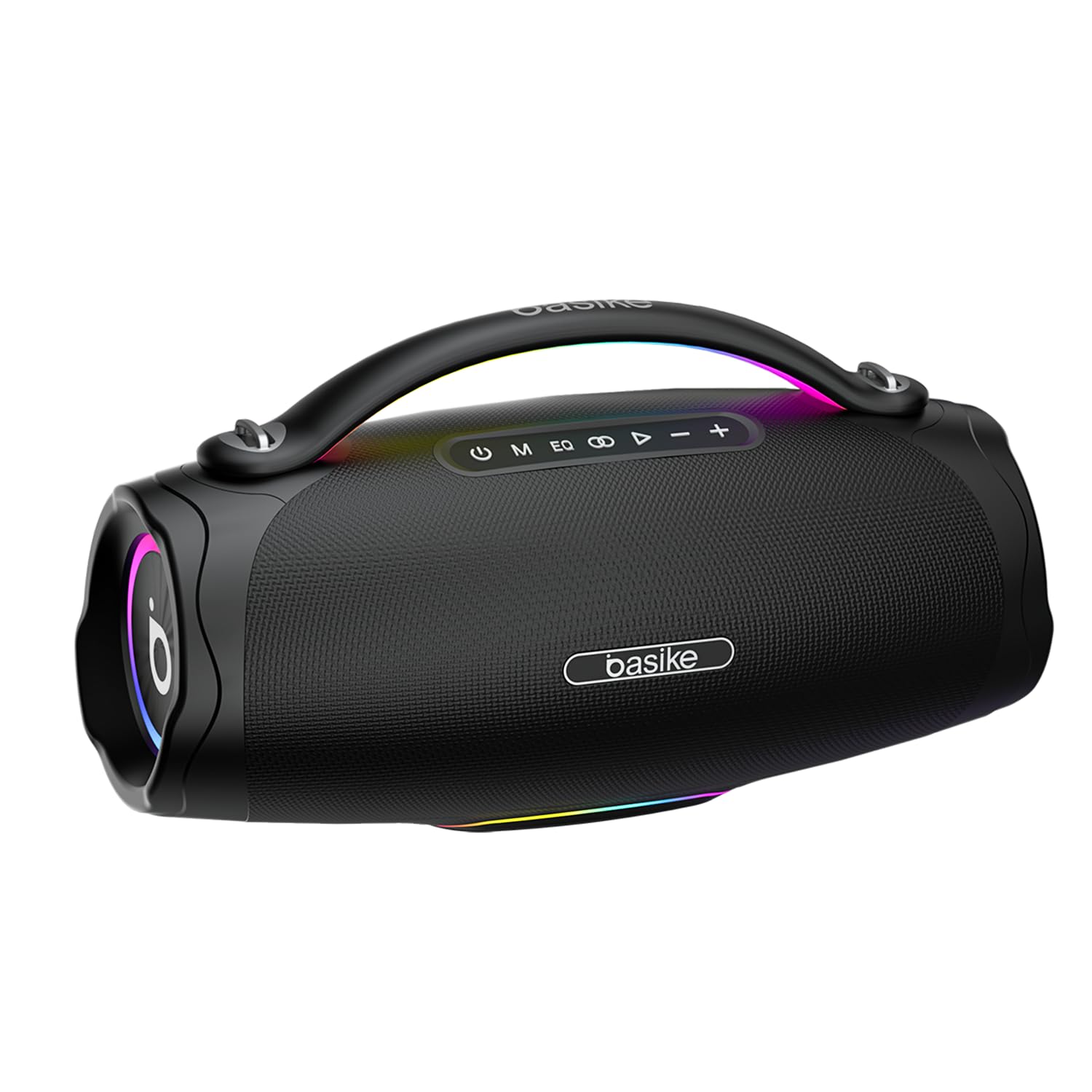
Image 1.1: Basike Boombox V98 Portable Bluetooth Speaker.
2. Key Features
- 100W Powerful Audio: Experience deep bass and immersive volume with dual speakers (2.2 channels) and a 14-band DSP for studio-quality sound.
- Professional Karaoke & Live Streaming: Connect wireless UHF microphones (12m range) with 10-level echo control. OTG function supports direct live streaming from your mobile phone.
- Long-lasting Battery & Power Bank: Equipped with a 10000mAh battery providing up to 8 hours of music playback (at 50% volume). It can also recharge mobile phones via USB (5V/1A), ideal for outdoor events.
- IPX6 Water and Dust Resistance: Designed to withstand water jets and dust, making it suitable for beaches, pools, or trails. Features a reinforced handle and portable design (366x152x200mm).
- Smart RGB Lights & TWS Stereo: Enjoy 4 synchronized lighting modes. Pair two speakers via TWS (12m range) for cinematic surround sound and a total of 100W power.

Image 2.1: The Basike Boombox V98 is IPX6 rated, indicating resistance to water jets and dust.
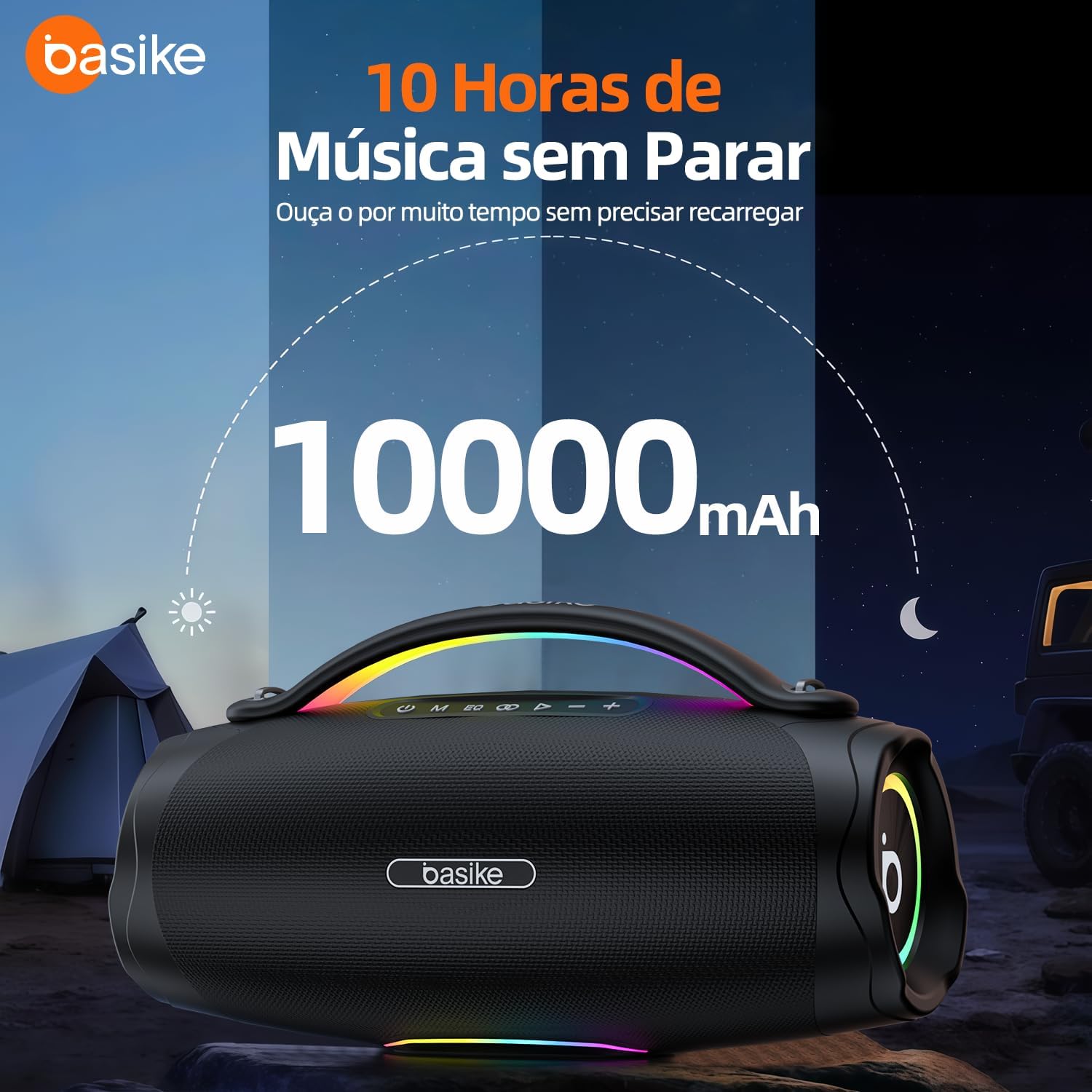
Image 2.2: The speaker features a 10000mAh battery for extended playback.

Image 2.3: Internal view showing the 100W high-power stereo audio system with 4 speaker units (2x 80mm, 2x 48mm).

Image 2.4: The speaker's lightweight and portable design, featuring a carry handle for easy transport.

Image 2.5: The speaker's intelligent RGB lights, which synchronize with music.

Image 2.6: The Basike Boombox V98 can function as a power bank to charge smartphones via USB.
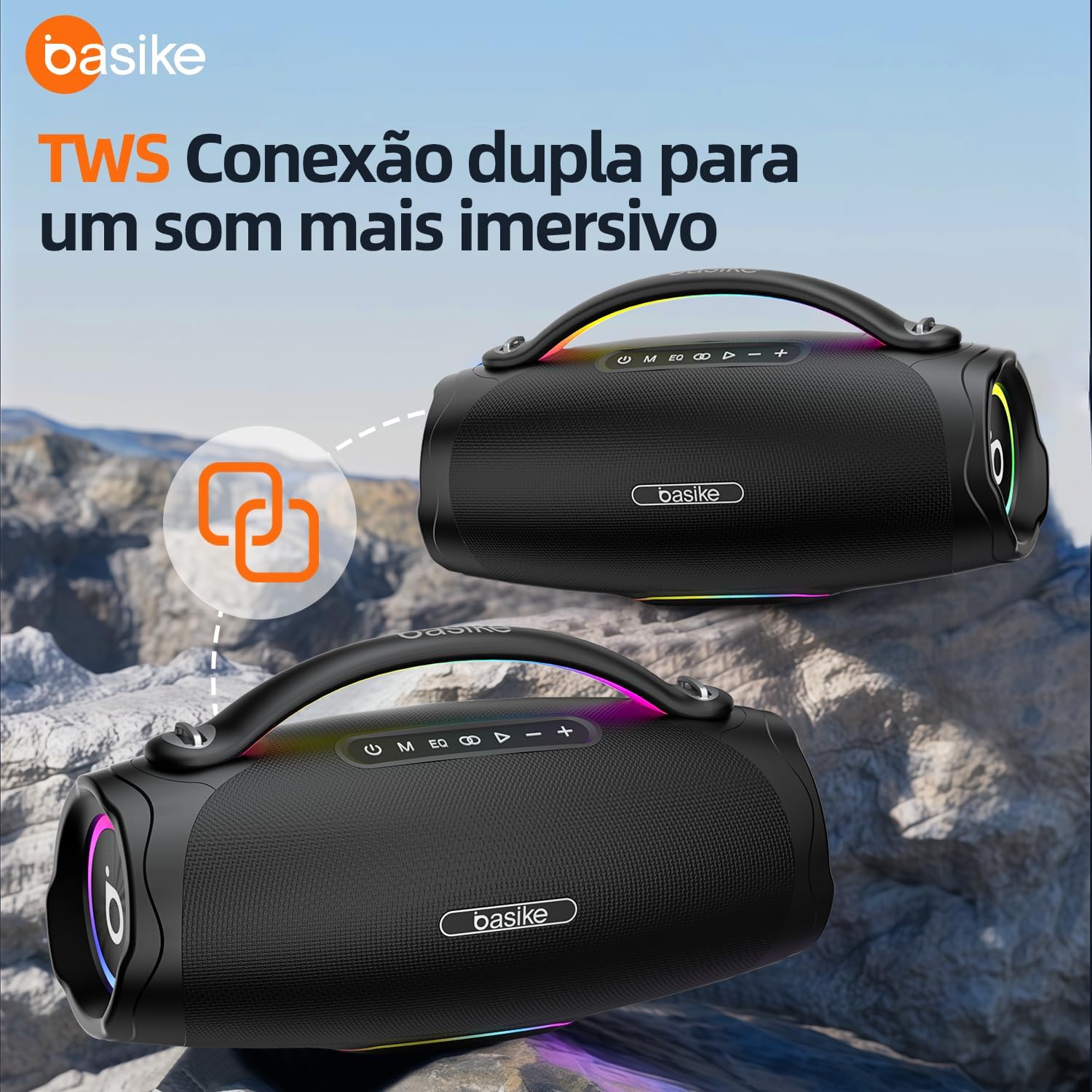
Image 2.7: Two Basike Boombox V98 speakers connected via TWS for an immersive stereo experience.
3. Package Contents
Please check the package for the following items:
- Basike Boombox V98 Portable Bluetooth Speaker
- Type-C Charging Cable
- User Manual
4. Controls and Ports
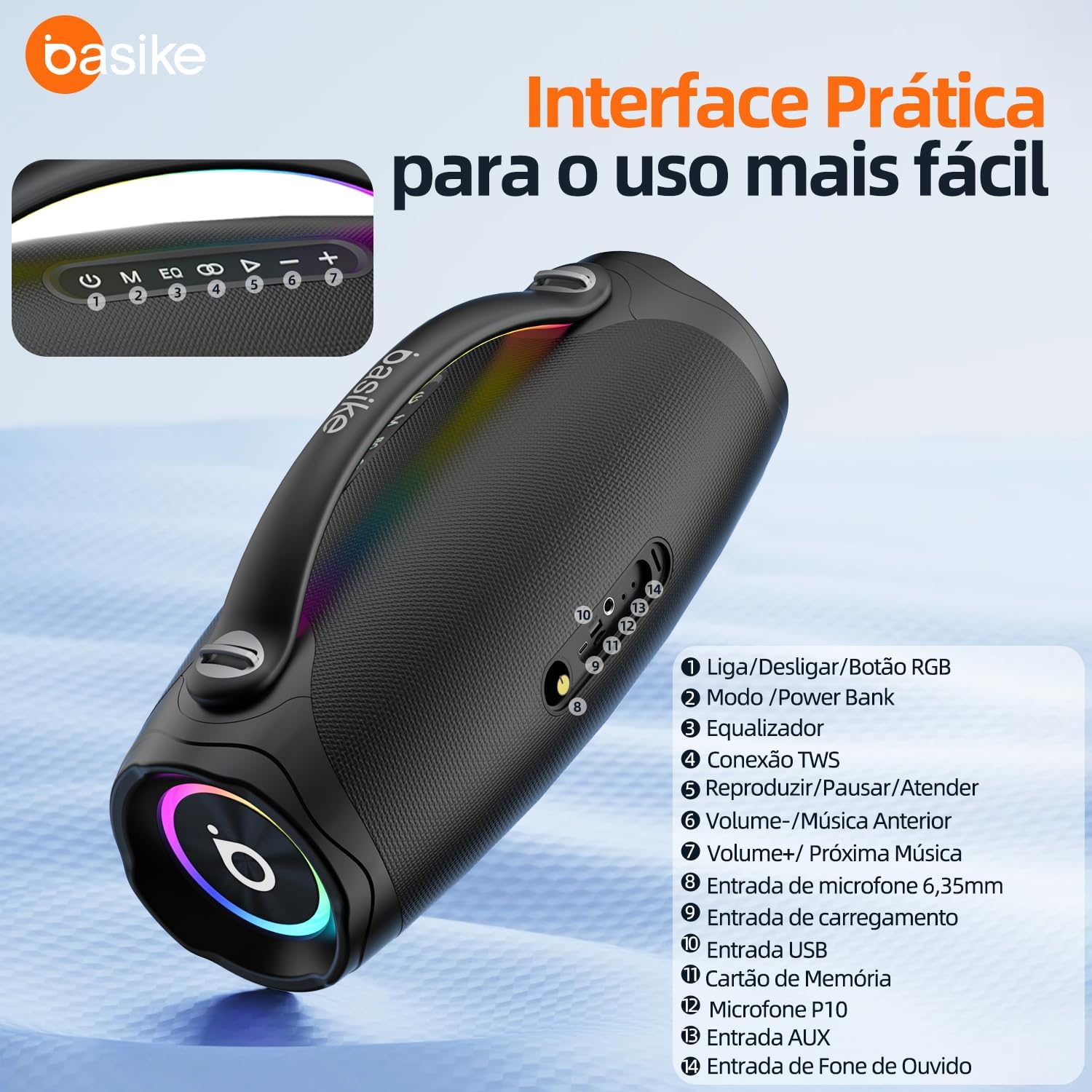
Image 4.1: Detailed view of the Basike Boombox V98 control panel and rear ports.
- Power On/Off / RGB Button: Press and hold to power on/off. Short press to cycle RGB light modes.
- Mode / Power Bank Button: Short press to switch between input modes (Bluetooth, USB, TF, AUX). Long press to activate/deactivate power bank function.
- Equalizer (EQ) Button: Short press to cycle through different equalizer presets.
- TWS Connection Button: Press to initiate True Wireless Stereo pairing.
- Play / Pause / Answer Button: Short press to play/pause music. Short press to answer/end calls. Long press to reject calls.
- Volume - / Previous Track: Short press for previous track. Long press to decrease volume.
- Volume + / Next Track: Short press for next track. Long press to increase volume.
- 6.35mm Microphone Input: Connect a wired microphone for karaoke.
- Charging Input (Type-C): Connect the Type-C cable to charge the speaker.
- USB Input: Insert a USB drive for music playback or use for power bank function.
- Memory Card (TF) Slot: Insert a TF card for music playback.
- P10 Microphone Input: (Likely a duplicate or alternative label for 6.35mm Microphone Input).
- AUX Input: Connect external audio devices via a 3.5mm audio cable.
- Headphone Input: (This port is labeled as 'Headphone Input' in the image. It may function as an additional AUX input or a line-out. For typical boombox use, it's often an input).
5. Setup
5.1. Charging the Speaker
Before first use, fully charge the speaker. Connect the provided Type-C charging cable to the speaker's charging input (9) and the other end to a 5V/3A power adapter (not included). The RGB lights may indicate charging status.
5.2. Powering On/Off
Press and hold the Power On/Off button (1) for approximately 3 seconds to turn the speaker on or off. A sound prompt will indicate the power status.
6. Operating Instructions
6.1. Bluetooth Connection
- Turn on the speaker. It will automatically enter Bluetooth pairing mode, indicated by a flashing Bluetooth indicator.
- On your mobile device, enable Bluetooth and search for "Basike V98" in the list of available devices.
- Select "Basike V98" to connect. Once connected, a sound prompt will confirm, and the Bluetooth indicator will stop flashing.
6.2. True Wireless Stereo (TWS) Pairing
To pair two Basike V98 speakers for stereo sound:
- Ensure both speakers are powered on and not connected to any Bluetooth device.
- On one speaker (this will be the primary speaker), short press the TWS Connection button (4). The speaker will enter TWS pairing mode.
- The primary speaker will automatically search for the secondary speaker. Once connected, a sound prompt will confirm the TWS connection.
- Now, connect your mobile device to the primary speaker via Bluetooth as described in section 6.1. Both speakers will play audio in stereo.
6.3. Using the Equalizer (EQ)
Short press the Equalizer (EQ) button (3) to cycle through different sound modes (e.g., 3D, Bass, Full). Select the mode that best suits your audio preference.
6.4. RGB Light Modes
Short press the Power On/Off / RGB Button (1) to change the RGB lighting effects. There are 4 synchronized lighting modes available.
6.5. Using as a Power Bank
To charge your mobile device:
- Connect your mobile device's charging cable to the USB Input (10) on the speaker.
- Long press the Mode / Power Bank Button (2) to activate the power bank function. The speaker will begin charging your device.
6.6. Microphone Input (Karaoke)
Connect a 6.35mm wired microphone to the Microphone Input (8 or 12). Adjust microphone volume and echo levels using the remote control (if included) or specific controls on the speaker (if available).
6.7. USB/TF/AUX Playback
Insert a USB drive into the USB Input (10) or a TF card into the Memory Card (TF) Slot (11). Connect an external audio device via a 3.5mm audio cable to the AUX Input (13). Use the Mode button (2) to switch to the desired input source.
7. Maintenance
7.1. Water and Dust Resistance (IPX6)
The Basike V98 is IPX6 rated, meaning it is protected against high-pressure water jets from any direction and is dust resistant. While it can withstand splashes and rain, it is not designed for submersion in water. Ensure all port covers are securely closed before exposing the speaker to water or dust.
7.2. Cleaning and Storage
Clean the speaker with a soft, damp cloth. Do not use abrasive cleaners or solvents. Store the speaker in a cool, dry place away from direct sunlight and extreme temperatures when not in use for extended periods.
8. Troubleshooting
- No Power: Ensure the speaker is charged. Connect the Type-C charging cable and try again.
- No Sound: Check the volume level on both the speaker and your connected device. Ensure the correct input mode is selected.
- Bluetooth Disconnection: Ensure the speaker is within the 12-meter Bluetooth range. Re-pair the device if necessary.
- TWS Pairing Failure: Ensure both speakers are not connected to any other Bluetooth device before initiating TWS pairing. Try resetting both speakers.
- Short Battery Life: Battery life can vary based on volume level and usage. Ensure the speaker is fully charged before use.
9. Specifications
| Feature | Detail |
|---|---|
| Brand | Basike |
| Model Name | V98 |
| Speaker Type | Subwoofer |
| Maximum Speaker Output Power | 100 Watts |
| Frequency Response | 60Hz-18KHz (Product Description) / 15 KHz (Specifications) |
| Battery Capacity | 10000mAh |
| Battery Life | Up to 10 Hours (average volume) |
| Charging Input | Type-C 5V/3A |
| Bluetooth Version | 5.3 (A2DP/AVRCP/HFP) |
| Bluetooth Range | 12 Meters |
| Water Resistance Level | IPX6 (Waterproof) |
| Speaker Size | Φ80mm x2 + Φ48mm x2 |
| Woofer Diameter | 8 Centimeters |
| Dimensions (L x W x H) | 36.6 x 15.2 x 20.0 cm |
| Item Weight | 2143 Grams |
| Control Method | Remote |
| Compatible Devices | Karaoke machine, Notebook, Smartphone, Tablet |
| Included Components | Basike-V98 Bluetooth Speaker |
10. Warranty Information
This Basike Boombox V98 speaker comes with a 1-year limited warranty from the date of purchase. This warranty covers manufacturing defects and malfunctions under normal use. Please retain your proof of purchase for warranty claims. The warranty does not cover damage caused by misuse, accidents, unauthorized modifications, or normal wear and tear.
11. Customer Support
If you encounter any issues or have questions regarding your Basike Boombox V98 speaker, please refer to the troubleshooting section of this manual. For further assistance, contact Basike customer support through the retailer where you purchased the product or visit the official Basike website for contact information.


